
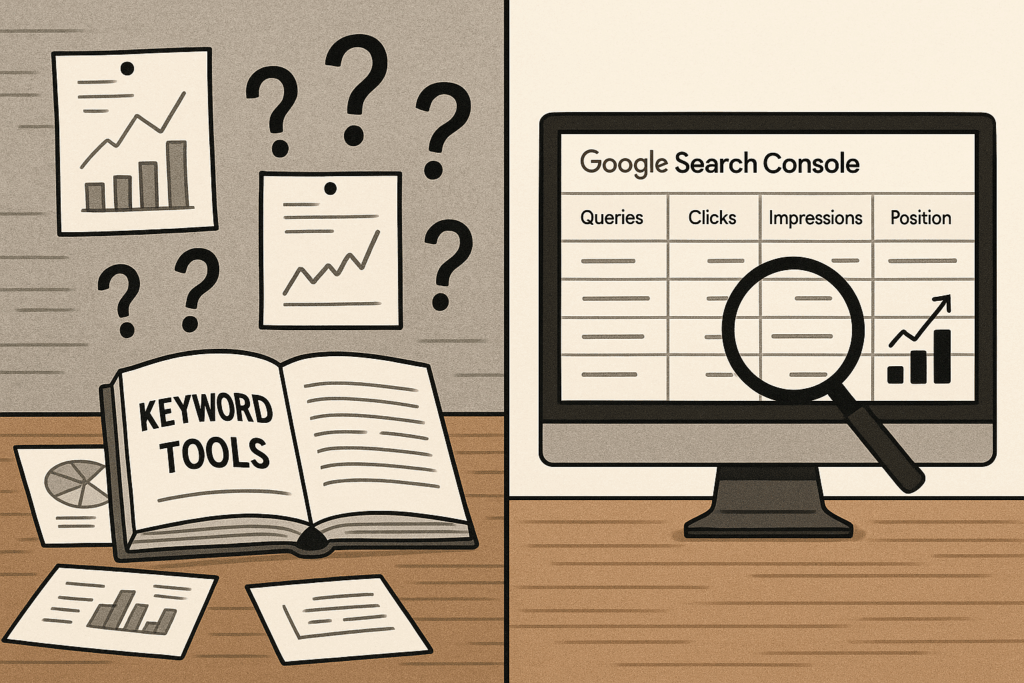
If you have a website and you’re doing SEO, you should not start with keyword research.
I know that goes against conventional SEO wisdom. But after 16 years doing this work, I can tell you that keyword research has two critical limitations that make it the wrong starting point for most established websites. There’s a better source of data sitting right in front of you, and it’s completely free.
Table of Contents
ToggleThe Two Big Problems With Keyword Research
It Only Shows a Fraction of Actual Searches
Even if you analyze hundreds of keywords, you’re still looking at a tiny fraction of the terms people actually type into Google when searching for your product or service. Keyword tools show general, high-volume keywords and estimated search data, but they miss the long-tail queries where real opportunities hide.
For example, a keyword tool might tell you “pizza near me” gets 50,000 searches per month. But it won’t show you the hundreds of variations people actually use: “best pepperoni pizza delivery open now,” “gluten-free pizza restaurants that deliver,” or “pizza places with outdoor seating near downtown.”
These specific queries often have less competition and higher conversion rates because they show clearer intent. Traditional keyword research tools simply don’t capture them.
@tjrobertson52 Stop wasting time on keyword research! Google Search Console shows you what you’re ALREADY ranking for 🤯 #SEO #GoogleSearchConsole #SEOTips #DigitalMarketing #MarketingHacks
♬ original sound – TJ Robertson – TJ Robertson
It Ignores Your Site’s Authority
The second limitation is even more important: keyword research doesn’t account for your website’s current authority or ranking ability.
It might suggest big, competitive terms that your site cannot realistically rank for. As one SEO expert notes, this approach creates “shaky foundations” built on volume alone rather than actual opportunity.
Your website only has a certain amount of authority with Google. A single plumber competing against national chains for “emergency plumber” is fighting a losing battle, no matter how well-optimized the content is. The keyword tool doesn’t tell you this.
Google Search Console: A Better Starting Point
If you have an established website getting at least some traffic, there’s always better data available than keyword research. That source is Google Search Console (GSC).
GSC shows you the exact queries people typed into Google before your website appeared in search results. It shows which queries resulted in clicks, which page they clicked on, and most importantly for our purposes: how often your site appeared in search results, whether or not it got clicked.
This last metric is called “impressions,” and it’s where the gold is.
Why Impressions Data Changes Everything
An impression is counted each time a link to your site appears in Google search results, whether or not anyone clicks it. If you’re getting thousands of impressions for a query but few clicks, you’re ranking just low enough that people can see you, but not high enough that they trust you.
This is actionable data. Unlike keyword research showing you theoretical opportunities, impressions show you practical ones. You’re already ranking for these terms. You just need to rank a little higher.
Search Engine Land specifically recommends looking for keywords where you rank on pages 2-3 (positions 11-30) with substantial impressions. These represent your highest-priority opportunities because relatively small optimizations can push you onto page 1.
As SEOTesting explains, “Impressions help you see how often your content appears in search. A high number of impressions with few clicks may mean your meta data needs improvement” or that your content needs to better address the query.
How to Find Your Best Opportunities
Here’s the process I use with every client:
Step 1: Access Your Data
Open Google Search Console and go to Performance > Search Results. Set your date range to the last three months. (If you don’t have GSC connected yet, it’s free and takes about five minutes to set up.)
Step 2: Sort by Impressions
Click on the “Queries” tab to see all search terms that brought impressions or clicks. Sort the table by the Impressions column, highest to lowest.
You’ll see the terms where your site gets the most visibility. Look for queries with very high impressions but relatively low clicks or rankings outside the top 10 positions.
Step 3: Identify Relevant Opportunities
Scroll through and note any query that stands out as high volume but currently underperforming. These are often queries where you rank on page 2 or 3, getting thousands of views but few clicks.
Should You Create a New Page or Expand an Existing One?
Not every high-impression query needs its own page. The decision comes down to intent and fit.
Ask yourself: Can this keyword be covered in the main article, or does it deserve its own post? If the query represents a distinct subject that doesn’t naturally fit on an existing page, create a new page. If it’s closely related to an existing page’s focus, just add a section.
For example, if you have a page about “commercial HVAC installation” and you’re getting impressions for “commercial HVAC maintenance,” that probably warrants its own page. But if you’re getting impressions for “commercial HVAC installation timeline,” you can likely add a section to your existing installation page.
This approach prevents keyword cannibalization and ensures you build out relevant content without unnecessary duplication.
How to Optimize for GSC Queries
Once you’ve identified your target queries, optimization is straightforward.
For New Pages
Title tags and H1 headings are the two most important places to use your target phrases. If you’re creating a new page to target a query, make that query your H1 and include it prominently in your page title tag (the clickable blue link in search results).
For example, if creating a page for “ceramic window tinting,” your H1 should be “Ceramic Window Tinting” and your title tag might be “Ceramic Window Tinting Services | [Your Business].”
For Existing Pages
If you’re adding a section to an existing page, create a new H2 subheading using the query phrase, then write content under it that answers that query.
For instance, if your page is about window tinting and a secondary query is “how long does window tinting last,” add an H2 like “How Long Does Window Tinting Last?” and provide a clear answer in the following paragraphs.
This approach lets one page rank for multiple related queries without competing with itself.
Why This Works Better Than Keyword Research
Of the hundreds of tactics we use for clients, this is by far the highest leverage.
Here’s why: You’re working with real data from Google about queries your site is already appearing for. You’re not guessing at competitive landscapes or theoretical search volumes. You’re identifying specific, proven opportunities where you’re already 80% of the way there.
Traditional keyword research shows general, high-volume keywords that ignore your site’s context. GSC shows you actual search terms where you’re already visible but underperforming. The difference in efficiency is massive.
I still use keyword research tools almost daily. If you don’t have better data, they’re valuable. But if you have an established website, even one getting modest traffic, start with Google Search Console impressions data. You’ll find more actionable opportunities in an afternoon than you would in weeks of traditional keyword research.
Ready to Unlock Your Site’s Hidden Potential?
Most established websites are sitting on hundreds of high-value opportunities they don’t even know exist. The data is waiting in Google Search Console, showing you exactly which queries could drive significant traffic with relatively small optimizations.
At TJ Digital, we start every SEO campaign by mining this data. It’s how we consistently deliver results for clients without wasting time on keywords they’ll never rank for.
Want to see what opportunities are hiding in your GSC data? Contact us for a free website audit, and we’ll identify your highest-leverage optimization opportunities.