NAP consistency is making a comeback. For those unfamiliar, NAP stands for Name, Address, and Phone number. In the early days of local SEO, it was critical that your business information matched exactly across every directory online. Then for years, it became less important. Now in 2025, it matters again—but for different reasons.
ChatGPT and other AI platforms are pulling business information from multiple directories to answer user queries. If your NAP isn’t consistent across these sources, potential customers could get sent to the wrong address or given an outdated phone number. That’s a lost customer.
Table of Contents
ToggleWhy NAP Consistency Matters for AI Search
Traditional search engines like Google use NAP data to verify that a business is legitimate. When they see identical information across multiple platforms, they trust the business more and rank it higher in local results.
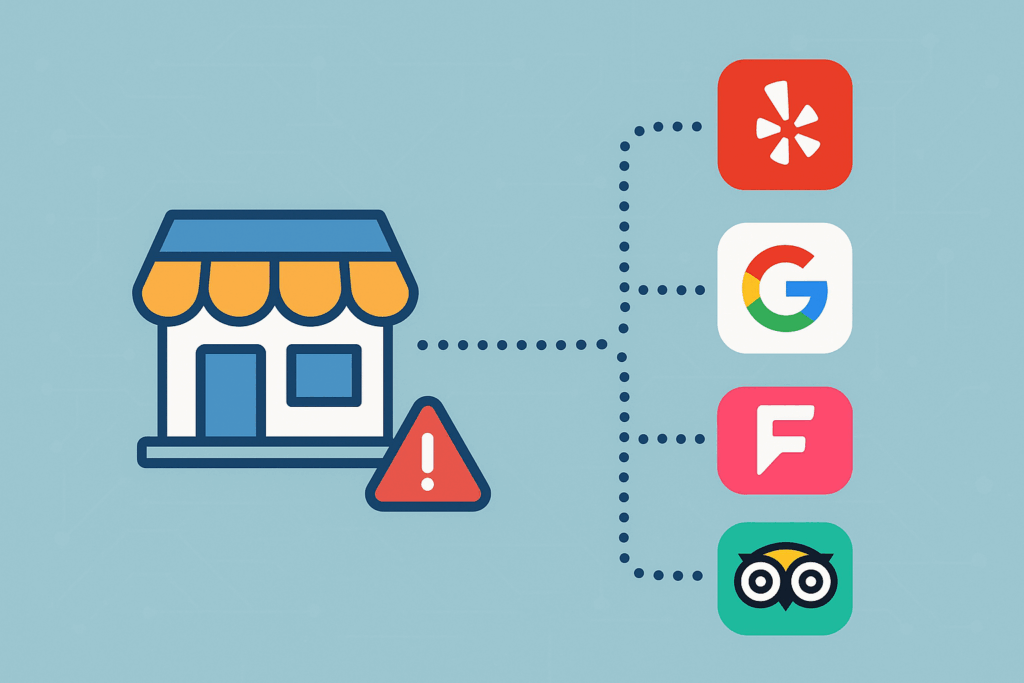
But AI answer engines work differently. ChatGPT doesn’t crawl the web in real time. Instead, it relies on a fixed knowledge base and on trusted third-party sources such as Bing, Yelp, TripAdvisor, and Foursquare. According to research, over 70% of ChatGPT’s local business results come from Foursquare listings, with the rest pulled from Yelp, TripAdvisor, and other directories.
Here’s the problem: it’s nearly impossible to predict which directory ChatGPT will pull from when someone asks about your business. If that obscure directory has outdated information, that’s what potential customers will see. AI assistants cross-reference your data across dozens of sources. Any variation or outdated entry can cause them to mix things up or pull the wrong information.
@tjrobertson52 Old SEO tactics are back and NAP consistency matters again bc of ChatGPT 😅 Ask it for all your business addresses – if something’s wrong, ask where it found it. Game changer for local businesses #SEO #ChatGPT #LocalBusiness #MarketingTips #BusinessOwner
♬ original sound – TJ Robertson – TJ Robertson
The Cost of Incorrect Business Information
If ChatGPT gives someone the wrong phone number or address, that potential customer is lost. They’ll either give up trying to find you or, worse, lose trust in your business entirely.
For local businesses, this isn’t a minor inconvenience. Misdirected customers mean lost revenue. Repeated errors in AI outputs can damage your reputation. If what ChatGPT says conflicts with reality, people will doubt your credibility.
How to Check What ChatGPT Knows About Your Business
The easiest way to audit your NAP consistency is to ask ChatGPT directly. Try these queries:
- “What is the address and phone number for [Business Name]? List all locations and numbers you find.”
- “List all addresses and phone numbers you have for [Business Name], and cite your sources.”
ChatGPT will compile the NAP entries it has access to. If you see any incorrect or outdated information, follow up with:
- “Where did you find that address?”
- “Can you provide the URLs or names of the sources?”
Some users report that asking ChatGPT where it found specific information can make it reveal which directory or database it used. It might say “this was found on Yelp” or point to a specific directory.
You should also manually verify by checking your business on major platforms: Google Business Profile, Yelp, Bing Places, TripAdvisor, and Foursquare.
Finding and Fixing Inconsistent Listings
Once you spot an error, you need to track down where that bad information lives. Here’s a two-step process:
1. Ask the AI for Its Source
Go back to ChatGPT and ask: “Where did you find that [wrong address/number]?” or “Which site gives this information?”
The AI might cite a specific website or directory. Even if it doesn’t answer perfectly, it might give you a hint like “I see this on a Yelp page” or “found in a business directory listing.” If it identifies a site, go fix it directly.
2. Use Google to Trace the Entry
If ChatGPT doesn’t reveal the source, use Google. Search for the erroneous address or phone number (in quotes) along with your business name:
“123 Old St” “My Business Name”
This often surfaces the exact directory showing that wrong information. Check each result—it could be Yelp, YellowPages, a local chamber of commerce site, or even a blog that scraped outdated data.
Once you find the source, claim and update the listing with your correct NAP information.
This process of asking the AI and then validating via search helps you systematically clean up citations. Keep in mind that AI can sometimes hallucinate sources, so Google search is your most reliable verification method.
ChatGPT vs. Google for Finding NAP Errors
Both tools serve different purposes in your audit:
ChatGPT gives you quick insight into what AI systems “know” about your business. You can ask questions in plain language and get synthesized answers. However, it doesn’t guarantee accuracy and may not reflect the latest changes unless you’re using a version with live browsing.
Google directly locates sources in real time. When you search for your business name with an address or phone number, Google shows you the actual web pages and directories where that information lives. This lets you pinpoint the exact listing that needs fixing.
The best approach: use ChatGPT for a broad view of what’s in AI’s knowledge base, then use Google to find and fix the specific directory pages.
How Many Citations Do You Actually Need?
This is a common question. Focus on the major directories first: Google Business Profile, Apple Business Connect, Bing Places, Facebook, Better Business Bureau, and your local Chamber of Commerce.
You can use tools like BrightLocal to submit to additional directories, but avoid services like Yext that charge monthly fees. Those services only do the work in the first month. After that, you’re just paying to maintain listings that don’t need maintenance.
How many total citations should you get? There are diminishing returns after the top 30 or so directories. More citations can help, but each additional one matters less than the one before it. The most important thing is that your NAP is consistent across the major platforms where ChatGPT and other AI tools are likely to pull from—especially Foursquare.
Why This Matters Now
We’ve incorporated NAP consistency audits into our onboarding process for every new client at TJ Digital. It’s that important. As AI search continues to grow, these old directory listings are becoming relevant again. Not for Google rankings like they used to be, but because they’re feeding information directly to potential customers through ChatGPT and other AI assistants.
The good news is that fixing NAP inconsistencies is easier now than it was in the old days of SEO. You can literally ask ChatGPT what it knows and where it learned it. Then use Google to track down and correct the source. This process takes a few hours at most, and it ensures that when someone asks an AI about your business, they get the right information.
Action Steps
Here’s what you should do today:
- Ask ChatGPT for your business’s address and phone number
- Check if all the information is correct and current
- If you find errors, ask ChatGPT where it found them
- Use Google to search for any incorrect information and find the source
- Claim and update those directory listings with your correct NAP
- Make sure you’re listed on the major platforms (Google Business Profile, Bing Places, Apple Business Connect, Foursquare, Yelp)
- Use BrightLocal or a similar tool to submit to additional directories (one-time only)
NAP consistency isn’t the most exciting part of digital marketing, but it’s one of those fundamentals that can quietly cost you customers if you ignore it. As more people turn to ChatGPT for business recommendations and information, making sure your listings are accurate isn’t optional anymore.
Want help auditing your NAP consistency and optimizing for AI search? TJ Digital specializes in AI optimization for local businesses. We’ll identify inconsistent listings, fix them, and make sure you’re showing up correctly in ChatGPT and other AI platforms. Contact us to get started.