
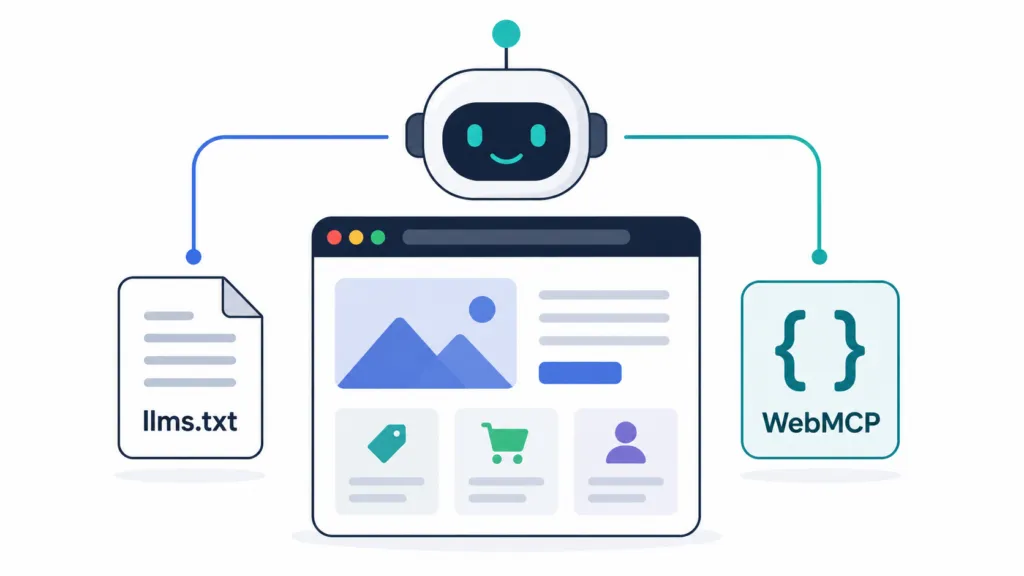
If you have a website, you need to make sure AI agents can actually use it. That’s the core message from Google I/O this year, where Google confirmed that AI agents are already using two web standards to understand and interact with websites: LLMs.txt and WebMCP.
At TJ Digital, we manage AI search optimization for roughly 40 to 50 client websites. Neither of these standards is brand new, but until recently, neither one mattered much.
Google I/O changed that. Here’s what you need to know about both and how to get them on your site.
Table of Contents
ToggleWhat Is LLMs.txt?
LLMs.txt is a text file that you place in the root directory of your website. It explains what the most important pages on your site are and what information can be found on each one.
Think of it as an AI-friendly sitemap. Your regular sitemap lists every page for search engines. LLMs.txt offers a curated, low-noise summary of just the pages that matter most, formatted in Markdown so language models can read it without parsing HTML.
The idea came around about a year ago. A lot of people assumed it would help with showing up in AI search results. As of right now, it still does not do that.
Google’s John Mueller confirmed they have no intention of using LLMs.txt for AI search rankings. Studies analyzing over 300,000 domains found no measurable increase in AI citations from having the file.
So what does it do? At Google I/O, Google confirmed that AI agents are already starting to use LLMs.txt to understand the structure of your website. It helps agents figure out what information they can find on your site and what actions they can take.
That’s a different use case than search rankings, and it’s one that’s going to matter a lot more as agents become the primary way people interact with the internet.
@tjrobertson52 AI agents are already crawling your website — but can they actually USE it? LLMs.txt + WebMCP explained. Is your site ready? #AIAgents #WebMCP #GoogleIO
♬ original sound – TJ Robertson – TJ Robertson
Does Adding LLMs.txt Help with AI Search Rankings?
No. There is no evidence that LLMs.txt boosts search rankings or AI citations. Google’s own optimization guide says you don’t need to create an LLMs.txt file to appear in generative search features.
Traditional search engines simply ignore the file.
LLMs.txt exists to make your site usable by AI agents. It makes your site easier for AI agents to understand and interact with. That matters because the question is shifting from “will AI recommend me?” to “can AI actually do something useful on my site?”
How to Create an LLMs.txt File
The simplest method is to give your existing sitemap to an LLM (like Claude or ChatGPT) and ask it to generate the file. The LLM will pull out your page titles, descriptions, and URLs and format them into the right Markdown structure.
You can also use automated tools. The open-source llmstxt CLI tool takes your sitemap.xml and generates the file automatically. Firecrawl’s LLMs.txt Generator crawls your site and formats the output using GPT-4.
If you’re on WordPress, plugins like Yoast SEO (version 21.1+) now include built-in LLMs.txt generation with one click.
The file gets saved as llms.txt and uploaded to your root directory, accessible at https://yourdomain.com/llms.txt.
What Is WebMCP?
WebMCP (Web Model Context Protocol) is the second standard Google highlighted at I/O, and it solves a different problem. Where LLMs.txt tells agents what’s on your site, WebMCP lets agents actually interact with it.
Right now, when an AI agent tries to use a website, it has to guess. It takes screenshots, parses the DOM, and tries to figure out what buttons do and what forms expect.
WebMCP removes that guessing entirely. It’s a browser-native API (currently a W3C draft from Google and Microsoft) that lets your website explicitly declare what actions it supports, what inputs it needs, and how to use them.
WebMCP was announced last year, but it’s been in beta inside Chrome only. At Google I/O, we learned it will probably be widespread pretty soon. I wrote a more detailed breakdown of what WebMCP means for websites when it was first announced.
How to Set Up WebMCP on Your Website
There are two ways to implement WebMCP, depending on what’s on your site.
How to Update HTML Forms for WebMCP
If you have any HTML forms on your website, you can add a few extra attributes to give AI agents confidence in what each field does. You add a toolname and tooldescription to the <form> tag, and each input field gets a clear name and <label>.
Here’s an example of a basic search form with WebMCP attributes:
<form toolname=”search_tool” tooldescription=”Search the site” toolautosubmit>
<label>Query: <input type=”text” name=”query”></label>
</form>
The agent now knows this is a “search_tool” that takes a “query” parameter. No guessing required.
How to Make JavaScript Tools Accessible to AI Agents
For interactive JavaScript on your website (multi-step forms, quizzes, calculators, or other tools), you can register them as callable tools using navigator.modelContext.registerTool(). This lets you define the tool’s name, description, input schema, and execution function.
Once registered, AI agents can discover the tool and call it directly with structured inputs instead of trying to simulate clicks and keystrokes. Google has released documentation on both APIs with code examples.
The good news is you don’t need to learn this yourself. You can give Google’s documentation and your existing code to any large language model, and it can update the code for you. Google also said that AI Studio can handle some of this out of the box.
LLMs.txt vs WebMCP: What Each One Does
| LLMs.txt | WebMCP | |
| Purpose | Tells AI agents where your important content is | Lets AI agents interact with your site’s forms and tools |
| File type | Markdown text file in root directory | HTML attributes and JavaScript API calls |
| Setup difficulty | Simple (auto-generate from sitemap) | Moderate (update existing forms and scripts) |
| Helps with search rankings | No | No |
| Helps with agent usability | Yes (content discovery) | Yes (actions and transactions) |
| Current status | Proposed standard, confirmed in use by agents | W3C draft, early preview in Chrome |
Why First-Mover Advantage Matters Right Now
This might sound like something only a few niche websites will bother with. Google I/O painted a very different picture.
I think very soon the vast majority of activity on your website is going to come from AI agents rather than human visitors. When buyers use AI agents, the business whose site exposes structured tools gets queried. The business whose site requires manual form completion gets skipped.
If AI agents can interact with your website and they can’t interact with your competitor’s website, they’re going to default to you. That’s the first-mover advantage.
Companies that get their sites ready now will be the default choice for agents. Companies that wait will be playing catch-up, just like they did with mobile-first indexing years ago.
At TJ Digital, preparing websites for AI agent interaction is already part of every campaign we run. The gap between AI-ready sites and everyone else is widening fast.
What Else Should You Know About LLMs.txt and WebMCP?
Will AI search engines ever use LLMs.txt as a ranking signal?
There’s no indication of that happening. Google has explicitly said they won’t use it for search, and no other major AI provider has announced plans to either.
The value right now is purely in agent usability. If that changes, we’ll update this article.
Do I need both LLMs.txt and WebMCP?
They solve different problems, so ideally yes. LLMs.txt helps agents understand what’s on your site. WebMCP helps agents use your site.
If you have to pick one to start with, LLMs.txt takes about five minutes to set up. Start there.
Can I use AI to add WebMCP to my existing code?
Yes. Google’s documentation provides clear examples of the required changes. You can feed those examples along with your existing HTML or JavaScript to a model like Claude or ChatGPT, and it will apply the patterns to your code.
There’s no turnkey tool yet, but the process is simple with AI assistance.
Get Your Website Ready for AI Agents
LLMs.txt and WebMCP are going to become standard parts of how websites are built. The effort to add them now is minimal compared to the advantage you’ll gain when AI agents become the primary way people interact with businesses online.
Reach out to TJ Digital to find out where your website stands and what needs to change.