
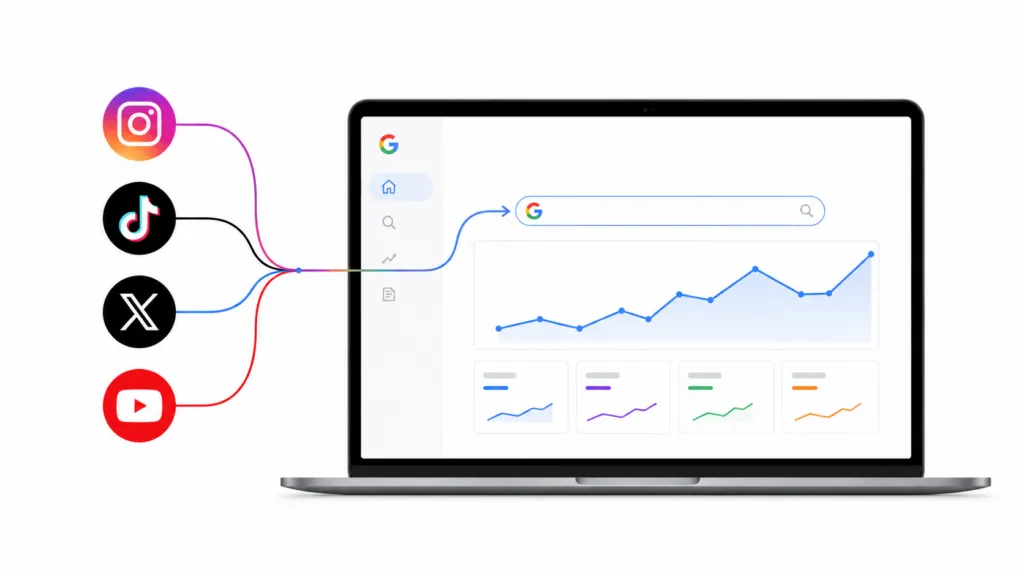
You can now add your Instagram, TikTok, X, and YouTube accounts to Google Search Console and see the exact terms people typed into Google before they found your posts. Google calls this new property type a platform property, and it reports clicks, impressions, and queries the same way a website property does. Setup takes about a minute per account.
Google announced platform properties on July 7, 2026 and finished rolling them out to every account by the end of that month. At TJ Digital, Search Console is the first tool we open for every one of the roughly 42 businesses we work with, so I connected our accounts the day this became available. Do it today, because Search Console only starts collecting data once you connect.
Table of Contents
ToggleHow Do You Add a Social Media Account to Google Search Console?
Log into the social account you want to connect before you start. The whole process runs through a native login, so there is no DNS record or HTML file to deal with.
- Open Google Search Console and sign in with your Google account.
- Click the property selector in the top left, then click Add property.
- Choose the platform you want to connect from the list of supported options.
- Follow the prompts to sign in to that account and authorize the connection.
- Repeat for every account you want to track.
Google checks ownership periodically. If the external login expires, reporting pauses until you re-verify, and your historical data comes back once you do.
Expect a few days of waiting before numbers appear. That is the same delay you get when you add a new website property.
@tjrobertson52 How to add social media to Google Search Console. One click, and you finally see what people searched before they found you. #SEO #SocialMedia #GSC
♬ original sound – TJ Robertson – TJ Robertson
Which Social Platforms Can You Connect Right Now?
Four platforms are supported. Instagram, TikTok, X, and YouTube.
Facebook, LinkedIn, Pinterest, and Snapchat are not eligible yet. Every account needs to be added on its own, so an agency managing three TikTok accounts and two Instagram accounts ends up with five separate properties.
You do not need a website for any of this. Google built platform properties for creators and brands who publish on social and never built a site.
Why Does Google Search Traffic to Your Social Posts Matter?
Google search is one of the easiest ways to get social posts found, especially when your account is new. Your posts do not need a following behind them to start picking up impressions in search.
Social posts also feed AI answers. ChatGPT, Perplexity, and Google’s AI Mode find those posts through search engines, mostly Google, so search visibility affects whether a model sees your content at all.
Competition is the third reason. In my opinion, the most valuable search terms in most industries are close to uncontested on social platforms, because almost nobody has been optimizing social posts for search. That happened largely because there was no way to see what people typed into Google before landing on a post.
Public content from professional Instagram accounts became eligible for indexing on July 10, 2025, which pulled a huge volume of social content into the same results your blog posts compete in. Almost none of it was written with a search term in mind.
What Reports Do You Get for a Connected Social Account?
Each platform property comes with the reports you already know from website properties, adapted to posts instead of pages.
| Report | What it shows | How I use it |
| Performance | Clicks, impressions, CTR, and average position, filterable by query and by individual post | Finding posts that rank on page two for terms worth owning |
| Insights | Top posts, trending queries, and query groups moving up or down | Pulling topic ideas for the next batch of videos |
| Achievements | Click milestones over the last 28 days | A quick pulse check for accounts that are just getting started |
These reports cover Google Search, Discover, and News only. They tell you nothing about your reach inside the app itself.
How Do You Use Query Data to Rank Your Posts Higher?
Start in the Performance report and sort by impressions. You are looking for posts that already show up in Google for a term but sit on page two or three.
Check whether the title or caption of that post actually contains the term. Very often it does not, and adding the term to the title or caption is usually enough on its own to move the post onto page one.
Query data is also the best source of post ideas I have found. Reading through every query your posts get impressions for hands you a list of topics Google already associates with your account, and most of those deserve a post of their own.
This is the same workflow we use on websites when we track AI search performance for clients. Impressions tell you where you already have a foothold, and small edits convert that foothold into traffic.
Why Should You Post the Same Video to Every Platform?
Do not stop at one post. Take the video, publish it to all four platforms, then take the transcript and turn it into a blog post on your own site.
One recording becomes a TikTok, a Reel, a Short, an X post, and an article, and each of those can rank in Google independently. This is how we build a content machine for clients, running one input through their Brand Ambassador to produce up to ten pieces of content.
I think this is the most effective form of marketing available right now. It is the S-tier meta strategy, and Google has finally handed us the data to run it properly.
What Else Should You Know Before Connecting Your Accounts?
Do You Need a Website to Use Platform Properties?
No. Google designed platform properties for creators and brands without a site of their own, and you verify the social account itself instead of a domain.
How Long Does It Take for Social Data to Appear?
A few days in most cases. Google gives the same guidance it gives for new website properties, so check back at the end of the week rather than the same afternoon.
Can You Connect More Than One Instagram or TikTok Account?
Yes, but each one is added separately. There is no bulk import and no single login that pulls in every profile you manage.
Does Connecting to Search Console Affect Your Reach on the Platform?
No. Platform properties are a measurement tool, and nothing you do inside Search Console changes your followers or your organic reach inside the app.
How Do You Get Help Tracking Your Search Performance?
Connect your accounts today, then check the query data in a week and edit the captions on your five highest-impression posts. That alone will teach you more about how people find you than any keyword research tool will.
Request a free audit of your website and social presence. We will show you where your content already shows up in search and what is holding it back.