
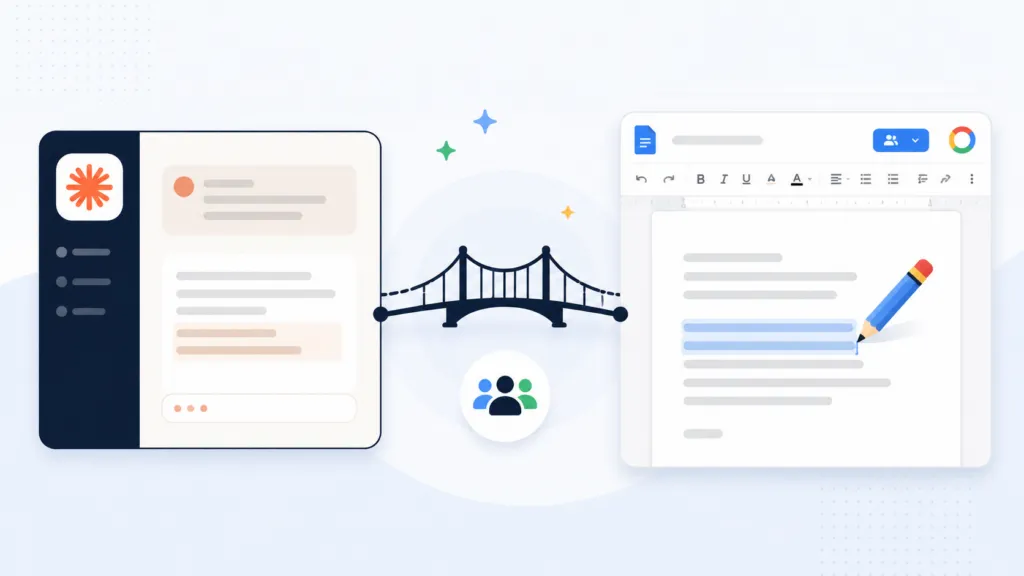
Claude can’t edit an existing Google Doc. The Google Drive connector lets Claude read a document and create a brand new one. That’s where its write access stops.
To change a document in place, you need a connector or a bridge sitting between Claude and the Google Docs API.
At TJ Digital, we do roughly 90% of our work in Claude across 40 to 50 active client campaigns, so we run into this limit constantly. The setup that’s worked best for us is a bridge one person authorizes once for the whole organization. There’s no server to maintain and nobody else has to configure anything.
Table of Contents
ToggleCan Claude Edit an Existing Google Doc?
No, not through the built-in Drive connector. Claude reads the document, drafts your revisions, and then hands you the text to paste back in yourself. The document you started with never changes.
Anthropic’s Google Drive connector has been generally available since around February 2026. It reads Docs, Sheets, and Slides. It can also save new files into a folder you pick.
Updating a file that already exists isn’t part of it.
People push back on this and I want to be fair to them. I’ve had comments telling me Claude does this natively, and I’d like to see what they’re seeing. We’ve tested it a lot at TJ Digital, and it comes back the same every time.
@tjrobertson52 Can Claude edit existing Google Docs? Not natively. We built a bridge and it’s free #ClaudeAI #GoogleDocs #AITools #AIWorkflow https://github.com/TJ-Digital-LLC/google-bridge-public
♬ original sound – TJ Robertson – TJ Robertson
Why Can Claude Create a Doc But Not Edit One?
The connector exposes a fixed set of tools. Claude can search your Drive, read a document, create a new file, and download content. Nothing in that set writes into a file that’s already there.
So Claude will rewrite your quarterly report perfectly and then tell you to go paste it in yourself. It read the doc without any trouble. The write-back path just doesn’t exist yet.
There’s a workaround, and it’s fine if you’re doing this once. Ask Claude to create a new doc containing the proposed changes, then merge it yourself. That falls apart the moment you’re doing it forty times a week.
How Does a Google Docs Bridge Work Across a Whole Team?
A bridge is a connector that one admin authorizes once, and then everyone in the organization can use it. Claude calls the Google Docs API through that connector and writes directly into the document. Nobody on your team installs anything.
Yes, I know about the Google Workspace CLI, and I know there are other MCP servers that do this. I’ve covered the CLI before and it works. The difference with a shared bridge is that one setup covers everybody.
The part that matters operationally is the maintenance. A self-hosted server means somebody owns that server forever, including the OAuth credentials and the uptime. A shared bridge removes that job entirely.
Once it’s live, you share it with your team as a skill. We use AI skills for most repeatable work at the agency, and this is a good example of why. You write the instructions once and every person gets the same behavior.
What Are the Ways to Connect Claude to Google Workspace?
There are five realistic paths, and they mostly differ on who carries the setup burden.
| Approach | Who sets it up | Ongoing maintenance | Edits an existing doc |
| Shared bridge or skill | One admin, one time | None | Yes |
| Self-hosted MCP server | A developer | Someone owns the server | Yes |
| Managed MCP gateway | One admin, one time | Handled by the vendor | Yes, usually on a paid plan |
| Google Workspace CLI | Each person, on their own machine | Per-person setup | Yes, through Claude Code |
| Claude’s Drive connector alone | Anyone, in settings | None | No |
Do You Need to Run a Server for AI Document Editing?
No. A shared bridge or a managed gateway removes the server entirely, and both are one-time setups. Self-hosting is only worth it if you already have a developer who wants control over the OAuth scopes and the hosting.
How Much Does a Google Docs Connector Cost?
A bridge or a self-hosted server costs nothing beyond the Claude plan you already pay for. Managed gateways charge a subscription, and custom connectors in Claude require a paid plan. Google’s own Workspace MCP endpoints run inside your existing Google Cloud project.
Can ChatGPT Edit Google Docs?
Yes, and I got this wrong. I said in a video that ChatGPT couldn’t write to Google Docs, and that hasn’t been true since a June 2026 update added write actions for Docs, Sheets, and Slides. ChatGPT can update the source file directly now.
Write-back depends on the Google Drive app being connected and authorized. Enterprise and Edu workspaces keep those actions switched off until an admin turns them on. Accounts connected before mid-June 2026 may need to reconnect and approve the new permissions.
Way to go, ChatGPT. Maybe Claude follows soon. Until then, teams that live in Claude need a bridge to get the same behavior.
Does Claude Code or Claude Cowork Work Any Better?
There are three separate products carrying the Claude name, and they don’t have the same access to your Drive.
- Claude on the web: reads Docs, Sheets, and Slides, and creates new files. It can’t update an existing one.
- Claude Code: can edit Docs once you install the Google Workspace CLI and authenticate. Setup happens on each person’s machine.
- Claude Cowork: uses the same Drive connector, and reports on its Docs reliability have been mixed so far.
We’ve had strong results with Claude Cowork on multi-step tasks that used to take a full day. Document editing isn’t the part I’d build a workflow around yet. The Workspace CLI and a shared bridge are both more predictable right now.
Which Option Should a Small Business Choose?
Pick the option with the lowest maintenance burden your team can actually support. For most small businesses, that’s a shared bridge or a managed gateway, because neither one creates a job for somebody. Self-hosting looks cheaper until you count the hours.
Model capabilities shift every few weeks, and the gap you’re working around today may close on its own. That’s why we pay for all three major models and keep comparing AI models as they ship. What’s true in August won’t necessarily hold in November.
Talk to us about building AI workflows that fit how your business already runs. Get a free audit from TJ Digital.