
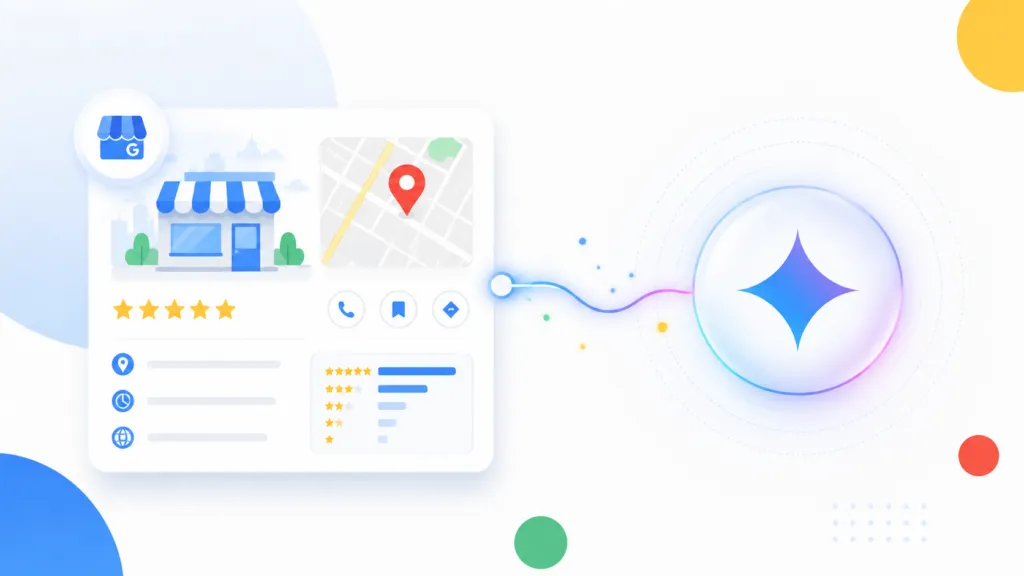
You can now connect your Google Business Profile to Gemini, and it does two useful things at once. It makes the profile easier to manage, and it gives Gemini real context about your business that improves everything else the model produces for you. At TJ Digital, we run AI search optimization for roughly 40 to 50 client websites and track around 4,000 AI prompts per day, and the businesses that feed AI the most usable information get recommended far more often than the ones that don’t.
Your Google Business Profile is your listing in Google Maps. For a local business, it’s arguably more important than your website. Connecting it to Gemini is one of the easiest ways to start giving AI the context it needs to work well for you.
Table of Contents
ToggleWhat Connecting Google Business Profile to Gemini Actually Does
Once your profile is linked, Gemini can read your real business data and act on it. That includes your reviews, customer questions, and performance data from the profile itself.
Two things happen when you make the connection.
First, your profile gets easier to manage. You can ask Gemini to draft replies to reviews, update your business information, pull performance data, and surface insights like your busiest times or what customers keep mentioning.
Second, Gemini instantly learns the basics about your company. It knows what you do, where you are, and what people are saying about you. That context carries over into any content or strategy work you ask it to do next.
@tjrobertson52 Should I connect my Google Business Profile to Gemini? Yes, and here’s what it does. #LocalSEO #SmallBusiness #Gemini
♬ original sound – TJ Robertson – TJ Robertson
Can Gemini Manage My Google Business Profile for Me?
Yes. After you connect the two, most routine profile tasks can be handled with a simple prompt.
Here’s a look at the day-to-day work Gemini can take off your plate once it’s connected.
| Task | What Gemini Can Do |
| Reviews | Summarize recent reviews and draft replies in your voice |
| Business info | Update hours, contact details, and seasonal offers |
| Posts | Create Google Posts without leaving the chat |
| Questions | Retrieve and answer customer Q&A |
| Performance | Explain why views, calls, or direction requests changed |
This is the kind of upkeep that a lot of agencies charge a monthly retainer to handle. I’ve written before about how some local SEO companies overcharge for basic profile management, and this connection is part of why that model is hard to justify. Once your profile is fully optimized, the ongoing work is an hour or two a month, and Gemini can do a good chunk of it for you.
Why Giving Gemini Your Business Context Improves Its Output
AI works best when it understands the specific business it’s working for. Feed Gemini your actual profile data and its suggestions stop being generic.
When Gemini has access to your reviews, your customer questions, and your performance data, it has what it needs to produce recommendations and content that fit your business. Ask it for a blog post or a social caption and it pulls from your real services and your real customer feedback.
This is the whole reason the connection matters more than it looks. The profile management is convenient. The context is the part that compounds.
Is Connecting My Profile Enough, or Do I Need More?
Connecting your profile is a good start. It gives Gemini the basics, though it doesn’t hand the model everything it could use.
I’m a strong advocate for building a full knowledge base for your business. That means a curated set of documents covering everything important about your company, organized so AI always knows what to pull. We call ours a Brand Ambassador, and it’s the foundation of every campaign we run.
You can read our full guide on building an AI knowledge base for the complete process. The Google Business Profile connection is a nice hack to get you started. A real knowledge base takes it the rest of the way.
What This Trend Means for How We’ll Use Software
The bigger story here has very little to do with Google Business Profiles specifically. More of our work is being handled by AI, and we’re spending more of the day inside these platforms.
If you use tools like Gemini, ChatGPT, Codex, or Claude Code regularly, you’ve felt how tedious it is to switch to another app to get something done. You’ve also felt how much better it is when that software is built right into the AI platform. That’s why Google, Anthropic, and OpenAI are all racing to be the one platform everyone lives in.
The takeaway for any business owner is direct. If you have a website or you make software, it needs to be usable by AI. I think within the next one to two years, the AI experience will matter more than the user experience.
How Do You Set Up the Gemini Connection?
The connection happens on Google’s side, through your existing Google account and Business Profile. Google rolled this out as an official feature that connects with a single tap, and it’s rolling out gradually, so it may not appear for every account yet. You can read the specifics in Google’s announcement of the integration.
Once it’s linked, start simple. Ask Gemini how your business did this month, then ask it to draft a reply to your latest review. Get a feel for what it can pull before you lean on it for content and strategy.
Should You Connect Your Google Business Profile to Gemini?
For most local businesses, yes. It costs nothing, it saves time on profile upkeep, and it gives Gemini context that makes its content noticeably more relevant to your business.
The connection alone won’t make AI recommend you over your competitors. That takes a fuller strategy. But it’s a fast, free first step toward giving AI the information it needs to represent your business correctly.
Building the kind of knowledge base that makes AI work for your business across every platform is exactly what we do at TJ Digital. Contact our team for an honest look at where your business stands today.