
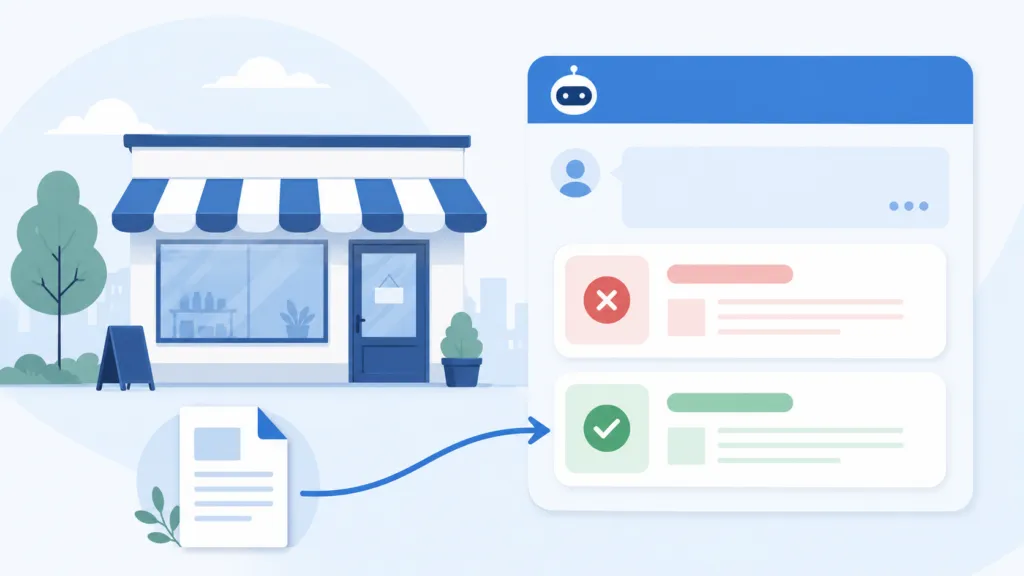
AI tools like ChatGPT and Google’s AI Mode occasionally say things about your business that aren’t true. To fix it, figure out what the AI reliably gets wrong, check the sources it cites to understand why, then correct the bad information at its source or publish better content that replaces it. At TJ Digital, we track what AI says about our clients across more than 1,500 prompts in 30 industries, and we clean up these errors regularly.
Even if the AI gets it right 95% of the time, that other 5% can cost you customers. For some businesses the problem is small. For others it’s constant, and those are the owners I hear from every week.
Table of Contents
ToggleWhy does AI get information about your business wrong?
AI models work by predicting text. They’re built to give a confident answer to almost any question, even when they don’t have the facts. When your website is missing a detail or states it unclearly, the model fills the gap with whatever it finds online, including stale pages and your competitors’ pages.
Hallucinations aren’t random. When AI gets something wrong about your business, it’s usually confused by something it saw online. That confusion traces back to a specific page or a specific gap, which is what makes it fixable.
One common trigger is a similar company name. If your brand shows up next to another business in comparison articles, the model can mix up which facts belong to which company. Reviews, directories, and old listings can send the same kind of mixed signal.
@tjrobertson52 How to fix wrong information AI gives about your business (hallucinations aren’t random) #AISearch #ChatGPT #SmallBusiness
♬ original sound – TJ Robertson – TJ Robertson
How do you find out what AI is getting wrong about your business?
Start by asking. Open ChatGPT, Google’s AI Mode, and Perplexity, then ask a range of questions about your business and how you compare to competitors. Most owners already know the weak spots here, because they ask about their own business so often.
Ask the same question a few times across different sessions. AI answers shift from one run to the next, so a single good answer doesn’t mean the problem is gone. Repeating the prompt shows you how often the error actually shows up.
Watch for answers that cite your website but leave your brand name out. That kind of ghost citation means the AI used your content without connecting it to you. It usually points to a gap in how clearly your site names your own business.
How do you figure out why AI is getting it wrong?
Search the exact question in Google or ChatGPT and look at the citations. Open every link the AI shares in its answer. The wrong information is almost always sitting on one of those pages.
When you enter a prompt, the AI doesn’t run one search. It breaks your question into many smaller searches, a process Google calls query fan-out. The page you’re trying to fix ranked for one of those smaller searches.
How you see those searches depends on the tool you’re using:
- ChatGPT will show you the searches if you ask.
- Software like Peec.ai lays them out for you automatically.
- Google doesn’t reveal them, but the cited page’s title usually tells you which search it ranked for.
We run this at scale for clients with Peec.ai. You can do the same thing by hand for free. It just takes more time.
What do you do once you find the source?
Once you know which page is feeding the AI bad information, your fix depends on who controls that page. There are three situations you’ll run into.
| Situation | Where the wrong info lives | What to do |
| You control the page | Your own website or a profile you manage | Update the content and you’re done |
| Someone else controls the page | A third-party site you can’t edit | Ask them to fix it, or publish deeper content that replaces it |
| Nothing false exists | AI is confusing you with another company | Publish content that clears up the confusion |
What if the wrong information is on a page you control?
This is the easy one. If the bad information lives on your website, a profile, or any property you manage, correct it directly. Fix your most-crawled pages first, which usually means your homepage, your about page, and your main service pages.
What if the wrong information is on a site you don’t control?
First, reach out to whoever runs that site and ask them to correct it. Sometimes they will, and that solves the problem. Most of the time they won’t respond or won’t bother.
When you can’t get the page changed, your next move is to outrank it. Look at which small search that page ranked for, then publish a deeper, more relevant page on that exact topic on your own site. The more authority your site has, the easier it is to get recommended by AI in place of the old source.
It also helps to get the correct information onto other trusted sites, so the wrong page carries less weight. A press mention, an updated directory listing, or a guest article can all pull the AI toward accurate sources.
What if AI is confusing your business with another company?
The third situation is when nothing false is actually published anywhere. The AI is just confused, and the most common version is that it’s mixed your company up with a business that has a similar name.
The fix is to spell out the difference in your own content. If the AI already cites one of your pages for that topic, add a section to it that compares your brand and the other one directly.
If the AI isn’t citing your site, or the mix-up shows up across a lot of questions, create a dedicated page for it. A page titled something like Your Brand versus Their Brand can state plainly that you’re two separate companies and explain why yours is the better choice.
Clear entity signals help here too. A complete about page and Organization schema markup make it easier for AI to tell your business apart from the other one.
Should you update an existing page or create a new one?
Update the existing page for a narrow, single-topic error, and create a new page for a broader mix-up that spans several questions. The right call depends on how big the problem is. Editing a page that already covers the topic is faster, so start there whenever it fits.
Avoid one common mistake here. Don’t publish a new page that contradicts what’s already on your site. When two of your pages disagree, the AI gets more confused and the whole effort backfires.
How do you keep track of what AI says about your business?
Check your key questions on a regular schedule and watch for answers or sources that shift. Fixing these errors once isn’t enough, because AI answers keep changing as models update and new pages get published. You can run these checks by hand for free, or use a tool like Peec.ai to track your AI visibility automatically.
Google Search Console is a free place to start. It shows which questions are surfacing your pages in AI answers, which tells you where to look first.
Common questions about AI getting your business wrong
Can you stop AI from making things up about your business?
You can’t force an AI to be perfect, but you can shrink the errors. The clearer and more complete your own content is, the less room the model has to guess and get it wrong.
How long does it take to fix what AI says about your business?
Correcting a page you own is the fastest option, and the change can show up once the AI recrawls your site. Replacing a third-party source takes longer, because it depends on how much authority your site has.
Does schema markup help AI get your business right?
Yes. Structured data like Organization schema helps AI connect the right facts to the right company. It’s especially useful when a similar business name is causing the confusion.
Why does ChatGPT cite your website but get the details wrong?
This usually happens when your page is unclear or missing the specific detail the AI needs. The model pulls your page as a source, then fills the missing piece with a guess.
Get a clear picture of what AI says about you
You can’t fix what AI says about your business until you know what it’s saying in the first place. If you have questions about any of this, reach out through our contact page.