
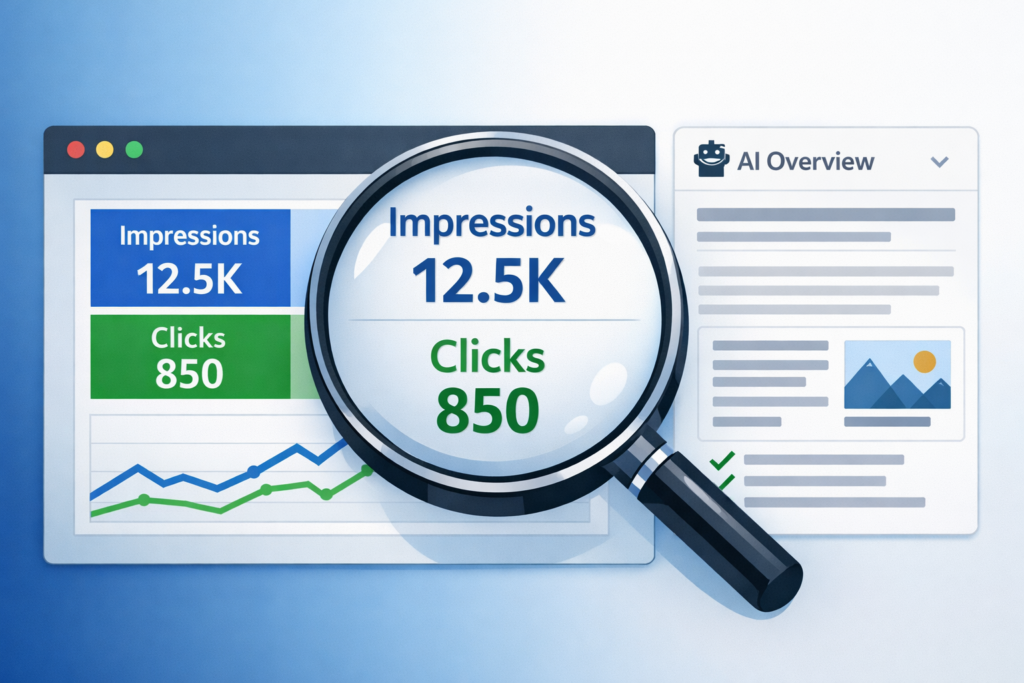
Google Search Console is the only tool that shows you exactly what people are typing into Google before they find your site, which pages they land on, and whether they clicked or not. No other platform can give you that data, and it’s completely free. If you don’t have it set up yet, do it today. Search Console only starts collecting data from the day you verify your site, so every day you wait is data you lose permanently.
At TJ Digital, Search Console is the foundation of every SEO campaign we run. After 17 years in digital marketing, it’s still the most reliable data I’ve come across. But the way you should be reading that data has changed significantly since Google introduced AI overviews and AI Mode. Clicks are falling across most websites while impressions are climbing, and that shift changes how you should be evaluating your SEO performance.
Table of Contents
ToggleSetting Up Google Search Console
@tjrobertson52 The keywords AI searches for are completely different from what humans search for. When you prompt ChatGPT it runs 3-6 of its own searches behind the scenes. Almost no one is tracking those terms yet — here’s how to find them 👇 Tool mentioned: https://hybridai.one/tools/chatgpt-sniffer/ #AIsearch #SEO #aimarketingtools #KeywordResearch
♬ original sound – TJ Robertson – TJ Robertson
Go to Google Search Console, select Add property, and choose the Domain option. This covers all subdomains and protocols in one property. Verify ownership by adding a DNS TXT record, and once Google confirms it, you’re live.
From that point forward, you can see the exact queries people typed into Google before your site appeared, which pages they clicked on, and which searches generated impressions without any clicks at all.
Google Search Console vs. Ahrefs vs. SEMrush: Which Data Should You Trust?
Rank trackers like Ahrefs and SEMrush estimate keyword data based on their own crawls. They’re useful for research and finding new opportunities, but they can’t tell you what’s actually driving traffic to your specific site right now.
Search Console pulls 100% first-party data directly from Google. No estimates, no sampling. Studies have found that GSC typically records far more keywords than any single third-party tool, because those tools miss the long-tail queries that often make up a large share of real organic traffic.
Use Ahrefs and SEMrush for exploration and competitive research. Use Search Console as your ground truth for your own site’s performance.
How to Filter Branded vs. Non-Branded Traffic in Search Console
Before evaluating SEO performance, filter out branded queries, which are any searches that include your business name.
You should be ranking number one for your own brand regardless of what you’re doing on the SEO side. Including branded traffic skews your picture of actual non-branded organic growth.
In Search Console, go to Performance > Search Results, open the query filter, and add a “does not contain” rule with your brand name. Google also added a built-in Branded/Non-Branded toggle in November 2025 that makes this even faster. Switch to the Non-Branded view and you’ll have a much cleaner read on your actual SEO opportunity.
Why Impressions Matter More Than They Used To
For most websites right now, clicks are going down and impressions are going up. If you’re seeing this in your data, you’re not failing at SEO. You’re watching AI overviews do exactly what they were designed to do.
An impression means your website showed up in Google’s search results, whether or not anyone clicked. Historically, impressions were almost an afterthought. All that mattered was traffic to your site. But Google is now surfacing AI-generated answers at the top of results for a huge share of queries. A lot of people are getting the answer they need from that AI response without ever clicking through.
That changes how you should interpret your Search Console data. An impression in an AI overview context means something different than it used to. When your content gets cited in an AI answer, you’re being surfaced to someone who’s actively researching. People asking AI a specific question are often further along in their decision-making. Being referenced there tends to reach a more qualified audience than a generic organic click.
I used to mostly ignore impressions. Now I weight them about equally with clicks. In the near future, I expect them to matter even more than clicks.
Impressions vs. Clicks in AI Search: A Quick Reference
| Metric | What It Measures | Value in AI Search |
| Impressions | Times your site appeared in results | Signals AI citation and top-of-funnel visibility |
| Clicks | Times users visited your site | Direct engagement and conversion potential |
| CTR | Clicks divided by impressions | Useful for spotting title/description mismatches |
| Position | Average ranking position | Context for interpreting impression volume |
Are Fewer Clicks Actually a Problem?
If you sell a product or service, fewer website visits from informational queries is not the disaster it looks like on a traffic chart.
More people are using Google to make purchasing decisions than ever before. If Google’s AI response is recommending your business, that’s reaching a buyer at a meaningful point in their decision process, often without them needing to visit multiple websites to get there.
The businesses that will struggle are those whose value proposition isn’t clear enough for an AI to summarize and recommend. If an AI can’t easily explain what you do and why someone should choose you, that’s the real problem to solve, not the click count.
New AI Features in Google Search Console (2025)
Google has added several updates to Search Console that are worth knowing about.
Branded/Non-Branded Filter (November 2025): A built-in toggle that separates branded and non-branded queries in the Performance report with one click, instead of requiring a manual filter each time.
AI Mode Traffic Integration: Traffic from Google’s AI Mode search experience is now counted inside Search Console under the “Web” search type. You can’t filter exclusively for AI Mode results yet, but your overall stats now include those interactions.
Prompt-Based Analysis (December 2025): A new AI assistant inside Search Console lets you type plain-English instructions to filter and analyze your data. Instead of clicking through menus, you can type something like “show me queries where CTR dropped this week” and it applies the filters automatically. For anyone who spends serious time inside the platform, this is a meaningful workflow improvement.
How to Find Purchase-Intent Queries in Search Console
In the Performance report’s Queries list, filter for terms like “buy,” “price,” “near me,” “best,” or “vs.” These signal that someone is actively evaluating options before making a purchase.
For any pages ranking on those queries, check the CTR. A high impression count with a low CTR on a transactional query usually points to a mismatch between your title or meta description and what the searcher expects to find. Fixing that mismatch is often the fastest way to turn existing visibility into actual traffic.
SEO Reporting in AI Search: Tracking What Actually Matters
The bigger shift happening here is that SEO reporting is moving away from click volume as the primary metric. In an AI-first search environment, your content can influence a buying decision without your site ever getting a direct visit.
That’s a real attribution gap that last-click reporting misses entirely. Being cited in an AI answer is a first-touch interaction with a potential customer. It counts, even without a click.
The smarter approach is to track impressions, especially in AI-driven results, as a top-of-funnel visibility metric alongside clicks as a conversion metric. Neither number alone tells the full story.
If you want help interpreting your Search Console data or optimizing your site for AI-powered search results, reach out to TJ Digital. This is the core of what we do.