
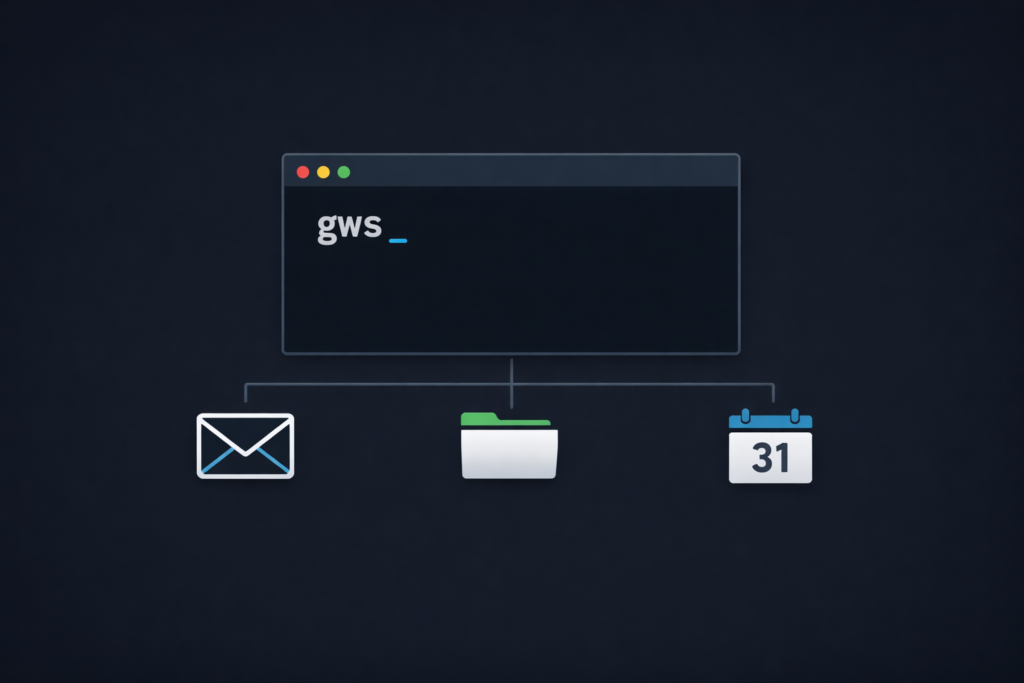
The Google Workspace CLI is a unified command-line tool that gives AI agents direct access to Gmail, Google Drive, Google Docs, Sheets, and Calendar through a single interface. It was built not for humans to type commands, but for AI agents to use software on our behalf. At TJ Digital, where we help small and medium-sized businesses get found in AI platforms that already convert visitors at 8 times the rate of traditional search engines, this release is one of the clearest signals yet of where the whole software industry is heading.
We are moving from a world where humans use software to a world where AI agents use software on behalf of humans. This is that path getting paved.
Table of Contents
ToggleWhat Is the Google Workspace CLI?
@tjrobertson52 Google just built a CLI for Workspace — but it wasn’t made for humans. It was made for AI agents. Here’s why that matters 👇 #AIAgents #GoogleWorkspace #CLI #TechNews #AI #googleaigemini #DigitalMarketing
♬ original sound – TJ Robertson – TJ Robertson
Google Workspace is Google’s full software suite: Gmail, Google Drive, Google Docs, Google Sheets, Google Calendar, and more. Each of these platforms already had an API, a way for developers to connect their own software to those services.
What’s new is a unified command-line interface (CLI) called gws that streamlines communication across all of them through a single tool.
The important detail: the engineer who built it designed it explicitly for AI agents. When you look at how it’s structured (structured JSON output, no human-formatted text, a set of built-in agent skills), it’s clearly not built for humans to type commands into a terminal. It’s built for AI to use.
The CLI is open-source (Apache 2.0) and not an official Google product, so treat it as a developer tool rather than a production-ready enterprise service. That said, it works with standard Google security and OAuth, and it significantly reduces the overhead of connecting AI to your Google services.
How Does the Google Workspace CLI Work with MCP?
Up until recently, the standard way for AI agents to interact with software has been MCP, or Model Context Protocol, an open standard originally developed by Anthropic.
MCP servers receive natural language from an AI model and translate it into structured commands that can be passed directly into software. This makes AI agents more reliable, but it also adds context overhead: more tokens, more latency.
The Google Workspace CLI supports MCP. You can run gws mcp -s all to launch a local MCP server that exposes all Workspace services as named tools, making it compatible with agents like Claude or Gemini CLI. The connection looks like this:
Claude → MCP Server → gws CLI → Google APIs
Some developers have started realizing that today’s models are smart enough to use the CLI directly, without the MCP translation layer in between. That’s a big part of why tools like OpenClaw are as fast and efficient as they are.
Independent benchmarks back this up: CLI-based agents completed tasks successfully 100% of the time, while MCP-dependent agents using remote servers failed roughly 28% of the time, mostly due to network timeouts. CLI commands also used 10-32x fewer tokens than MCP tool calls, because the model doesn’t have to process large JSON schemas on every request.
Having an MCP option is the right move for now, since it makes it easy to connect with agents like Claude. But Google is clearly signaling that CLIs built specifically for AI agents are where this is going.
| Approach | Token Efficiency | Reliability | Latency |
| Direct CLI | Very high (10-32x better) | 100% task success | Low (local) |
| MCP (remote) | Lower (full schema per call) | ~72% task success | Higher (network) |
| Raw API | Low (custom code required) | Varies | Varies |
What Are Skill.md Files?
Alongside the CLI, Google released over 100 Skill.md files. The concept is becoming a foundational part of how AI agents work.
The Skill.md format was originally introduced by Anthropic. It is now the standard method for teaching an AI model how to perform a specific task. A skill is essentially a prompt template stored in a folder with some YAML metadata and step-by-step instructions.
When you ask an AI agent to complete a task, it can find the relevant skill and automatically load the instructions it needs, without requiring you to write a perfect prompt.
For example, say you give Claude access to your Google Workspace and ask it to:
- Look through your inbox for anyone trying to schedule a meeting
- Coordinate with all parties to find a time that works
- Add the meetings to your calendar with no conflicts
Claude would build a plan, then identify the relevant skills for each step: searching the inbox, drafting a professional reply, checking calendar availability, creating the event. With those skills loaded, it executes each step without you spelling out every detail.
Because Skill.md files are just text-based prompt templates, anyone can write one. A business could create custom skills that encode their own internal procedures, communication style, or data formatting rules. An agent running those skills would follow your internal processes automatically, every time.
What Can AI Agents Do with the Google Workspace CLI?
An AI agent with access to the Workspace CLI can already handle tasks like:
- Scanning your inbox and identifying scheduling requests
- Finding a time that works across multiple attendees using calendar availability checks
- Creating the event and sending invites
- Pulling documents from Drive and summarizing relevant sections
- Drafting and sending emails according to your preferences
None of that requires writing code or configuring APIs. Once the CLI is set up and the right skills are loaded, you describe what you want and the agent handles it.
The bigger implication is this: we are very quickly getting to a point where you will care more about whether AI agents can access and use your business tools than whether humans can navigate your website. I wrote about how AI agents are already beginning to replace website functions and this release is exactly the kind of infrastructure that accelerates that shift. The Google Workspace CLI is a major platform being rebuilt with AI agents as the primary user.
If you have any kind of app, or even just a website, building something accessible to agents, or having your own agent, is going to matter a lot sooner than most business owners expect.
This is the kind of shift that’s easy to dismiss until it has already happened. At TJ Digital, we are already helping clients build for this transition, from optimizing content for AI visibility to setting up the systems that let AI work on their behalf.
Frequently Asked Questions
What Google Workspace tasks can an AI agent handle with the CLI?
An AI agent using the Workspace CLI can manage Gmail (search, draft, send), Google Calendar (check availability, create and update events), Google Drive (list, retrieve, and organize files), and Google Docs and Sheets. It handles these through structured CLI commands that return clean JSON, making the process reliable and repeatable.
Do you need to know how to code to use the Google Workspace CLI?
You don’t need to write custom API code, but some technical setup is required, primarily configuring OAuth credentials through a Google Cloud project. The CLI handles authentication and request formatting from there. AI agents integrated with the CLI can then operate it without further manual input.
What is the difference between MCP and a CLI for AI agents?
MCP (Model Context Protocol) is a standard that lets AI models discover and call external tools via structured JSON. It works well but adds token overhead and can introduce network latency. A CLI gives the model a direct, token-efficient interface that produces predictable output. Research shows CLI-based agents complete tasks more reliably and use significantly fewer tokens than MCP-dependent setups.
Can any business use Skill.md files?
Yes. Skill.md files are an open standard, originally developed by Anthropic. Any business can write custom skills that teach an AI agent their internal processes, formatting rules, or communication preferences. Once written, any compatible agent, including Claude, Copilot, and Cursor, can load and follow those skills.
Do small business owners need a developer to use the Google Workspace CLI?
Some initial setup requires technical knowledge, specifically creating a Google Cloud project and configuring OAuth credentials. After that, agents like Claude can operate the CLI without ongoing developer involvement. The 100+ built-in Skill.md files handle most common workflows out of the box.
Ready to understand how AI agents will affect your business specifically? Request a free audit from TJ Digital and we’ll walk you through exactly where your biggest opportunities are right now.