
To get Google AI to recommend your business, give Google more structured information about your products and services than you have before. The most direct way right now is through conversational attributes in Google Merchant Center, a set of optional feed fields built to feed AI agents detail they can use to answer customer questions. At TJ Digital, we run AI search optimization for roughly 40 to 50 client websites and track around 4,000 AI prompts per day. The businesses that hand AI the most usable information get recommended far more often than the ones that don’t.
Google announced conversational attributes back in January, and they are now officially live. They started in e-commerce, but the logic applies to every business. Here is what they are, how to set them up, and what they tell us about where this is heading.
Table of Contents
ToggleWhat Are Google’s Conversational Attributes?
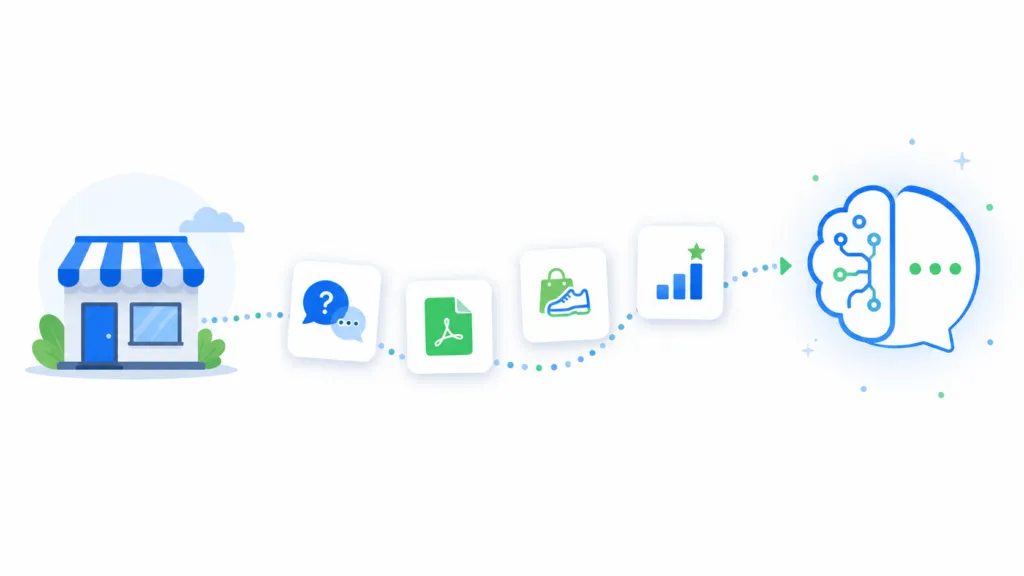
Conversational attributes are optional product feed fields in Google Merchant Center designed to help AI systems like Gemini and AI Mode understand and answer detailed questions about your products. They sit on top of your standard product data and supply structured information that AI agents can pull from directly.
The main attributes are:
- Question and answer: Pre-written FAQ pairs (for example, “Does it support Bluetooth?” with the answer “Yes, it supports Bluetooth 6.0”) that AI can use to answer common customer questions. Each entry can run up to 1,000 characters.
- Document link: URLs to product PDFs like manuals, spec sheets, and assembly instructions. AI crawlers ingest these documents and pull detailed specs straight from them.
- Related product: Structured links to accessories, required parts, or substitutes, tagged by relationship type. This lets AI recommend complementary or alternative items in a conversation.
- Item group title and variant option: Used together to describe variants. The item group title is a generic name for all variants (“Organic T-Shirt”), and variant options list custom variant attributes like “size:8, color:blue.”
- Popularity rank: A 0 to 100 percentile showing how well a product sells relative to your other inventory. This helps AI surface your best sellers.
Google’s own framing is that commerce is becoming conversational. People are going to ask AI agents very specific questions about your products. If you have answers your competitors don’t, you win by default.
@tjrobertson52 Google just launched conversational attributes in Merchant Center — new fields that feed AI agents info about your products. FAQs, docs, popularity ratings. If you’re in e-commerce, set this up NOW. Your competitors probably won’t. #GoogleAI #Ecommerce #SEO #AISearch #MarketingTips
♬ original sound – TJ Robertson – TJ Robertson
How Do You Set Up Conversational Attributes in Merchant Center?
You set up conversational attributes by adding a supplemental feed, which means you never touch your primary feed. The supplemental feed layers the extra information on top of your existing products. Here is the process.
- Turn on Advanced Data Source Management. In Merchant Center, go to Settings, then Data sources, and enable the “Advanced data source management” add-on so the Supplemental sources tab appears.
- Add a supplemental feed. Under Supplemental sources, click “Add supplemental product data” and choose your input method (file upload, Google Sheet, or Content API), then name the source.
- Map the key attributes. Specify the product [id] for each item so it matches your primary feed, and set the data source label and language.
- Add your conversational attributes. In the feed file, include the attributes you have (Q&A, document link, and so on). Use TSV or JSON to avoid parsing errors with commas and colons.
- Link it to your primary feed. Select the primary data source the supplement applies to, which tells Merchant Center to merge the new attributes into your existing products.
- Apply feed rules. Use Merchant Center’s feed rules or the “Take latest” rule to control how supplemental values combine with the primary feed.
A supplemental feed can only enrich existing products. It cannot add new product IDs or sales channels. Once it’s running, you can keep updating it (for example, refreshing popularity rank as sales shift) without ever re-uploading your main feed. You can read Google’s own breakdown in the Merchant Center help documentation.
Why This Matters for Service and SaaS Businesses Too
Conversational attributes matter for service and SaaS businesses because people are doing more of their research and decision-making through AI agents. For that to work in your favor, the agent needs access to as much information about your business as possible. The feed is built for products today, but the same principle applies to anyone an AI might recommend.
The problem is that putting all of that detail on your main product page or service page would overwhelm a human visitor. Our solution has been to build supplemental pages that hold the additional information, then link to them from the main page. A human typically won’t click all over your website hunting for details. An AI agent will.
This is also why getting your website ready for AI agents to read and use is becoming foundational work. We cover that groundwork in our guide on preparing your website for AI agents, and it pairs directly with the data you feed Google.
Why Is Google Asking for This Information?
Google wants this information off your website and inside their own product for two reasons. Merchant Center gives Google product and service data their competitors can’t access, and it makes you more dependent on Google. I would be surprised if we don’t see something similar show up in Google Business Profile for service businesses.
For now, Google has not added conversational-style attributes to Google Business Profile. Their guidance there is to fully complete every field (hours, services, attributes, menus) because Gemini-powered AI pulls that data into AI Overviews and the “About this business” panel. Google now merges your Business Profile, website, reviews, and social mentions into one entity profile, so completeness and accuracy matter more than they used to.
My advice is to do both. Give Google whatever information they ask for inside their own products, and also find a way to put that information on your own website. If you want a deeper look at the levers that actually drive AI recommendations, we break them down in our piece on how to influence AI search recommendations.
How Is AI Search Optimization Different From Traditional E-commerce SEO?
AI search optimization differs from traditional SEO in what it rewards. Traditional SEO rewarded keyword-matched titles and meta tags. AI rewards structured, complete data it can use word for word. Here is how the two compare.
| Factor | Traditional E-commerce SEO | AI Search Optimization |
| Query style | Short keyword phrases | Longer, conversational questions (Google reports AI queries average 3x longer) |
| What gets you found | Keyword-matched titles and meta tags | Structured, complete product data the AI can use verbatim |
| Sparse data | Could still rank with strong link signals | Incomplete data means you don’t get mentioned at all |
| Content style | Marketing copy and descriptions | Clearly labeled facts, specs, and Q&A pairs |
| FAQs, PDFs, sales rank | Optional or unused | Now core inputs for AI answers |
The short version is that AI search optimization works like data engineering. You hand the AI a complete knowledge base so it can answer a customer’s question directly, using your product data, your Q&A pairs, and your documentation as the source.
How Do You Start If You’re Not Ready for a Full Feed?
Start collecting and documenting as much information about your products, services, and business as you can right now. The exact shape of the future is hard to predict, but having this documentation is going to be valuable either way, both for internal use and for getting found online.
That means writing down the real questions customers ask, gathering your spec sheets and manuals, and noting which products or services sell best. Once that information exists in a usable form, feeding it to Google, your website, or any future AI surface becomes a simple step instead of a project.
If you’d rather have a team handle the setup and the strategy behind it, we do this work every day. Reach out through our contact page and we’ll show you how to get your business recommended by AI.