
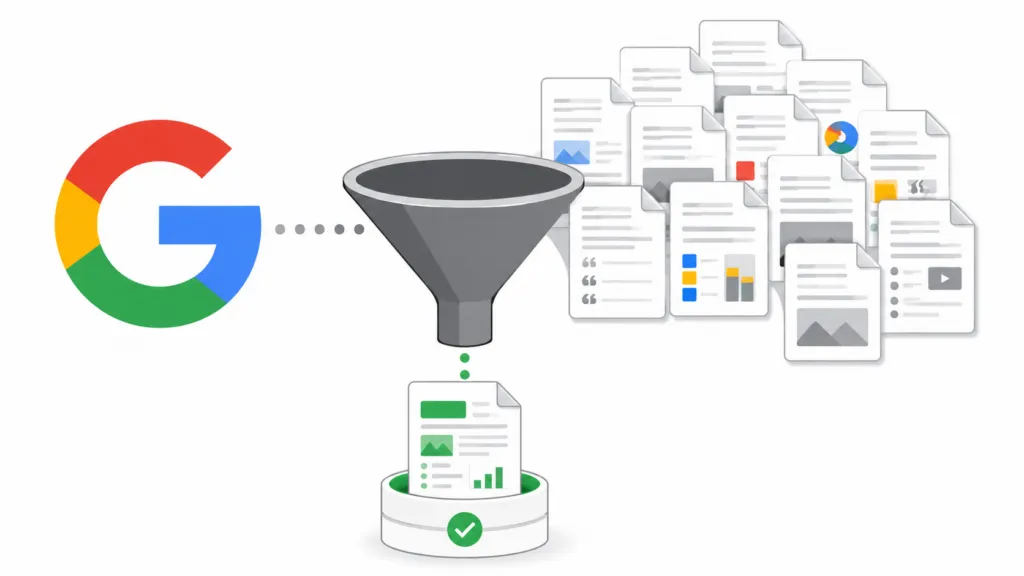
Google is ignoring your content because it looks like commodity content. That means Google’s systems have estimated (often before even reading the page) that your content doesn’t add anything new beyond what’s already in the index. The fix depends on whether Google is skipping your page entirely or reading it and rejecting it, because those are two different problems with two different solutions.
At TJ Digital, we run AI search campaigns for businesses in a wide range of industries. Across all of those sites, fewer than 5% of the pages we publish end up stuck in a non-indexed state. That’s because we build every page to avoid the specific signals Google uses to filter out commodity content.
Here’s how that works and how you can apply it to your own site.
Table of Contents
ToggleWhy Does Google Skip So Much Content Now?
Google used to include most pages on the internet in its index. When you searched, Google was looking through nearly everything online because the number of pages was manageable.
That’s no longer the case.
With ChatGPT and other AI tools making it easy to publish content, the volume of pages online has exploded. It doesn’t make economic sense for Google to index all of it, especially when most of those pages say the same thing as another page somewhere else.
This is what’s called “commodity content.” Google doesn’t want it bloating their index, so they try to identify the most authoritative source on a given topic and only index that one.
If you want your content indexed, you need to make sure Google doesn’t see it as commodity content.
@tjrobertson52 Google decides if your content is worth indexing from the URL alone before reading a single word. Here’s what to do about it. 👇 #SEO #ContentMarketing #GoogleSEO #SearchConsole
♬ original sound – TJ Robertson – TJ Robertson
How Does Google Decide Your Content Is Commodity?
Here’s the thing most people don’t realize. Google’s algorithm doesn’t truly understand whether the information in your content is repeated across other websites (unless it’s literally duplicate text). Reading every page published to the internet and understanding the information would be way too expensive.
Instead, Google uses proxies to estimate whether your content is commodity. There are two main ways it does this.
It looks at the URL itself. A lot of the time, Google decides your content is commodity without even looking at the page. It finds a URL, checks whether it already has content on the implied topic, evaluates your site’s authority on that topic, and makes a decision before it ever reads a word you’ve written.
It looks at page-level signals. If Google does crawl the page, it checks structural indicators like content length, heading structure, internal linking, the presence of structured data, author bylines, and whether the page looks like a template used across hundreds of other pages. These are all proxies for effort and depth.
What “Discovered Not Indexed” Means in Google Search Console
If you go into Google Search Console and look at your Pages report, you might find some pages marked as “Discovered, currently not indexed.”
These are pages Google didn’t even bother to look at. It found the URL and decided it wasn’t worth crawling.
There are two main reasons this happens.
The page type doesn’t belong in search results. Maybe it’s a thank you page, your privacy policy, or something with an outdated year in the title. Google doesn’t think anyone would search for it.
In that case, there’s no real issue. You weren’t trying to drive search traffic to those pages anyway.
Google already has content on that topic and doesn’t see your site as an authority. This is the one that matters. If Google already has pages indexed on the topic implied by your URL, and your website doesn’t have strong enough authority, it won’t bother crawling.
You have to honestly ask yourself whether you have the authority to write on that topic. Are there brands 10 or 100 times your size creating content on the same subject? If so, you might want to find a more niche topic where your brand actually is an authority.
If you do have the authority, submit that page manually through Google Search Console’s URL Inspection tool. This forces Google to recrawl the page and reconsider.
What “Crawled Not Indexed” Means in Google Search Console
The other status you might see is “Crawled, currently not indexed.”
This means Google found your URL, thought there might be something interesting, looked at the content, and decided it wasn’t worth including. This is a content quality signal.
Google’s own documentation says this happens when a page is too similar to other indexed pages, has thin main content, is overloaded with boilerplate text, or sits inside a cluster of near-duplicates where another URL already won.
The more authority your website has, the less critical Google will be of each individual page. But since authority takes time to build, the content itself is what you can address immediately.
How to Make Your Content Look Less Generic to Google
If Google is crawling your pages and still not indexing them, it’s likely seeing the content as generic or thin.
“Thin” means there’s not enough information on the page.
“Generic” has more to do with the structure of the page than the actual words. Remember, Google isn’t deeply reading your content and understanding every point. It’s using proxies.
The structure and formatting of your page tell Google a lot about how much effort went into creating it.
To make your content appear less generic, you want really high fact density. That means packing in statistics, data points, quotes, charts, tables, and bullet points throughout the page.
| Signal | What It Tells Google |
| Statistics and data points | Research-backed content, not speculation |
| Charts and tables | Structured analysis, not filler |
| Bullet points and lists | Organized, digestible information |
| Direct quotes with attribution | Expert sourcing and credibility |
| Author byline and credentials | Accountable, authoritative content |
| Structured headings (H2/H3) | Clear content hierarchy |
| Internal and external links | Connected to broader topic context |
All of these are proxies for depth and high-effort content. A page packed with specific data looks fundamentally different to Google’s systems than a page full of generalized advice.
One recent SEO analysis suggests including at least one statistic, percentage, or data point every 150 to 200 words. That’s a good benchmark to aim for.
Can You Use AI to Write Content That Google Will Index?
Yes. You can absolutely use AI to write all of this content. But you can’t just use ChatGPT out of the box.
If you go to your favorite AI model and say “write me a blog post on this topic,” it’s going to come out very generic. It will say the same things every other AI-generated article says, structured the same way, with the same vague claims. That’s the definition of commodity content.
The difference between AI content that gets indexed and AI content that gets ignored comes down to how you use the tool.
Connect AI to a knowledge base about your brand. When the AI knows your company’s specific data, case studies, and perspective, it stops producing generic output. At TJ Digital, we build what we call a Brand Ambassador for every client. It’s an AI project loaded with everything about the business so the content reflects the brand’s actual expertise.
Share your opinions and experience. AI can’t fabricate your firsthand experience. If you have a take on a topic that comes from years of doing the work, that needs to go into the content.
The transcript, the voice memo, the quick video you recorded in your car. That’s the raw material that makes content unique.
Have AI perform in-depth research. Don’t let the AI make things up. Feed it real data, then have it organize and present that data clearly.
Give it clear SEO guidelines. AI doesn’t inherently know how to structure content for search. You need formatting rules, heading structure requirements, and internal linking guidelines baked into your workflow.
This is exactly what we do for our clients. We use AI in every content workflow, but the AI is working from a deep knowledge base with clear guidelines and human review at every step. Google’s March 2026 Spam Update targeted low-quality AI content, and not a single one of our clients was affected.
What Does a Good AI Content Workflow Look Like?
A good AI content workflow has at least three layers. The first is a knowledge base containing everything about your brand, your services, your customers, and your differentiators. The second is a set of writing guidelines that prevent the AI from producing generic output.
The third is human review that catches anything the AI gets wrong or that sounds too templated. Most businesses skip the first two layers and go straight to “write me a blog post.” That’s why their content looks like commodity content to Google.
How to Check if Google Is Ignoring Your Content
Open Google Search Console and go to the Pages report under Indexing. You’ll see two categories worth paying attention to.
“Discovered, currently not indexed” pages need better internal linking, sitemap inclusion, and a reason for Google to prioritize them. Make sure each important page is linked from relevant, high-authority pages on your site. Remove or noindex low-value pages like filter duplicates, empty archives, and outdated landing pages so they stop eating into your crawl budget.
“Crawled, currently not indexed” pages need better content. Remove duplicate or near-duplicate pages and consolidate them with canonical tags. Rewrite thin pages with actual data, examples, and expert analysis.
Add author bylines. Include structured headings and clear formatting.
If you have pages in both categories, start with the “crawled not indexed” group. Those pages already got Google’s attention once. Fix the content, and they’re much more likely to get reconsidered.
Does Every Page on Your Website Need to Be Indexed?
No. Thank you pages, internal portals, and policy pages aren’t going to drive search traffic. Having too many low-value pages indexed can actually hurt your site’s overall crawl priority.
Focus your indexing efforts on pages that target terms people actually search for. If a page doesn’t have a clear keyword target and a reason for someone to find it through search, it probably doesn’t need to be indexed.
Fix Your Indexing Issues
If you’re seeing a lot of pages stuck in “discovered not indexed” or “crawled not indexed” and you’re not sure where to start, reach out to us. We’ll take a look at your site and tell you exactly what’s going on and how to fix it.