
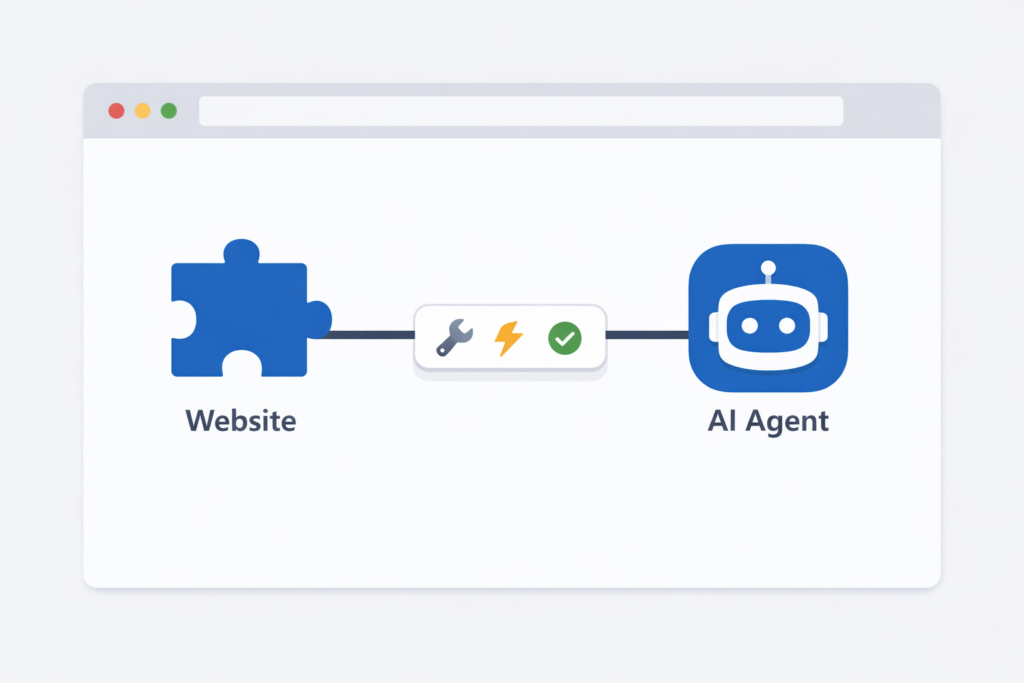
Google just announced WebMCP, and if you have a business or any kind of website, you need to know what this is. It feels like all the advancements we thought would play out over the course of 2026 have already happened in the first six weeks, and WebMCP is part of that.
At TJ Digital, we spend every day tracking how AI is changing the way people find and interact with businesses online. WebMCP is one of the most significant developments we’ve seen this year because it directly addresses a problem that’s been holding back AI agents for years: how they interact with websites.
Here’s what WebMCP is, how it works, and what it means for your business.
Table of Contents
ToggleHow AI Agents Currently Browse the Web
@tjrobertson52 Google just announced WebMCP, it lets you turn your website into an MCP server so AI agents can actually interact with it. More and more people are letting AI browse for them instead of doing it themselves, and that trend is only accelerating. If you have a website, this is worth paying attention to. #WebMCP #MCP #GoogleChrome
♬ original sound – TJ Robertson – TJ Robertson
To understand why WebMCP matters, you need to understand how AI agents use the internet right now.
For the past few years, all the major AI companies have been trying to figure out “agentic browsing,” which just means allowing an AI agent to open a browser, navigate the internet, and take actions on your behalf. They’ve all figured out how to do it. Kind of.
Here’s how it works today: the agent opens a webpage, takes a screenshot, figures out where to place the cursor, clicks, waits a few seconds, takes another screenshot, and evaluates what happened. Then it repeats.
As you might imagine, this is incredibly slow and expensive. A single product search can require dozens of sequential steps as the agent clicks through filters, scrolls, and tries to interpret each new page. Every screenshot burns through tokens, and every inference call costs money and adds latency.
It works, but it’s clunky. It’s like reading a restaurant menu by having someone describe each item to you one at a time through a keyhole.
What Is MCP?
Back in 2025, Anthropic released MCP (the Model Context Protocol). MCP allows developers to create what’s essentially an API between an application and an AI agent. Instead of the agent fumbling around a user interface, the application can declare: “Here are the things I can do, here’s the information I need from you, and here’s what I’ll give back.”
This made it much easier for agents to interact with applications and get clean, structured responses. MCP has been widely adopted and has become a foundational piece of how AI agents use tools.
But MCP is a backend protocol. It requires a separate server and some developer infrastructure. That works great for apps and enterprise integrations, but it doesn’t solve the problem for the millions of regular websites that AI agents need to interact with every day.
What Is WebMCP?
WebMCP takes the same concept and brings it to the browser. It’s a client-side JavaScript API that lets any website register its interactive features as structured “tools” that AI agents can call directly.
In plain terms: you add a few lines of code to any interactive element on your website, and suddenly it’s dramatically easier for AI agents to use your site. Instead of the agent taking screenshots and guessing where to click, the website just tells the agent, “Here’s what I can do, and here’s how to ask me to do it.”
For example, an e-commerce site could register a searchProducts(query, filters) tool. An AI agent looking for a specific product could call that tool once and get structured results back instantly, instead of clicking through category pages, applying filters, scrolling, and parsing screenshots.
Early benchmarks suggest this approach reduces computational overhead by around 67% compared to traditional screenshot-based automation. Single structured tool calls replace what used to take dozens of inference steps.
How WebMCP Works (The Technical Version)
If you’re a developer (or work with one), here’s what implementation actually looks like.
WebMCP uses navigator.modelContext.registerTool() in JavaScript. You give each tool a name, a description, an input schema, and an execute function. Here’s a simplified example for an “add to cart” button:
navigator.modelContext.registerTool({
name: “add_to_cart”,
description: “Add a product to the shopping cart”,
inputSchema: {
type: “object”,
properties: {
productId: { type: “string” },
quantity: { type: “number”, minimum: 1 }
},
required: [“productId”, “quantity”]
},
async execute({ productId, quantity }) {
const res = await fetch(‘/api/cart/add’, {
method: ‘POST’,
body: JSON.stringify({ productId, quantity })
});
return { content: [{ type: “text”, text: `Added ${quantity} items` }] };
}
});
That’s it. The tool wraps your existing frontend logic. You don’t need to build a separate server, learn a new framework, or maintain a separate API. As VentureBeat reported, teams don’t need to build separate API surfaces for agent consumers. Your existing frontend code becomes the service layer.
There’s also a declarative approach where you can tag standard HTML elements (like forms) with a data-mcp-tool attribute, which automatically registers them as agent-callable tools with no JavaScript required.
Authentication is handled transparently through the browser’s existing session. No extra auth plumbing needed. The agent uses the same cookies and tokens as the logged-in user.
Why This Matters for Your Business
Here’s the part that matters most if you’re a business owner: we are moving very quickly into a world where humans are using websites less and less.
Imperva’s 2025 report found that automated traffic surpassed human activity for the first time in a decade, now accounting for 51% of all web traffic. A 2026 TollBit report showed AI scraping bots jumped from 0.5% of visits in early 2025 to 2% by late 2025, and the trajectory is steep.
By this time next year, bot traffic is expected to be roughly 7.5 times that of human traffic.
It’s just becoming much more convenient for people to let the AI use the website on their behalf. And if the AI can’t easily interact with your website, it’s going to use your competitor’s website instead.
We’re getting to a point where how easy it is for AI to use your website may matter more than how easy it is for humans.
WebMCP vs. Traditional APIs
If your business already has REST or GraphQL APIs, WebMCP doesn’t replace them. It complements them.
The difference is that WebMCP tools are declared client-side in the browser and wrap your existing frontend logic. You don’t need to design a new API, spin up a new server, or manage separate documentation. It follows a standard, discoverable format that any AI agent can understand without custom integration work.
For many businesses, especially small to medium-sized ones that don’t have the resources to build and maintain custom APIs, WebMCP is a much more practical path to making your site agent-friendly.
What This Means for SEO and AI Discoverability
If you follow our content on AI optimization, you know that showing up in AI results (ChatGPT, Google’s AI Mode, etc.) is becoming just as important as traditional search rankings. WebMCP adds another dimension to that.
When an AI assistant needs to book a flight, find a product price, or compare services, it will prefer a site where it can call a structured tool and get clean data back. If your competitor has WebMCP tools registered and you don’t, the agent has every reason to use their site over yours.
Some in the industry are already calling agent-friendly features the next generation of ranking signals. The businesses that implement these capabilities early are positioning themselves the same way early SEO adopters did in the 2000s.
Current Browser Support
Right now, WebMCP is experimental. Google shipped it in Chrome 146 (Canary) behind a developer flag. Microsoft co-authored the spec, so Edge support is expected. Firefox and Safari haven’t implemented it yet.
There are also polyfills available (like MCP-B) that can emulate WebMCP in other browsers.
This means you don’t need to implement WebMCP today. But I do think it’s something every business owner should be paying attention to.
What You Should Do Right Now
You don’t need to rush out and add WebMCP to your site this week. The standard is still in early preview and browser support is limited. But here’s what I’d recommend:
Understand the direction things are moving. Bot traffic is growing fast. AI agents are becoming the primary way many users interact with online businesses. Your website needs to serve both human and machine visitors.
Make sure your site is already AI-friendly. Before WebMCP, there are fundamentals you should have in place: detailed service pages, FAQ sections, transparent pricing, structured data markup, and comprehensive content that answers the questions AI models are asking on behalf of users.
Talk to your developer. If you work with a web developer, make sure they’re aware of WebMCP. When the standard matures and browser support broadens, you’ll want to be ready to implement quickly.
Keep an eye on updates. This is moving fast. I’ll be making follow-up content as we learn more about WebMCP’s rollout and real-world impact.
The Bottom Line
WebMCP is a simple but powerful idea: let websites tell AI agents exactly what they can do, instead of making agents guess. It replaces the slow, expensive screenshot-and-click method with clean, structured tool calls that are faster, cheaper, and far more reliable.
The web is shifting toward a model where your site needs to serve AI agents just as well as it serves human visitors. WebMCP is one of the clearest steps toward that future.
If you want help getting your website ready for AI agents and AI-powered search, reach out to TJ Digital for a free digital marketing audit. We’ll evaluate how your site performs with current AI platforms and what steps will have the biggest impact on your visibility.