
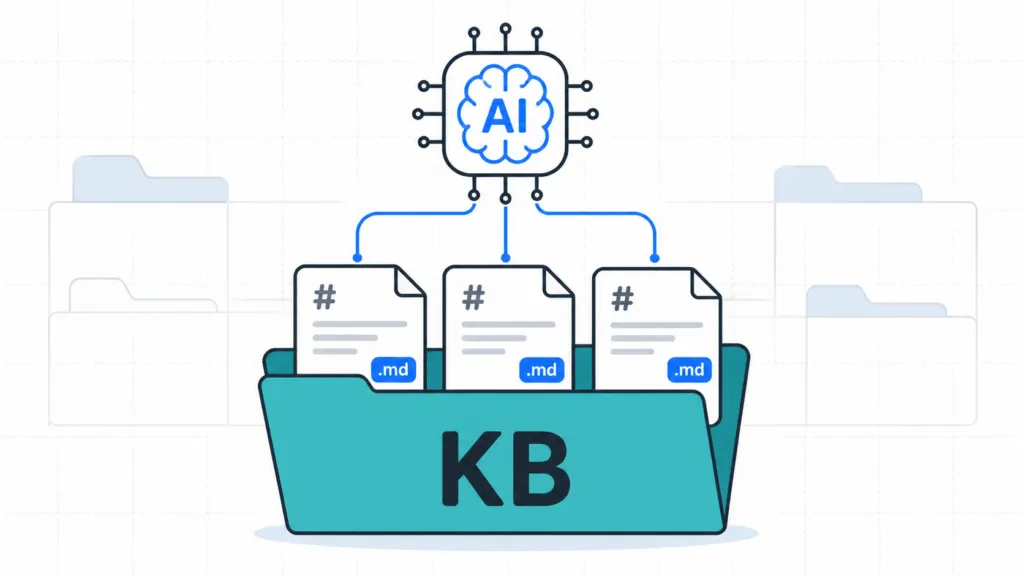
The most important thing every business should be doing with AI right now is building a knowledge base. That means a curated set of markdown files covering everything important about your company, organized in a Claude project (or similar workspace) with clear file descriptions so AI always knows which document to pull for each task.
At TJ Digital, we manage AI-powered marketing systems for roughly 40 to 50 client websites, and the knowledge base is the foundation of every campaign we run. We call it the Brand Ambassador.
Each one is a Claude project containing about 12 standard markdown documents covering company overview, products and services, brand voice, content guidelines, competitor analysis, important website pages, and more. AI that fully understands every part of your business can do hundreds of tasks the model would otherwise be incapable of, and that work compounds every quarter you keep it alive.
Table of Contents
ToggleWhy Every Business Should Build an AI Knowledge Base Right Now
AI capabilities are advancing incredibly fast, and most business owners are wondering what they should be doing to prepare. The truth is, no matter how capable these models become, they will always need access to the information that matters for your business. All of it.
As AI gets more capable, you are going to want to integrate it into every part of your operation. That means anything important to even one person on your team is important for the AI to have access to. The companies that win the next few years will be the ones that make their business legible to AI early.
This is the core capability that lets AI do real work on your behalf, instead of producing generic output you have to rewrite anyway.
@tjrobertson52 Your AI keeps giving generic answers because it doesn’t actually know your business yet. Here’s the fix. AIForBusiness #AITools #BusinessTips #Productivity
♬ original sound – TJ Robertson – TJ Robertson
What File Format Works Best
Markdown is AI’s preferred file format. It is plain text with light structure (headings, lists, links, emphasis), which means the model reads clean text without having to reconstruct reading order from page layout the way it does with PDFs.
You can still upload PDFs and Word docs. Every major platform supports them. The issue is that the system has to clean those files up before they become model-friendly, which costs context and adds noise. Adobe even built a dedicated PDF-to-markdown API specifically because LLMs work better with markdown than with the original PDF.
A working rule we use at TJ Digital is markdown for living knowledge, PDFs for distribution, slides for presentation, and spreadsheets for numeric data. If a document is going to be referenced by AI repeatedly, its source-of-truth version should be markdown. (For more on this, see our take on the markdown version of your website.)
What Documents to Include for Each Business
We have about 12 standard documents that we build for every client. The list below is what we have found gives the AI enough context to handle most everyday work without becoming bloated.
- Company overview and positioning
- Product and service catalog
- Ideal customer profile and audience personas
- Brand voice and style guide
- Content guidelines and editorial rules
- FAQ and objection-handling document
- Case studies and proof points
- Competitor and alternatives landscape
- Pricing and offer rules
- Approved examples library (gold-standard emails, blog posts, ads)
- Internal pages list (URLs and target keywords for the website)
- Glossary and source map (what document to consult for which task)
We might also include eBooks the client has written, internal SOPs, or video transcripts when those exist. Aim for the smallest set of documents that makes the business legible to AI.
How to Organize Files So AI Knows What to Use
Eventually your knowledge base is going to be large. You will have dozens (maybe hundreds) of files, and some of them might be dozens or hundreds of pages long. The AI cannot pull all of that into every task, and you would not want it to even if it could.
Two things solve this problem.
- Each file should have a clear, descriptive name. Boring filenames like company-overview.md, brand-voice.md, and offer-and-pricing.md beat clever filenames every time.
- Each file should have a short description that explains what it contains and when it should be used.
In our Claude projects, we put those file descriptions inside the project instructions. That way the AI always knows which documents to retrieve for a given task without us having to tell it manually each time.
How to Keep Internal Information Out of Public AI Outputs
We strictly separate documents that contain internal information from documents we would gladly share publicly. Presumably your AI is going to draft customer-facing messaging, and you do not want internal strategy or confidential details leaking into that output.
The cleanest model uses three separate corpora.
- A public-facing corpus with website copy, approved messaging, public case studies, and marketing examples
- A restricted internal corpus with strategy, operations, customer-specific data, internal SOPs, and finance
- An excluded secrets corpus with credentials, private keys, privileged legal material, and HR-sensitive data
Secrets do not belong in any general-purpose AI workspace. (For a deeper look, we wrote about data to share with AI earlier this year.)
Where to Store Your AI Knowledge Base
You need a place to actually store and organize these files. Currently, we create a Claude project for each client. Each markdown document lives in a Google Doc and is then uploaded to the project. Storing them as Google Docs means we can use the same documents in a Google NotebookLM or a ChatGPT project without maintaining multiple versions.
The three options most businesses consider are Claude Projects, Google NotebookLM, and Obsidian. Here is how they compare for the purpose of running an AI knowledge base.
| Tool | Best For | Strengths | Weaknesses |
| Claude Projects | Producing and iterating on branded work | Persistent project instructions, custom styles, retrieval-augmented mode for large corpora, shared workspace | Requires upload and resync as documents change |
| Google NotebookLM | Source-grounded research and verification | Grounded responses with inline citations, audio overviews, mind maps | Each notebook is independent, cannot reason across multiple notebooks, no auto-sync from source files |
| Obsidian | Local plain-text source of truth for very small teams | Files live on disk, fully linkable, durable, no vendor lock-in | Version control gets hard with more than two or three people |
A simple way to think about it is that NotebookLM is the reading room, Claude Projects are the writing room, and Obsidian is the filing cabinet underneath both.
Should Small Teams Use Obsidian Instead of Claude?
A lot of people store these documents locally with Obsidian, and there are real advantages to that approach. You can link documents together, maintain a single source-of-truth vault, and even use desktop AI apps to edit the files for you.
This works well for very small teams. If there are more than two or three of you, it can become a version control nightmare. Multiple people editing the same files locally creates merge conflicts that nobody wants to deal with on a Tuesday morning.
Better solutions are coming for enterprise, probably from the model makers themselves. For now, having the documents inside a Claude project is the best solution we have found for any team larger than a few people. The point is that the documents themselves are the valuable asset, and that work holds its value however the storage layer evolves.
Is This Worth the Effort for a Small Business?
Yes, if the knowledge base is tightly scoped and used often. The value comes from turning a generic model into a business-specific assistant that works from your actual products, vocabulary, offers, and constraints.
A field study of more than 5,000 customer-support agents found that access to a generative AI assistant lifted productivity by about 14 to 15 percent on average, with much larger gains for novices. A separate randomized writing experiment found that ChatGPT cut average completion time by 40 percent and improved output quality by 18 percent. These numbers are not specific to knowledge-base building, but they are strong evidence that once a model is properly integrated into real work, the payoff can be significant.
The lowest-risk strategy for a small business is to start with the core documents that drive repeated outbound and customer-facing work. If the result is better blog drafts, more consistent sales follow-up, faster proposal writing, and fewer off-brand outputs, the project has already justified itself.
Can You Use Google Drive Instead of a Claude Project?
You can connect Google Drive to ChatGPT, Claude, or Gemini, and it is better than no context at all. The issue is that none of these tools share context across conversations by default, so giving them generic Drive access is weaker than building a curated project workspace where the AI knows exactly what is in scope.
How Long Does the Setup Take for a Typical Business?
For a small or medium-sized business, the core 10 to 12 documents can usually be drafted in two weeks if you are working from existing materials and a structured intake process. We build a complete Brand Ambassador for every client during a Two-Week Strategic Assessment before any campaign work begins.
Do You Need to Keep These Documents Up to Date Over Time?
Yes. Pricing changes, products evolve, and brand voice gets refined as you learn what works. We update the knowledge base any time a client gives feedback on a piece of content, so the same edit never has to be given twice.
How Is a Claude Project Different From a Custom GPT?
Both let you upload knowledge plus instructions, but Claude projects support persistent project instructions, custom styles, and a much larger corpus through retrieval-augmented generation. Custom GPTs cap knowledge at 20 files. For most ongoing business work, a Claude project handles more.
Is It Safe to Put Company Information in an AI Tool?
On business and commercial plans, the major providers do not train their models on your inputs by default. Anthropic, OpenAI, and Google have all made this commitment for their work-tier products. The bigger risk is operational. Treat secrets and credentials as off-limits, classify your documents before uploading, and keep public and internal corpora in separate workspaces.
How to Get Started Building Yours
Start with the core documents that drive your repeated customer-facing work. The list of 12 above is a good template. Draft each one in markdown, store the source-of-truth version in Google Docs, and upload it to a Claude project where your team can use it every day.
The documents are the asset. Whatever AI tool you end up running them through in 2027 or 2028, the work you do this quarter will still pay off.
Get your Brand Ambassador built in two weeks. Contact us to start your Two-Week Strategic Assessment.