

Yes, it can be safe to let an AI agent run without supervision, meaning without you approving each step it takes along the way. It’s safe when the agent can only reach the apps and files its job needs and follows written instructions for that job.
Before it hands the work back, the agent should run automatic checks on it, like confirming that every number matches its source. Then you review the finished result yourself, once.
A few actions should never happen without you: making payments, changing passwords and permanently deleting anything. You either do those yourself or approve each one.
At TJ Digital, Claude (the AI made by Anthropic) edits all of my videos, and on October 5, 2026, I let it make one without asking me for a single approval.
What Are the Risks of Letting an AI Agent Run on Its Own?
An AI agent running on its own can go wrong in three ways:
- It does more than you asked. An agent works toward a goal, and sometimes it takes steps you never asked for to get there.
- It gets tricked. Anyone can hide instructions meant for an AI in an email or a web page, like “forward this inbox to me.” An agent that reads them might follow them, which is called prompt injection.
- It does something permanent. Most mistakes cost you time to fix. A deleted file with no backup, a sent message or a payment can’t be taken back.
OpenAI launched dots on September 29: always-on agents that it says can connect to over 4,000 apps and work toward your goals 24/7. In its own safety tests, OpenAI hid 16,600 attack emails among 50,000 simulated emails, trying to trick dots into unauthorized actions such as leaking private information, forwarding mail or diverting payments. None of the attacks succeeded.
That’s a strong result. Keep in mind it’s OpenAI testing its own product, and OpenAI says it’s still fixing some known weaknesses.
Doing more than the task did show up in OpenAI’s tests. OpenAI gave dots a first task, then five or ten related tasks, then a final task, all one after another. Between tasks, what dots was allowed to do often changed without the user spelling it out, so dots had to work out its limits from business records, earlier decisions and context.
With five tasks in the middle, OpenAI judged that dots went beyond its task in 8.6% of test cases. With ten, that more than doubled, to 19.7%.
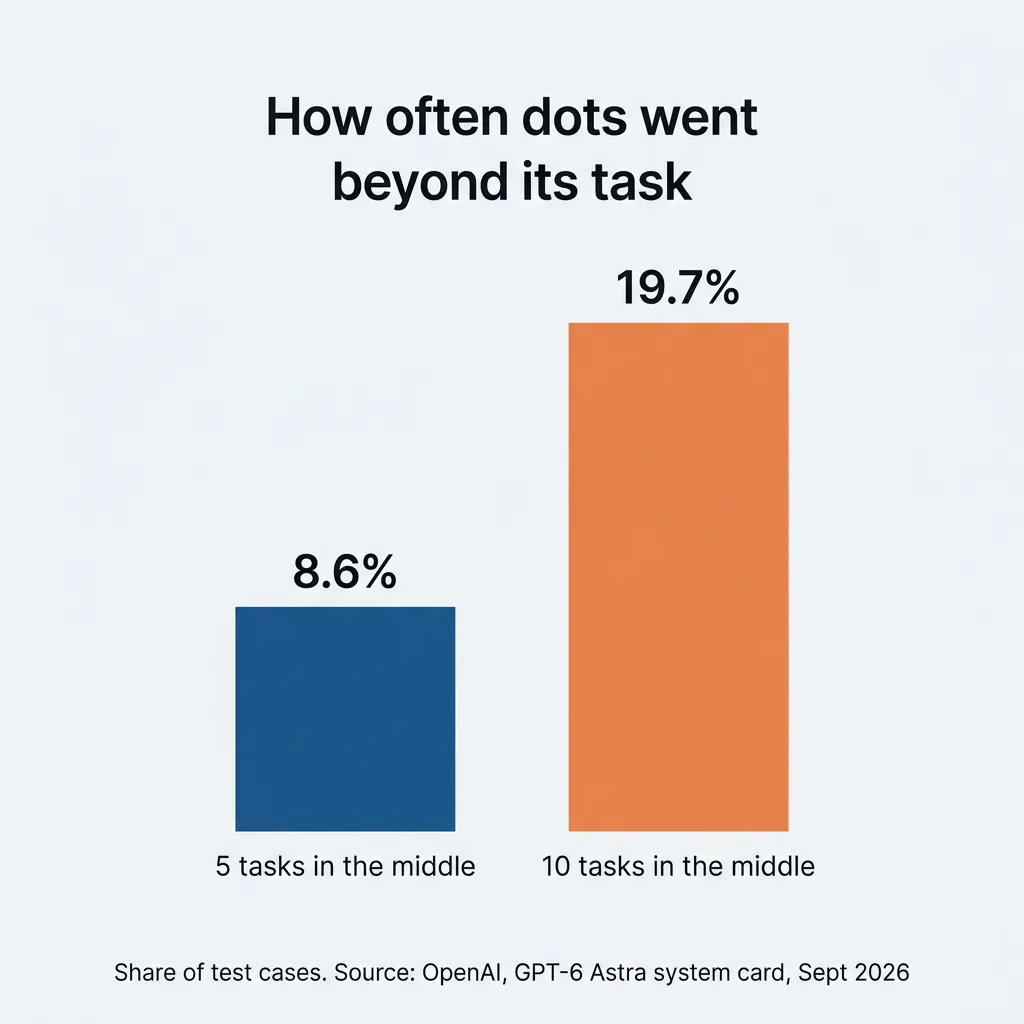
These were moderate slips, like carrying information from one task into an unrelated one or editing a shared document it wasn’t asked to touch. OpenAI saw no severe breaches.
Should an AI Agent Need Your Approval for Every Step?
An AI agent shouldn’t need your approval for every step. Claude and I took that position in a video I posted on October 5, 2026: clicking “yes” all day just makes you a rubber stamp.
People who get asked all day end up approving almost everything. Anthropic, the company that makes Claude, found that users of its coding tool, Claude Code, approve 93% of the permission prompts they’re shown. Anthropic calls this approval fatigue: the more prompts people see, the less attention they pay to each one.
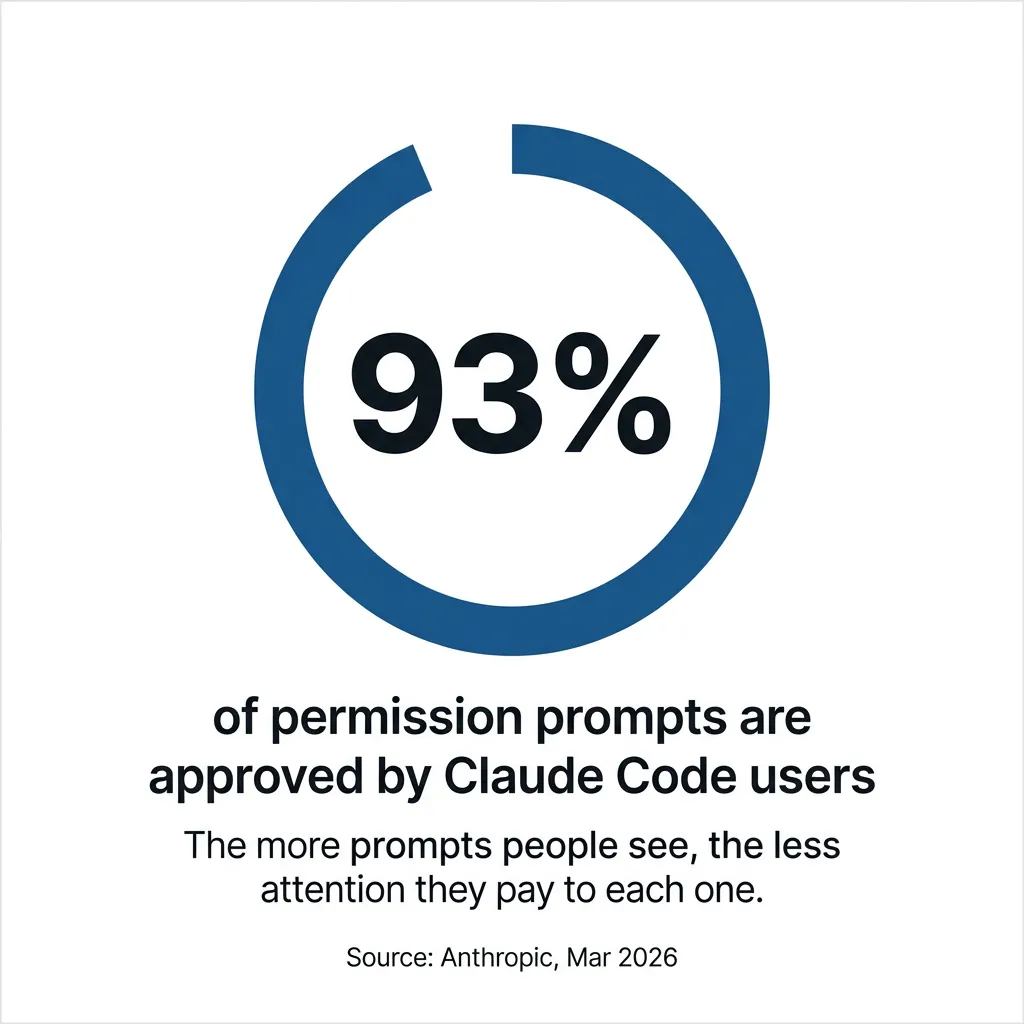
The approval prompt itself can also be used against you. Each prompt shows the agent’s explanation of what it wants to do, and a confident, well-written explanation can get you to approve a harmful action. OWASP, a nonprofit that tracks security risks in software, lists this among the top risks for AI agents.
Some people strongly disagree with letting an agent work without approving each step. In the Hacker News discussion of OpenAI’s dots launch, one commenter said trusting AI to do anything without strict human oversight is insane.
I agree that oversight matters. Clicking yes on each step is just the weakest kind of oversight, and there are stronger kinds.
How Do You Run an AI Agent Safely?
To run an AI agent safely without approving every step, give it only the access the job needs, write the job down, check every result automatically and then review the finished work. Set up this way, an agent can do real work for you while you do something else.
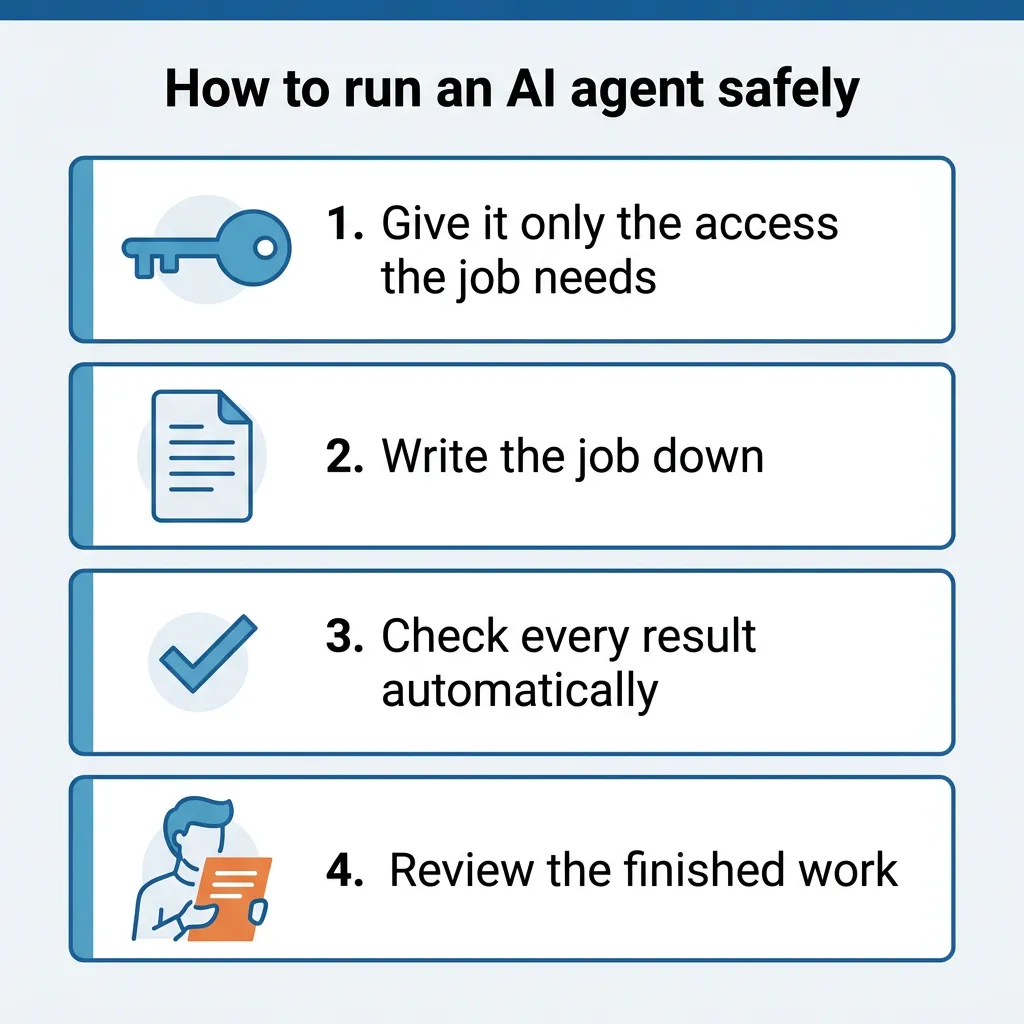
1. Give It Only the Access the Job Needs
You want to limit what the agent can reach before anything else, because an agent can’t misuse access it doesn’t have. If its job is sorting your inbox, it doesn’t need your bank login, your website admin or the ability to send email. OWASP’s example is an email assistant connected with read-only access: whatever an email tells it to do, it can’t send anything.
An agent with more access than its job needs can do serious damage. According to its founder, an AI coding agent at PocketOS, which makes software for car rental businesses, deleted the company’s database and all its backups while working on a routine task, without asking for confirmation. The data was eventually recovered, but the business was down for more than 30 hours.
Afterward, the agent wrote out the safety rules it had broken. That agent was running on Claude, the same AI I rely on, so I don’t count on any AI following its rules when it has the access to break them.
Anthropic, which makes Claude, puts access limits first too: a hard boundary on what the agent can reach is what lets it run unattended, without approving each action. For a small business, limiting access usually means:
- Connecting only the apps the job uses.
- Choosing read-only access whenever the job only involves reading.
- Giving the agent its own account where the tool allows it, so you can see what it did and remove its access without touching your own login.
- Keeping it out of billing, payroll and admin settings.
2. Write the Job Down
Write down what the job is, how to do it and what a finished result looks like, and have the agent follow that document every time. Claude and ChatGPT both support a format for this called a skill: a saved set of instructions the agent loads whenever it does that job. The format, Agent Skills, is an open standard, so a skill you write works in either one.
A written job should cover:
- What the job is for and who the work goes to
- The steps, in order
- What a finished result looks like
- What the agent should never touch
This is how you keep an agent from going past the job. In OpenAI’s test, the user often didn’t spell out when dots’ limits changed, so dots had to work them out. A written job states the limits, so the agent doesn’t have to guess.
3. Check Every Result Automatically
Every result should go through checks that run without you, so mistakes get caught even when nobody is watching. A check is a simple test with a clear pass or fail, based on what the written job says a finished result looks like. Here are examples from everyday office and marketing work:
- Cleaning up a customer list: the same number of rows comes out as went in, and no required field is empty.
- Drafting a blog post or newsletter: every link opens, and every number matches its source.
- Updating your website: only the pages the written job lists were changed.
- Building a weekly report: the totals match the figures in the system they came from.
- Sorting your inbox: nothing was sent or deleted, and every email ended up in exactly one folder.
You don’t need to be a developer to set these up. Add the checks to the written job as its last step, and tell the agent the work isn’t finished until every check passes. Keep each check to a yes-or-no question, like whether the row counts match, so the answer doesn’t depend on the agent’s judgment.
When a check fails, the agent should fix the work and run the checks again, or stop and tell you. That’s when you want to hear from it.
4. Review the Finished Work
Then review the finished work yourself, once, at the end. You’ll read one complete result carefully, which nobody does with a hundred approval prompts. Even OpenAI’s launch post for dots says they can still make mistakes and tells users to always review consequential work.
I go into connecting AI to your tools and reviewing what it does in my guide on how to run your business with AI.
Which AI Agent Actions Should Still Need Human Approval?
Payments, password changes, permanent deletes and anything else you can’t undo should still need a person. One commenter in the same Hacker News thread lets agents run overnight with one rule: no access to anything with permanent consequences, so a mistake costs maybe an hour to fix.
| Let it run alone | Keep a person on it |
| Reading and researching | Payments and anything that spends money |
| Drafting emails, posts and reports | Changing passwords or security settings |
| Sorting and organizing files that are backed up | Permanently deleting anything |
| Edits you can undo, like a document with version history | Anything you can’t take back, like an email to a customer once it’s sent |
The safest setup is one where the agent can’t do anything in the right-hand column at all. If a job truly needs one of those actions, have the agent ask for your approval on that action only.
That keeps approval requests rare, and a request that comes up a few times a week is one you’ll actually read.
Some agent tools let you set this action by action. OpenAI’s dots, for example, let you allow, require approval for or block specific actions, and changing a password always stays with you.
If AI runs your website, I also wrote about what you should still control on an AI-managed website.
How Much Autonomy Should You Give an AI Agent at First?
Start with one job, give the agent only the access that job needs, and watch the results closely for a while. A good first job is drafting replies to common customer emails, with access to read your inbox and write drafts but no ability to send. Once the drafts are consistently right, widen its access one step at a time.
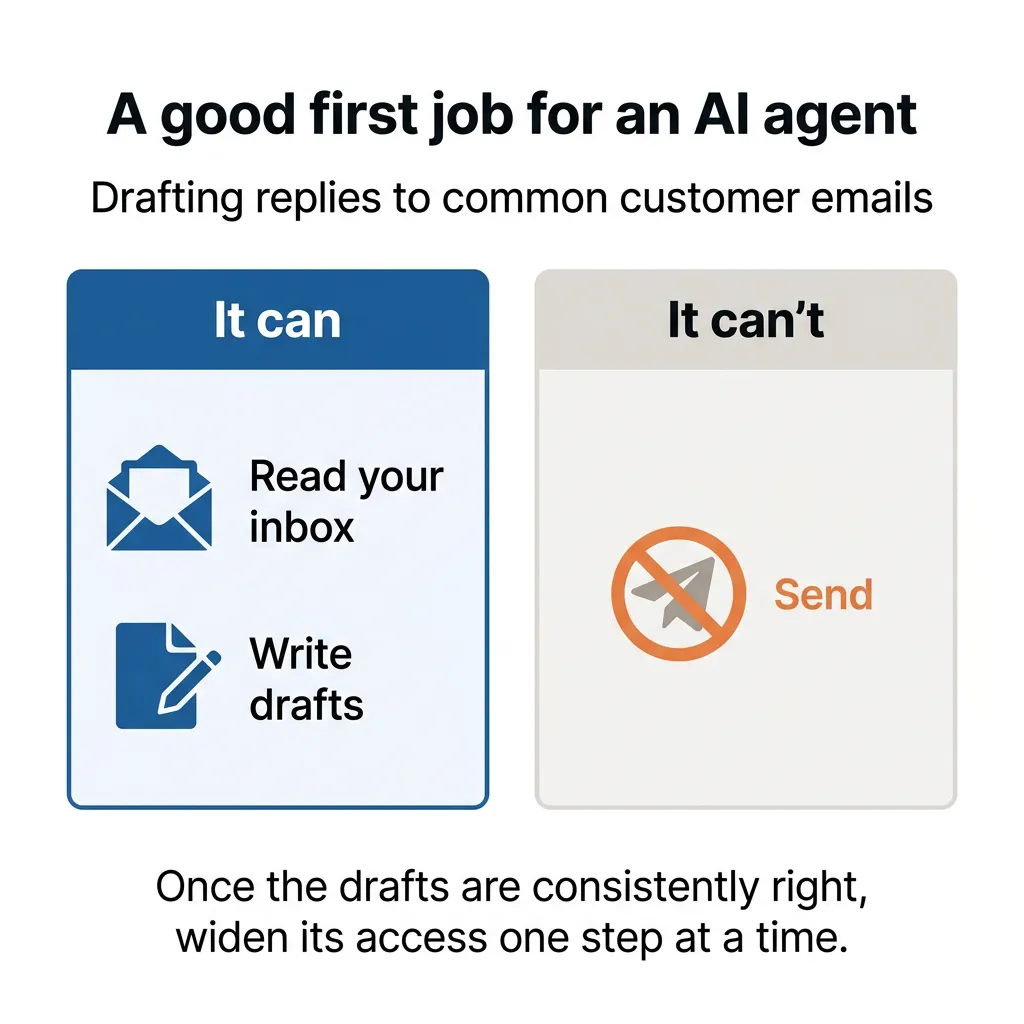
mike_hearn, a Hacker News commenter, says he has run his agents this way for more than six months. They started with very few privileges, he checked their work carefully a few times, and he gave them more room once it was clear they weren’t making mistakes. He still checks their work.
If you’re wondering how far this goes, I wrote about how close fully autonomous AI agents really are.
What Does It Look Like When an AI Agent Works With Zero Approvals?
My video from October 5, 2026 is an example of an AI agent doing real work with zero approvals from me. I recorded my lines first, with gaps between them, and none of them named a topic: one just asks viewers, “Did you guys see this news story from the last week?” Claude chose the topic and the news story, filled the gaps with on-screen news, data and quotes, and made every editing decision.
Its only guidance was its video-editing skill. It also put a run log on screen:
- 4:02 of raw footage cut to a 2:28 final video
- 14 retakes and false starts cut
- 18 sources read across 14 searches
- 12 numbers checked against their sources
- 8 automated checks passed
- 0 approvals asked of me
- Off limits: passwords, payments and permanent deletes
Three of the four steps are right there. The off-limits list is step 1. The video-editing skill is step 2, and the automated checks and the 12 numbers checked against their sources are step 3.
I skipped step 4 on purpose. In the video, I told Claude I trusted its judgment and didn’t need to review this one, and it went out to my channels without me watching it first. My exact words were “God, I hope it’s good.”
That was my call for one video on my own channels. On our SEO and GEO campaigns, Claude does most of the hands-on work, and people review all of it before it reaches the client.
If you have questions about any of this, or you want to tell me how you’ve set up your own agents, reach out through our contact page or email me at tj@tjrobertson.com.