

As of October 2026, people can buy your products through both ChatGPT and Google’s AI, but the purchase happens in different places. ChatGPT recommends products and sends the shopper to your own website or app to buy. Google’s AI Mode and Gemini have a Buy button, so the shopper can check out without leaving Google.
OpenAI says there are no fees on purchases that start in ChatGPT, and Google doesn’t list any fee for its checkout.
How much work this takes depends entirely on what platform you’re on. If you’re on Shopify, most of it is already taken care of for you. Google’s Buy button, for example, is rolling out to Shopify stores automatically.
If you’re not on Shopify, you’re mostly on your own. ChatGPT already finds products on your website, and if you want more control over how they show up, you apply to OpenAI to send it a product feed. For Google, you apply for the Buy button, and Google gives it only to the stores it selects.
At TJ Digital, we do SEO and GEO for e-commerce brands. GEO is getting a business recommended in the answers AI tools give, such as ChatGPT and Google’s AI. When we build an online store, we build it on Shopify, so those stores get most of this setup by default.
How Does Selling on ChatGPT Compare to Selling on Google AI?
Selling on ChatGPT and on Google’s AI differs in where the shopper pays, how your store gets in and where it’s available.
| ChatGPT | Google AI Mode and Gemini | |
| Where the shopper pays | On your own website or app | Inside AI Mode or Gemini, without leaving Google |
| How the shopper pays | Your normal checkout, with the payment methods you already accept | Google Pay, or a card in Shopify’s own checkout for Shopify stores |
| Fee to you | No fee, OpenAI says | No fee listed by Google |
| How Shopify stores get in | Automatically (Etsy shops too) | Automatically as it rolls out, once your products are in Merchant Center |
| How other stores get in | ChatGPT can find your products on your website. To control how they appear, apply to OpenAI to send a product feed, then wait | Add UCP to your store (a technical setup, built by a developer or a plugin, that lets Google’s AI place the order on your store while the shopper stays in Google), set up Merchant Center, then apply to Google and wait to be selected |
| Where it’s available | Shoppers in the US | Shopify stores selling to the US, Canada or Australia. For other stores, Google is accepting US stores first, with Australia and Canada in early 2027 |
Shopify stores pay nothing beyond their standard payment processing fees, according to Shopify’s help pages for ChatGPT and for Google AI Mode and Gemini.
For a store that isn’t on Shopify, the main cost is the setup. Building UCP into your store takes a developer’s time, or your own time directing Claude or ChatGPT and checking its work. The other option is Shopify’s Agentic plan, which sells your products through Shopify’s AI channels while your store stays where it is. Shopify charges card rates from 2.9% + 30¢ on sales paid in its checkout inside an AI.
What Happened to ChatGPT Instant Checkout and Its 4% Fee?
Instant Checkout is no longer how ChatGPT sells. In March 2026, OpenAI said it was switching to merchants’ own checkouts while it focuses on helping people find products. Its merchant page says it’s moving away from standalone Instant Checkout, with purchases completed on the merchant’s own website or app.
Instant Checkout let shoppers pay without leaving ChatGPT. A January 2026 report said Shopify merchants would pay OpenAI a 4% fee on those sales. Today, OpenAI’s merchant page says, “There are no fees on purchases that start in ChatGPT.”
Since the sale happens on your own checkout, ChatGPT works with whatever payment processor you already use.
Paying inside ChatGPT now happens only in some merchants’ own ChatGPT apps, which OpenAI says are best suited to larger merchants. OpenAI’s own payment form inside the chat is in a private beta with select marketplaces.
How Do You Get Your Products Into ChatGPT?
ChatGPT can show your products without a feed, because it already crawls websites. That only works if your site lets in OpenAI’s search crawler, OAI-SearchBot. OpenAI says sites that block it in robots.txt aren’t shown in ChatGPT’s search answers.
A product feed is optional, but it keeps your prices and stock current in ChatGPT and gives you more control over how your products appear. Shopify and Etsy stores already send OpenAI a feed through their platforms, so they have nothing to apply for. Every other store applies to OpenAI for one, and applicants go on a waitlist.
These feeds use OpenAI’s Agentic Commerce Protocol (ACP), its standard for sharing product data with ChatGPT. Today, ACP covers your product feed and, if you want, your promotions, and there’s no checkout part for a store to build.
OpenAI doesn’t allow some products in ChatGPT shopping at all, including alcohol, nicotine, weapons, prescription drugs and adult products.
How Do People Buy Your Products in Google AI Mode and Gemini?
People buy in Google AI Mode and Gemini by tapping a Buy button on an eligible product and paying without leaving Google. They pay with Google Pay, and Google says you remain the merchant of record, which means the sale is yours. Shopify stores use Shopify’s own checkout instead, where Shopify says shoppers pay by credit or debit card.
The Buy button runs on the Universal Commerce Protocol (UCP), an open standard Google launched with Shopify, Etsy, Wayfair, Target and Walmart. UCP gives your store a set of web addresses that Google’s AI, acting for the shopper, can send requests to: add this item to the cart, check the cart, check out. A file at a set address on your site (/.well-known/ucp) tells the AI where those addresses are and how to use them.
Google offers this checkout only to select merchants for now. Shopify stores get it through Shopify as it rolls out. Every other store has to add UCP and set up its Merchant Center account first, then apply to Google and wait to be selected.
Stores Google selects get access to its UCP integration hub, an onboarding area inside Merchant Center with a sandbox for testing the checkout. I walk through it in my guide to Google’s UCP integration hub.
How Do Shopify Stores Sell on ChatGPT and Google AI?
If your store is on Shopify, congratulations, most of this is done for you. Shopify’s Agentic Storefronts lists your products in ChatGPT and in Google AI Mode and Gemini (plus Microsoft Copilot and Meta’s AI). It’s on by default for every store that meets Shopify’s requirements.
ChatGPT gets your products straight from Shopify, with no plugin or feed to set up. Google gets them from your Merchant Center account.
UCP should already be set up on your store too, because Shopify handles it for its stores, so there’s nothing to build for Google.
In ChatGPT, shoppers buy on your own store’s checkout page, which opens in ChatGPT’s built-in browser or in a new tab. So there’s no ChatGPT checkout setting to turn on.
On Google, the Buy button is what Shopify calls direct checkout. It’s on by default, but Shopify says it’s still rolling out and might not be in your store yet.
To make sure your store qualifies, go through these in your Shopify admin:
- Go to Sales channels > Agentic and make sure each AI channel you want is turned on. “Allow Shopify to manage for me” is the default, and it keeps all of them on.
- Make sure you’ve agreed to Shopify’s Agentic Storefronts Supplemental Terms.
- Fill in your Terms of service, Privacy policy, and Return and refund policy under Settings > Policies.
- Make sure your store sells to customers in the US (for ChatGPT) and in the US, Canada or Australia (for Google). Your business itself can be based anywhere.
- For Google, get your products into Merchant Center. The usual way is the Google & YouTube sales channel with “Automatically sync products” and “Automatically sync shipping information” turned on, but a third-party feed provider or a manual upload also works.
- Put any relevant legal disclosures in the first 6,000 characters of each product description.
B2B-only products aren’t included in Agentic Storefronts at all. Google’s direct checkout also doesn’t support subscriptions, product bundles, customizable products, local delivery or pickup, or requiring customers to sign in. And Google Analytics and custom pixels don’t fire on those checkouts, so expect gaps in your usual tracking.
How Do WooCommerce Stores Sell on ChatGPT and Google AI?
WooCommerce stores don’t have a single switch for this yet, so each AI takes its own setup.
For ChatGPT, apply on OpenAI’s merchant page to send OpenAI a product feed, and expect a wait. Once you’re approved, OpenAI recommends sending a full copy of the feed at least once a day.
OpenAI’s feed spec lists the formats it accepts. A developer can build the file from your WooCommerce catalog, or a feed provider, such as a WooCommerce feed plugin, can generate it.
Google’s Buy button takes more work, and adding UCP is the hardest part. These are the main options a WooCommerce store has as of October 2026:
| Option | Status in October 2026 | Cost | Who it suits |
| WooCommerce AI, WooCommerce’s own extension | Private beta with a waitlist, for US stores not hosted on WordPress.com whose main store language is English. Checkout on Google’s AI is still in development, so it doesn’t give you the Buy button yet | Free during the beta | Stores that can wait for WooCommerce’s own version |
| Community plugins on WordPress.org | Available, but small. Plugins built just for UCP or agentic commerce have about 70 active installs at most. One larger feed plugin offers UCP in its paid version | Free to install, except UCP in the larger plugin’s paid version | Stores with someone who can test a little-used plugin and watch for updates |
| Building UCP into your store yourself, following Google’s UCP guide | Available now | A developer’s time, or your own time directing Claude or ChatGPT and checking its work | Stores that want UCP now |
| Shopify’s Agentic plan | Available now. Your products go into Shopify’s catalog and sell through Shopify’s AI channels, without moving your store to Shopify | No monthly fee. Card rates from 2.9% + 30¢ on sales paid in Shopify’s checkout inside an AI | Stores that want to sell through AI without much development work |
For most WooCommerce stores, I’d build UCP from Google’s guide today. A developer can follow it, or, let’s be honest, Claude or ChatGPT can follow it for you. I cover that route in my post on getting a website that isn’t on Shopify ready for AI agents.
With UCP in place, Google also requires you to:
- Keep your Google Merchant Center account in good standing.
- Get your products approved for free listings, which are Google’s unpaid Shopping listings.
- Add your return policy and at least one customer support contact in Merchant Center.
- Add the native_commerce attribute to each product you want Google to sell with the Buy button. An attribute is a field in your product data, like price or color. This one has a single setting, checkout eligibility, which needs to be true. In the feed, it’s written as native_commerce(checkout_eligibility), with the value true. Google recommends adding it through a supplemental feed, a second, smaller feed that adds fields to the products in your main feed without changing it.
- Create a Google Pay & Wallet Console account, and use a payment processor that can take Google Pay payments.
- Fill out Google’s interest form, then wait to be selected.
Leave native_commerce off products Google won’t sell through the Buy button. That includes subscriptions, pre-orders, personalized items, used or final-sale items, digital goods and services.
To set up Shopify’s Agentic plan instead, you import your products into Shopify, add each product’s URL on your current site to its Shopify listing, and verify your business and identity.
When your store is on the Agentic plan, ChatGPT shoppers still buy on your current site. The card rates apply when shoppers pay in Shopify’s checkout inside Google’s AI or another AI channel. That checkout is off by default, and you turn it on for each channel.
How Can You Check if Your Store Is Set Up Correctly?
For UCP, go to ucpchecker.com (shout out to Marie Haynes for sharing it). You paste in your URL, and it reads your store’s UCP file, scores it out of 100 and shows you what’s missing. It’s free and doesn’t need an account.
It only checks UCP, though. Stores that applied through Google’s interest form hear from Google when they’re selected, so until then, assume the Buy button isn’t live for you. Shopify stores can check under Sales channels > Agentic whether the Google channel is turned on.
For ChatGPT, the practical check is to search ChatGPT for a few of your own products and see whether your store comes up.
Does Product Data Matter for Selling on ChatGPT and Google AI?
Product data matters, because it’s much of what ChatGPT uses to decide which products and stores to show. OpenAI says ChatGPT ranks merchants on availability, price, quality, and whether they’re the maker or main seller of the item. To choose the products themselves, it looks at price, reviews and the product details it gets from merchants and other sources.
Give ChatGPT complete product data to work with. Write product titles that include the words people would use to search for the product. Fill in descriptions with the specs and features that matter, keep price and availability accurate, and get reviews on your most important products.
Your product pages also matter outside the shopping results. In our 2026 AI citation study of 193,507 answers from ChatGPT, Google AI Mode and AI Overviews, product pages got 28% of all citations, more than any other kind of page. A citation is a link to your page inside the AI’s answer, so a shopper can go from the answer straight to your product.
Is Selling Through AI Worth Setting Up Now?
Selling through AI is worth setting up today. If you’re an e-commerce business and you haven’t integrated UCP onto your website yet, now’s the time. Shopify stores should already have it, so this mostly applies to WooCommerce and other platforms.
Up until now, AI has mostly helped people find the website or brand they want to buy from. The shopper then goes to that website and makes the purchase, which is how ChatGPT works today. In 2027, I think it’s finally going to be important that an AI agent can go to your website and make the transaction itself.
UCP is how an agent does that. Google already uses it for the Buy button, and I’m sure we’re going to see more and more AI platforms integrate it. I go into the timing in my post on when AI agents will go mainstream.
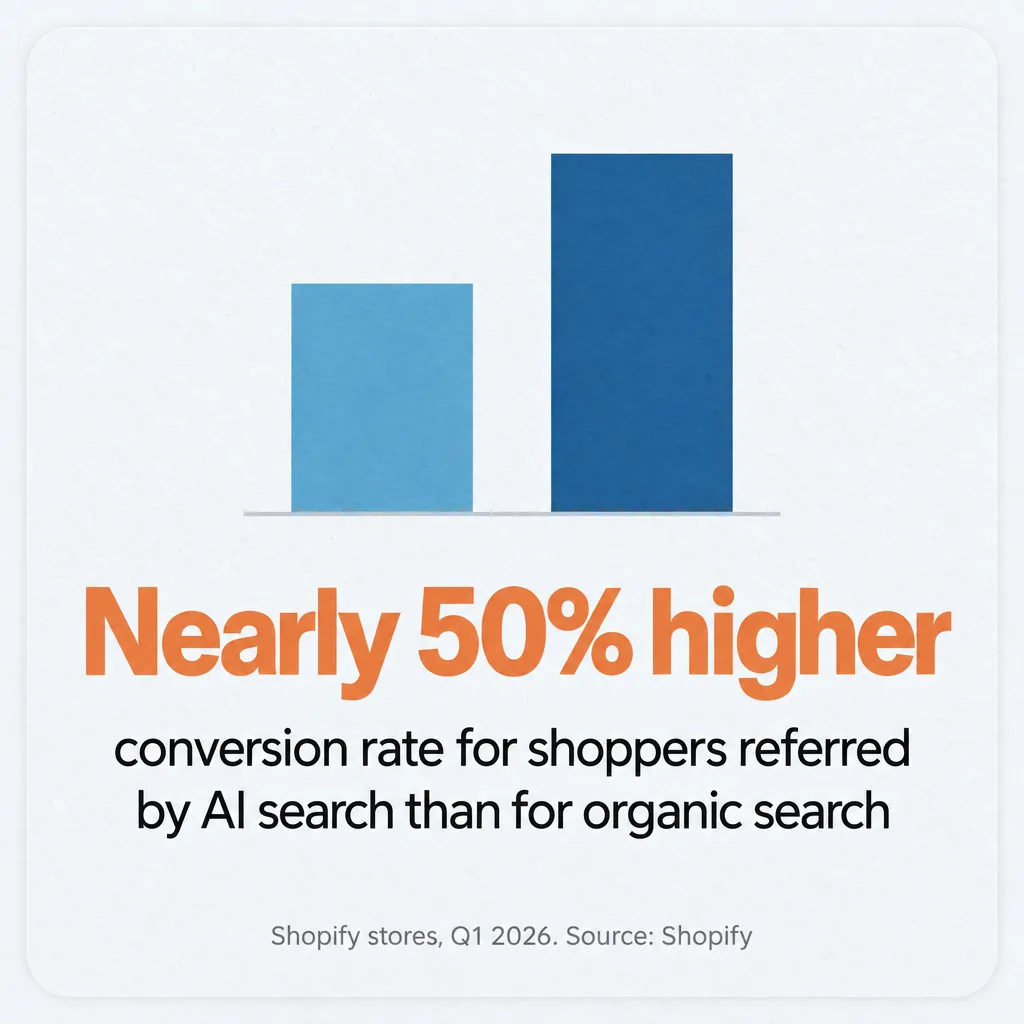
AI-referred shoppers already convert well. Shopify’s Q1 2026 data showed AI-referred sessions converting at nearly 50% higher rates than organic search on Shopify stores. Organic search still sent Shopify merchants more sessions than all tracked AI platforms combined, so for now AI shopping is a smaller channel on top of search.
If you have questions about setting up your store, reach out through our contact page or email me at tj@tjrobertson.com. And if you’re a client of mine, don’t worry, we’ll get this set up for you.