
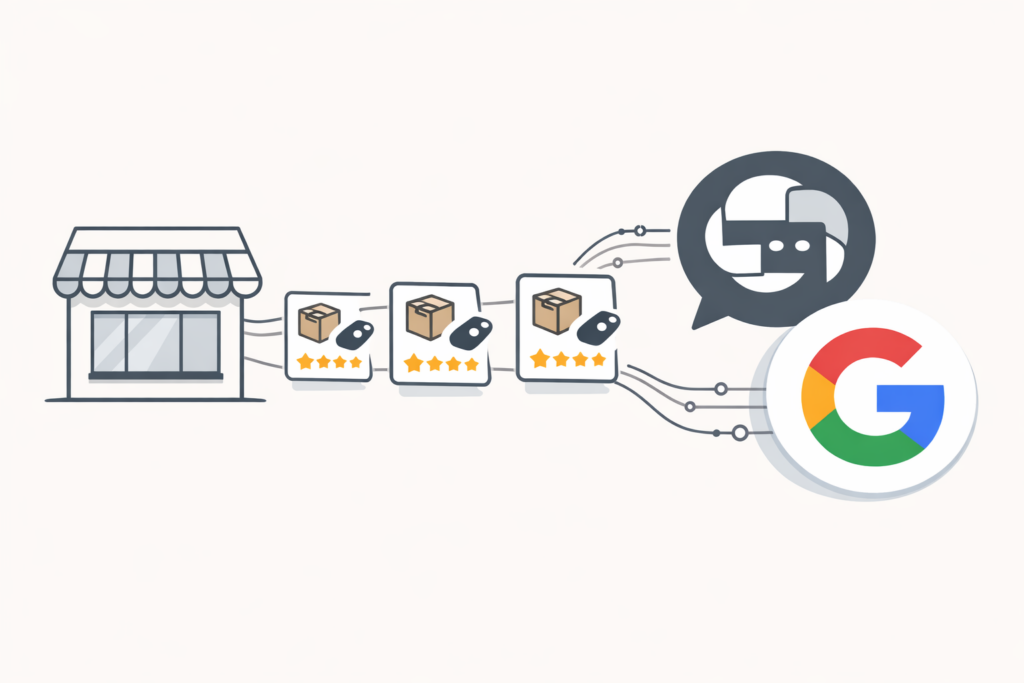
If you’re an e-commerce business, your product feed needs to be available to ChatGPT and Gemini. Both OpenAI and Google are pushing agentic commerce hard in 2026. Today, ChatGPT shows shoppers products and sends them to the merchant’s own site or app to buy, and Google’s AI Mode and Gemini have a Buy button for select merchants.
At TJ Digital, we work with e-commerce brands to optimize for AI platforms. Here are the three things you need to do now.
Table of Contents
Toggle1. Sign Up for the ChatGPT Merchant Program and Google Merchant Center
@tjrobertson52 People will be buying products directly from ChatGPT by end of 2026. Is your product feed ready? 3 things you need to do NOW 👆 From Kevin Indig’s Growth Memo Newsletter #ecommerce #aisearch #chatgpt
♬ original sound – TJ Robertson – TJ Robertson
Start by registering with both platforms.
ChatGPT Merchant Program
Go to chatgpt.com/merchants and fill out the application. There’s no fee to join. And OpenAI says there are no fees on purchases that start in ChatGPT.
If you sell on Shopify or Etsy, your store is already auto-enrolled in ChatGPT’s commerce ecosystem. You don’t need to apply separately. Everyone else, including WooCommerce and BigCommerce merchants, will need to submit the form. Applying puts you on a waitlist, and only approved stores can send OpenAI a product feed for now.
The program is currently U.S.-only, but OpenAI has said global expansion is planned.
Google Merchant Center
If you’re not already using Google Merchant Center, sign up now. Google’s AI shopping features in AI Mode and Gemini pull product data directly from Merchant Center. It’s the same feed you’d use for Google Shopping Ads, but it now also powers AI-driven results.
Google recently added a native_commerce flag in Merchant Center. Products with native_commerce(checkout_eligibility) set to true can show a “Buy” button in Google AI Mode and Gemini, so shoppers can check out with Google Pay without leaving Google. For now, Google offers this only to select merchants.
Submitting Your Feed
For Google, your product feed can be an XML file, a Google Sheet, or a direct integration with your e-commerce platform, submitted in Google Merchant Center. For ChatGPT, approved stores send OpenAI a file in one of the formats in OpenAI’s feed spec, and OpenAI recommends sending a full copy at least once a day. Shopify and Etsy stores don’t need to send one.
2. Add Structured Data to Every Product Page
This is where most e-commerce businesses fall short. You need detailed, accurate product data in three places:
- On the product page itself (visible to users)
- In schema.org/Product markup (readable by AI crawlers)
- In the product feed you upload to ChatGPT and Google Merchant Center
All three need to match. If your schema says a product costs $49.99 but your feed says $54.99, you’re going to have problems with AI trust signals.
What Schema Fields Does ChatGPT Need?
At minimum, every product page should have a JSON-LD block with these fields:
| Field | What It Is | Example |
| name | Descriptive product title | “Men’s Waterproof Hiking Boot, Vibram Sole, Size 8-14” |
| sku | Your internal identifier | “HB-MEN-WP-001” |
| gtin / upc | Universal product identifier | “012345678901” |
| brand | Brand name | “TrailMaster” |
| description | Detailed product description | Full specs, use cases, materials |
| image | URL to main product image | “https://example.com/images/boot.jpg” |
| price | Current price | “129.99” |
| priceCurrency | Currency code | “USD” |
| availability | Stock status | “InStock” or “OutOfStock” |
| url | Link to buy | “https://example.com/hiking-boot” |
Beyond the basics, you’ll also want to include ratings, reviews, color, size, material, shipping details, and return policy fields. These build trust signals that influence whether an AI recommends your product over a competitor’s.
The full list of available fields is on schema.org.
The key principle: the more data you include, the better. These AI systems match products to natural language queries. When someone asks ChatGPT for “waterproof hiking boots under $150 with good ankle support,” the product with the most complete data wins.
How Should I Write Product Descriptions for AI?
Based on what we’ve seen so far, ChatGPT’s product search is much less sophisticated than Google’s traditional search rankings. The products it recommends are heavily influenced by the information you provide: titles, descriptions, and reviews.
Write descriptions like answers to real customer questions. Not dry spec sheets.
Compare these two approaches:
- Flat label: “Men’s steel-toe boots”
- Conversational intent: “Durable steel-toe work boots designed for standing all day on concrete floors”
The second version matches how people actually ask for product recommendations. Include context like “for office use,” “suitable for small apartments,” or “great for sensitive skin.”
Max out your title and description fields. Every character is another chance to match the phrasing a shopper will use. Some are calling this Generative Engine Optimization (GEO). Whatever you call it, it works.
Also make sure you’re driving reviews to your most important products. Reviews appear to be a significant factor in AI product recommendations.
3. Implement the Agentic Commerce Protocol and Universal Commerce Protocol
These are protocols released by OpenAI and Google. Google’s lets select merchants sell directly in AI Mode and Gemini. OpenAI’s now covers product discovery in ChatGPT, and shoppers finish the purchase on the merchant’s own site or app. If you’re selling on Shopify, Shopify takes care of most of this for you automatically.
How Does ACP Work on Shopify?
The Agentic Commerce Protocol (ACP) was developed by OpenAI with Stripe. Today, ACP is how product feeds reach ChatGPT. OpenAI moved away from its standalone Instant Checkout in March 2026, so shoppers finish the purchase on the merchant’s own site or app. I cover what changed in my guide on how to sell products on ChatGPT and Google AI.
For U.S. Shopify merchants, ACP support is automatically enabled. No custom coding required. Shoppers check out on your store’s own checkout with your usual payment methods, so you don’t need Stripe for ChatGPT. Just make sure your product metadata is complete and your store policies are filled in.
How Does ACP Work on WooCommerce?
Official ACP support for WooCommerce is in development. In the meantime, WooCommerce stores apply at chatgpt.com/merchants to share a product feed with ChatGPT, and applying puts you on a waitlist. WooCommerce’s own WooCommerce AI extension is in private beta, also with a waitlist.
Stripe isn’t required for ChatGPT, because shoppers finish the purchase at your own checkout.
What Is Google’s Universal Commerce Protocol (UCP)?
Google’s Universal Commerce Protocol covers more ground than ACP. UCP covers the entire shopping journey: product discovery, pricing, cart management, checkout, fulfillment, and post-sale.
UCP works together with your Google Merchant Center feed. Shopify stores get Google’s “Buy” button through Shopify as it rolls out. Everyone else needs to add UCP to their website, set native_commerce(checkout_eligibility) to true on the products they want to sell this way, and fill out Google’s interest form.
One thing worth noting about UCP: it’s designed to keep the merchant in control. You remain the merchant of record for every sale. With ChatGPT, the shopper finishes the purchase on your own site or app.
ACP vs. UCP at a Glance
| ACP (OpenAI) | UCP (Google) | |
| Platform | ChatGPT | Google AI Mode, Gemini |
| Scope | Product discovery (the purchase happens on your own site or app) | Full shopping journey |
| Payment | Your own checkout’s payment methods | Google Pay (Shopify stores: Shopify’s own checkout) |
| Where the purchase happens | Your own site or app | Inside AI Mode or Gemini, with you as merchant of record |
| Shopify | On by default | On by default as it rolls out, via Merchant Center |
| WooCommerce | In development | In development |
Can Customers Buy Multiple Products at Once?
It depends on the platform. In ChatGPT, the shopper buys on your own site or app, so your own cart works as usual.
In October 2026, Google started rolling out its Universal Cart in the U.S., across Search and the Gemini app. Shoppers can save products from several retailers in one cart, then check out with Google Pay or move the items to a merchant’s site to finish there.
If you’re building or updating your checkout system, make sure it can handle cart updates from external sources, like a cart a shopper moves over from Google.
Why Should E-Commerce Businesses Act Now?
I think most e-commerce businesses are going to wait until agentic commerce is more established before they invest in it. That’s what happened with AI optimization for service businesses too. When we started doing AI optimization for our clients, the competition was almost nonexistent. The businesses that started early built an advantage that compounds over time.
Right now, we’re in the same window for e-commerce. The businesses that get their product feeds, structured data, and commerce protocols set up first will have a head start that’s hard to catch.
And from what we’ve seen, these AI shopping systems are still relatively simple. The products that get recommended are largely determined by the data you provide. If your product data is more complete than your competitor’s, you win. That won’t always be the case, but it is right now.
Getting Started: A Quick Checklist
- Apply at chatgpt.com/merchants (Shopify and Etsy stores are already included) and register with Google Merchant Center
- Submit your product feed in Google Merchant Center, and to ChatGPT once OpenAI approves your application
- Add complete schema.org/Product markup to every product page
- Match your on-page data to your feed data
- Write product descriptions that answer real customer questions
- If you’re not on Shopify, add UCP to your site, set native_commerce(checkout_eligibility) to true in Google Merchant Center, and fill out Google’s interest form
- Fill in your store policies (on Shopify, under Settings > Policies) so your products can appear in ChatGPT
- If on WooCommerce, apply at chatgpt.com/merchants for a product feed, and watch for WooCommerce AI (private beta)
- Drive reviews to your most important products
Need help getting your store ready for AI shopping? If you have questions about any of this, reach out through our contact page.