How to Make Marketing Videos With Claude in 2026
By TJ Robertson, Founder and Lead Strategist at TJ Digital
Short answer:
- Make the videos in Claude Code.
- Pick a style that fits the footage or photos you have, if any.
- Give Claude a few example videos in that style.
- Have Claude write down what it learns for the next video.
Claude can make marketing videos for your business. With good examples and clear instructions, it can do anything a human video editor could do.
Claude has no image or video generation model of its own, so it doesn’t create photos or realistic footage. Instead, it builds each video in code. It edits the footage you give it, and when you have no footage, it writes code that draws and animates the video.
Claude does some styles of video better than others, and the best one for your business depends on what you can give it: your own footage, photos of your product or service, or nothing at all.
As of November 2026, I’ve made well over a hundred videos with Claude myself. At TJ Digital, we’re also starting to make hundreds of videos a month for our clients. Along the way, we’ve learned which kinds of videos Claude makes best.
How does Claude make videos?
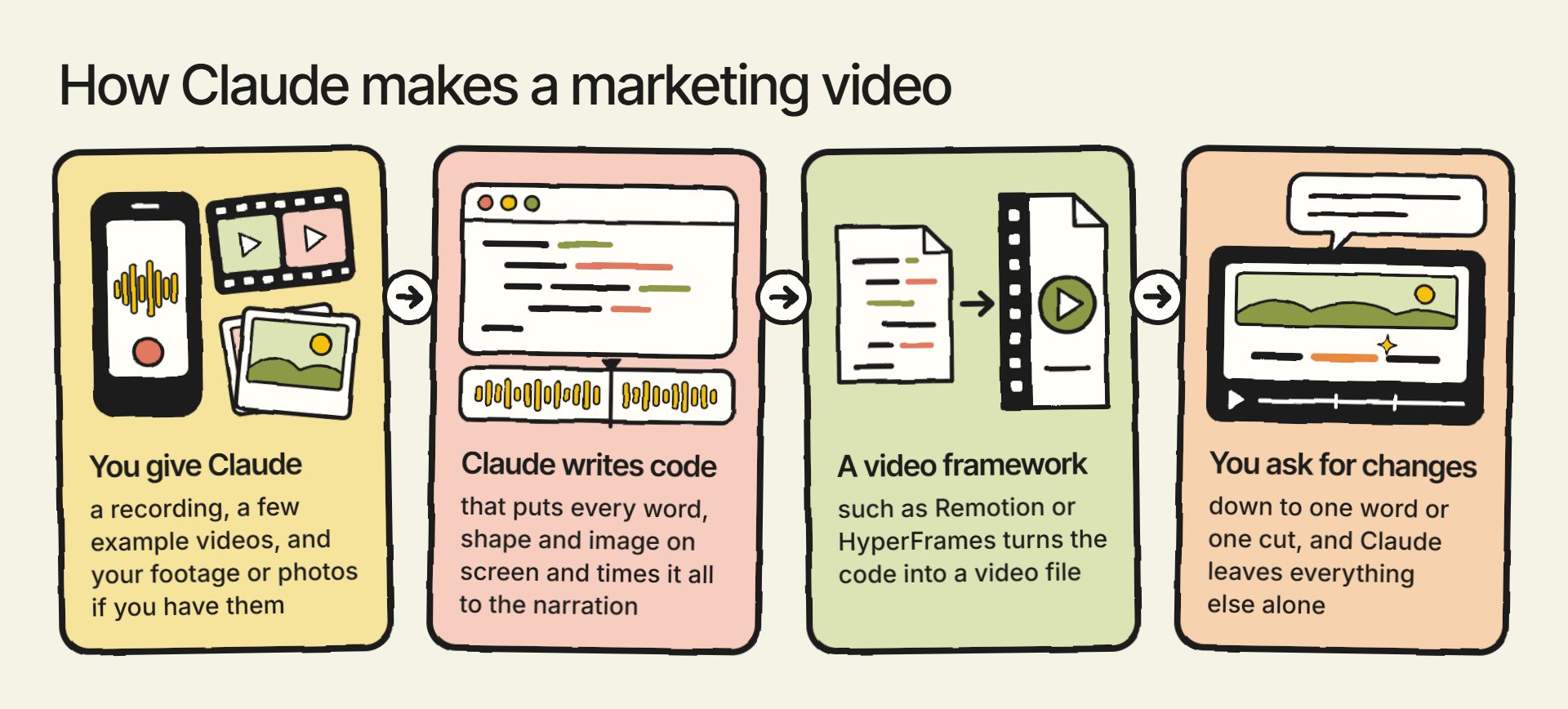
When Claude builds a video in code, it writes code that puts every word, shape and image on screen, moves each one, and times it all to the narration. Then it turns that code into an ordinary video file.
Claude edits a video the same way a human editor would, choosing what goes on screen and when. That’s different from AI-generated video, where a model creates the whole clip from a written prompt.
Because the video is code, you can also ask Claude to change one word or one cut and leave everything else alone.
What do you need to make videos with Claude?
To get set up, you need:
- Claude Code, the version of Claude that can create files and run programs on your computer. One place to find it is the Code tab in Claude’s desktop app.
- A paid Claude plan (or an Anthropic API account), which Claude Code needs.
- Claude Opus 5.5, the model we make our videos with. Anthropic released it in September 2026.
- A video framework, the software that turns Claude’s code into a video file.
Remotion and HyperFrames are two of the frameworks made for this. Both publish instructions for setting them up with Claude Code, so pick one and follow its instructions. HyperFrames is free and open source. Remotion is free for companies of up to three people, and larger companies need its company license.
You don’t need to know how to code. Claude writes and runs the code, and your job is to tell it what you want and judge what comes back.
For each video, you’ll give Claude:
- A recording of someone at your business talking about the topic for a few minutes
- A few example videos in the style you want
- Your own footage or photos, if you have them
Put these files in the folder Claude Code is working in.
The recording gives the video your experience and opinions, which AI can’t invent. Whenever it’s usable, the recording itself is the best narration, and Claude can clean it up and use it. Only when it isn’t usable should Claude write a script from it instead, for an AI-generated voice to read.
If your company is on a Claude Team or Enterprise plan, you may also see Claude Motion, a beta feature Anthropic released in October 2026. Anthropic describes it as a way to animate your text, charts, shapes and images from a prompt. It exports the result as an MP4. We make all of our video styles in Claude Code instead.
Can you connect Claude to an image or video generator?
Yes, you can connect Claude to tools that generate images and video. Higgsfield, a platform that offers many AI image and video generation models, has a connector you can add in Claude’s settings as a custom connector. Once it’s connected, Claude can generate images and video with Higgsfield’s models. Each generation uses Higgsfield credits, whatever your Higgsfield plan.
Claude Code can also use OpenAI’s GPT Image 2.6. You’ll need an OpenAI API account, which lets Claude Code send image requests to OpenAI and get the images back.
Should you use AI-generated images or an AI avatar in your videos?
Use AI-generated images sparingly. Most people still don’t love them, so whenever you can, use your own footage or images instead.
One use that’s worked well for us is drawn characters. GPT Image 2.6 draws the character in a grid of different poses, called a sprite sheet. Claude then turns those poses into movement.
For most brands, I recommend pretty much never using an AI avatar, a generated person who presents the video as if they were you or someone on your team. Viewers tend to feel tricked. In a Gallup survey published in August 2026, 62% of US adults said AI-generated people or voices in ads were unacceptable, even when the ad clearly disclosed them.
What kind of marketing videos should you make with Claude?
At our agency, we mostly make explainer videos. These videos answer the questions people look up before buying a product or service like yours. They might search Google, or ask an AI tool like ChatGPT, which can search the web for the answer.
I think explainers are very powerful for organic marketing right now. I’ve written separately about how to choose explainer video topics.
Explainers can be made in a lot of styles. These are the ones Claude does well, by what you have to work with:
| What you have | Styles Claude does well |
|---|---|
| Footage of your business | Your own footage, edited together |
| No footage or photos | Ink-drawn, cartoon cutout, blueprint |
| Photos of your product or service | Photo essay, cutout collage, promo video timed to music |
| A physical product you sell | One 3D model of it, reused across videos (such as a product teardown) |
If your brand doesn’t mind being more playful, Claude also does well with two more styles. Cutout paper videos are made of shapes that look cut from colored paper. Marionette-style videos have figures that move like puppets on strings.
What can Claude do with footage you already have?
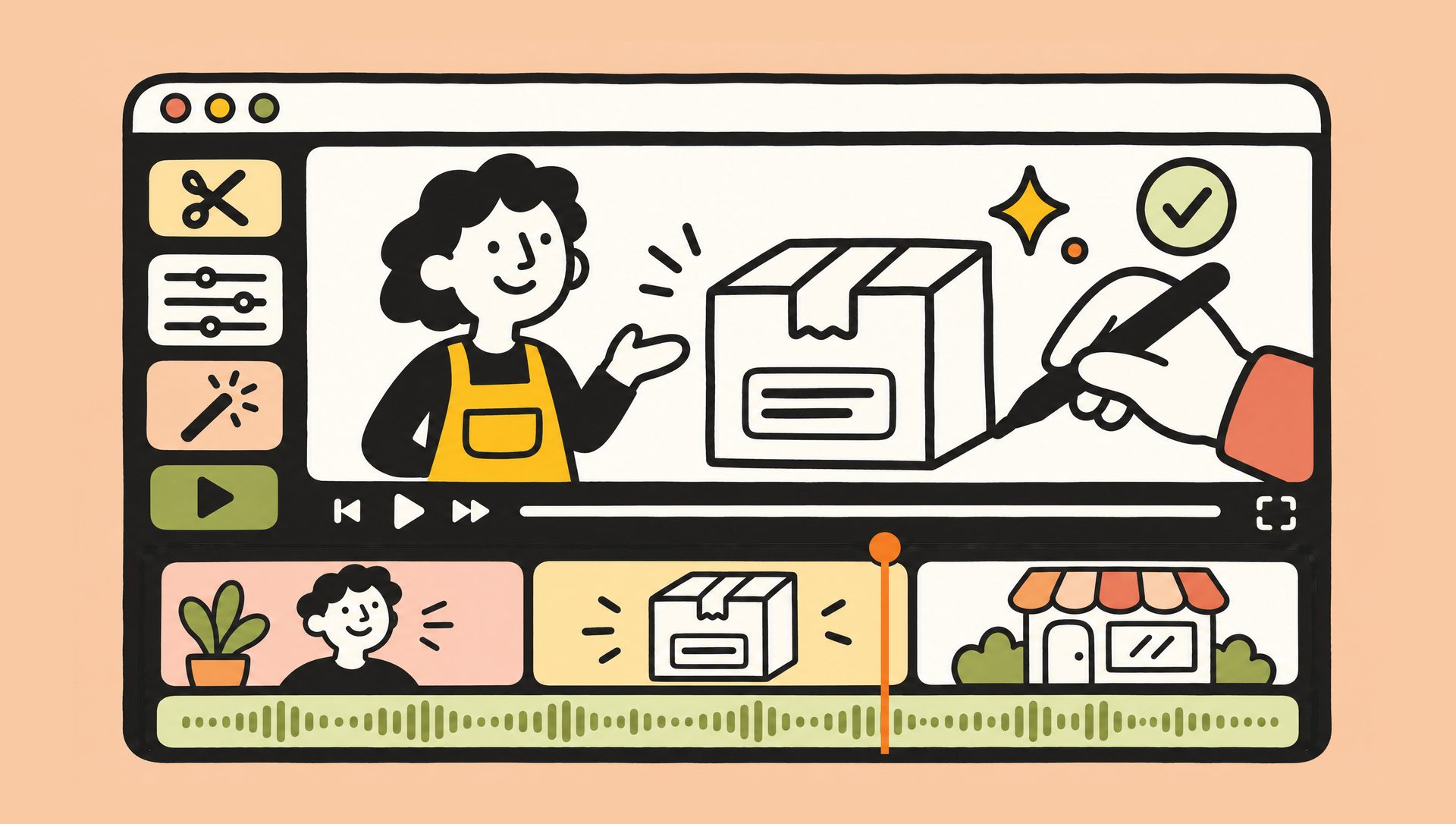
If you have footage of your business, Claude is really good at editing it. It does the hands-on work an editor would do:
- Cutting the recording down to the best take of each line, without false starts, long pauses or repeats
- Cleaning up the voice by removing background noise and echo
- Adding captions timed to the words
- Adding a short line of text in the first few seconds that gives viewers a reason to keep watching
- Adding a chart or screenshot beside the person talking when something would be hard to follow from their words alone
The best AI-edited videos hold up next to professionally produced ones, and they still feel human.
If someone at your business is willing to be on camera, have them record short videos about what they know, and give those to Claude.
What can Claude make if you have no footage or photos?
You don’t need any footage or photos for Claude to make a high-quality video. As of November 2026, about half the videos we make start with no footage or images. For those, Claude does really well with 2D styles, such as an ink-drawn style or a blueprint style.
A cartoon cutout style works well too. It uses flat 2D cartoon pieces set at different depths, so the camera can move through them as if they were in a 3D world. That takes far less time than real 3D, because Claude doesn’t have to build a 3D model of anything.
What can Claude make with photos of your product or service?
Photos of your product or service open up a few more styles:
- Photo essay: your photos shown one after another, with narration and text.
- Cutout collage: pieces cut out of your own photos and layered into new scenes.
- Promo video: just product shots and text, timed to music. Claude makes really nice ones.
Can Claude make 3D videos?
Claude can make 3D videos, but they usually take too much time to be practical. Claude doesn’t generate video, so it has to build every 3D model itself, in code.
If you sell a physical product, though, I think it’s worth having Claude build one high-fidelity 3D model of it. You can reuse that one model across a lot of different videos, such as a product teardown video that takes the product apart on screen. To build it, give Claude photos of the product from every side, plus its measurements.
Can Claude make a music video?
Claude is also really good at making music videos. Most brands won’t need one, but if you do, I explain how we made one in how to make a music video with AI.
How do you get Claude to make good videos every time?
My top piece of advice is to give Claude a lot of examples and have it write down everything it learns in a skill. A skill is a set of written instructions Claude follows whenever it does a certain kind of task.
Examples help Claude understand exactly what you want right away. Describing a look with adjectives like “bold” or “high-end” rarely gets you there, so find a few finished videos in a style you like and give them to Claude. I explain more about why examples improve AI output in a separate post.
Anthropic says a skill is organized like an onboarding guide you’d create for a new team member. Each time you get a video right, have Claude write down the examples it used and the corrections you made. It follows those notes on the next video instead of starting over.
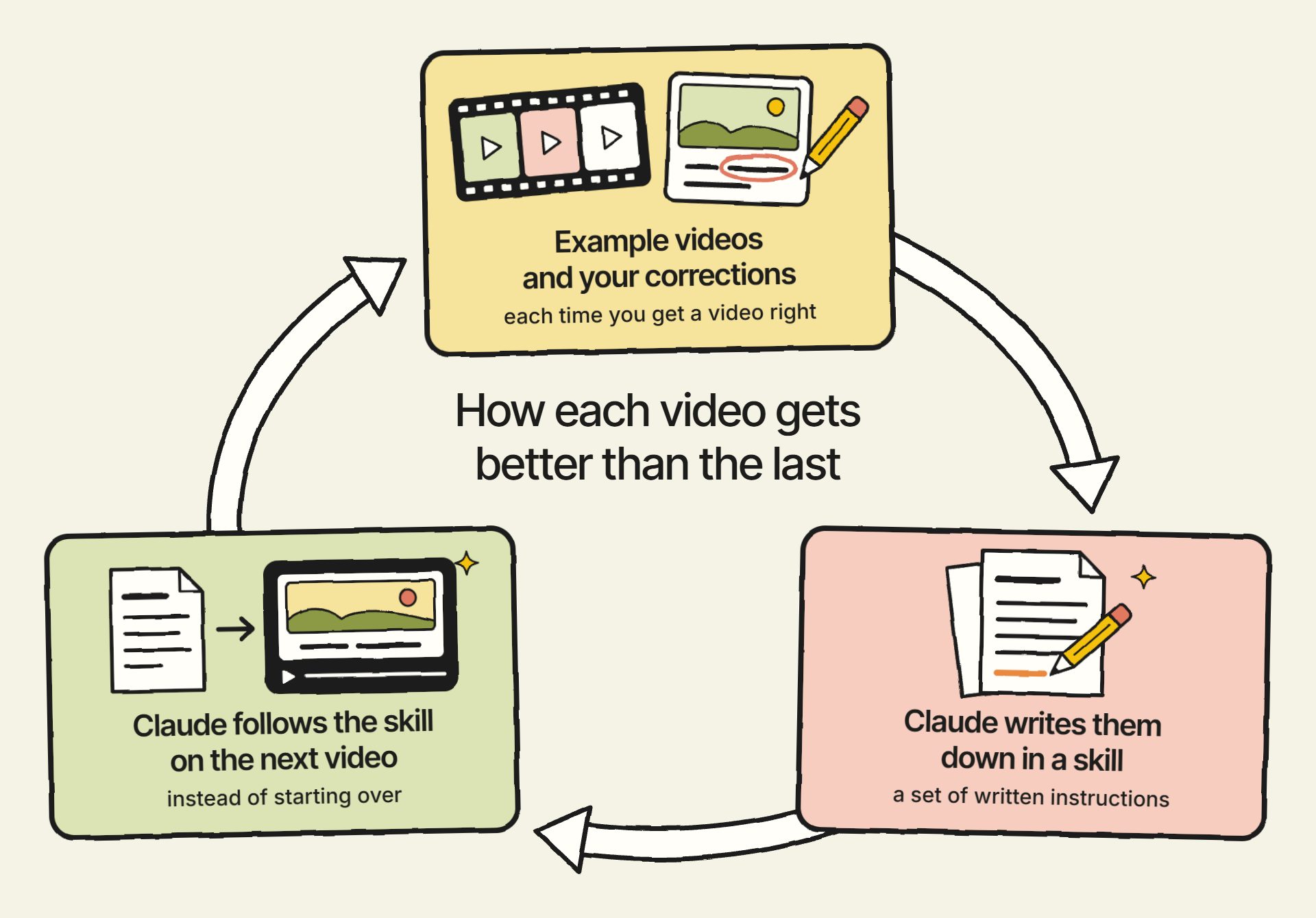
Getting Claude to make videos like these well has taken us a long time. Along the way, we’ve built a video editing skill with dozens of documents detailing how to make videos in different styles. Every time I correct something in one of my videos, Claude writes that correction into the skill. I share three rules I follow for Claude skills if you’re building your own.
We make videos like these for our clients as part of every SEO and GEO campaign we run: the work we do to help businesses show up in Google and in AI search. Claude does most of the hands-on work, and people review all of it before it reaches the client. If you have questions about any of this, reach out through our contact page or email me at tj@tjrobertson.com.