What Is an AI Operating System for Business?
By TJ Robertson, Founder and Lead Strategist at TJ Digital
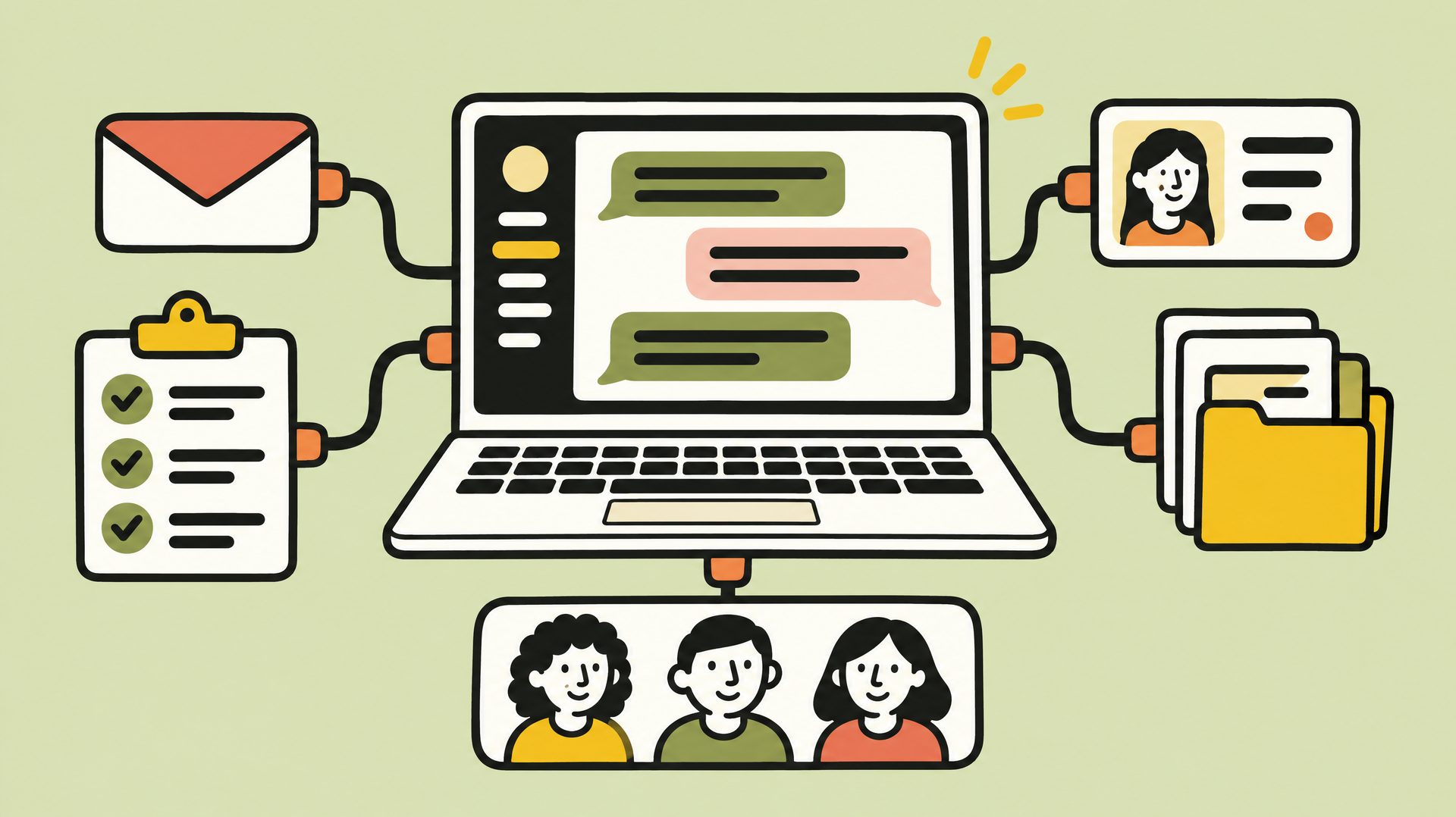
An AI operating system for business is the setup that lets AI do real work across your company. The AI can use the same tools your team uses, like email, your CRM and your task manager. And it knows everything about your company, organized so it can find what it needs.
Some software companies sell platforms called an AI OS. You can also build one yourself on the Claude or ChatGPT account your team already uses.
I run TJ Digital, an SEO and GEO agency. We help businesses show up in Google and when people search using AI tools like ChatGPT.
Our own work runs on a system like this, which we call Tavi. Claude does most of the hands-on work inside it, and people review all of it before it reaches a client.
Why Can’t ChatGPT or Claude Already Do This for You?
I’ve been talking with a lot of businesses lately that want help bringing AI into their work. Most of them are already very good at using AI, and they know exactly how they want it to work. One will say something like: when we receive an email, I just want the AI to pick it up and hand the work off to the person who does the next step.
My response is always the same. Why are you asking me that? You know exactly what you want, so why aren’t you just asking Claude to do it for you?
I’m not saying Claude could do it. In fact, it probably can’t. The useful part is asking why it can’t.
The answer is almost never that the model isn’t smart enough. If the model really isn’t capable enough yet, give it a few months. The answer is almost always that the AI doesn’t have the context, data or tools it would need to do the job.
Think about what that email process takes. The AI would have to read your inbox, understand what the request is about, know who on your team handles the next step, and assign the work in whatever tool you track it in. A chat has none of that until someone connects the tools or supplies the information.
You’re used to giving AI tasks where you provide all the context it needs for that one task. In a chat with nothing connected, the AI works from what’s in the conversation, so you’re the one supplying it, one task at a time.
An AI operating system puts that information where the AI can find it on its own. Getting the right information in front of the AI at the right time is what people now call context engineering.
Why Does Your Team’s AI Work Keep Getting Messier?
Missing context also explains why AI work gets messier as more of your team uses it. The businesses I talk to often have several people doing very cool things with AI, saving a lot of time and improving the quality of their work. But almost all of them are finding that the work is becoming fragmented, and in my view they have more bottlenecks than ever.
Someone gets great output from AI, then has to move it by hand into the folder where that kind of work is stored. The next time they work on that project, they have to go find the Claude session that did the first part.
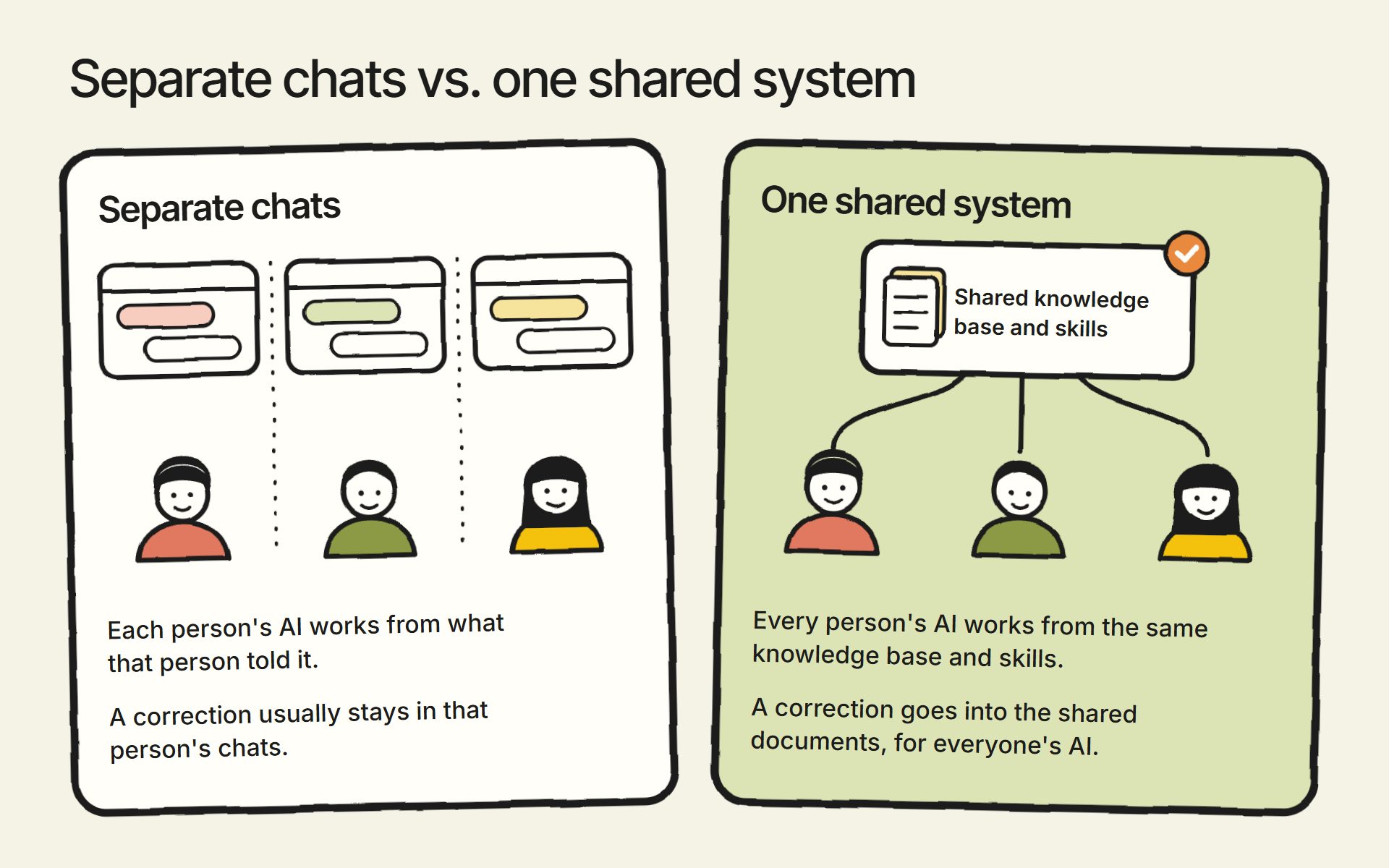
When everyone works in their own chats with no shared setup, each person’s AI works from what that person told it. If one person explains a process or corrects a mistake, that usually stays in their chats, so what your company knows about its own work ends up split across a lot of separate conversations. The more you use and rely on AI, the messier it gets.
What Does an AI Operating System Need to Include?
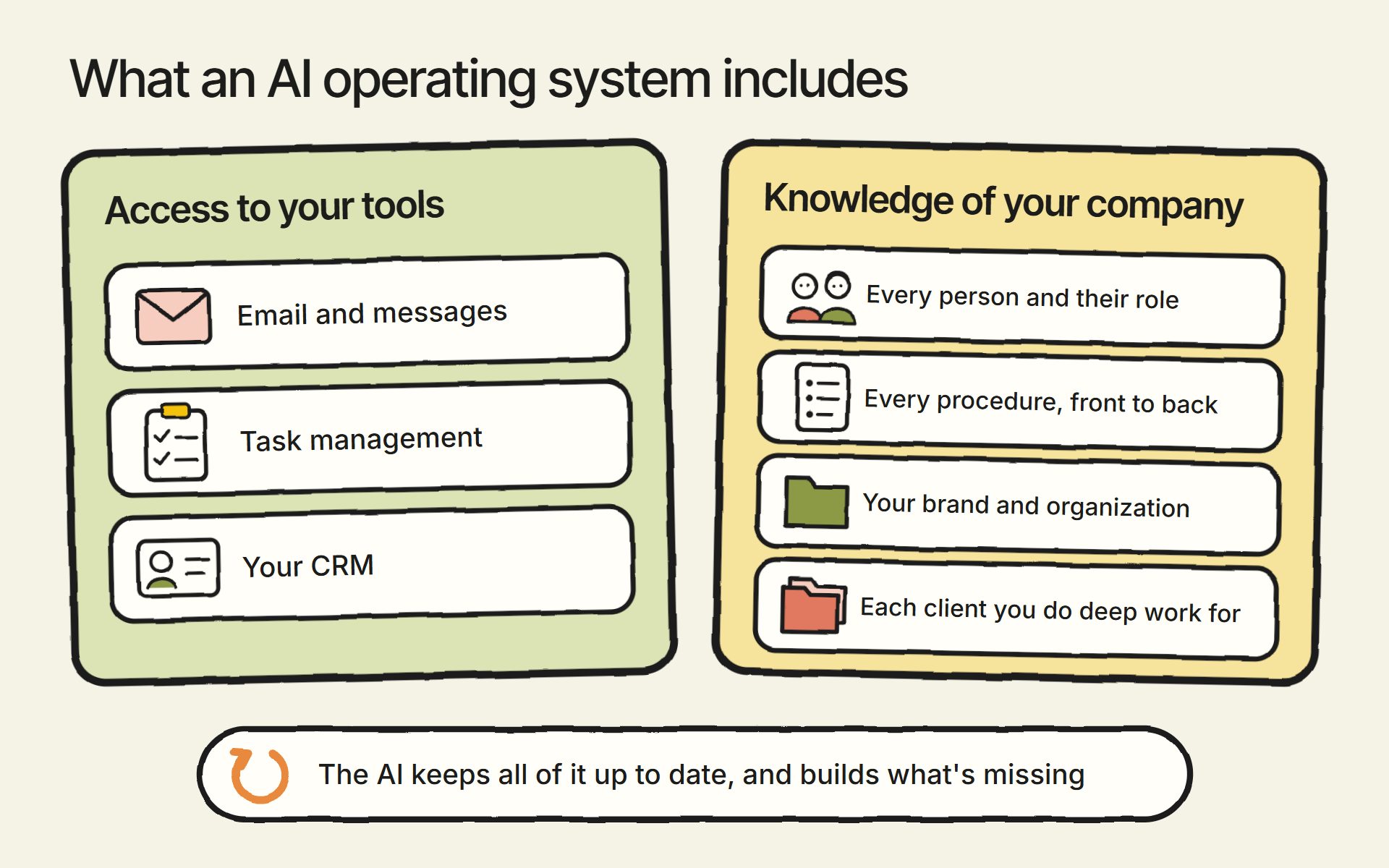
If you want AI to take a meaningful, senior-level role at your company, it needs to understand everything about your company. It also needs to be able to do everything you can do on a computer. In practice, that means:
- Access to all of your email and messages
- Access to your task management system and your CRM
- Awareness of every person in your company and their role
- An understanding of every procedure in your company, front to back
- A knowledge base on everything there is to know about your brand and organization
- If you do deep work with your clients, a knowledge base on each of them as well
The first two items are about access, and the rest are about knowledge.
How the AI Gets Access to Your Tools
The AI reaches your email, CRM and other tools through connectors. A connector lets the AI read information inside an app and take actions there, such as searching your inbox or updating a deal in your CRM.
Connectors are built on MCP (Model Context Protocol), an open standard for connecting AI apps to outside tools and data. Claude and ChatGPT both support it, and Claude’s connector directory already lists Gmail, Slack, Asana, Notion and HubSpot, among many others.
I cover connecting your tools in how to run your business with AI.
What the AI Needs to Know About Your Company
The rest of that list is information about your company: who does what, how each procedure works, and everything about your brand, your products and your clients. In most companies, that information is scattered across documents and inboxes, or it lives only in the heads of a few people on the team.
That information needs to be organized so the AI can find exactly what it needs for a task without loading everything else along with it. In practice, that means short documents, each on one topic, with names that say what’s in them: one for your services, one for each procedure, one for each client.
Giving the AI more than it needs makes it worse. Given too much at once, an AI gets less accurate and starts missing things, which Anthropic’s documentation calls “context rot.”
Procedures are usually written as skills: step-by-step instructions the AI follows when it runs that process. Skills use an open format that started at Anthropic, and OpenAI says ChatGPT’s skills build on it. For the knowledge base itself, I cover how to build one and how to structure it separately.
Who Keeps an AI Operating System Up to Date?
The AI itself should keep your knowledge base and skills up to date. When someone corrects it or a procedure changes, the AI should write that change into the shared document, so every other person’s AI works from the new version.
And if you don’t have that knowledge base and those skills yet, the AI should build them for you.
A person should still decide which changes go in. I explain how we handle that in how to manage a shared AI knowledge base for your team.
The goal is a sort of meta system, one that lets the AI build and maintain the connections, the knowledge base and the skills for you.
Should You Buy an AI OS Platform or Build Your Own?
For most small and mid-sized businesses, I’d build on the Claude or ChatGPT plan your team already has. The work that matters is connecting your tools and organizing your knowledge, and you’d have to do that work on any platform.
Products sold as an AI operating system differ a lot. Some pull your existing business software into one place, some sell an all-in-one suite of business apps with AI built on top, and some manage a group of AI agents. Before you buy one, ask where your company’s knowledge and procedures will live, and whether you can take them with you if you leave.
McKinsey’s article on the AI operating system is written for large companies, but its rule applies to any size: “Own the context; rent or replace the technology.” In plain terms, the information about how your company works should belong to you, and the AI software should be something you can swap out.
That’s because your procedures, knowledge base and records are hard to rebuild, while the AI models and the software around them will keep changing. So keep that knowledge in documents you control, in a form any AI can read. Connect your tools through MCP, and write your procedures as skills in that open format.
Then you can switch AI models without starting over. We built Tavi that way on purpose: it isn’t tied to one AI model, and any AI that can connect to MCP can use it.
What Makes an AI Operating System Hard to Set Up?
Setting up an AI operating system isn’t easy. It’s taken us a long time to figure out how to do it inside our agency. These three things take time to work out:
- Access levels. You have to decide what the AI can see and do in each tool, for each person.
- Compliance. If your industry has rules about customer data, they may cover what the AI sees and does. Check yours, and decide what the AI may touch before you connect anything.
- Maintainability. Your procedures, people and tools keep changing, and every change has to reach the documents the AI works from.
Is It Safe to Give AI Access to Your Email and Customer Data?
In Claude, when a person connects a tool like email or your CRM with their own account, the AI gets only the access that person already has. If they can’t open a record in your CRM, the AI can’t either, as Anthropic’s help center explains.
The exception is a connection set up with a shared credential, such as an API key, which is a single key that gives software access to an account. A connector set up that way lets the AI reach everything that key can reach, no matter who is asking.
You can also require approval before the AI acts. On Claude’s Team and Enterprise plans, an owner can set each kind of action to always allowed, needs approval or blocked, so the AI could read and summarize email without being able to send it. OpenAI’s developer docs say ChatGPT currently asks for confirmation before it takes an action that changes something through a connector.
Claude’s Research mode is an exception to the approval settings. It can use connected tools without asking each time.
Is an AI Operating System Worth It for a Small Business?
I think every business needs an AI operating system at this point. My prediction is that giving AI a meaningful role in your company is going to become necessary to stay in business. The operating system is what makes that role possible, and once it’s in place, everything else you want from AI gets easy.
Once the AI knows everything there is to know about your company and can use the same tools you use, anyone in your company can just ask for whatever they want. The email handoff from earlier becomes something a person asks the AI to set up, and the AI has what it needs to do it.
In October 2026, I estimated that Tavi handles about 80% of the hands-on work at our agency and about 70% of the strategy. A smaller business has fewer tools to connect and fewer procedures to write down, so its first version is a smaller job.
How to Start Building an AI Operating System
Start with one process your team already wants the AI to run, and work out what the AI is missing.
- Pick the process. Choose one where you already know how it should work, like the email handoff.
- List what a person needs to do it. Write down every tool they open, every document they check, and who they hand the work to next. That list is what your AI needs access to and needs to know.
- Connect the tools on the list. Have each person connect with their own account. In Claude, that means the AI gets only the access that person already has.
- Write down what’s missing. Add the procedure, the people and roles involved, and anything about your brand or clients the work depends on. Keep it in one place every AI tool your team uses can reach. We use an internal MCP server: a single connection every person’s AI uses to reach our knowledge base and skills.
- Ask the AI to run it. When it falls short, ask what it was missing, add that, and have the AI update the documents.
Each process you add makes the next one easier, because the people, tools and brand knowledge are already in place.
We’re also building a free plugin that sets all of this up and maintains it for you. It’s called Tavi, after our own AI system. We started testing it on November 12, 2026, and there’s no launch date yet. If you want to hear when it’s ready, you can request early access.
If you have questions about any of this, reach out through our contact page or email me at tj@tjrobertson.com.