

A shared AI knowledge base works best when anyone on your team can request a change, but only a few people can approve one. Everyone’s AI reads from the same knowledge base and the same skills. Each skill has one owner, and so does the knowledge base. The owner decides which requests go in.
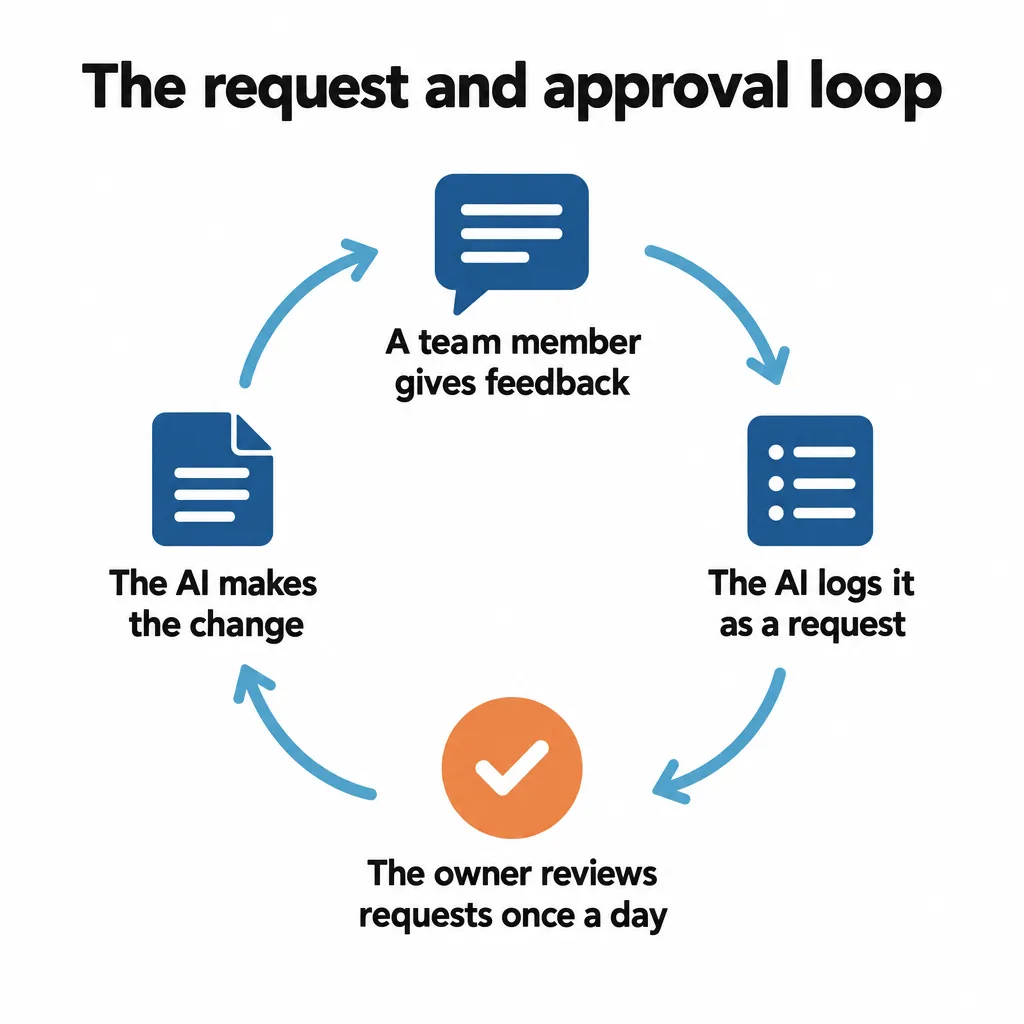
Your AI can handle every step except that decision. When someone tells their AI that a skill or document should change, the AI records that feedback as a request in a shared log. When the owner approves a request, the AI makes the change.
I run TJ Digital, an agency that does SEO and GEO for small and medium-sized businesses. As of October 2026, we work with about 80 businesses. Our whole team runs its AI this way.
Should Each Team Member Build Their Own AI Knowledge Base?
One knowledge base per person leads to serious fragmentation. Each person’s knowledge base and skills start to contradict everyone else’s. And nobody benefits from the skills or knowledge anyone else builds.
Telling each person to build their own is an easy mistake to make, because a setup for one person is so simple. When you work alone, you can keep your knowledge base and skills in a folder on your computer. Or you can hook them up to a Hermes agent, a free, open-source AI agent from Nous Research that remembers your projects and skills from one session to the next.
A lot of business owners have already seen how powerful that is for themselves, so they tell each team member to do the same thing: set up your own knowledge base, or create your own Hermes agent.
The obvious solution is one company knowledge base and one set of company skills, with everyone connecting their AI there.
Should Everyone Be Able to Edit Your Team’s AI Knowledge Base?
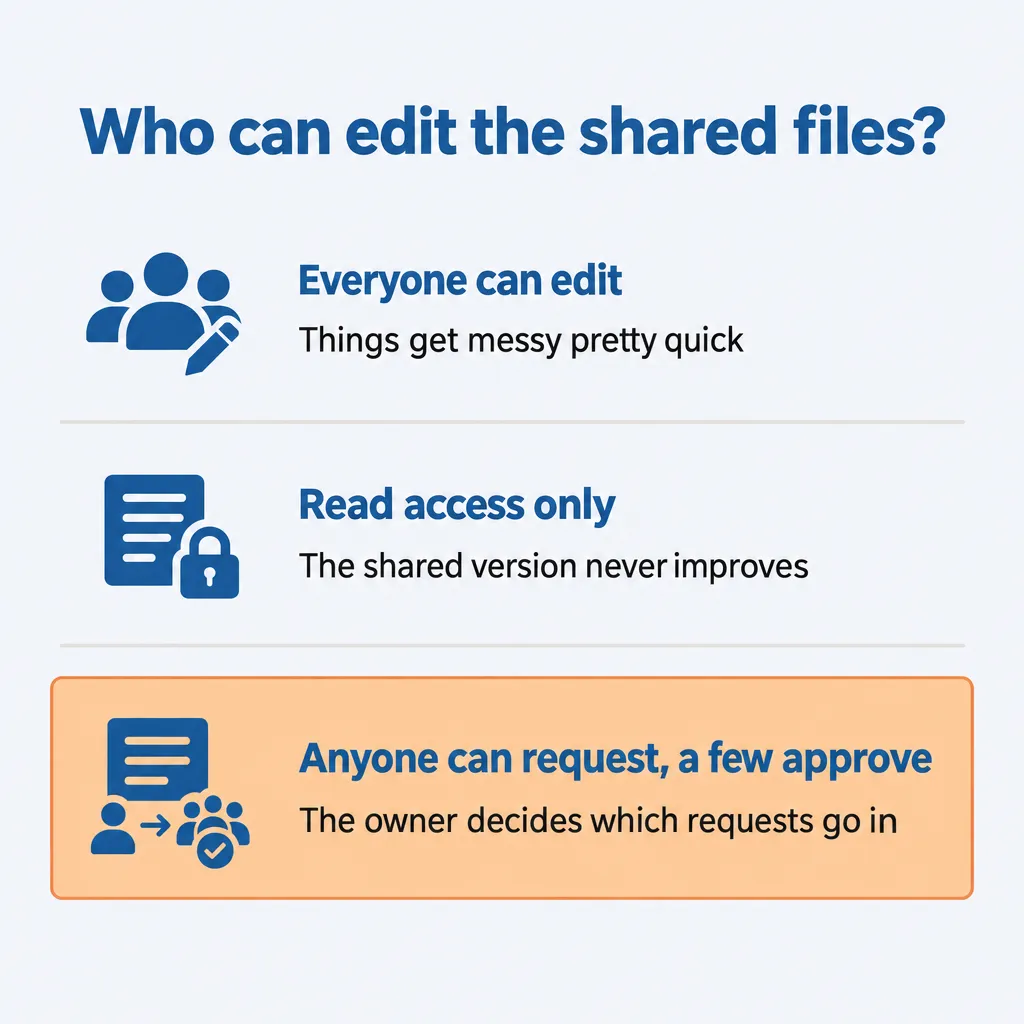
If everyone can edit the shared files, things get messy pretty quick. But if you make them read-only, you stop getting contributions from your team.
Anyone who can edit the shared files can also break them, or fill them with things only they need. One developer on Hacker News wrote that their team doesn’t share its skills folder at all, because sharing it would pull in “everyone’s half-finished, personal, or irrelevant experiments.”
So maybe you give your team read access only. That keeps the experiments out, but now the people using the skills every day can’t fix what they find wrong. Their feedback stays in their own conversations, and the shared version never improves.
The middle ground is how open source software works: anyone can propose a change to a project, and the people who maintain it decide whether the change goes in. Your knowledge base can work the same way. Your team doesn’t need to learn any open source tools to take part, because their AI logs each request for them.
Where Should a Shared AI Knowledge Base Live?
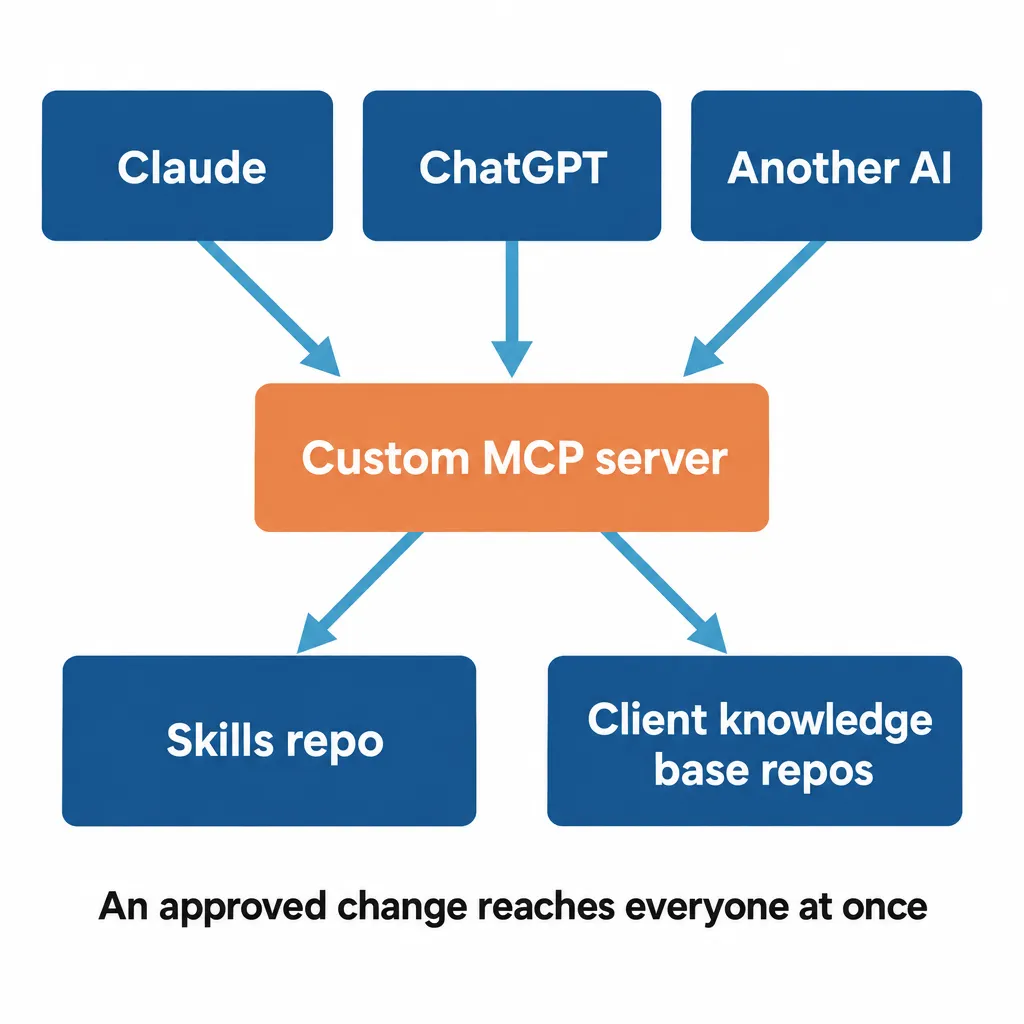
Keep your knowledge base and skills in one place that every AI tool your team uses can reach. Ours are on GitHub, in repos.
A repo (short for repository) is a shared folder of files. It keeps a history of every change and controls who can read it and who can edit it.
All of our skills live in a single repo. Our knowledge bases are repos too, with a separate one for each client.
We connect our AI to those repos through a custom MCP server. MCP is an open standard that lets an AI app connect to other software and files, like your skills repo. Claude and ChatGPT both support it, so everyone reaches the same skills and knowledge bases, whether they work in Claude, ChatGPT or another AI.
That also means nobody works from their own copy of a skill. A repo alone doesn’t give you that: if people copy the skills from the repo onto their own computers, each copy falls behind as soon as the repo changes. A Hacker News user whose team keeps its skills in a repo wrote that “the biggest problem is keeping skills up to date across users.”
When everyone’s AI reads the same files through one server, an approved change reaches everyone at once.
I explained how our server works in why your business needs an internal MCP server. For how to organize the documents themselves, see how to structure an AI knowledge base.
Who Should Have Write Access to Your AI Knowledge Base?
Give write access to a few people and read access to everyone else, the way we do at our agency. Those few should be the people who own your skills and knowledge bases, because they’re the ones who approve changes.
Different access for different people only works if each person signs in to your MCP server as themselves. Ours has each person sign in with their email address, then checks what that person is allowed to read and change.
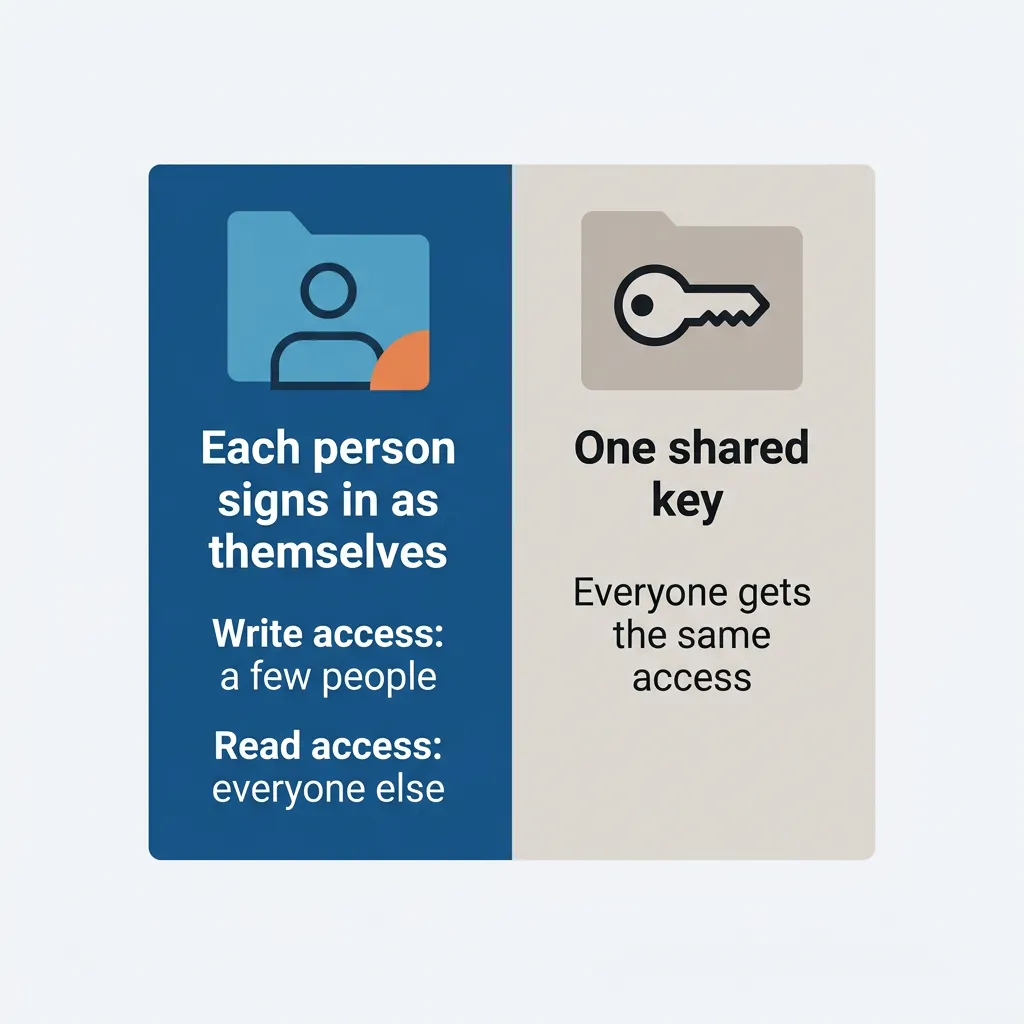
The alternative is connecting everyone through one shared key, like a single password the whole team’s AI uses. Then everyone gets the same access, so if that key can edit your skills, everyone can. Anthropic warns about this for Claude Team and Enterprise plans, where an MCP server like ours is added as a custom connector.
How Does Your Team’s Feedback Get Into the Knowledge Base?
Anytime one of our team members gives feedback on a skill while they’re talking with Claude, ChatGPT or whatever AI platform they use, Tavi automatically logs it as a request. Tavi is what we call our internal AI system: Claude, or whichever AI someone is using, working from our knowledge bases, skills and connectors.
The instruction to log requests lives inside one skill, which we call skill standards. Tavi loads that skill anytime someone gives feedback on a skill or asks to change one. The skill tells Tavi to log the request in a database in Notion.
Logging at that moment means nobody has to remember the problem later or stop working to fill out a form.
Make sure each request records what should change, which skill or document it’s about and who asked for it. The owner needs all three to make a decision.
Who Should Approve Changes to a Shared AI Knowledge Base?
The owner of the skill or knowledge base a request is about should approve it. If several people could approve changes to the same skill, two of them could approve requests that contradict each other without seeing the other’s. With one owner, the same person sees both requests and picks one.
Owners should review requests once a day. Every morning, a scheduled task I set up in Claude Cowork goes through the Notion database, and Tavi shows each owner the new requests for their skills. Right now, most of those requests come to me.
For each request, the owner has three options:
- Approve it as written.
- Approve it with changes.
- Deny it outright.
Then Tavi updates the skills automatically.
What If Feedback Only Applies to One Client or Department?
Client-specific feedback goes into that client’s knowledge base, so the skills everyone uses stay the same. We call each client’s knowledge base a Brand Ambassador. Each one has one owner, typically the account manager, and they’re also typically the ones providing the feedback.
If you aren’t an agency, the same rule works for one product line, location or department. Feedback about that area goes into the documents for that area, and the shared skills stay general.
Keeping client details out of your skills takes a little setup of its own. I explained how we do it in how to use Claude skills for multiple clients.
Can You Share Claude Skills With Your Team?
You can share Claude skills with your team, and for some teams that’s enough. As of October 2026, Claude’s Team and Enterprise plans let you share a skill with specific people or publish it to your whole organization. Shared skills are view-only, so your teammates can use them but can’t edit them.
Publishing can include a review step called “Requires review.” With it turned on, an admin of your Claude account checks each skill before the whole organization gets it. Nobody can approve a skill they submitted themselves.
Review is a setting your admins choose. With the “Open” setting, published skills go straight to the organization library without review.
Here’s how Claude’s built-in sharing compares with one repo reached through your own MCP server:
| Claude’s built-in sharing | One repo through your own MCP server | |
| AI tools it works with | Claude | Any AI that supports MCP, including Claude and ChatGPT |
| What it covers | Skills | Skills and knowledge bases |
| Where changes come from | Someone submits a skill, or a new version of one, for publishing | Anyone’s feedback, logged by the AI during their conversation |
| How a change gets made | The author edits their own copy and publishes it again | The owner approves the request and the AI edits the shared file |
| Who reviews | An admin of your Claude account, if “Requires review” is on | The owner of that skill or knowledge base, once a day |
Claude’s built-in sharing is enough for a team that all works in Claude and only needs to share skills. A repo with your own MCP server and request log is worth the extra setup once your team uses more than one AI. It’s also worth it when you want everyone’s feedback to update your knowledge base as well as your skills, through the same owner approvals.
How Hard Is This to Set Up?
The request and approval loop was fairly simple to set up. It’s one skill’s instructions, a database in Notion and a daily scheduled task in Cowork.
Cowork’s scheduled tasks work on any paid Claude plan. They run even while your computer is asleep, as long as they don’t need files or apps on it.
The bigger job is getting your knowledge base and skills into one place and building the MCP server that connects everyone’s AI to them.
You can start without a server. Build a shared knowledge base inside a Claude or ChatGPT team plan first, and move it to a GitHub repo once your team outgrows it. I walked through that path in how to integrate AI into your business.
Once everything is in one place, give a few people write access. Then add the request log and the daily review.
If you have questions about any of this, reach out through our contact page or email me at tj@tjrobertson.com.