

To use one Claude skill for multiple clients, keep everything client-specific out of the skill. Put it in a set of documents for each client instead, like a brand voice document and a list of the client’s competitors.
Then, at each step of the skill that needs a client’s guidance, write an instruction into the skill that names the document Claude should read. If the client doesn’t have that document yet, the instruction tells Claude to create the document first, asking you for the details it needs, such as how the client wants to sound. We call these instructions skill hooks.
We’ve created around 200 skills at TJ Digital, and skill hooks have become my favorite technique for building them.
Why Not Just Duplicate the Skill for Each Client?
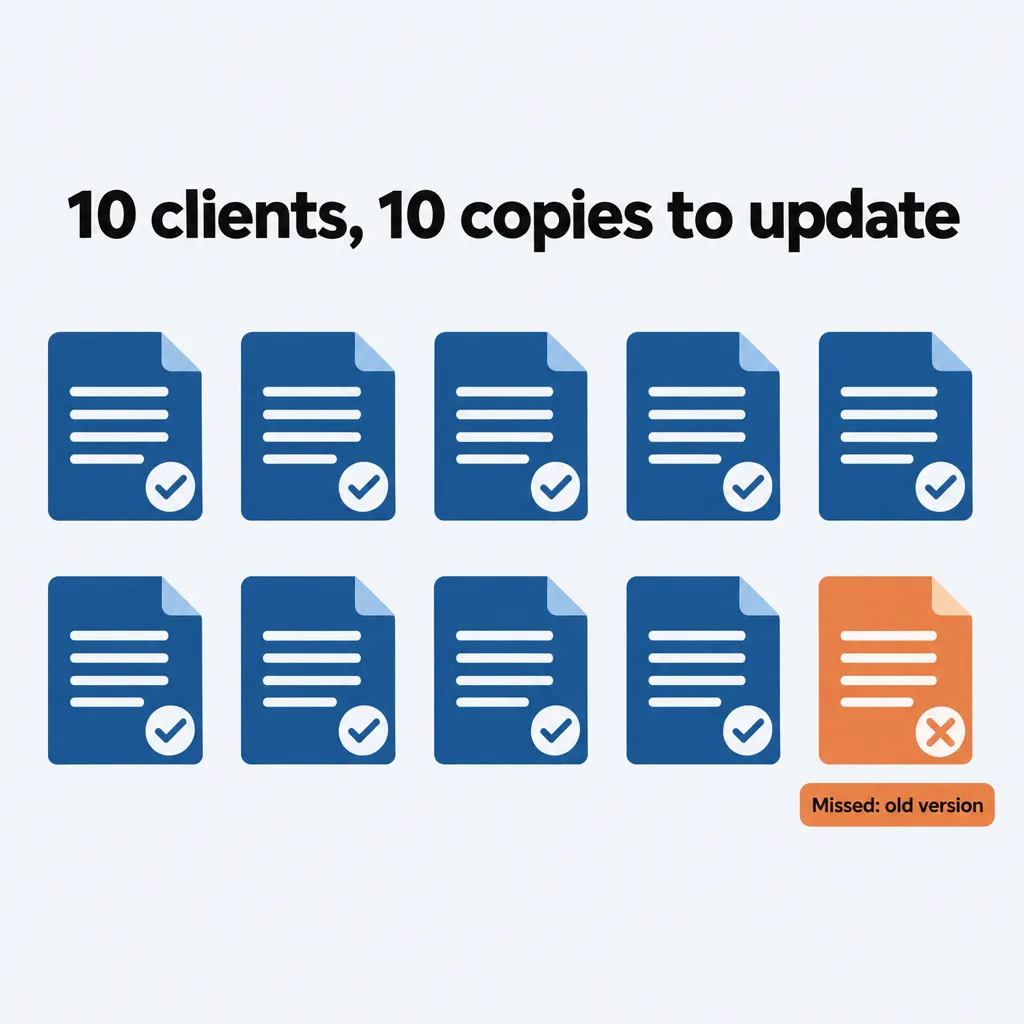
Duplicating a skill for each client means every improvement to the process has to be made in every copy. With ten clients, that’s ten skills to update every time you find a better way to do the work. Eventually one gets missed, and that client keeps getting work from the old version of the process.
You usually end up copying a skill because its output is somewhat generic: it doesn’t sound like your client. Writing a client’s brand guidance into the skill fixes that, but then the skill only works for that client. Anthropic’s own brand guidelines skill is built this way: its instructions hold Anthropic’s colors and fonts, so it fits exactly one brand.
The copies also add to the number of skills Claude has to choose from. Anthropic’s guide to skills for enterprise warns that “with too many Skills active, Claude may fail to select the right Skill or miss relevant ones entirely.”
What Is a Skill Hook?
A skill hook is an instruction at one step of a skill that names a client document, like the brand voice document, for Claude to read before doing that step.
The name comes from webhooks, which let one application automatically send data to another.
Where Should Each Client’s Documents Live?
Keep each client’s documents in its own Claude Project, folder or GitHub repo, depending on how you work. You may already be keeping client files in one of these:
- If you work in Claude chats, create a Claude Project for each client and upload the client’s documents to it. Skills work inside Projects, so a skill you run in a chat in that Project can read that client’s documents.
- If you work in Claude Code or Cowork, keep a folder for each client on your computer, and start each session in that client’s folder.
- If a team shares the work in Claude Code, keep a GitHub repo for each client, so everyone works from the same documents and you have a record of who changed which document, and when.
Whichever you choose, give every client the same documents, with the same names, in the same place. A hook names one file, and Claude reads that file in whichever client’s Project or folder you’re working in. If every client has that file in the same place, the same hook gives Claude the right guidance for each client.
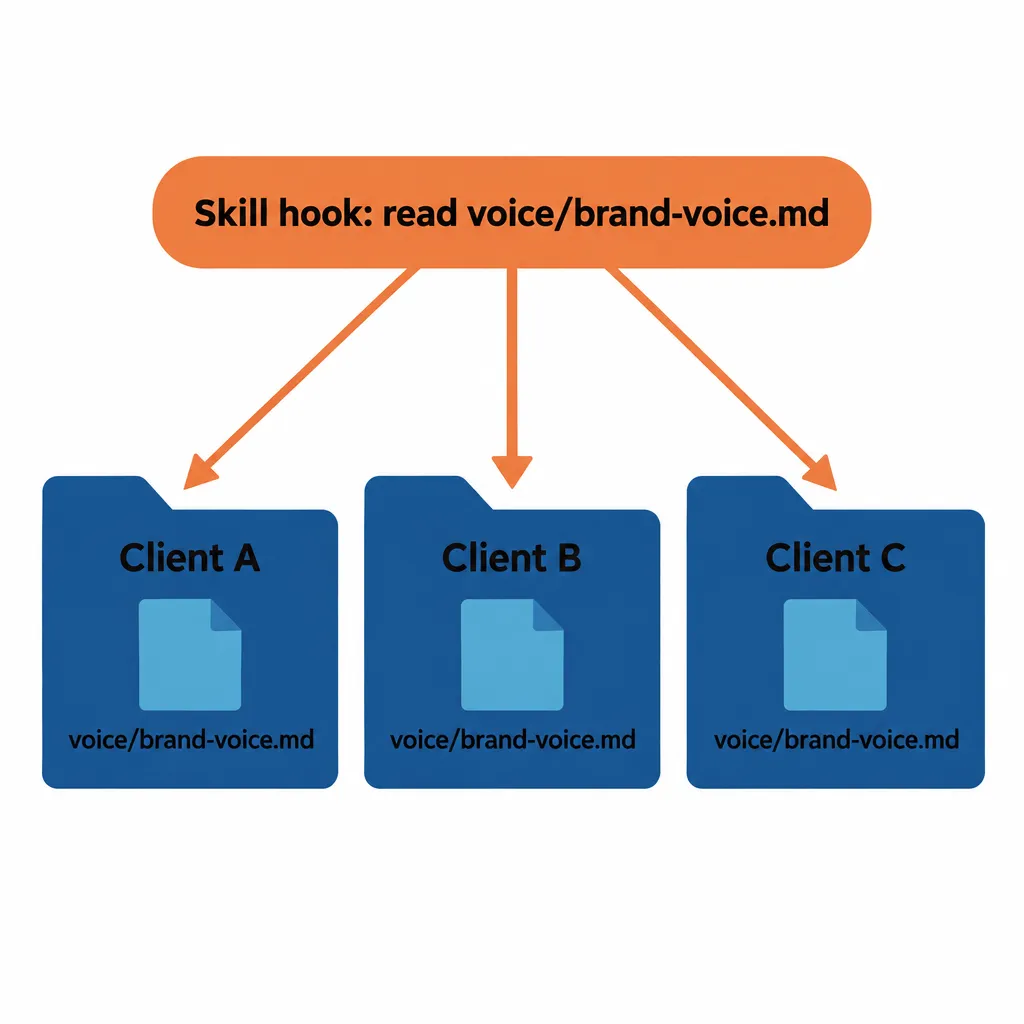
For our clients, that set of documents is what we call the Brand Ambassador, a knowledge base we build for every client with the same structure each time. If you’re setting up those documents from scratch, here’s how to structure an AI knowledge base for each client.
How Do You Write a Skill Hook?
To write a skill hook, add a short instruction at the step that needs the client’s guidance. It names the document Claude should read and says what to do if the document isn’t there. Here’s a hook for the drafting step of a writing skill, for clients whose documents are kept in folders:
“` When drafting, follow the client’s brand voice document (voice/brand-voice.md in the client’s folder). If that file doesn’t exist, create it before you draft: ask the user how the client wants to sound and for a few samples of their writing, then save it at that path. “`
In a Claude Project, the hook names the document by its title instead of a file path. For a missing document, the hook tells Claude to draft it in the chat, and you upload it to the Project.
That hook works for every client because of three choices:
- It sits at the drafting step, so Claude reads the brand voice document right before writing the draft.
- It names the exact file and where it lives. Claude doesn’t have to guess which of the client’s documents you mean. That file is the client’s canonical document for voice, the one place that guidance lives, so there’s never a second version to choose between.
- It says what to do when the file is missing. The first time you run the skill for a new client, Claude creates the document instead of drafting without it. After that, the document is there for every run, and you can improve it over time.
Naming a file and saying when to read it is something Anthropic already recommends for files stored inside a skill’s own folder. Its Claude Code docs say to reference supporting files from SKILL.md “so Claude knows what each file contains and when to load it.” A skill hook does the same for a document stored in the client’s Project or folder.
How Are Skill Hooks Different From CLAUDE.md and Claude Projects?
CLAUDE.md files and Claude Projects give Claude a client’s context for the whole session, while a skill hook brings in one document at the step that needs it.
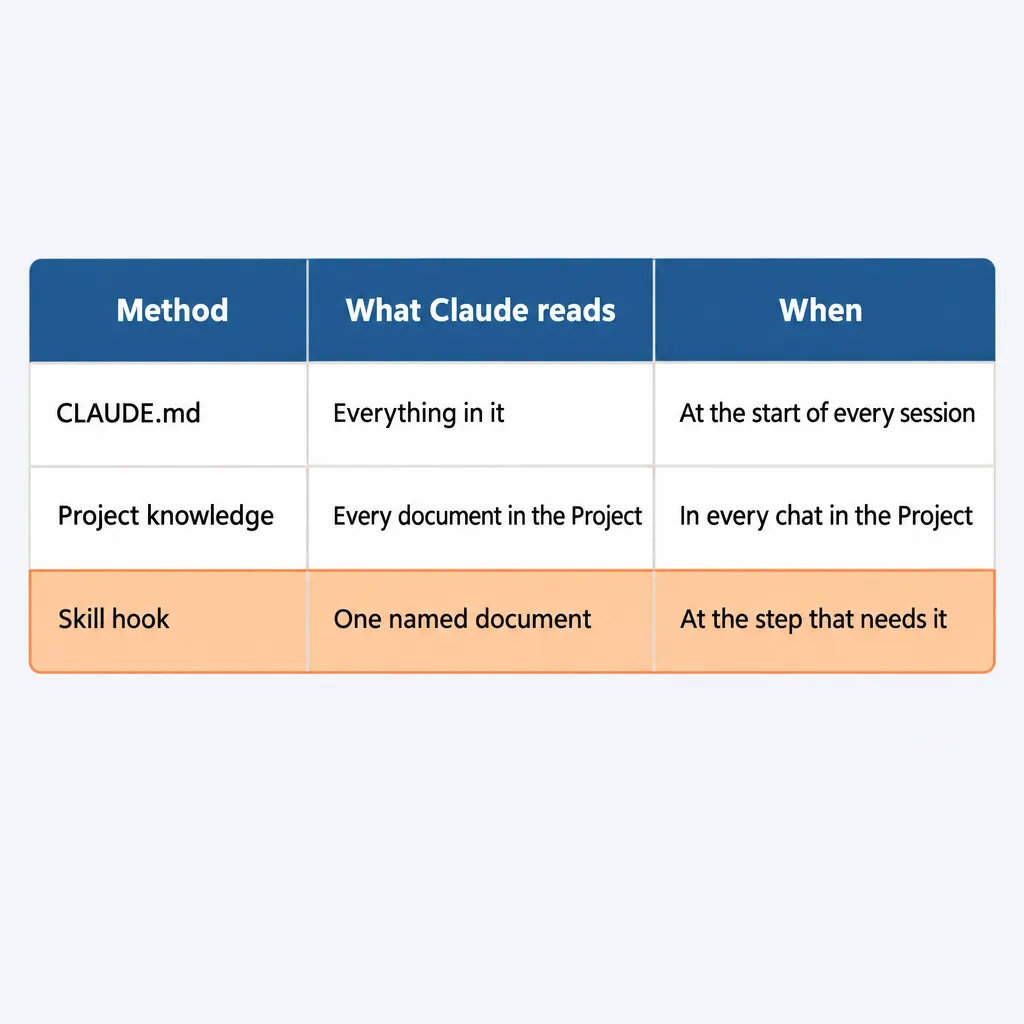
Claude Code reads CLAUDE.md at the start of every session, so everything in it is loaded for every task, whether the task needs it or not. Anthropic suggests keeping each CLAUDE.md under 200 lines. That’s room for a few facts about a client, but a brand voice document, a list of the client’s website pages and a list of their competitors would quickly go past it.
Project knowledge is used in every chat in the Project, but nothing in it tells Claude which document to use at which step of your process. That instruction is part of the process, so it belongs in the skill.
Anthropic splits Projects and skills the same way: Projects say “here’s what you need to know,” and skills say “here’s how to do things.” I wrote more about what belongs in a project and what belongs in a skill in how to integrate AI into your business.
What Do Skill Hooks Look Like in a Real Skill?
Our article production skill has three or four skill hooks, including these:
- When drafting the article, Claude reads the client’s brand voice document.
- When adding internal links, Claude reads the client’s internal pages document, so it knows which of the client’s pages it can link to.
- At that same step, Claude reads the client’s competitors document and makes sure the article doesn’t link to a competitor.
The skill itself never names a client. I walk through the rest of the article process in how to write articles with AI.
Where Does Feedback Go Once Skill Hooks Are Set Up?
Improvements that should apply to every client go into the skill, and improvements for one client go into that client’s Project, folder or repo.
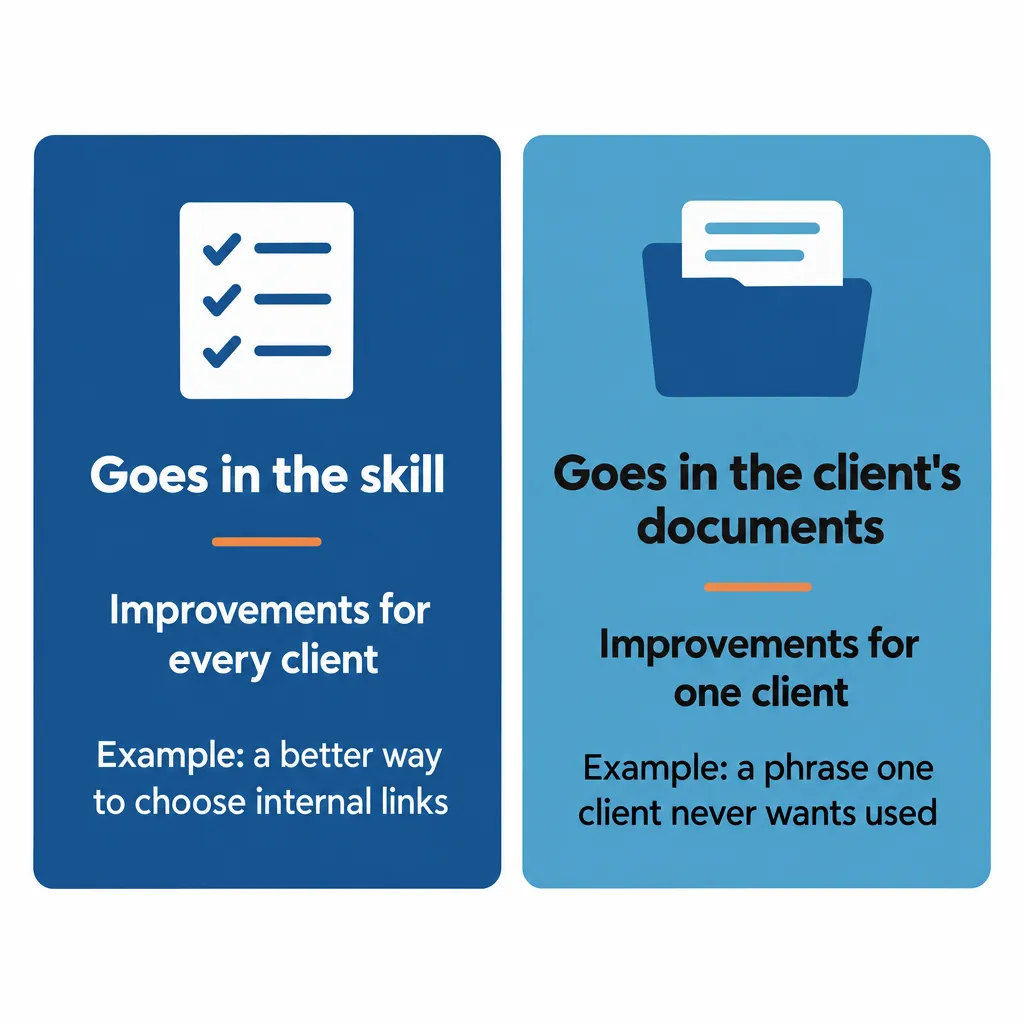
If you find a better way to choose internal links, you make that change once, in the skill. Every client gets the new way the next time the skill runs for them. If one client never wants a certain phrase used, that goes in their brand voice document, and nothing changes for anyone else.
Once it’s set up this way, maintaining, improving and customizing each process for each client is easy, because there’s never a question of where a piece of feedback goes. It’s the same idea behind the first of my Claude skills best practices: each piece of information lives in one place, so there’s only one copy to keep up to date.
Which Other Skills Can Use Skill Hooks?
Any skill that needs feedback specific to each client can use skill hooks. We do the same thing for page creation, website design and video editing.
To start, set up a Project, folder or repo for each client, then open the skill you use most. Find the steps where you keep adding a client’s guidance by hand. For each of those steps, move the guidance into one of the client’s documents, then add a hook at the step that names that document.
If you already keep a copy of a skill for each client, compare the copies. Each difference between the copies is guidance for one client, so move it into that client’s documents. Then keep one copy as the skill every client uses, with a hook at each place where the copies differed, and stop using the other copies.
If you have questions about skill hooks, reach out through our contact page or email me at tj@tjrobertson.com.