
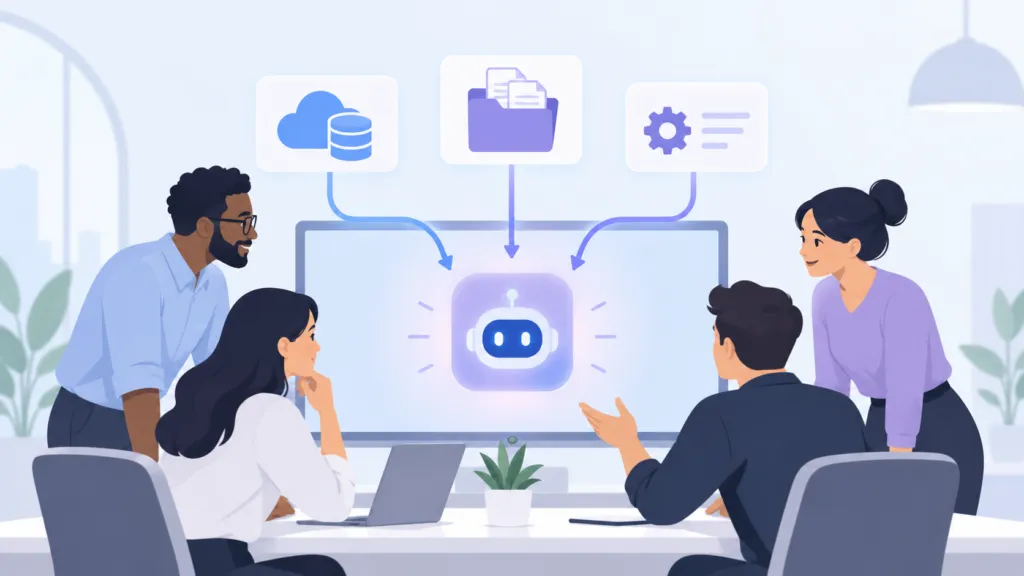
The easiest way to integrate AI into your business is to sign up for a Claude or ChatGPT team plan and build a shared knowledge base inside it. A shared AI knowledge base is built from three tools. Connectors pull in data from software you already use, projects hold large bodies of information like client files, and skills hold your processes and rules.
At TJ Digital, we run AI search campaigns for businesses in a wide range of industries. Each campaign runs on a dedicated Claude project for that client, supported by more than a hundred skills. Building inside one AI platform carries some lock-in risk, so treat the team plan as your starting point and migrate once your team outgrows it.
Table of Contents
ToggleWhy does your business need an AI knowledge base?
If you want AI to do any kind of meaningful work in your business (in other words, if you want to stay in business), it needs a knowledge base. A model that doesn’t know your services, customers, and processes can only give you generic output. For the full list of documents to include, see our guide to building an AI knowledge base.
Since I started talking about how we set up our own knowledge base, a lot of business owners have asked me to help them set up theirs. Most of them are starting from zero. They haven’t integrated AI into their workflows at all, and custom setups like the one we run at our agency look intimidating.
@tjrobertson52 How to set up an AI knowledge base for your business. Start inside one platform, then migrate later. #AI #SmallBusiness #AITools #Claude
♬ original sound – TJ Robertson – TJ Robertson
Should you build your AI system inside Claude or ChatGPT?
For most businesses, yes, at least to start. Building inside Claude or ChatGPT is by far the easiest way to get a team working from a shared knowledge base, and both companies have built their team plans around shared workspaces.
Every major model maker wants you to build your knowledge base inside their platform. The reason they want it is the same reason I usually recommend against it. Once your business knowledge lives inside one platform, you’re locked into that model and whatever pricing the company decides to charge.
The convenience is worth it early on. Just plan to migrate before the lock-in gets expensive.
Does a solopreneur need an AI team plan?
No. If you work alone, store your knowledge base as files on your own hard drive and point your AI tools at them. Every hard decision in this guide comes from working as a team, where several people need the same information and follow the same processes.
Should your business choose Claude Team or ChatGPT Business?
Either one works, so go with the platform your organization already uses more. I don’t think the choice matters much right now, and no one can predict which company will come out on top. The two plans line up closely:
| Plan | Monthly billing (per seat) | Annual billing (per seat) | Minimum seats | Agent tools included | Usage beyond the limits |
| Claude Team (Anthropic) | $25 | $20 | 2 | Claude Code and Cowork | Prepaid usage credits |
| ChatGPT Business (OpenAI) | $25 | $20 | 2 | Codex | Workspace credits |
Anthropic publishes its current Team plan pricing and limits in its help center. Both companies have changed their team plans this year, so check current pricing before you buy.
The catch is usage. You pay a little more for the plan until your team hits its usage limits, and then you start paying a lot more for extra credits. Don’t worry about that part yet, because you’ll migrate off the team plan before you get there.
What are the three tools for building an AI knowledge base?
The three tools are connectors, projects, and skills. Claude and ChatGPT both support all three, and each one handles a different kind of information:
| Tool | What it holds | How many you use at once | Example |
| Connectors | Live data in software you already use | Multiple | Notion, Gmail, Slack, or your CRM |
| Projects | Large bodies of information for one client or initiative | Typically one | A project for each client |
| Skills | Instructions, rules, and reference data for processes, systems, and topics | Unlimited in a single prompt | How your team responds to emails |
When should you use an AI connector?
Use a connector for any data you already store in a database or a platform like Notion, Gmail, or Slack. Connect your account, and the AI reads that data directly from the source.
The first rule of building a knowledge base is to never duplicate data if you can avoid it. A copy of your CRM pasted into a project goes stale as soon as someone updates a record. Everything that doesn’t already live in another platform goes into a project or a skill.
What should you put in a Claude or ChatGPT project?
A project should hold a large body of information your team works within, like everything you know about one client or one major initiative. You typically work inside only one project at a time, so start by identifying what definitely needs to be a project.
If your company stores more information about each client than you can fit in a CRM, you probably want a project for each client. You may also want a project for each major initiative your company is running.
At our agency, every client gets a Brand Ambassador, a Claude project with about 12 documents covering the company, its services, its voice, its competitors, and its most important pages. When anyone on our team writes content or builds strategy for that client, they work inside that project.
What should you put in a Claude skill?
Skills should hold everything you need across multiple projects, including your processes, how your team uses its systems, and your guidance on recurring topics. That information can’t be its own project, since you typically work inside one project at a time. You can invoke an unlimited number of skills within a single prompt, which makes skills the right home for anything a connector can’t reach.
A skill is just a folder of markdown files. The only mandatory file is SKILL.md, and you can add as many reference files as you want. According to Anthropic’s engineering team, the AI reads each skill’s short description first and loads the full contents only when a task calls for it.
The original purpose of a skill was to hold instructions, like a glorified prompt template. You can store almost any kind of data in a skill, too. Here are the skills I’d set up first:
- A skill for each process. Anything you want AI to help with, like writing proposals or onboarding a new client, gets its own skill. If that process has templates, or rules that only apply to certain versions of it, store those as reference files inside the skill.
- A skill for each system. Write one skill that explains in detail how your team uses its task management software, another for your CRM, and so on.
- A skill for each type of communication. For example, one skill can describe exactly how your team responds to emails.
- A skill for each topic you give guidance on. If clients or employees regularly come to you for advice on a subject, that subject deserves a skill.
Some skills can be personal to one team member, but most should be shared across your organization. These team plans make it easy to share projects and skills across teammates.
How do you avoid duplicating data across skills?
Keep each piece of information in one skill and link to it from every other skill that needs it. Say you have a skill for how your team responds to emails. It will probably need details from your CRM or task management system, so link to those skills and leave the details where they already live.
With a single source of truth for each topic, you update information once and every skill that references it stays accurate. Copies drift out of sync, and the AI ends up working from whichever version it happens to read.
How do you avoid getting locked into one AI platform?
Plan to move your knowledge base in stages as your needs grow. A team plan gives you everything you need to have AI work efficiently inside your business today. Long term, though, you may not want to stay locked into one platform, one model, and whatever pricing that company decides to impose.
Here are the stepping stones I’d follow:
- Start with a team plan. Build your connectors, projects, and skills inside Claude or ChatGPT, since that’s the fastest way to get your team using AI.
- Move to a third-party platform. When you want more flexibility but aren’t ready to build your own system, migrate your knowledge base to a platform that works with multiple AI models.
- Build a custom solution on GitHub. When you’re ready to take this seriously, move everything into a GitHub repository, where version control tracks every change, and build your own setup around it.
The good news is that as AI gets smarter and more capable, migrating and building your own custom solution will only get easier. Once your knowledge lives in well-organized documents, switching between AI models takes a few hours of work.
What do teams ask when setting up AI for the first time?
What’s the difference between Claude skills and projects?
A project holds a large body of information for one client or initiative, and you typically work inside one project at a time. Skills hold processes, systems, and reference data, and you can invoke as many skills as you need in a single prompt.
How much does the Claude Team plan cost?
Claude Team costs $25 per seat per month on monthly billing or $20 on annual billing, with a two-seat minimum. Premium seats cost $125 per seat per month, or $100 on annual billing, and include 6.25 times the Pro plan’s per-session usage.
What goes inside a SKILL.md file?
A SKILL.md file starts with a short YAML header listing the skill’s name and a description of when to use it. The rest of the file holds the instructions, which can point to reference files stored in the same folder.
Can you move skills between Claude and ChatGPT?
Yes. OpenAI’s skills follow the open Agent Skills standard, the same format Claude uses, so you can download a skill from one product and install it in the other.
What’s the first step to integrating AI into your business?
Start with one team plan, one project for the part of your business that holds the most information, and one skill for the process you repeat most often. Add connectors and more skills as your team gets comfortable.
At TJ Digital, building this kind of knowledge base is the first thing we do for every client, and it powers every campaign we run. Contact our team to talk through how a Brand Ambassador and AI search fit into your marketing.