What Is Claude Meetings and How Do You Use It in 2026?
By TJ Robertson, Founder and Lead Strategist at TJ Digital
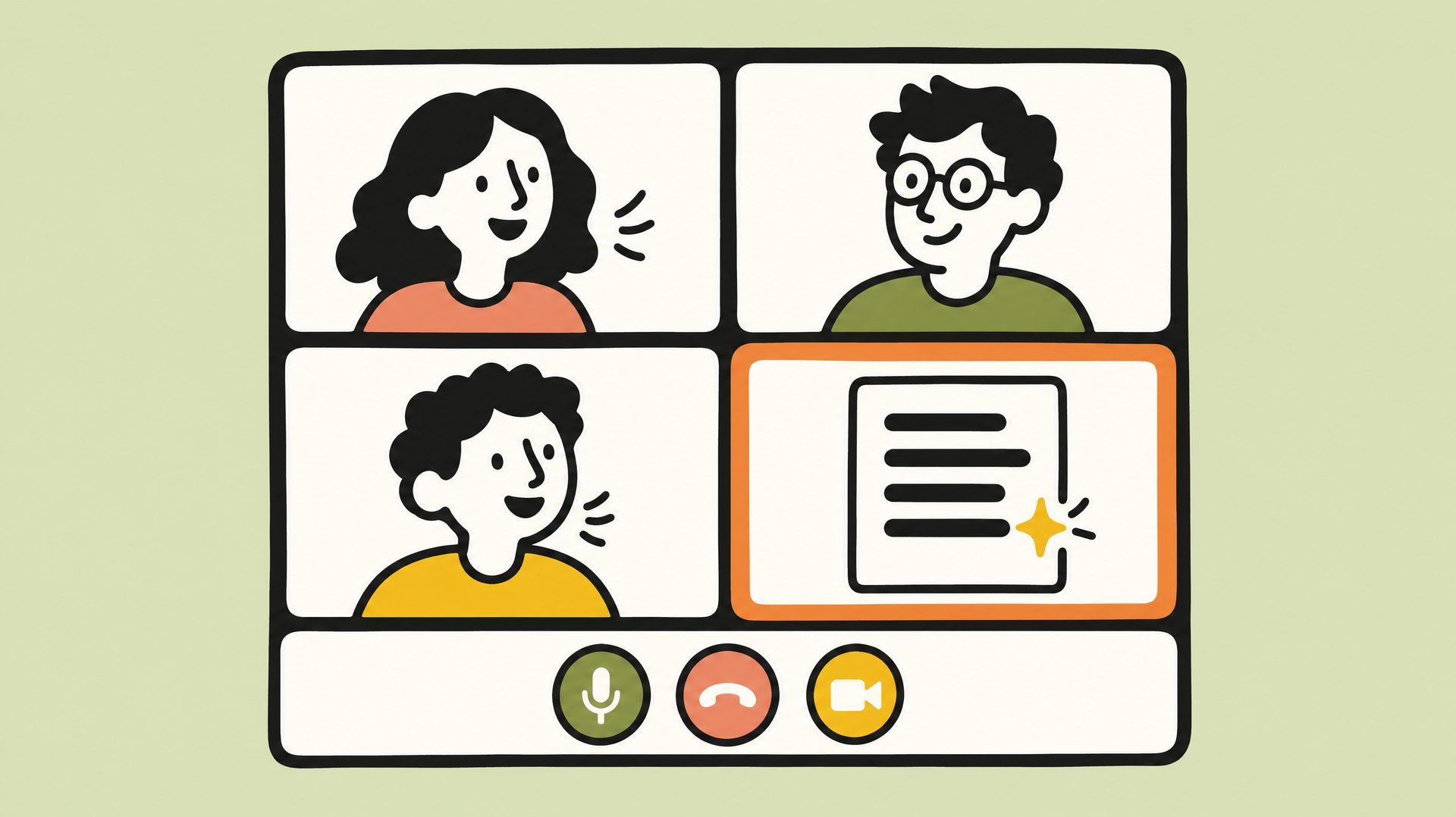
Claude Meetings lets you add Claude to a Google Meet call as a participant everyone can see. It follows the conversation, takes the notes, answers questions in the call’s chat, and builds docs and whiteboards with your team while you talk. Anthropic started rolling it out in beta on November 12, 2026, on its Team and Enterprise plans, and it only works in Google Meet for now.
At TJ Digital, Claude does most of the hands-on work and people review all of it, so I’ve been expecting something like this. I think AI on the call is how most of us will work soon.
What Can Claude Do During a Google Meet Call?
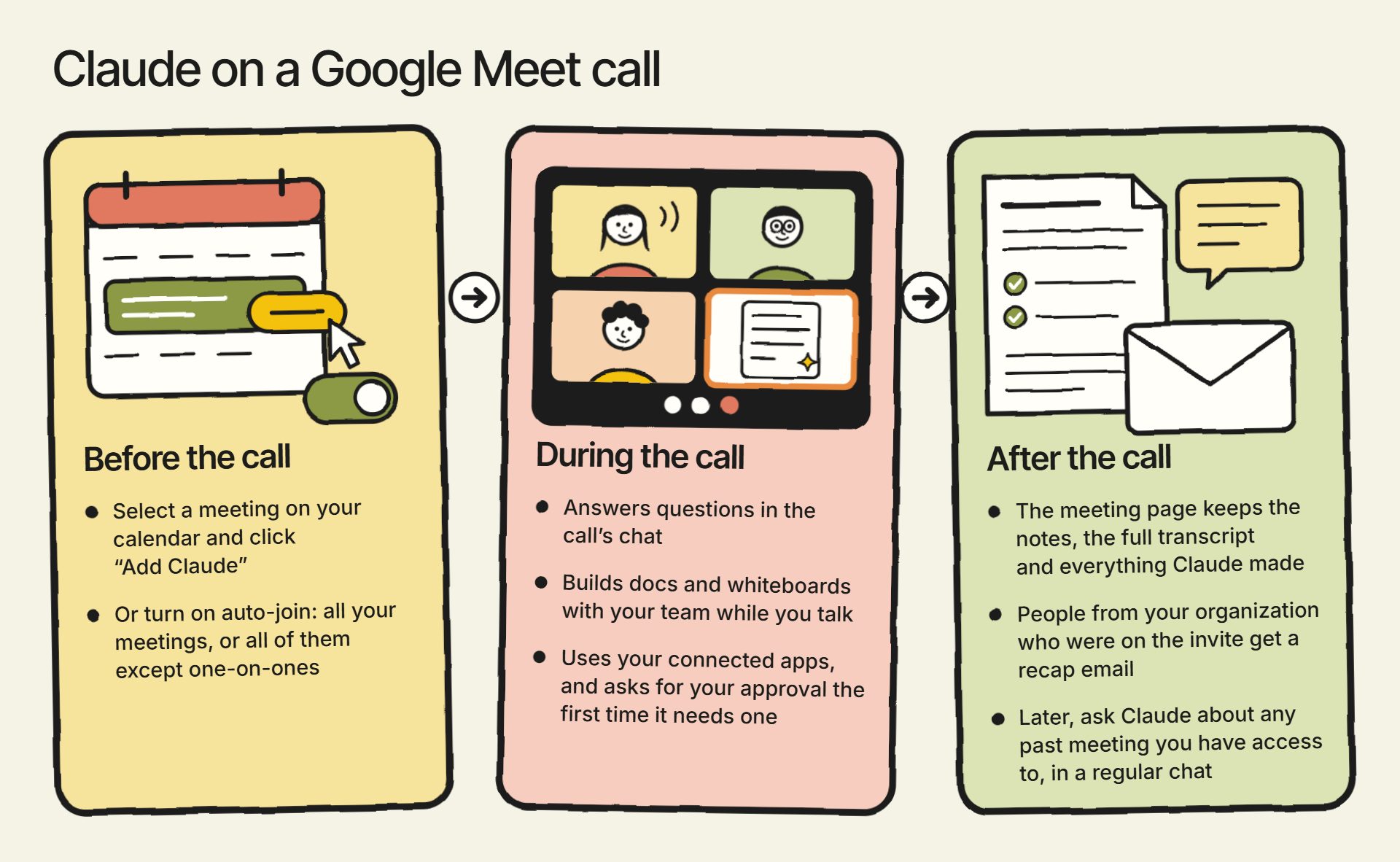
You talk to Claude the way you’d talk to anyone else on the call. Say “Claude” and then your question, or type it in the Meet chat. By default, Claude’s answers appear in writing in the Meet chat, where everyone on the call can see them.
When Claude joins, it also posts a link in the Meet chat to the meeting’s own page in Claude. That page shows the live transcript and everything Claude makes during the call. It stays inside your organization.
Anyone on your team can ask Claude to build something while you talk, like a doc, a whiteboard or slides. Say “Claude, make a doc” or “Claude, make a whiteboard,” and Claude starts on it during the call. Teammates on the invite can open it on the meeting page and work on it with Claude as the conversation goes on.
Whiteboards are also their own product. Claude Whiteboards, a shared board for brainstorming with Claude, works outside of calls too, and on more plans than Meetings: Pro, Max, Ultra, Team and Enterprise, according to Anthropic’s Whiteboards guide. Anthropic launched it in beta on November 10, 2026, along with Claude Sheets, a spreadsheet Claude builds and edits with you.
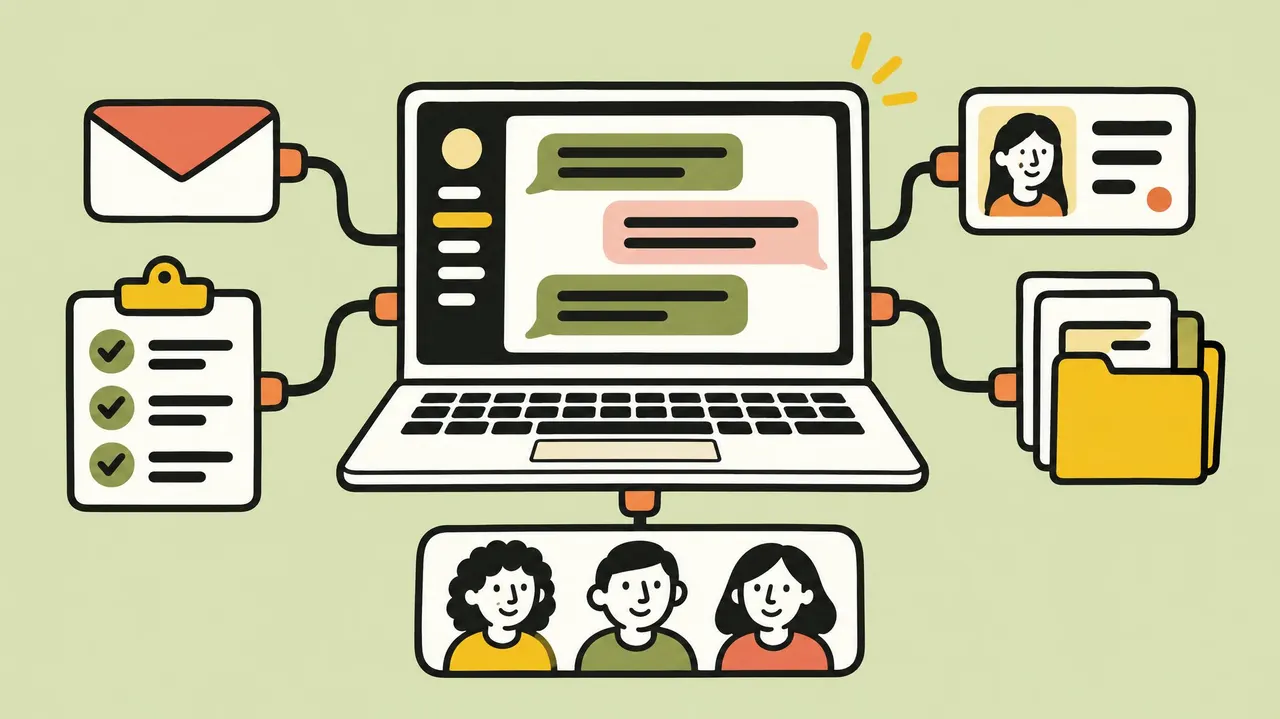
Claude can also act in your other apps through connectors. A connector gives Claude access to one of your apps, like Slack, HubSpot or Google Calendar, so it can look things up or do things there for you.
On a call, Claude uses each person’s own connectors, unless an owner of your Claude account has turned that off. If you ask it to send a Slack message, it sends it from your Slack, and the first time it needs one of your apps, it asks for your approval. If you type your requests in the chat, that one yes covers you from then on. If you ask out loud, Claude also asks each time to confirm who’s speaking, at least for now.
What Happens After the Call?
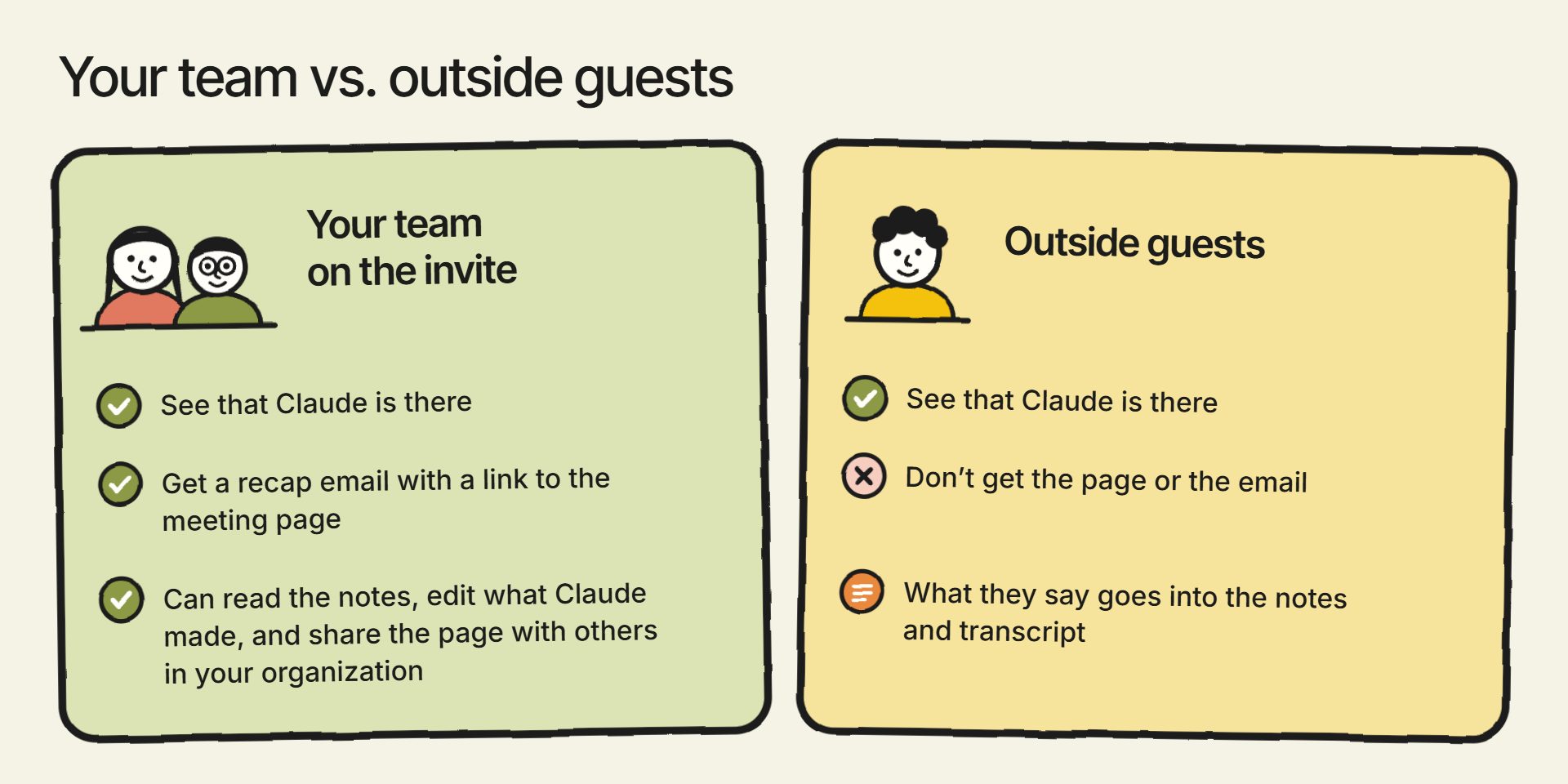
When the call ends, the meeting page keeps the notes (a summary and any action items), the full transcript and everything Claude made. People from your organization who were on the invite get a recap email with a link to it. They can read the notes, edit what Claude made, and share the page with others in your organization, but outside guests don’t get the page or the email.
Later, you can ask Claude about any past meeting you have access to, in a regular chat. For example, you could ask what your team decided about a project in last week’s planning call.
Anthropic also says you’ll soon be able to send transcripts to tools like Gong, Granola, Fireflies.ai and Otter. That isn’t part of the beta yet.
Is Claude Meetings Available Now?
Claude Meetings is in beta now, but it’s still rolling out, so not every organization may have it yet. Anthropic’s release notes for November 12, 2026, say: “Claude Meetings is rolling out in beta on Team and Enterprise plans in Claude and Claude Desktop.”
Here’s what you need to use it:
- A Team or Enterprise plan. These are Claude’s business plans, and Meetings is only on these two.
- Google Meet. It doesn’t work in Zoom or Microsoft Teams yet. Anthropic says other platforms are coming soon but hasn’t named them or given dates.
- Google Calendar connected to Claude. This is how Claude finds your meetings.
- An organization that qualifies during the beta. Meetings isn’t available yet to some organizations, including those that have set up zero data retention, a HIPAA-ready configuration for health data, or their own encryption keys with Anthropic. Anthropic gives these as examples, so the list may not be complete.
How to Add Claude to a Google Meet Call
Before anyone can add Claude to a call, an owner of your Claude account has to enable the Google Calendar connector for your organization. On Enterprise plans, an owner also has to turn on Claude Meetings itself. Owners manage Meetings under Organization settings > Products > Claude Meetings (beta), and the defaults depend on your plan:
| Setting | Team plans | Enterprise plans |
|---|---|---|
| Claude Meetings | On by default; an owner can turn it off | Off until an owner turns it on for everyone or for certain roles |
| Calls with outside guests | An owner controls it, and Anthropic’s pages don’t agree on the default, so check it | Internal calls only until an owner allows outside guests |
Once that’s done, the steps from Anthropic’s help article are:
- Go to Meetings in Claude.
- Connect your Google Calendar.
- Select a meeting on your calendar.
- Click “Add Claude.”
If you want Claude on your calls without adding it each time, turn on auto-join under Settings > Capabilities > Meetings > Auto-join. You can have it join all your meetings, or all of them except one-on-ones. Owners can’t turn auto-join on for you.
Claude usually joins without having to ask. If it does ask, the host can let it in. If the host declines, Claude won’t try to join that call again unless someone adds it again.
During the call, Claude’s tile shows what it’s doing. You can pause it by asking it to stop listening, and remove it by asking it to leave or by clicking “Remove Claude” on the meeting page. It can stay for up to eight hours and warns you before it leaves.
Does Everyone on the Call Know Claude Is There?
Everyone on the call can see that Claude is there. When it joins, it shows up as a participant and posts a notice in the call’s chat.
Getting everyone’s agreement to be transcribed is the job of whoever adds Claude. Anthropic’s instruction is: “Before you add Claude or turn on auto-join, make sure everyone on your calls is OK with being transcribed.”
Anthropic doesn’t provide a way to ask for that agreement or keep a record of it. The rules on recording and transcribing calls also differ from place to place, so check which ones apply to your calls.
What Does Claude Meetings Save?
Claude saves a transcript of the call, a summary, and written descriptions of what’s shown on screen during the call. It doesn’t save the audio.
Anthropic hasn’t published how long it keeps meeting data or whether that data is used for training. Its general policy for Team and Enterprise plans says it won’t use your chats to train its models unless you choose to join its Development Partner Program, or you send it something yourself, like a thumbs up or thumbs down on a reply. That page doesn’t mention meetings, though, so I wouldn’t assume it covers them until Anthropic says so.
Can You Use Claude Meetings on Calls With Clients?
Whether Claude can join calls with clients depends on the setting for calls with outside guests, which an owner controls. The default differs by plan, so check how yours is set before a client call. Each person also has a “Meetings with external guests” setting of their own, under Settings > Capabilities > Meetings.
What Claude does depends on that setting:
- When outside guests aren’t allowed, Claude stays out of any call where someone from outside your organization is invited. If an outsider joins partway through, including another company’s notetaker bot, Claude leaves.
- When outside guests are allowed, Claude listens and takes notes, and it posts its notice in the chat, but it doesn’t reply there. What your guests say goes into the notes and transcript.
I’d start with internal calls. Get used to what Claude does on a team meeting before you put it on a call with a client, and tell your clients before it shows up on one.
Does Claude Meetings Cost Extra?
During the beta, Claude’s notes, transcripts and answers in your calls are free on Team and Enterprise plans.
The exception is an answer that uses one of your connected apps. Those answers count toward the usage your Claude plan includes, and Anthropic says they can lead to charges for your organization.
The docs, whiteboards and other things Claude makes in a call are free through February 10, 2027. Anthropic hasn’t said what happens after that date.
How Is Claude Meetings Different From Gemini in Google Meet or Copilot in Teams?
Google, Microsoft and OpenAI already have AI tools for meetings:
| Tool | What it does in your meetings | Who can use it |
|---|---|---|
| Claude Meetings | Joins the call as a participant, takes notes, answers in the chat, builds docs and whiteboards, and uses your connected apps | Claude Team and Enterprise plans, Google Meet only, beta |
| Gemini in Google Meet | “Take notes for me” writes meeting notes into Google Docs, and Ask Gemini answers questions about the meeting you’re in | Eligible Google Workspace subscriptions (Take notes for me, Ask Gemini) |
| Facilitator in Microsoft Teams | An agent in the meeting that keeps live notes, tracks the agenda, answers questions and can create Word documents; not supported in meetings with outside guests | Included with a Microsoft Copilot license, plus eligible Microsoft 365 and Teams licenses |
| ChatGPT record mode | Records, transcribes and summarizes meetings in the Mac app, and can sync with Google Calendar to join Google Meet calls on schedule; a newer Meetings plugin takes notes with action items | ChatGPT Plus, Pro, Business, Enterprise and Edu (Enterprise and Edu once it’s turned on for the workspace); the plugin is in beta on Mac for Pro and Business |
If you already meet in Google Meet, the real choice is Claude or Gemini. Both take notes and answer questions about the meeting. Claude also builds docs and whiteboards during the call and can act in your other apps, like sending a Slack message. Gemini comes with eligible Google Workspace subscriptions you may already pay for, and its notes also work for meetings in person.
Microsoft’s Facilitator is the closest match to Claude Meetings. Both sit in the meeting as an assistant and post replies everyone can see. Since Claude Meetings only works in Google Meet, Facilitator is the one to look at if your team meets in Teams. It needs a Copilot license, and it doesn’t work in meetings with outside guests.
Why I Think AI on Your Calls Is the Future of Work
Most people’s reaction to Claude Meetings will be that it’s kind of cool, and maybe they’ll use it here and there. But anyone who’s been keeping up with how AI is changing work knew this was coming. Having an AI agent as a participant on the call was inevitable.
That’s why I’m confident OpenAI and Google will release something similar soon. Their meeting tools already take notes and summarize what was said. Claude Meetings goes further: it builds things during the call and acts in your other apps while you talk. I expect both to release an AI that does that kind of work on the call too.
AI is getting more capable at an accelerating rate. I think we’re very close to the point where, with the right guidance and context, AI is better than a person at almost everything you can do on a computer. Human experts still tend to have better taste, judgment and intuition for most work, at least for now, but most of the actual doing can already be done better by AI.
That changes what people do all day. From my point of view, it’s now inefficient and borderline irresponsible to have a person write the first draft of anything. AI does the draft, and people give the feedback.
Most of the time, the most efficient way to give feedback is by talking. Sometimes you want to point at something or move something on a screen, but that’s getting rarer.
So I think what we’ll do as humans is have conversations. Some of them directly with AI, and some with each other while AI takes part in the call. I wrote in September about how AI is changing how we work, and said then that I wanted the AI participating in those conversations, keeping us on track and pushing us to make a decision. Talking with each other while AI works on the call is how I expect we’ll all work, at least until AI can replace all of us on that call.
Now that AI is this capable, we’re the bottleneck: the work waits on our feedback and our decisions. Conversation is the most efficient way for us to give AI what it needs to do meaningful work. It also plays to our strengths as humans, and in most cases I think it’s the most fun part of the work.
We all get to work the way executives at big companies work. We review the output, give feedback and make the big decisions.
How to Get Your Business Ready for AI on Your Calls
Getting your business ready for AI on your calls mostly comes down to what the AI knows about your business. It needs context: how you work, what you sell and who your customers are.
It also needs a system that improves it as you give it feedback. For example, a good system saves your corrections, so once you fix something the AI got wrong, it doesn’t make the same mistake again. I wrote about what that takes in how to build an AI operating system for your business.
Your call transcripts are part of that context, because they hold what your team and your customers actually said. Collect them where your AI can use them, along with the other business information I cover in how to prepare your business for AI. We use ours as part of how we run TJ Digital through Claude, which I walk through in how to run your business with AI.
Then connect the apps your team uses. Claude can only act in the apps each person has connected, so the connectors decide how much of the work it can do during a call.
I actually think building a system like this, one that gives AI the context of your business and learns from your feedback, is the last thing people will need to do on a computer. Once it’s set up, AI can do the hands-on work, and we’re just having conversations.
If you have questions about Claude Meetings or about getting your business ready for AI, reach out through our contact page or email me at tj@tjrobertson.com.