
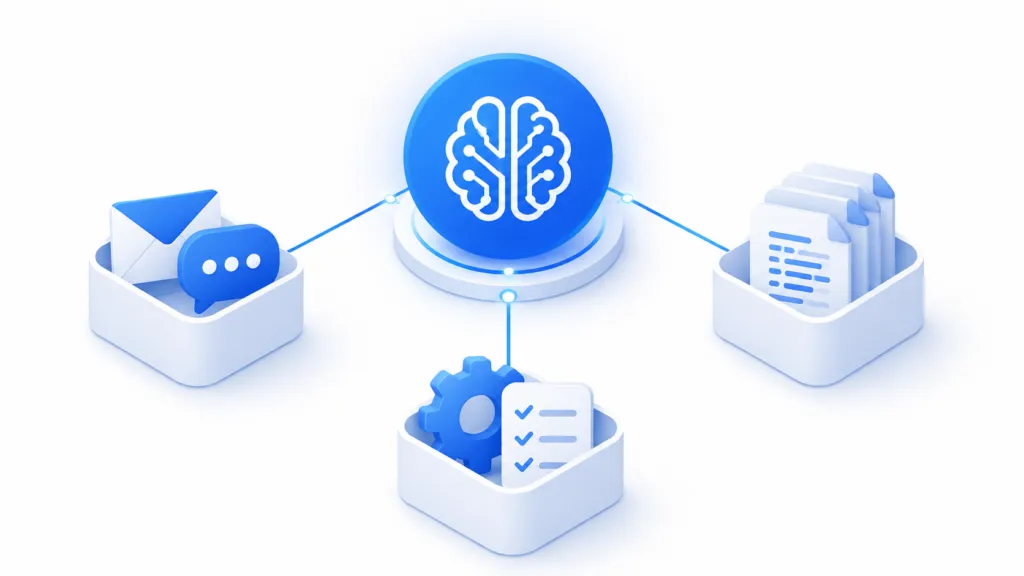
Structure your AI knowledge base by sorting every piece of company information into one of three places, a workspace, a knowledge base, or a skill. Workspaces like Gmail, Slack, and Notion already hold your day-to-day data. The knowledge base holds stable reference material as markdown files, and skills hold the instructions the AI follows to do actual work.
We have been building these at TJ Digital for about two years, and a structured knowledge base now sits at the center of every campaign we run. We call ours a Brand Ambassador, and each one runs on about 12 markdown documents. Most businesses have worked out by now that they need one, so I want to talk about the structural decisions that come next.
Table of Contents
ToggleWhat Should You Decide Before You Start Building?
Four things shape everything else, and each one is expensive to fix once you have built around the wrong answer.
- Your knowledge base will get larger. AI needs a lot of information to work as part of your business, and you do not want to hand all of it to the model every time you ask a question.
- Organization matters more than volume. The structure has to make it easy for the AI to find only the information it needs for the task in front of it.
- Duplication turns into a maintenance nightmare. Two documents holding the same information means every update has to happen twice, and eventually one of them goes stale.
- Access and permissions need a plan. Most teams should not have write access to the entire knowledge base.
There is one more constraint worth setting up front. If you are using a frontier model from OpenAI or Anthropic, which I do recommend, you do not want to be paying for usage. Every data source should connect directly to Codex, Claude Code, or Claude Cowork.
@tjrobertson52 How to set up a knowledge base for AI: use Google’s Open Knowledge Format, store it in GitHub #AIforBusiness #SmallBusiness #ClaudeAI
♬ original sound – TJ Robertson – TJ Robertson
Where Should Company Knowledge Actually Live?
Company knowledge lives in three places, and the split matters more than how many documents you write. Workspaces hold the data your team creates every day. The knowledge base holds curated reference material, and skills hold the processes the AI runs.
Here is how we split it:
| Layer | What goes there | Why it belongs there |
| Workspace | Email, chat, tasks, and project records in Gmail, Slack, Notion, or Monday | Claude and ChatGPT connect natively with read and write access and existing permissions |
| Knowledge base | Stable reference material about the company, its products, customers, voice, and market | Curated markdown the AI reads before doing any branded work |
| Skill | Processes, internal structure, and any task the AI performs | Lives inside the AI account, loads faster than a connector, and can be shared with the team |
Your company probably already tracks work in Notion or Monday and runs conversation through Gmail and Slack. Claude and ChatGPT connect to those workspaces natively, with both read and write permissions. Copying that information into the knowledge base leaves you two versions to keep current instead of one.
Some teams store the whole knowledge base inside Notion. We opted against that because it runs slower and gives us less control over the structure.
Which File Format Works Best for AI?
Markdown files organized into folders. People have been experimenting with knowledge structures for AI for years, and Andrej Karpathy’s LLM wiki idea was probably the most widely copied version of it.
There is now one formalized standard, built on that same idea. Google Cloud released version 0.1 of the Open Knowledge Format in June 2026, and I wrote a full breakdown of OKF when it landed.
An OKF bundle is a directory of markdown files with a short YAML header at the top of each one. The spec is well documented, which makes this part easy. Point your AI at the OKF repository on GitHub and ask it to build a skill that organizes your knowledge that way.
If you are still deciding which documents you need, start with our guide on how to build an AI knowledge base. This article covers what happens once that list exists.
Should You Store Your AI Knowledge Base on GitHub or Google Drive?
GitHub, for most teams. We stored these documents in Google Drive for a long time, mostly because a Google Doc connects directly to a Claude project.
The problem is that Claude cannot natively write to a Google Doc. You can connect it to the Google Workspace CLI, and we did, but the files you actually want at the end of this are markdown files.
That is why we moved everything to GitHub. With the GitHub connector in Claude or ChatGPT, the model reads and writes the files directly. You should not be maintaining this knowledge base by hand.
| Storage | AI can read | AI can write | Best for |
| GitHub | Yes, markdown directly | Yes, through the connector | Teams that want AI maintaining the files |
| Google Drive | Yes, through the Docs connector | Not natively | Teams already working inside Google Docs |
| Obsidian | Yes, through a local agent | Yes, on your own machine | Solo operators and very small teams |
How Do You Handle Team Access and Permissions?
Plan for repo-wide access, because GitHub permissions do not go any finer than that. Read or write access covers the entire repository, so you cannot hand one person a single folder and keep the rest closed.
Giving people access to specific parts of the repo means putting something in front of the files. Firebase and Supabase both support user authentication and record-level rules, which lets you build a knowledge base where each person only sees what they should.
If you are a solopreneur, or you are the only one touching this knowledge base for any other reason, skip all of that. Store the files on your computer and use something like Obsidian.
Why Do Skills Beat Connectors for Process Knowledge?
Speed and efficiency. Both ChatGPT and Claude use skills natively, and skills live inside the AI account rather than behind a connector. The model reaches them faster and spends less context getting there.
Skills load in three stages, which is what makes that true. At startup the agent reads only a skill’s name and description, then pulls the full instructions when a task matches, as Anthropic documents in detail. Any files the skill references load last, and only if the task needs them.
Any guidance written specifically for the AI belongs in a skill. That covers your processes, your internal structure, and every task the AI will be responsible for.
How Do You Keep AI Usage Costs Down?
Run everything through a flat-rate subscription. In our experience, the usage included in an OpenAI or Anthropic subscription costs roughly 4% of what the same volume would cost through direct API billing.
That is why every data source in our setup connects to Codex, Claude Code, or Claude Cowork. Before you commit to a storage option, check that it connects to those tools directly.
Should a Small Team Use GitHub or Obsidian?
Obsidian works well when one person maintains the files. Once two or three people are editing the same vault, version control gets messy, and a GitHub repo handles that better.
Can You Store an AI Knowledge Base in Notion?
Yes, and some teams do. We chose not to because Notion runs slower for this and gives us less control over how the documents are structured.
What Belongs in a Skill Instead of a Reference Document?
Anything that tells the AI how to do something. Processes, internal structure, formatting rules, and repeatable tasks belong in skills, while facts about your business belong in the knowledge base.
How Do You Restrict Access to Certain Documents?
Put a database platform in front of the files. Firebase and Supabase both support user authentication and rules that limit which records a given person can read or edit.
How Do You Get Started?
Decide where each type of knowledge lives before you write a single document. Workspaces for the data your team already creates, markdown files for stable reference material, and skills for anything the AI needs to do. Once your company knowledge is structured that way, it gets hard to find something AI cannot do for your business.
We build a Brand Ambassador for every client during our Two-Week Strategic Assessment, and structuring it is the part most businesses get stuck on. Contact us to get yours built.