

The quality of what people are making with AI has gone up a lot recently, starting around the time Anthropic released Claude Opus 5.5 in September. When you see other people making cool stuff with it, you want to try it yourself.
So you go to the same model and ask it for a music video, a video game or a website. What comes back is impressive. It’s just not as good as what you’ve seen other people make.
What gets your output to that level is giving the AI an example: a finished piece of work like the one you want. Telling it to “make it more bold” usually just gets you another version that’s about as good as the first.
Once you get one result right, have the AI write down the examples and feedback that got it there. It saves them as instructions and follows them the next time you do that task. That way you get the same quality again without starting over.
I run TJ Digital, an agency that helps businesses show up in Google and AI search. Claude does most of the hands-on work for our clients. People review all of it before a client sees it.
Why Do Other People Get Better Results From the Same AI Model?
Other people get better results from the same model because they put a lot of work into directing it. The first mistake people make is thinking it’s going to be easy. AI made that thing you saw, so you figure you should be able to ask AI for it and get it.
We’re not quite there yet. Fortunately for us humans, the AI still needs us.
Without direction, a model falls back on safe, generic choices: its defaults. Anthropic’s Applied AI team explains that in web design, safe choices that work for everyone dominate the pages models learn from. So those are the choices a model makes when nobody tells it otherwise.
Why Doesn’t Vague Feedback Improve AI Output?
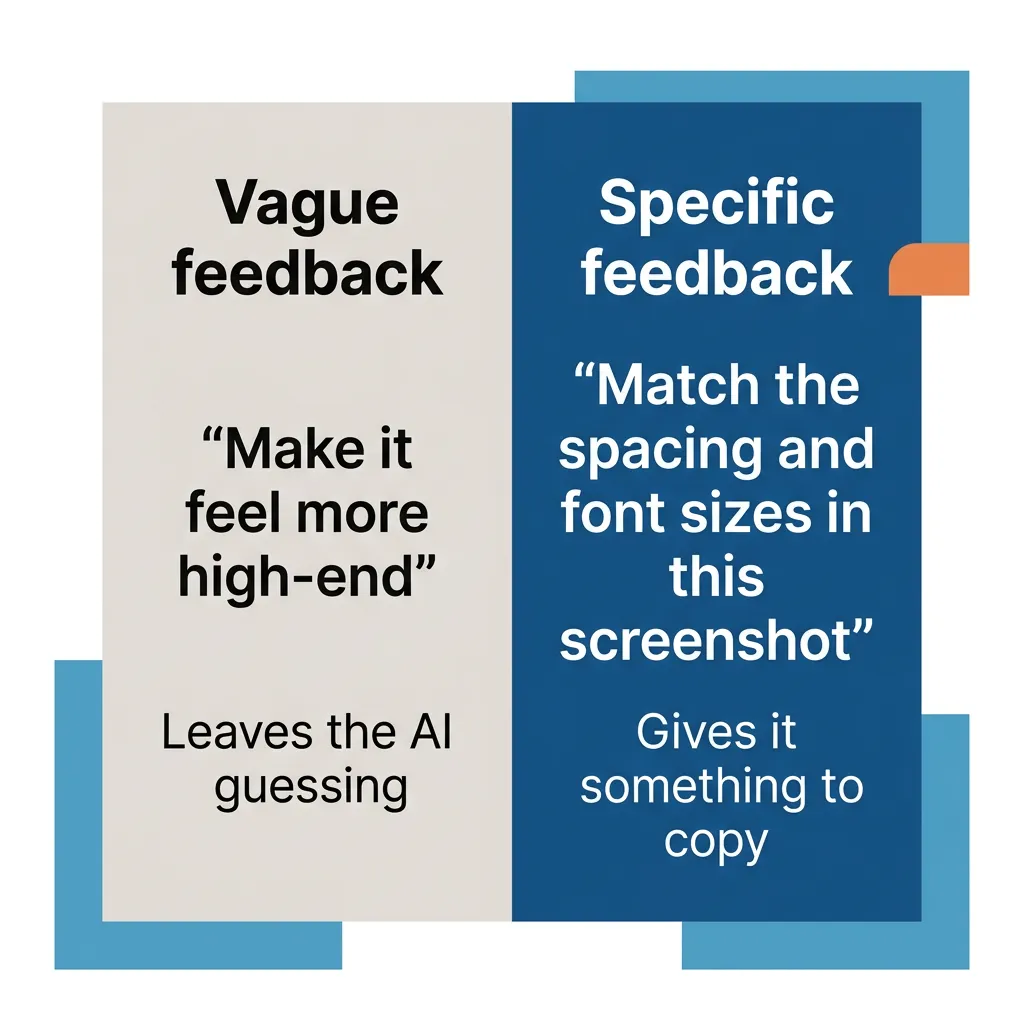
Vague feedback rarely improves AI output, because an adjective doesn’t show the AI what you mean. The second mistake people make is trying to improve the output with broad, high-level feedback. They’ll say things like “make it more bold,” “make it feel high-end” or “make the writing feel more natural and conversational.”
The AI will change something when you say that. But with nothing to match, it picks another of its defaults: the version of bold or high-end it has seen most often.
Anthropic’s prompting guide for Claude Opus 5.5 describes the same problem with web pages and interfaces. Telling Claude to avoid a generic AI look on that kind of work “mostly swaps one default for another,” so you get one of its other default styles.
Feedback starts working when it names the exact change and points to something the AI can match. “Make it feel more high-end” leaves the AI guessing. “Match the spacing and font sizes in this screenshot” gives it something to copy.
How Do Examples Improve AI Output?
Examples improve AI output because they show Claude or ChatGPT exactly what you want, so it understands right away. The AI can study an example and work out what makes it good, including the things you’d struggle to put into words.
My rough estimate is that good examples get you about 90% of the way to automating that kind of output. By automating, I mean the AI can produce work at that level every time you need it, without you rebuilding it from scratch.
Once you’ve given the AI an example, have it check its work against that example. For changes to a web page or other interface, Anthropic’s guide for Claude Code (its coding tool that works on your computer) recommends these steps. They also work in the Claude or ChatGPT chat app:
- Paste in a screenshot of the design you want, and have Claude build it.
- Have Claude take a screenshot of its result and compare it to the original.
- Have it list the differences and fix them.
In Claude Code, the screenshot of Claude’s result in step 2 can come from Claude itself: it opens the page in your browser and looks at what it built. That works through the Claude in Chrome extension, which you have to set up first. Otherwise, take it yourself and paste it back in.
A clear prompt that describes the outcome you want still helps alongside your examples. I cover that part in how to prompt newer AI models.
How Many Examples Should You Give AI?
Anthropic’s prompting guide recommends three to five examples for best results. It also says they should closely match the work you’re actually doing. That’s a good target, but in my experience one near-perfect example can be enough on its own.
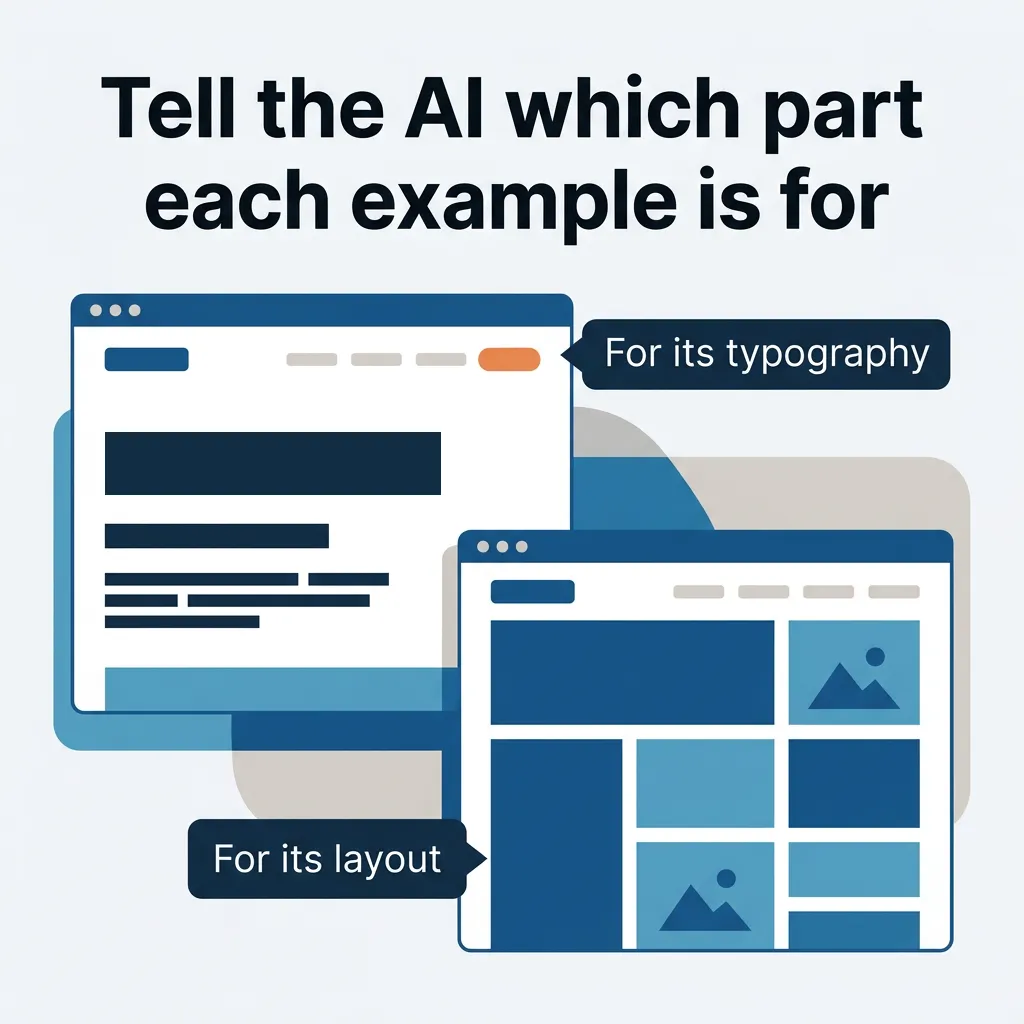
If you don’t have one near-perfect example, use several that each get one part right, such as one website for its typography and another for its layout. Tell the AI which part each example is for.
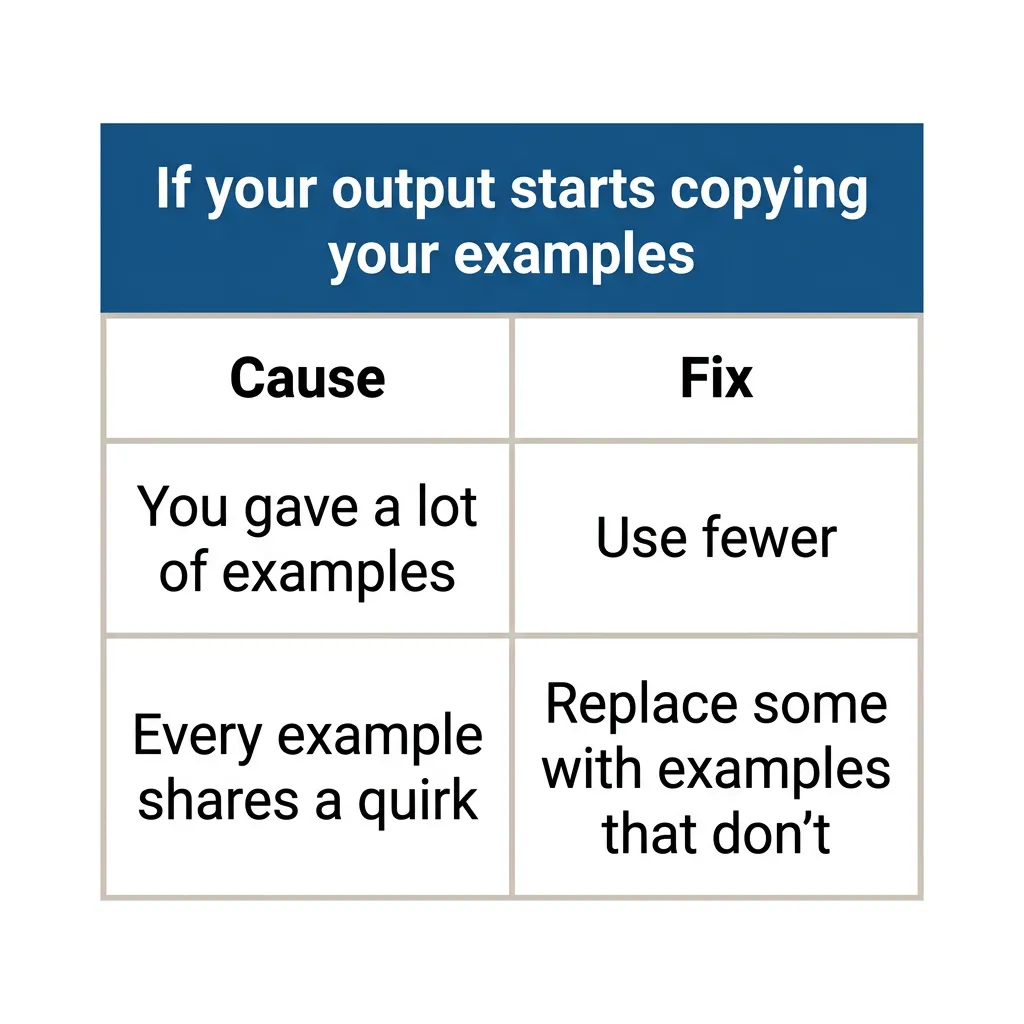
More examples aren’t always better. Google’s Gemini documentation warns that with too many examples, a model can start copying them too closely. In practice, that might mean getting back their wording or layout when you wanted new work in the same style.
The same thing happens when every example shares a quirk, like the same opening line: the AI copies the quirk.
Anthropic’s guide recommends examples that vary enough to avoid that. So pick examples that are all the kind of work you want, but different enough from each other that the AI learns what they have in common.
If your output starts copying your examples, the fix depends on the cause. If you gave a lot of examples, use fewer. If they share a quirk, replace some with examples that don’t.
Does Every AI Task Need an Example?
Simple tasks often don’t need an example. OpenAI’s guidance for its reasoning models suggests trying a prompt without examples first, then adding a few if your requirements are more complex. It also warns that your examples need to match your instructions closely, because a mismatch between the two can produce poor results.
Examples matter most when the quality you want is hard to describe, like the look of a website or the voice of your writing.
Where Do You Get a Good Example for AI?
You can get a good example from other people’s work, from your own best work, or by building the first one with the AI, step by step. Which one fits depends on your situation:
| Your situation | Where your example comes from |
| You don’t mind being derivative | Other people’s work |
| You want it to be truly you, and you already do the work well | Your own best work, or a first version you make yourself |
| You want it to be truly you, and the AI can do the work better than you can (say, a music video you couldn’t make yourself) | A first version you build with the AI, step by step |
Use Other People’s Work if Being Derivative Is Fine
If you’re trying to create something very similar to what other people are already creating, and you don’t mind being derivative, give the AI their creations as your examples. I don’t recommend copying them exactly. But humans have been creating derivative work for centuries.
For a website, that can be as simple as finding a site you like and asking Claude to rebuild its layout with your own brand colors. That was the top answer in a Reddit thread where someone asked how other people get Claude to build good-looking interfaces.
Use Your Own Best Work
Often you don’t want to be derivative. You want to create something that’s truly you. The best way to do that is usually to give the AI your own work as the example.
If this is something you already do well, gather one or more of your best pieces. Maybe you’ve been writing your own blog articles and now you want to hand that over to AI, so your best few articles become the examples. I’ve written separately about how we write high-quality articles with AI.
If you don’t have a piece you’re proud of yet, sit down and create something that represents the best version of your work. That first version becomes your example.
Build the First Version With the AI, Step by Step
If you don’t want to be derivative, and the work is something the AI can do better than you can, build the first example together. A music video is a good case if you couldn’t make one yourself. The AI may have more skill than you, but it doesn’t know what you want until you show it, line by line.
Block out a large chunk of time for it, maybe as long as it would take an expert to do the work by hand. Then painstakingly go through each step of the process with Claude. Give it very specific feedback, with examples, on every single line, image or shot.
I did this myself last weekend. I spent several hours learning how to make a music video with Claude. The video is about Tavi, TJ Digital’s AI system. It isn’t tied to one AI model, though we mostly use it with Claude.
Tavi built the video using Claude Opus 5.5. The song came from Suno, an AI music generator. It took a lot of feedback from me, and Tavi and I both learned a lot through the process.
Tavi has documented everything she learned in skills, saved instructions that can be used on all the future videos we edit. That includes my daily videos and the videos we make for clients.
How Do You Get High-Quality AI Output Every Time?
To get high-quality output every time, turn your finished work into a skill.
What Is a Skill in Claude and ChatGPT?
A skill is a saved set of instructions for one kind of task. It holds the steps, the standards and the examples that got the work right. Because it’s saved, you don’t have to explain any of that again in a new chat.
The next time you do that task, the AI loads the skill on its own and follows it. Claude and ChatGPT both have skills.
How Do You Turn Your Work Into a Skill?
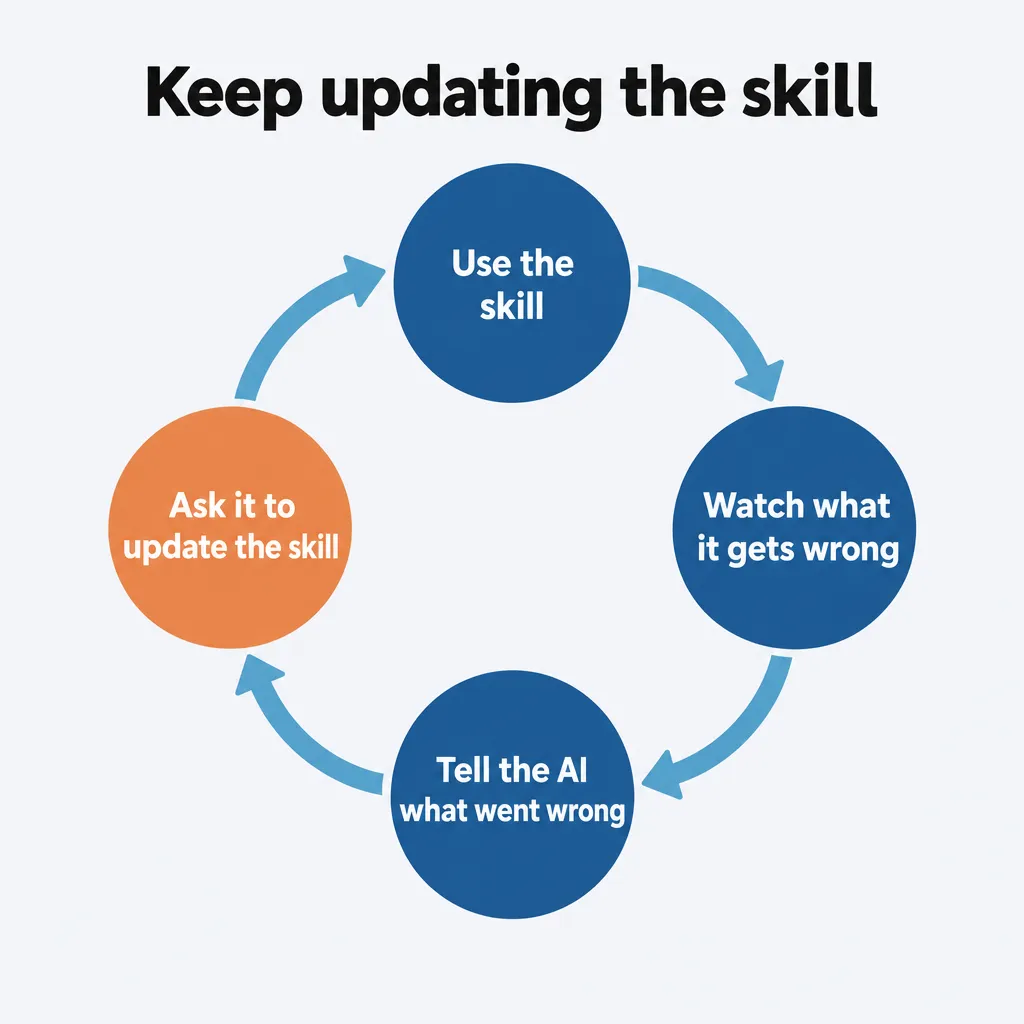
To turn your work into a skill, ask Claude to create one in the chat where you got the output right. Tell it to include your examples and the feedback that worked. You don’t have to write the skill yourself.
In ChatGPT, OpenAI suggests starting a new chat and asking it to build you a skill. Bring your examples and the feedback that worked into that chat, because a new chat doesn’t know what you did in the old one.
Then use the skill and watch what it gets wrong. When it misses something, tell the AI what went wrong and ask it to update the skill, so it gets that part right next time. If you want more detail on how to structure skills, I’ve written about the rules I follow for Claude skills and how to turn your own judgment into a skill with a feedback loop.
How Much Time Does an AI Skill Save?
A skill saves you very little time on the first output, because that’s the one where you work through every step with the AI. Compared with that first output, my rough expectation is that the next time you do the task goes ten times as fast. As you keep updating the skill, I’d expect that task to get to a hundred times as fast.
Where Should You Start?
Start with one task and work through it in this order:
- Pick one task you repeat, ideally one where you keep telling the AI the same few things.
- Get one great example of it: other people’s work, your own best work, or a first version you build with the AI.
- Direct the AI with specific feedback, and have it check its work against the example.
- Once one output is right, have the AI build a skill from it.
- Use the skill, and tell the AI to update it whenever it misses something.
If you have questions about any of this, reach out through our contact page or email me at tj@tjrobertson.com.