Does GPT Image 2.6 Sprite Sheet Animation Work for Video?
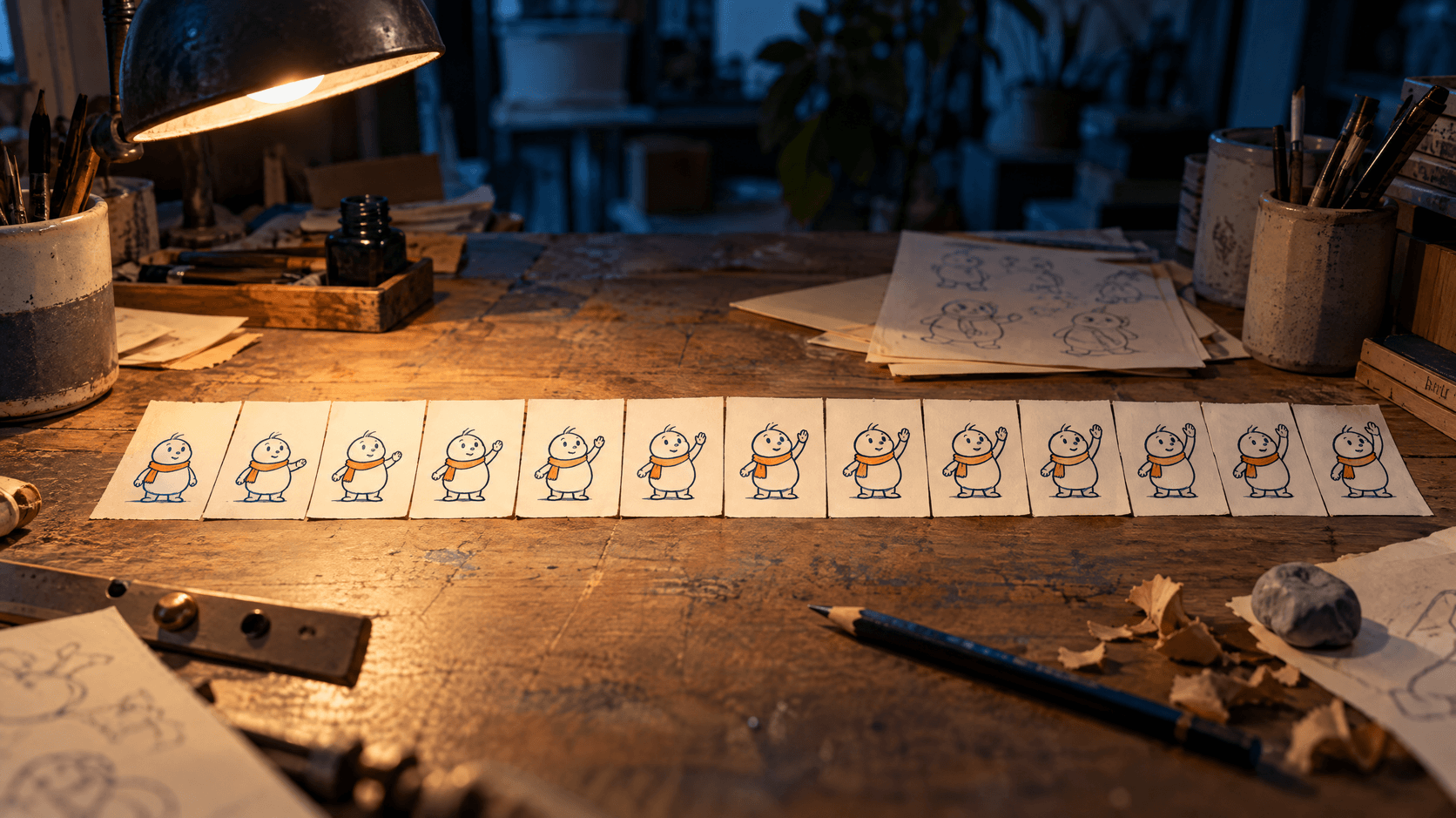
GPT Image 2.6 can make sprite sheets that actually animate, as long as what you’re animating is a drawing, like a cartoon character. We tested it at TJ Digital the day after OpenAI released it, and got usable animations of a drawn character waving, reacting and standing idle. It doesn’t work for products yet. When we asked it to show a mug turning, the mug’s design changed from one view to the next.
OpenAI’s release notes for GPT Image 2.6 list animated GIF generation among its features and don’t mention sprite sheets at all. So there’s no official word on how well it makes them. What we know comes from testing it ourselves.
Claude Opus 5.5 edits our videos, and with the right guidance, I think it’s as good as an expert human video editor. But Claude can’t generate images or video.
In code, Claude can move a whole picture around the screen. Making the drawing itself change, like a character’s arm waving, has taken a lot more work. A sprite sheet solves that. GPT Image 2.6 draws each pose, and Claude turns the drawings into an animation.
Table of Contents
What Is a Sprite Sheet?
A sprite sheet is a single image that holds every frame of an animation, laid out in a grid. Each cell is one drawing. In a wave, the first cell might show a character with its arm down, the next with the arm a little higher, and so on until the arm is all the way up. Play the cells in order, fast enough, and the character waves.
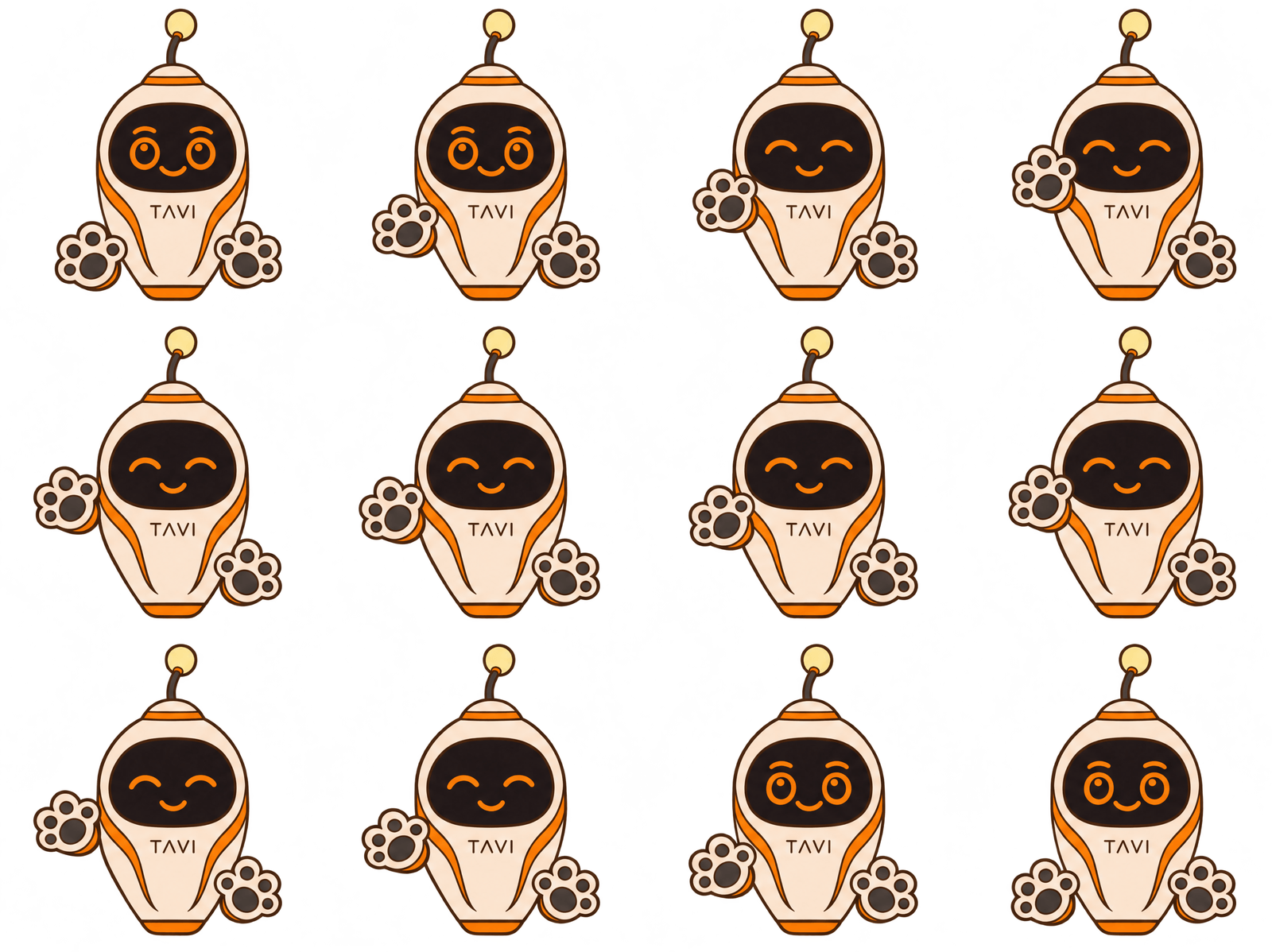
The sheet below is one from our test: 12 drawings of a cartoon character waving.
Video games use sprite sheets to animate their characters. I’ve wanted an AI that could draw a good one for years, ever since I was using Midjourney to make art for a video game side project.
The useful thing about a sprite sheet is that every frame is a still drawing you can check before it goes into your video.
What Can GPT Image 2.6 Animate Well?
GPT Image 2.6 does well at drawing the frames for a cartoon character’s animation. Our test was 15 generations on November 5, 2026. Most were of one drawn character, made both as sprite sheets and as animated GIFs. The rest were a turning mug and a drawn light bulb.
GPT Image 2.6 comes in two versions, Sunburst and Flare. All four character sprite sheets we made with Sunburst were usable once their frames were lined up, including a 12-frame wave at 4K resolution.
It also does well with a drawn object, using what animators call a line boil. A line boil is the slight wobble you see in hand-drawn animation when the same drawing is traced again for every frame. The lines shimmer a little, so the object looks alive even while it sits still.
We asked for six tracings of a drawn light bulb in one sheet. They stayed within 2 to 3 pixels of each other, which is exactly the wobble you want. The sheet was usable as it came out. Claude couldn’t have made that wobble in code, since it changes the drawing itself.
Can GPT Image 2.6 Animate a Product?
GPT Image 2.6 couldn’t animate a product in our test. We asked for a turntable of a mug, meaning the mug shown from every side as if it were turning on a stand. Between views, the mug’s design changed: the tab on its lid opened and closed.
We tried again. This time we gave it the first view it had drawn of the mug as the picture to match, and we told it the lid stays closed. It ignored that instruction in 4 of the 8 views.
That rules it out for products for now. For a product that needs to move, we have Claude build a 3D model of it and animate that instead.
How to Turn a Sprite Sheet Into an Animation
GPT Image 2.6 only draws the frames. The other three jobs are done in code: cutting the sheet into separate frames, lining them up and timing them. Claude writes and runs that code for us.
Claude can also ask GPT Image 2.6 for the sheet itself. GPT Image 2.6 is available through OpenAI’s API, so all Claude needs is an OpenAI API key. That’s a code from your OpenAI account that lets another program, like Claude, use OpenAI’s models.
If you edit in another program, the frames still work there. Once they’re cut apart and lined up, each frame is a transparent image you can use in any video editor.
Start With One Reference Drawing
Give GPT Image 2.6 one drawing of your character to work from, and use that same drawing for every animation you make of that character. In our test, starting from one reference drawing was part of what made the sheets work on the first try. If you don’t have a drawing of your character yet, have GPT Image 2.6 make one first, and get it right before you ask for any motion.
What to Put in Your Request
Ask the Sunburst version of GPT Image 2.6 for a sprite sheet with a transparent background. We also tried its animated GIFs and its Flare version, and both came out worse.
| What we asked for | What we got |
| A sprite sheet from Sunburst | Smooth, see-through edges, so the character sits cleanly over any background |
| An animated GIF from Sunburst | Jagged edges, because every pixel is either fully see-through or fully solid. The mug GIF came back with a ragged white border instead of a see-through background |
| A sheet or GIF from Flare | Stray specks on the outlines, and cartoon motion marks we never asked for |
A 12-frame sheet at 4K gives you frames about 830 pixels across.
In the request, say what must not move. When our prompt said the character’s body doesn’t move, the body stayed within 1 pixel of the same spot across all 12 frames of the wave. Here’s an example of what to ask for, sent along with your reference drawing:
> Make a transparent sprite sheet of this character waving: 12 frames in a 4 by 3 grid of equal cells, with no borders, gaps or numbers. The body doesn’t move, lean or bob. Only the waving arm moves. No motion lines.
Cut the Sheet Into Frames and Line Them Up
Once you have the sheet, Claude cuts it into separate frames, one per cell. Then it lines the frames up so the character’s body sits in exactly the same spot in every frame.
Line up every sheet, even one that looks right. Our smaller sheets of the character standing idle, waving and reacting looked fine at a glance. But the body drifted 3 to 11 pixels from one frame to the next. Played as they came, the character would shift around on screen.
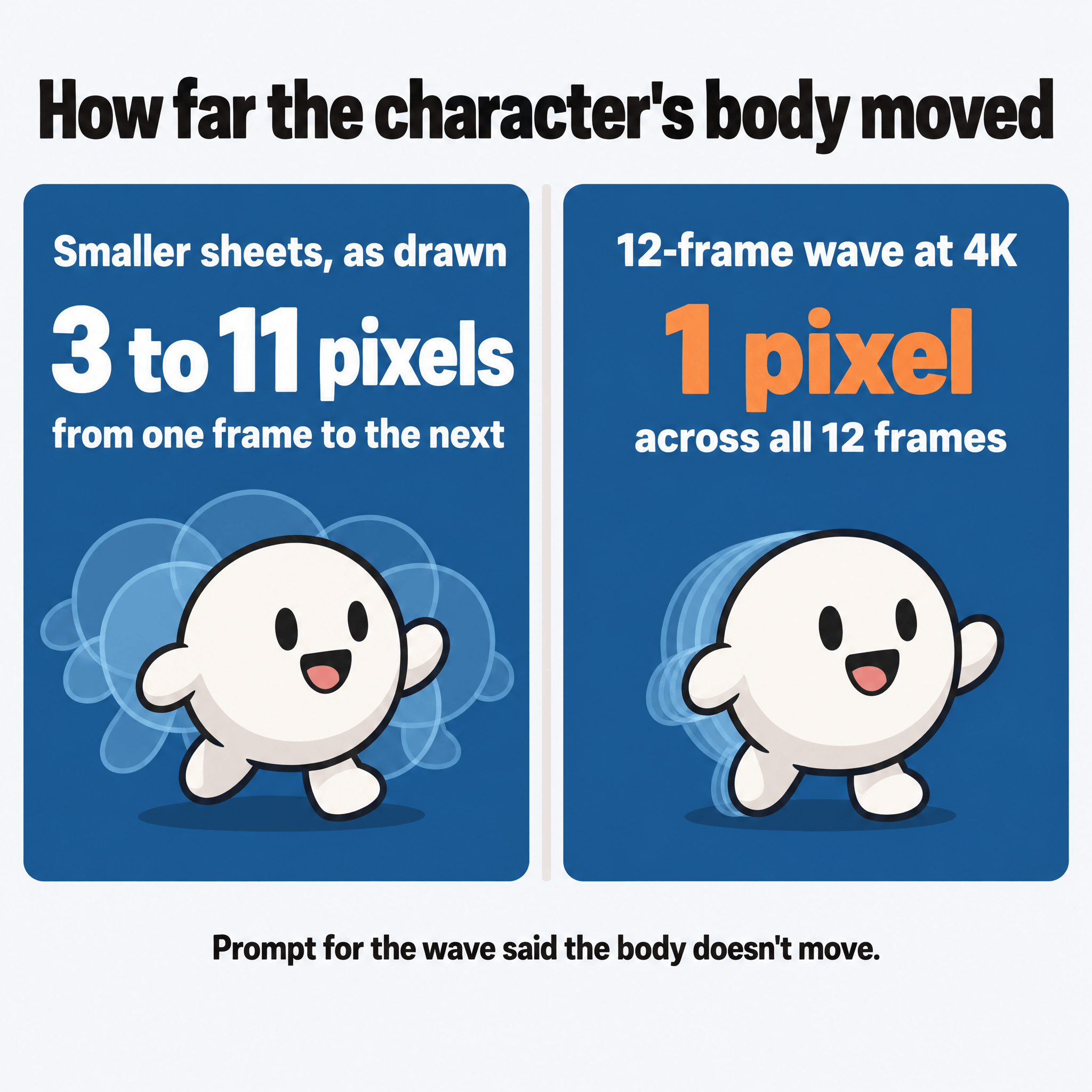
The whole character shifts as one piece without changing shape, so moving each frame back into place lines everything up. Claude measures where the body sits in each frame and shifts the frame to match.
Time the Frames in Code
GPT Image 2.6 draws the poses, but it has no idea how long any pose should stay on screen. Claude sets that in code, choosing which drawing shows and for how many video frames.
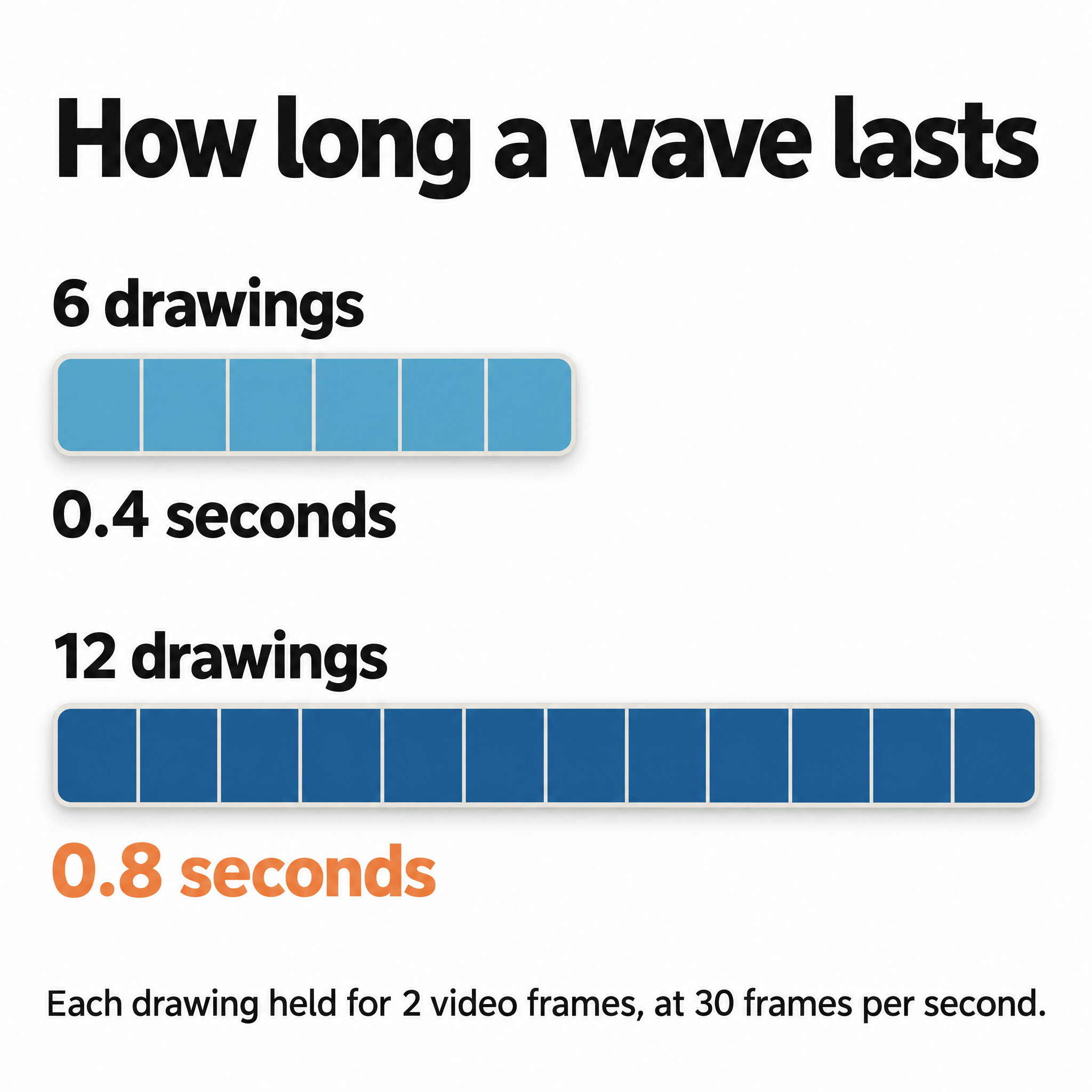
Our smaller sheets had six drawings each, and six drawings go by fast. Held for two video frames each, as animators often do, they make 12 frames of video. At 30 frames per second, that’s 0.4 seconds, which is too quick for a wave.
So ask for 12 drawings. Held the same way, they last 0.8 seconds. Claude can also hold any drawing longer where the motion needs more time.
Deciding the timing is a big part of the control you get with sprite sheets. You choose how long the character holds still before it moves, how fast it moves and how long it holds the last pose.
Then the frames go into the edit like any other image, and Claude can place the character, size it for the shot and move it around the screen.
Why Not Just Use an AI Video Model Like Seedance?
An AI video model like Seedance, ByteDance’s video model, could animate a character for you. But I generally don’t recommend AI video models if you’re making videos for your business or brand.
You have very little control over what an AI video model makes. And most people still hate AI-generated video. Generating video this way is also very expensive.
I’d rather have Claude edit real footage of real people, where you can fine-tune every decision it makes to match your brand. AI-edited video like that holds up, while video AI generates from scratch is still hit or miss. I go into that difference more in my post on whether AI can make high-quality videos for your business.
How Did Claude Animate Images Before GPT Image 2.6?
Before GPT Image 2.6, we had two ways to make something in an image move, like a product you want to rotate or a character you want to animate.
The first was to have Claude build a 3D model of it, then rig the model (give it joints so its parts can move) and animate it. That’s what we did for our music video starring Tavi, our AI system.
The second was to generate a video of the object in Seedance, then cut the object out of every frame so it could go into the edit. That brings back the control problem of AI video.
A sprite sheet gives Claude a third way, and for drawn characters and objects it’s the simplest of the three. Claude can now animate them from drawings, without a 3D model or an AI video model. With a 3D model for any product that has to turn, I think Claude can now make any video imaginable.
If you try this on a character of your own and have questions, reach out through our contact page or email me at [email protected].