How to Build a Website for an Actual Business Using Claude in 2026
Short answer:
- Give Claude examples of websites you like, and have it make several homepages until one feels like your brand.
- Have Claude write a design.md file that describes that look, so every later page matches it.
- Have Claude write the site’s code in Astro, and use Cloudflare as your web host.
- Skip the CMS and page builder, and ask Claude for changes.
- Store the site’s files (its pages, content and code) in GitHub or GitLab, so you get backups and a preview link for every change.
- Ask Claude to check accessibility and basic SEO.
- Let your team change the site by asking their own AI, through a connection you control (an MCP server) that limits what each person can do.
- Add the features your old platform didn’t allow.
- Connect the site to the other apps you use, like your CRM.
- Set up alerts that tell you when one of those apps changes, because a change can break the connection.
If you sell products online, put the whole website on Shopify instead.
If you’ve ever used AI to build a website, you know how easy it is. But if you’ve ever tried to take that AI-built website and use it for your actual business, you’ve probably run into a few problems. It looks like every other AI site, there’s no obvious way to edit it, and you’re not sure where it should live or who on your team should be allowed to change it.
A website built with Claude can be the website your business runs on. The result is the kind of site a developer would write by hand, with no WordPress or Wix underneath limiting what it can do.
Custom-built, handcrafted websites without any platform dependencies used to be very expensive to build and maintain. Now Claude or ChatGPT can do most of the work.
At TJ Digital, we used to build essentially all of our websites on WordPress. About four months ago, we switched to building all of our websites with Claude, and it’s been so much better.
Like everyone building custom websites with Claude, we’re still figuring out parts of the process. But we’ve learned a lot in those four months, and I’d rather you didn’t have to learn it the hard way.
Table of Contents
Why does a Claude-built website look like every other AI site?
A Claude-built website looks like every other AI site because, with no direction, AI models go with the most common design choices. Anthropic, the company behind Claude, has written about this problem. When you ask an AI model to build a landing page without guidance, Anthropic says, “it will almost always conform to Inter fonts, purple gradients on white backgrounds, and minimal animations.”
ChatGPT can build a website too, but I recommend Claude, because we think it’s the best model right now. Use Claude Code, the version of Claude that works directly on your website’s files, for the first draft and everything after it.
To fix the look, you’ll probably try a bunch of ready-made design skills and prompt templates. Eventually you’ll realize that what works best is just giving Claude examples of websites you like.
Send it screenshots or links to a few sites, and tell it what you like about them: the fonts, the spacing, the way the homepage is laid out. An example shows Claude exactly what you mean, so it has something specific to match. Examples help most when the quality you want is hard to describe, like the look of a website.
How many homepage designs should you have Claude make?
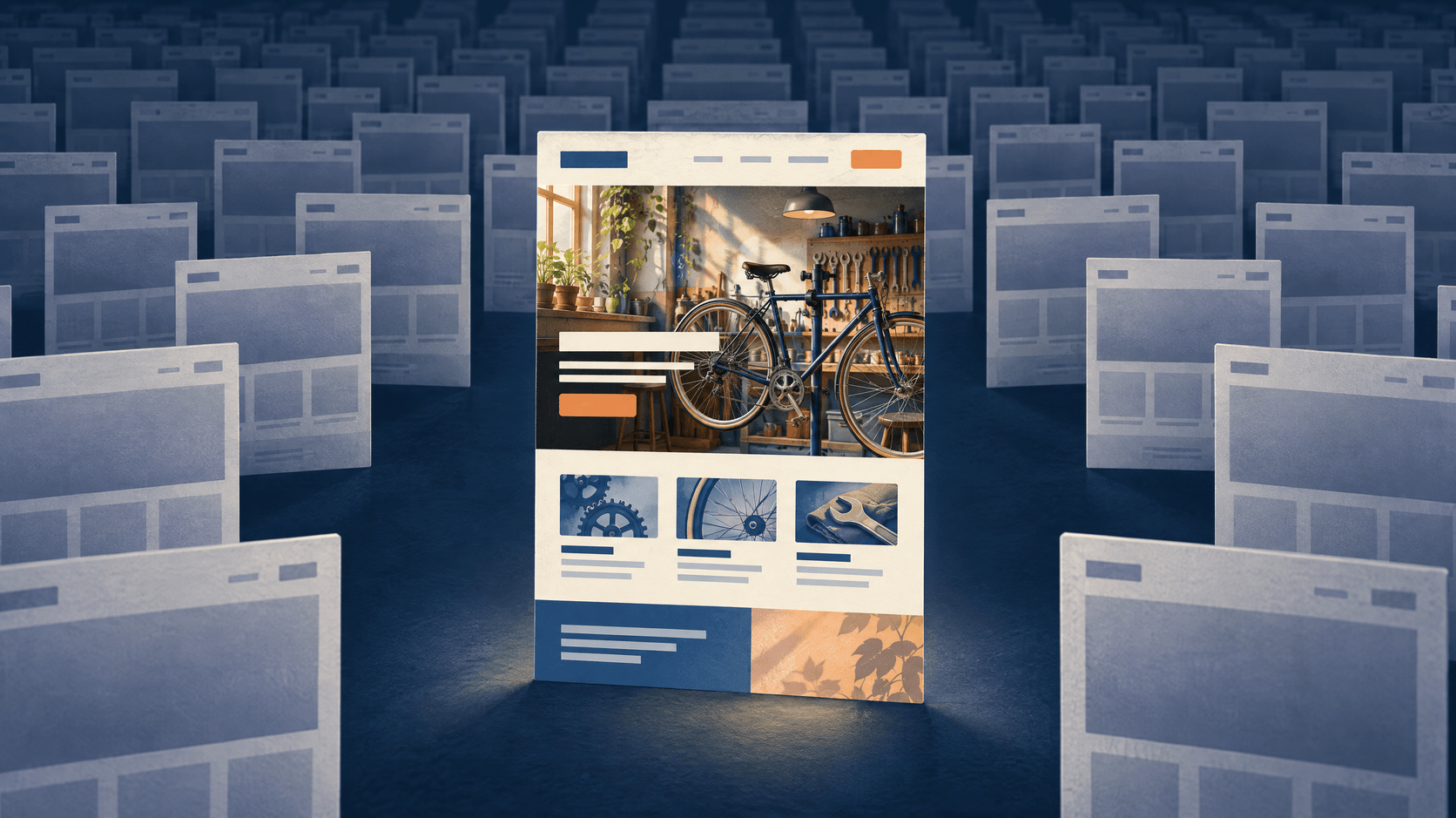
Ask Claude for several homepage designs, because you can iterate a lot faster than you’d expect. You might as well have it make three homepages, or twelve.
Look at them side by side and pick the one that’s closest to what you want. Tell Claude what you’d change, have it make a few more versions of that one, and keep going. Eventually you’ll have a homepage that feels exactly like your brand.
How does a design.md file keep every page on brand?
A design.md file is a written description of your brand’s look that Claude follows on every page it builds. Once you have a homepage you love, ask Claude to draft one with everything it learned getting there.
The .md means it’s a Markdown file, which is plain text with a few symbols for headings and lists. In it, Claude writes down your colors and what they’re used for, your fonts, your spacing, how buttons and sections look, and the feedback you gave it along the way.
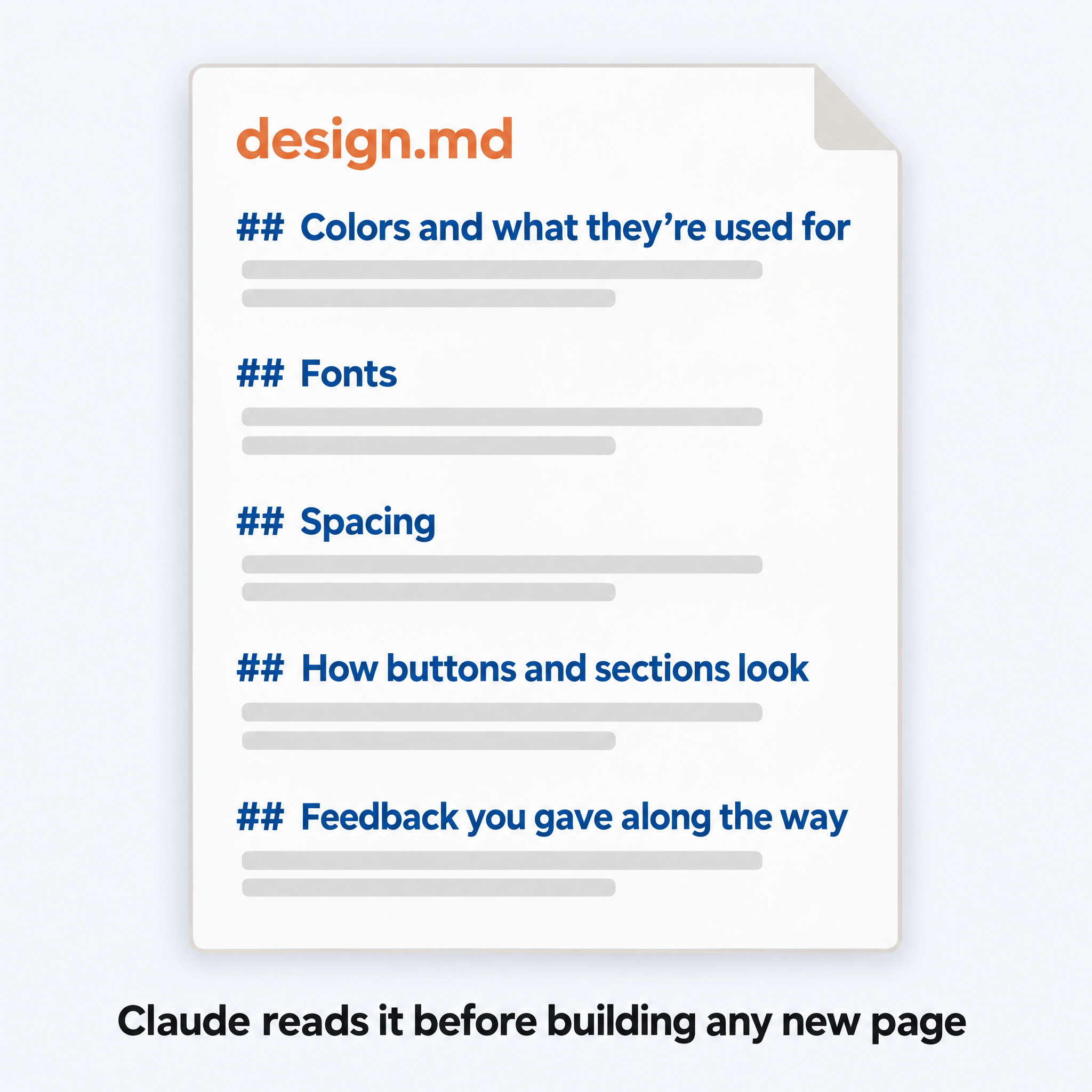
Before Claude builds any new page, have it read the file. That way, a page you add next year still looks like it belongs next to your homepage.
What framework should you use for a Claude-built website?
A framework is the set of building blocks and rules a website’s code is written in. Astro is the framework we build our custom websites in, because AI has gotten very good at building and updating sites made with it. If Claude didn’t already use Astro for your site, ask it to switch.
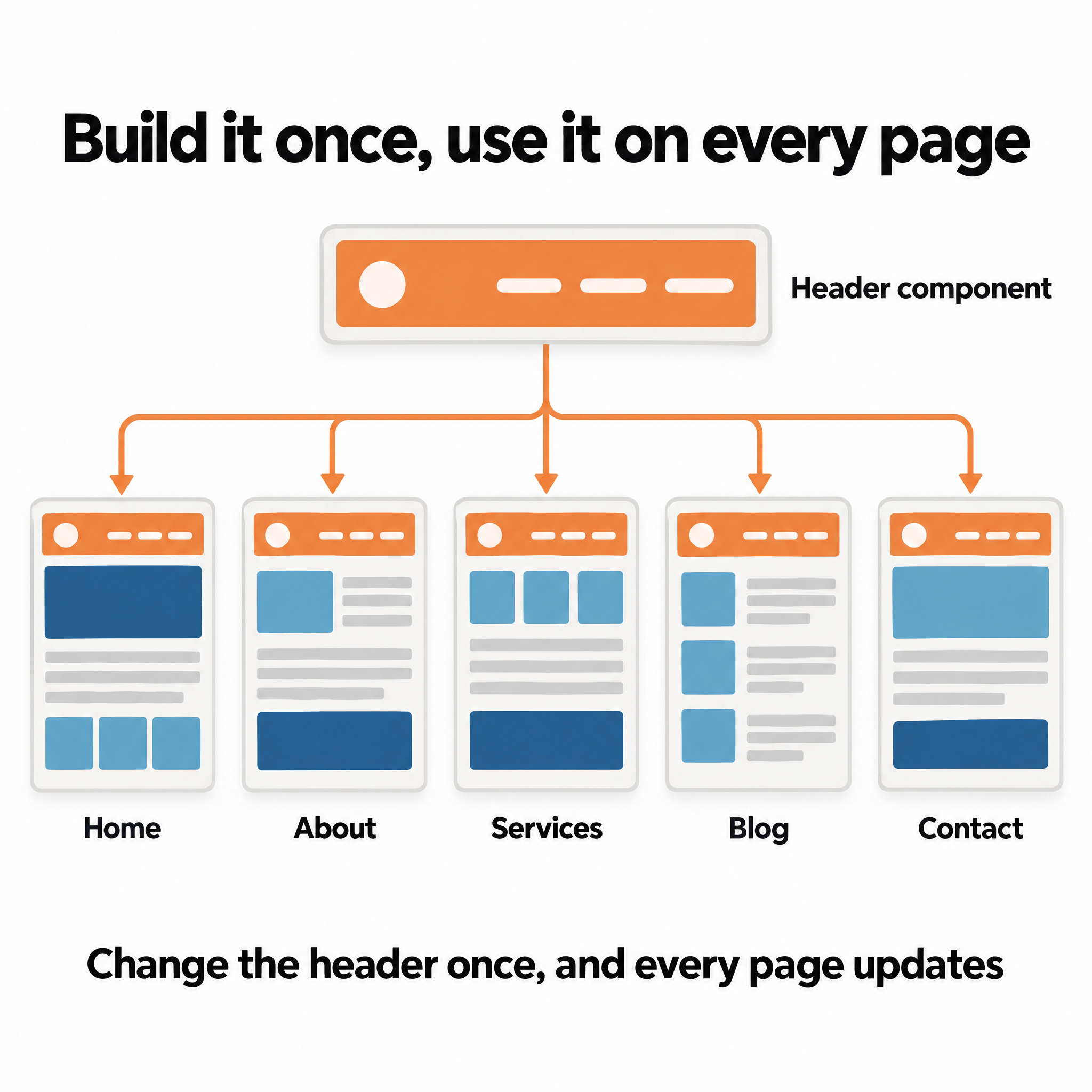
Astro lets you reuse components. A component is a piece of a page you build once and use on every page that needs it, like a header. Change the component once, and the change shows up everywhere it’s used.
Astro also lets you store your content as Markdown files, which AI loves. The words for each page or blog post can sit in their own plain text file, apart from the code that controls the design. Claude can then change your copy without touching the layout.
And Astro sites are fast. Astro builds each page before anyone visits, so the page is already finished when a visitor arrives. By default, it also sends little or no JavaScript to the visitor’s browser, which leaves the browser less to download and run.
You don’t need to learn Astro yourself. Chris Lema wrote this after launching his own Astro site: “Do I know Astro? Nope. But I know how to ask for what I want.”
Where should you host a website built with Claude?
Cloudflare is where I’d host a website built with Claude, and by this point, Claude has probably already recommended it. Astro has already finished every page, so you can upload the pages to Cloudflare as they are. Cloudflare then sends each page from a location near the visitor, which helps it load faster.
The company behind Astro is part of Cloudflare now, so you might wonder whether using Astro ties you to Cloudflare. It doesn’t. Astro says it will stay free and open source, and Cloudflare says you can still put an Astro site online with any web host.
Cloudflare has two products that can host an Astro site, Pages and Workers, and many guides still tell you to use Pages. Cloudflare’s own docs now say “Start new projects with Workers,” since Workers handles most of what Pages does and more. If Claude sets your site up on Pages, ask it to use Workers instead.
Do you need a CMS or page builder?
Most businesses with a Claude-built website don’t need a CMS or page builder, even though you’ll probably think you do at first. You’ll want a way to click around and move stuff, the way you could on WordPress or Wix. So you’ll install something like Sanity, a CMS that keeps your content separate from your design, and Puck, an open-source drag-and-drop editor.
Then a month later, you’ll realize you never use them, because it’s way easier to just ask Claude to make the changes for you. So you’ll remove them.
We learned this with a CMS we built ourselves, which had a drag-and-drop page builder. Our team said they’d never use it to design or update a page, so we dropped the visual CMS and page builder from our builds entirely.
Making a change without a CMS means telling Claude what you want in plain words, the way you’d ask a person, and checking the result before it goes live.
How do you back up your site and preview changes before they go live?
Your website is a folder of files: the code for every page, the Markdown files with your content, and the design.md. Sooner or later, you’ll want version control for automatic backups, and a way to see a preview link before anything goes live. You get both by moving those files to GitHub or GitLab.
Version control keeps a record of every change to your files, so if a change breaks something, you can go back to the version before it. GitHub and GitLab store your files online along with that record. Connect your GitHub or GitLab account to Cloudflare, and Cloudflare publishes your site from the files there.
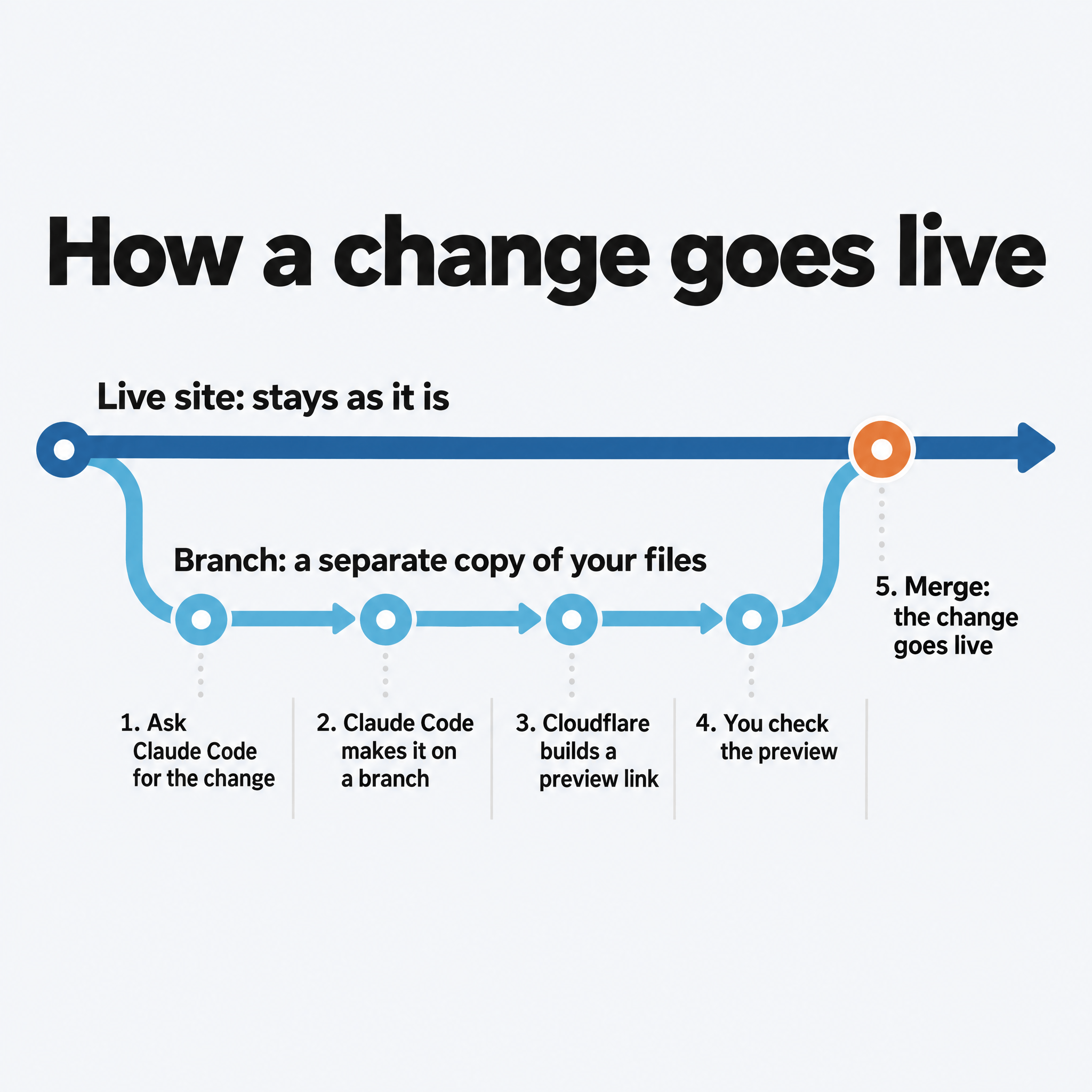
Once that’s set up, a change goes live like this:
- You ask Claude Code for the change.
- Claude Code makes the change on a branch, which is a separate copy of your files, so your live site stays as it is.
- Cloudflare builds a preview of the site from that branch and gives you a link to it.
- You open the link and check the change.
- If it looks right, you merge the branch into the main copy of your files. Cloudflare then publishes the change to your live site.
Guillaume Lebedel described the same routine at StackOne, a software company that rebuilt its marketing site with Astro, Claude Code and Cloudflare: “Describe what you want to Claude Code, review the preview URL, merge.”
Does Claude handle accessibility and basic SEO?
At some point you’ll realize you forgot about accessibility and basic search engine optimization. In our experience, when you ask Claude to fix accessibility and basic SEO, it usually tells you it already did.
Ask anyway, and have Claude confirm these SEO basics from Google’s SEO Starter Guide:
- A page title that’s unique to each page, clear and concise
- A short meta description for each page, which is the summary Google can show under your title
- URLs that describe what’s on the page
- Links between your pages, because links are the main way Google finds pages
For accessibility, the international standard is WCAG, the Web Content Accessibility Guidelines from the W3C. Have Claude confirm these basics from the W3C’s Easy Checks:
- Alt text on any image that shows information or works as a link or button, so people using screen readers get the same information (Google uses it too); purely decorative images get empty alt text
- Headings that show how each page is organized
- Enough contrast between text and its background
- A site that works with only a keyboard, for people who can’t use a mouse, with a visible outline around the link or button you’ve moved to
- Forms with labels and clear error messages
The W3C says these quick checks cover only a few accessibility issues. For a fuller review, ask Claude to check the site against WCAG 2.2, the current version of the standard.
How do you let your team make changes without risking the site?
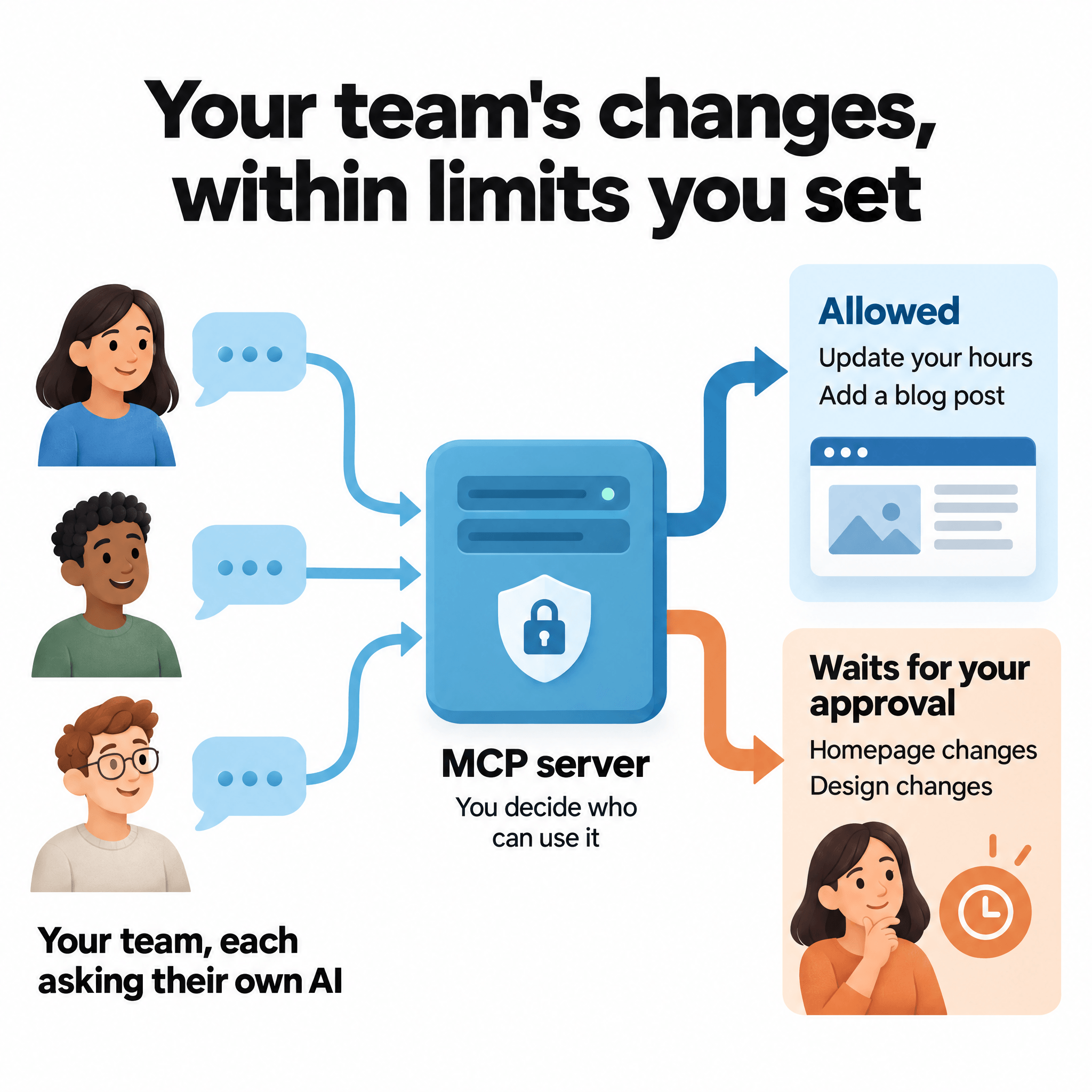
Eventually you’ll want your team to use the website too, not just you. But maybe you don’t trust everyone on your team to make whatever changes they want. An MCP server lets each person on your team change the site by asking their own Claude or ChatGPT, within limits you set.
MCP stands for Model Context Protocol, a standard way for AI apps to connect to other software. An MCP server is the connection your team’s AI uses to reach your website. You decide who on your team can use it.
The server also limits what each person’s AI can do. It can allow some changes and hold others until you approve them. For example, you might let someone update your hours and add blog posts, while any change to the homepage or the design waits for your approval.
You can create an MCP server yourself with Claude’s help, or you can have us do it for you.
What can a custom website do that your old platform couldn’t?
On a custom site, essentially any feature you want is possible, because no platform is deciding what you’re allowed to add. So think about the one thing you’ve always wished your website could do, but your old platform wouldn’t allow. It might be a calculator, a quote builder or a booking form.
Ask Claude for it, and it’ll come back and tell you it’s built. Features that take payments, handle logins or store customer data are possible too, but they need more care and more testing before they go live.
How do you connect your website to other apps?
Your website still needs to talk to the other apps your business uses, like your CRM or your email marketing tool. Apps share data through APIs, which are the connections one piece of software uses to send information to another. Claude will wire those up for you too.
Then have Claude set up alerts that tell you when one of those apps has changed how its API works, or is about to. A change like that can break the connection on your site, so you want to hear about it before your visitors run into it.
Should you build an online store with Claude?
An online store is the one kind of website we don’t build with Claude. If you sell products online, put your whole website on Shopify, because it handles products, checkout, payments, shipping and tax better than anything we’d build custom.
How hard is it to rebrand a website built with Claude?
Maybe one day you’ll decide you want to rebrand and rebuild the whole website. On a website built with Claude, a rebrand is no longer a big project, because your content already sits in Markdown files and your look is written down in your design.md.
A rebrand means going back through the first few steps with the new brand: new examples, a new homepage and an updated design.md. Then Claude applies the new look to the rest of the site.
Building websites this way is part of what we do at TJ Digital. If you’d rather have us build yours, or you have questions about any of this, reach out through our contact page or email me at [email protected].