
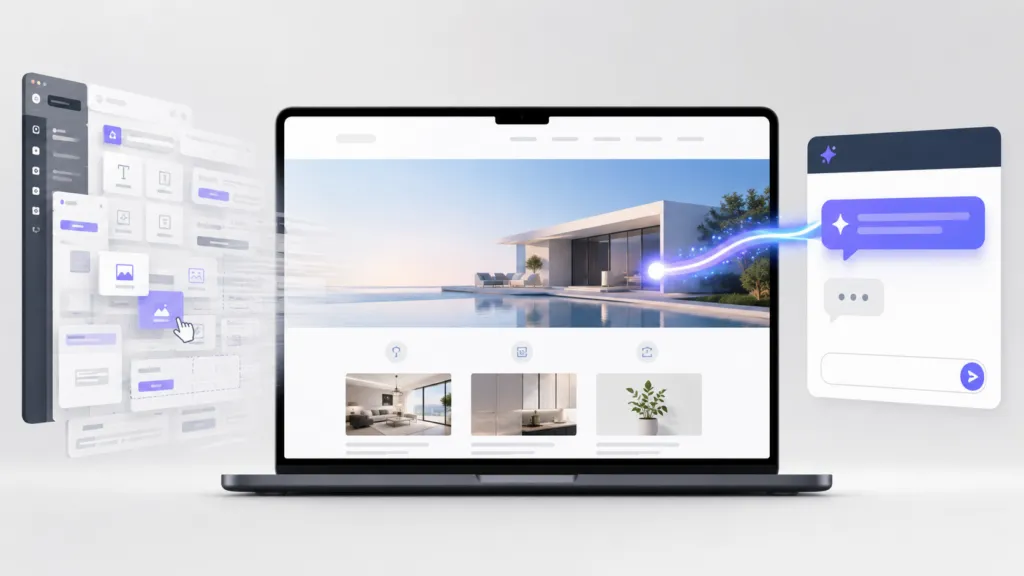
For most businesses, the answer is quickly becoming no. At TJ Digital, we’ve been building websites with AI in some shape or form for about a year, and we just dropped the visual CMS and page builder from our builds entirely. Asking Claude to update a website is now easier than clicking through a drag-and-drop builder, and it requires less technical knowledge.
A week ago, I made a video about how my agency is done building WordPress websites. Since then, we’ve built a few more sites with Claude Code, and I’m even more confident we’re never going back. But our thinking about how websites should be built is evolving quickly, so in the spirit of building in public, here’s an update.
Table of Contents
ToggleWhy We Stopped Building WordPress Websites
WordPress carries overhead that AI-built websites don’t have. A typical WordPress site runs 20 to 30 plugins for SEO, caching, security, and forms. Every one of those plugins needs updates and maintenance.
The security numbers back that up. Patchstack’s 2026 security report found 11,334 new vulnerabilities in the WordPress ecosystem in 2025. Plugins accounted for 91% of them.
We now have a team of AI-native developers whose only job is to figure out the best way to build websites for the future. This technology is moving fast, so like everyone else, we’re figuring it out as we go. I’ve written before about the best website platform choices for businesses that aren’t ready to leave WordPress yet, and that advice still stands.
@tjrobertson52 Do you still need a CMS if AI can update your website? We built one and our team never uses it. #webdev #wordpress #ClaudeCode #AI
♬ original sound – TJ Robertson – TJ Robertson
What Happened When We Built Our Own CMS
In my last video, I mentioned that our web dev, Hana, had built our own custom CMS. It came complete with a user-friendly visual backend and a drag-and-drop page builder. It’s beautiful, and it works great.
But as many of you pointed out in the comments, a CMS needs to be maintained, and that’s extra overhead. Many of you suggested we use an existing headless CMS like Payload or Sanity, or that we just make WordPress work. Trust me, we have tried a lot of them.
Most of these tools work fine for typical websites. Our problem is that we have big ambitions. We have systems we want to integrate into these websites, and every existing solution we found had limitations we weren’t willing to accept.
Who Is the Visual CMS Actually For?
Last week, our consultant, Lucia, asked a question that changed our direction. She asked who we were actually building this CMS for, specifically the visual backend and the page builder. My knee-jerk answer was our clients, of course.
It’s important to us that all our clients own their own website. We don’t believe you should ever be locked in or dependent on a single vendor to update your site. And at this point, most people are used to a visual backend like WordPress with a drag-and-drop builder.
Then I asked our team a simple question. Would you ever use the visual CMS or the page builder to design a page or make updates? Unanimously, the answer was no.
How Do You Update a Website Without a CMS?
You ask Claude. In essentially every situation, it’s easier to describe the change you want in plain language than to make that change through a page builder.
We even published a live demonstration on our own site. Claude created and published This Page Built Itself from a single prompt.
Updating your website with Claude requires less technical knowledge than using a page builder. You describe what you want, review the result, and approve it. Here’s how the two approaches compare:
| Page Builder | AI Updates with Claude | |
| How you make changes | Click, drag, and configure blocks | Describe the change in plain language |
| Technical knowledge required | Moderate (builder-specific skills) | Low (describe what you want) |
| Speed for typical updates | Minutes to hours | Minutes |
| Ongoing maintenance | Builder, plugins, and CMS updates | None for the editing layer |
| Content portability | Often trapped in builder formats | Clean HTML anyone can work with |
Is It Safe to Let AI Update Your Website?
Yes, if you follow a disciplined process. You never want an AI making changes directly on your live website. Our workflow keeps a human in control at every step:
- Claude applies the requested updates to a staging site first
- Deterministic checks run automatically to confirm nothing broke
- A person reviews the staged changes
- Only approved changes get pushed to the live site
Even with those steps, the process is still faster and easier than the old way. The checks are automated, so the extra safety costs almost nothing.
Why We’re Betting on AI Website Management
With the websites we’re currently building, we’re placing a bet. We’re betting that AI is only going to get better, and that page builders and CMSs are going to stay exactly where they’re at. What you’ll care most about in the future is that AI models like Claude can easily update and maintain your website in a way that’s safe and secure.
You’ll still need databases, and you may want reusable widgets that are professionally maintained. But our bet is that the overhead of a visual CMS isn’t worth it anymore.
I’m sharing this primarily so you can learn from our trial and error. In my last video, hundreds of people took the time to leave thoughtful comments, and those comments shaped our thinking. Please keep them coming, because we’re figuring this out together.
What Else Should You Know About Going CMS-Free?
Can you still own your website without a CMS?
Yes, and ownership actually improves. Your content lives as clean HTML and structured files that any developer or AI tool can read. You’re never locked into a proprietary builder format or dependent on a single vendor to make updates.
Do you still need a database without a CMS?
Usually, yes. Dynamic features like forms, feeds, and client portals still need somewhere to store data. The difference is scope, because the database now serves specific features on the site and no longer powers an entire editing dashboard.
Should you use a headless CMS like Payload or Sanity?
They’re solid tools, and for many teams they’re a real upgrade over WordPress. We tried several and hit limitations with the custom systems we want to integrate into client websites. If your needs are standard, a headless CMS can work well.
Is updating a website with AI hard to learn?
No. It takes less technical knowledge than learning a page builder. You describe the change you want in plain language, the same way you’d explain it to a developer. Then you review the result before it goes live.
Reach out through our contact page and we’ll show you what an AI-built website would look like for your business.