
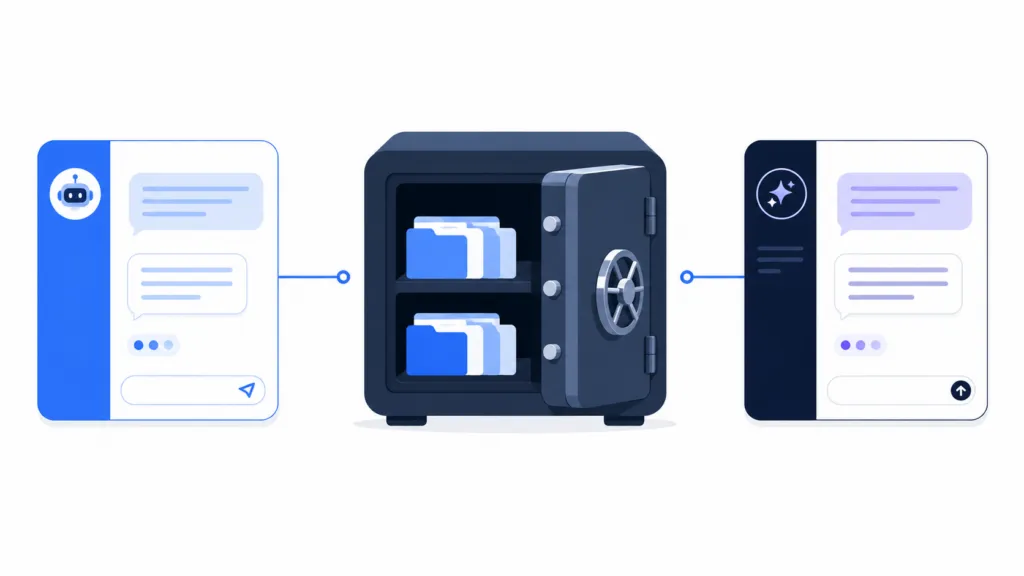
AI memory is convenient. It’s also a trap if your most important context only lives inside one provider’s system. The way to avoid vendor lock-in is to treat AI memory as a convenience cache and keep anything that matters in a system you own.
At TJ Digital, we build and maintain an AI knowledge base for every client. The architecture is designed so that no single AI vendor holds our data hostage.
The more you use ChatGPT or Claude, the more these tools learn about you. Your preferences, your projects, your terminology, your working patterns. That accumulated context makes switching to a competitor painful, because the new service starts from zero.
If you’re a power user paying $200 a month for AI, or if your team relies on it for daily work, you need to think about this before it becomes a problem.
Table of Contents
ToggleHow Does AI Memory Actually Work?
AI memory doesn’t mean the model is permanently learning from you. It’s an application-level system that stores and retrieves context outside of the immediate conversation.
ChatGPT’s newer memory system is what OpenAI describes as a continually updated synthesis of context from past chats. It pulls from your conversations, files, and connected apps to personalize responses. The problem is that OpenAI also says the memory summary you can see in settings may not include everything ChatGPT actually remembers.
That makes ChatGPT’s memory convenient but impossible to fully audit.
Claude’s memory system has changed a lot recently. Anthropic now stores memory as individual entries that you can review, edit, and even export or import. Claude also separates memory by project, which is useful if you’re managing multiple workstreams.
Both systems involve AI-mediated selection and compression. The AI decides what’s important enough to remember. That works for personalizing your experience, but you shouldn’t treat it as a database.
@tjrobertson52 Should I use Claude’s memory or build my own knowledge base? Claude’s memory just got better. That’s the problem. #Claude #AITools #KnowledgeBase
♬ original sound – TJ Robertson – TJ Robertson
Why Does AI Memory Create Vendor Lock-In?
AI memory creates lock-in because the accumulated context becomes a switching cost. Every month you use an AI assistant, you’re depositing more of that context into the platform. Your preferences, your project history, your team’s terminology, your customers, your workflows.
OECD research on digital markets describes data portability as a mechanism that reduces switching costs and lock-in effects. When portability doesn’t exist, switching gets expensive.
The lock-in gets worse as the context deepens.
| Lock-In Type | Example | Switching Difficulty |
| Preference | “Use British English” | Low |
| Conversational | Months of relevant past chats | Moderate |
| Project | Project files + history + summaries | Moderate to high |
| Workflow | Agents, connectors, automations | High |
| Organizational | Years of company knowledge inside one AI workspace | Very high |
The most dangerous form is organizational lock-in. That’s when a business has allowed its institutional knowledge to exist primarily as personalization state inside one vendor’s product.
Losing “I prefer bullet points” is annoying. Losing years of accumulated company context is a real problem.
I suspect the AI companies know this. I think that’s why they’re investing so heavily in memory features. The more context you put in, the harder it is to leave.
Can You Export Your AI Memory?
Claude is in a better position on memory portability than ChatGPT.
Anthropic now lets you inspect your memory, export it, save it locally, and import it into another AI service. They even provide a prompt you can paste into ChatGPT or other tools to extract your context and bring it into Claude. That’s a meaningful step toward portability.
ChatGPT is a different story. OpenAI does let personal account users export conversation data. But their documentation says the transfer process does not recreate old chats, restore settings, or move memories.
The bigger concern is ChatGPT Business. OpenAI’s own documentation states clearly that data export is not available in a ChatGPT Business workspace. If you’re a business that has been building up context, workflows, and organizational knowledge inside a ChatGPT Business account, you can’t easily take that data with you.
That should concern every business owner evaluating AI tools right now.
Is Built-In AI Memory Reliable Enough for Business?
Even if export weren’t an issue, built-in AI memory has fundamental limitations that make it unsuitable as a system of record for business.
Memory completeness is not guaranteed. OpenAI says the ChatGPT memory summary may not show everything the system actually remembers. Claude’s import feature also involves the model extracting “key information,” which means some context may not come through.
You can’t audit what you can’t see.
There’s no provenance. In January, a contract says it renews March 31. In August, an amendment changes the renewal to June 30. A proper system keeps both states, the effective dates, and the amendment that triggered the change.
AI memory might summarize, overwrite, or combine those details. That’s useful for conversation but dangerous as an authoritative record.
Personal AI memory doesn’t scale to teams. If one person on your team learns something important in a customer call, their personal AI memory is the wrong place for that information. It needs to live in a shared system where the rest of the team can access it with proper permissions.
For anything that matters to your business (customer commitments, contract terms, pricing decisions, product specs, company policies), the correct architecture is to keep the source record in a system you control and let the AI read from that system.
How Should Individuals Store AI Context?
If you’re working solo, you don’t need anything complicated. A well-organized folder of plain text files is enough.
A practical layout looks like this:
ai-context/
├── profile.md
├── preferences.md
├── working-style.md
├── glossary.md
├── projects/
│ ├── product-launch/
│ │ ├── brief.md
│ │ ├── decisions.md
│ │ └── status.md
│ └── research-project/
│ └── notes.md
├── decisions/
│ └── 2026-08-pricing.md
└── reference/
Markdown is the best default format for a few reasons:
- It’s human-readable
- It’s easy for AI to consume
- It’s compatible with version control (Git)
- It’s not tied to any specific provider
This is the same approach we use at TJ Digital when building knowledge bases in OKF for our clients.
Once your context starts becoming structured data (lists of contacts, projects, customers, research papers), consider adding a SQLite database. SQLite stores everything in a single file with backwards compatibility going back to 2004. It’s one of the most durable data formats available.
The key improvement over conversational memory is provenance. Every important fact should include where it came from.
# ACME Renewal
Renewal date: 30 June 2027
Previous date: 31 March 2027
Changed under amendment signed 28 August 2026
Source: contracts/acme-amendment-2026-08-28.pdf
Now the AI can answer not only “When does ACME renew?” but also “Where did that date come from?” That’s knowledge management. And it’s far more reliable than anything a chatbot can remember for you.
How Should Teams Build an AI Knowledge Base?
Teams need more than a folder on one person’s laptop. The goal is an organization-controlled source of truth that multiple people and multiple AI models can access.
Is Git a Good Option for AI Knowledge Bases?
Markdown files in a Git repository give you human-readable content, line-by-line change history, review before merge, and distributed local copies. AI-generated changes can be reviewed just like human-authored documentation.
Can You Use Notion as an AI Knowledge Base?
Notion works well for non-technical teams because it combines collaborative writing, databases, and permissions in one place. It’s a much better home for organizational knowledge than personal chatbot memory.
There’s a caveat, though. Notion’s own documentation warns that you can’t instantly recreate your workspace by re-uploading exported content. Keep regular Markdown and CSV exports as a backup.
What About Structured Business Data?
Customer records, contract terms, orders, deadlines, subscriptions. These belong in a relational database like PostgreSQL that supports reliable exports and structured queries.
The AI should query that database for answers. Letting it loosely “remember” contract deadlines from past conversations is asking for trouble.
How Does MCP Connect Your Knowledge Base to AI?
This is where MCP (Model Context Protocol) comes in. MCP is an open protocol that lets AI applications connect to external files, databases, and tools.
Both ChatGPT and Claude support it. That means you can build an architecture like this:
Your knowledge (Git / database / files)
│
MCP
╱ ╲
ChatGPT Claude
Switching AI providers then means reconnecting the reasoning layer. Your knowledge stays where it is.
Should You Turn Off AI Memory?
For most people, “turn it off” is too blunt.
Built-in memory works well for lightweight preferences. Things like “use British English,” “I prefer tables over long bullet lists,” “keep summaries concise.” Losing these would be annoying but not damaging.
It should not be the sole home of anything important:
- Contract terms
- Customer commitments
- Pricing decisions
- Company policies
- Research source material
- Project state
Those belong in a controlled repository.
Both ChatGPT and Claude offer temporary or incognito modes that don’t create or use memories. These are useful for conversations that shouldn’t influence future personalization.
Turning memory off doesn’t necessarily delete what’s already stored. In ChatGPT, OpenAI says that if you later turn memory back on, remaining historical chats may contribute to new memories.
In Claude, you can distinguish between pausing memory and resetting it. If you want a clean break, make sure you understand what each setting actually does.
For businesses, consider disabling or constraining AI-managed memory when retention must be enforceable, audit trails are mandatory, or regulated data is involved. Both OpenAI and Anthropic already disable memory by default in certain regulated configurations, which tells you something about its suitability for sensitive business data.
What’s the Right Way to Think About AI Memory?
Your knowledge is capital. AI memory should be cache.
A cache is useful precisely because you don’t need it to be irreplaceable. Claude might remember your working style, but your preferences document is the source of truth. ChatGPT might remember your product details, but your product documentation is the source.
The test for your AI setup is straightforward. Could another capable model become productive tomorrow without you rebuilding months or years of context by hand?
If the answer is no, you have a lock-in problem. The fix is to get your important context out of the chatbot and into something you control.
I’m not saying AI memory is useless. I use it myself, and I go back and forth on the right approach. But the architecture underneath has to be yours.
Own the knowledge. Control the access. Use whatever AI you want.
Talk to TJ Digital about building a portable AI knowledge base for your business. We’ll show you how we structure ours and help you get started with the same approach.