
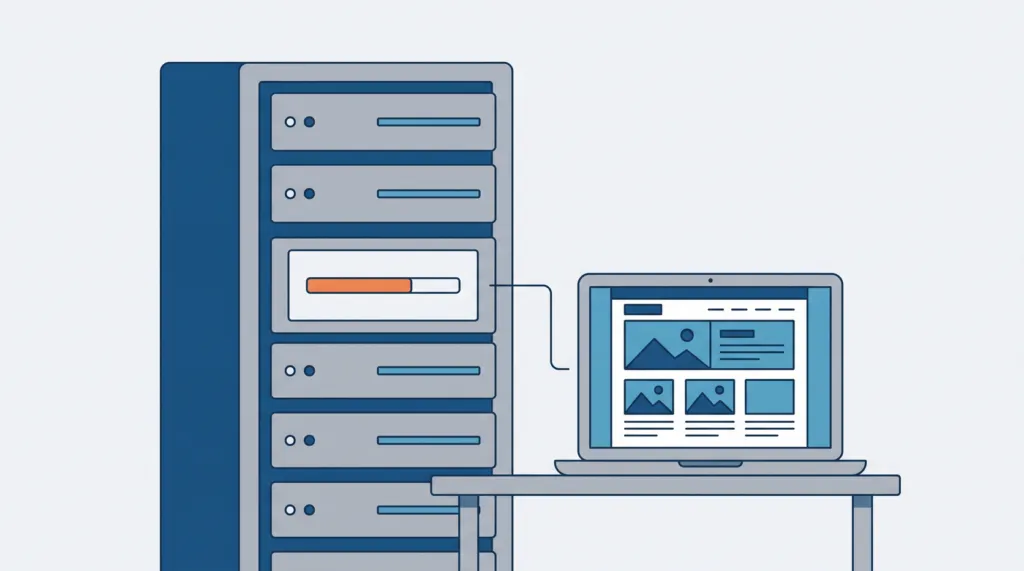
On October 21, 2026, PHP released emergency fixes for two critical security flaws, nicknamed PHP2Shell (CVE-2026-109618 and CVE-2026-109619). If your website runs on WordPress, it runs on PHP, and you should confirm today that your server has the fix.
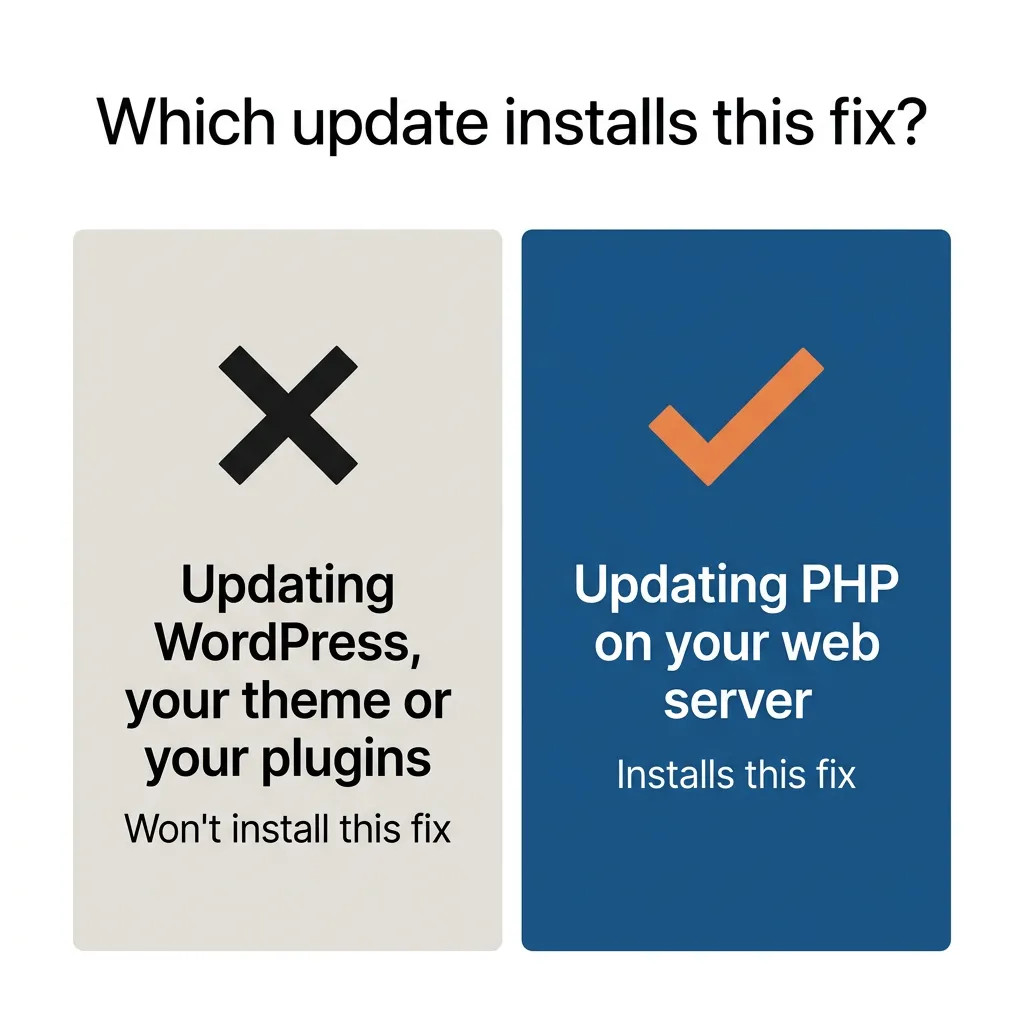
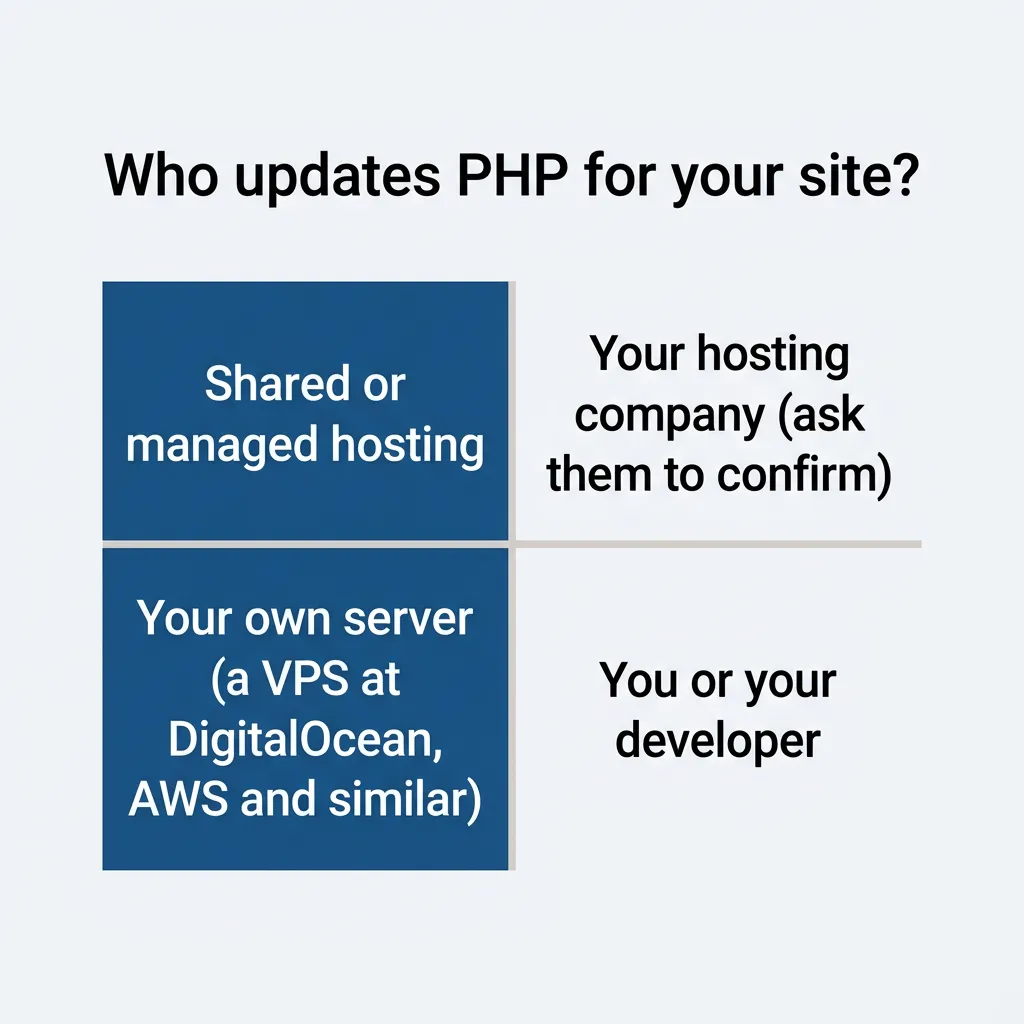
Updating WordPress, your theme or your plugins won’t install this fix. It has to be applied to the server your site runs on, and on most sites that means your hosting company.
Getting the fix onto your server today matters because attacks using these flaws have already started. Cloudflare’s chief technology officer reported early attacks on its customers’ sites at 12:43 a.m. PT on October 21, about six hours before PHP released the fix.
About half our clients at TJ Digital have WordPress websites. I’ll keep this post updated as more details come out.
Last updated October 21, 2026, at 10:46 a.m. PT.
What is PHP2Shell?
PHP2Shell is the nickname for two flaws in PHP that let an attacker run their own code on a web server without logging in. Both are rated 9.2 out of 10 (critical). PHP is the programming language behind WordPress, WooCommerce, Magento, Drupal, Joomla and a large share of the web.
PHP says every installation that serves web pages is affected, including PHP-FPM, Apache with mod_php, php-cgi, FrankenPHP and LiteSpeed. Servers running mod_php are at the highest risk.
A security plugin can’t be counted on to stop these flaws. When a request reaches your server, PHP reads it first, and only then runs WordPress and its plugins. On servers that run PHP inside Apache (mod_php), PHP says an attacker can trigger the flaw before any of the site’s own code runs, so a plugin never gets the chance to block it.
Which PHP versions fix PHP2Shell?
| PHP version on your server | What you need |
| PHP 8.5 | 8.5.12 or newer |
| PHP 8.4 | 8.4.27 or newer |
| PHP 8.3 | 8.3.36 or newer |
| PHP 8.2 | 8.2.35 or newer |
| PHP 8.1 or older | An upgrade to PHP 8.3 or newer |
PHP 8.1 and older are no longer supported. The PHP security team published small source-code patches for 7.4, 8.0 and 8.1, but those are for people who build PHP themselves.
Some hosts can still fix older versions for you, using patched builds from the software their servers run. cPanel released patched builds of its own PHP, from 7.4 through 8.5, on October 21. Hosts that run CloudLinux depend on CloudLinux’s patched builds instead, and those were still being released when I checked at 10:36 a.m. PT on October 21.
Ask your host whether the PHP your site runs has the fix. Either way, ask them to move you to PHP 8.3 or newer. PHP 8.2 has this fix in 8.2.35, but PHP stops releasing security fixes for 8.2 after December 31, 2026, so it’s only a short-term option.
How do I check my WordPress site’s PHP version?
- Log in to your WordPress admin.
- Go to Tools, then Site Health.
- Click the Info tab and open the Server section.
- Find the PHP version line and compare it with the table above.
If it says 8.3.35, for example, you need 8.3.36. If it says 7.4 or 8.1, you need an upgrade.
Your hosting control panel shows the PHP version too, which helps if your site doesn’t run on WordPress. In cPanel it’s in the MultiPHP Manager, and in Plesk it’s on the domain’s card, next to the PHP icon.
Some panels show only the first two parts of the number (8.4, for example). That can’t tell you whether you have the fix, so ask your host.
What should I ask my hosting company?
Contact your host today. Here’s a message you can copy and send:
“Has our server been updated to a PHP version that fixes CVE-2026-109618 and CVE-2026-109619 (PHP 8.2.35, 8.3.36, 8.4.27, 8.5.12 or newer)? If we’re on PHP 8.1 or older, what are our options for upgrading?”
Several hosts put temporary protections in place before the fix came out, such as switching off the PHP features the known attacks use. PHP says measures like these block only some of the ways in, so ask your host to confirm they’ve installed the fixed PHP version too.
A host can also apply the fix without changing the version number you see in Site Health. If your host says you’re patched but the number looks old, ask them to confirm it in writing.
What have hosting companies said so far?
Several hosts have posted about the fix on their own pages. Those pages are changing through the day, so follow the link for the latest.
| Host | What they said | When (PT, October 21) |
| Bluehost and HostGator | “The majority of servers are now updated,” with the rest still rolling out. | 9:18 a.m. |
| Cloudways | Adding more temporary protections recommended by PHP while it prepares to roll out the official patches. | 9:43 a.m. |
| DreamHost | Rolling out PHP’s fix across all its servers, with known attack paths blocked in the meantime. | 9:04 a.m. |
| InMotion Hosting | Dedicated servers patched; VPS updates in progress; shared, reseller and WordPress hosting protected and waiting on CloudLinux’s fixed builds. | 9:58 a.m. (page updated) |
| IONOS | Installing the update across its systems, expected to finish within 24 hours. | 8:31 a.m. |
| Kinsta | A support lead said its engineers were working on applying the patch. | 7:08 a.m. |
| Liquid Web and Nexcess | “At this time, no patches or modifications have been rolled out to production systems.” | 8:39 a.m. (Liquid Web), 9:06 a.m. (Nexcess) |
| Namecheap | All affected services have temporary protections, and “final patches are in progress.” | 9:50 a.m. |
| Pantheon | Patches still rolling out in stages, with protections active. No customer action needed. | 10:17 a.m. |
| SiteGround | Protections on all its servers; customers “already protected.” | 4:30 a.m., before the release |
| WordPress.com, WordPress VIP, Pressable and WP Cloud | Automattic says sites are “already protected.” | 8:04 a.m. |
| WP Engine | Rolling out the updates across all customer platforms, with protections already in place at its CDN. | 6:40 a.m. |
GoDaddy has posted guidance for its customers, but as of 10:11 a.m. PT on October 21 it said nothing about updating its own servers. I found no statement from Hostinger as of 10:26 a.m. PT. If you host with either one, ask them directly.
What if my site runs on its own server?
If your site is on a server you or your developer manage (a VPS at DigitalOcean, AWS, Vultr, Linode and similar), no hosting company is going to patch this for you. Your developer needs to update PHP and restart PHP-FPM or Apache so the new version takes effect.
How do I update PHP on my own server?
1. Check which PHP your website runs. A server can have one PHP for commands you type and a separate one that runs your website, and they don’t always match. php -v shows the command-line one, and Site Health in WordPress shows the one your website uses.
php -v2. Install the update. On Ubuntu or Debian, including servers that get PHP from Ondřej Surý’s packages:
sudo apt update
sudo apt upgrade
On Red Hat Enterprise Linux and similar systems, this installs Red Hat’s fixed package where one has been released (so far, for PHP 8.2 on RHEL 9):
sudo dnf upgrade --security3. Restart PHP. PHP keeps running the old code until it restarts, even if your server installs security updates automatically. Restart PHP-FPM, or Apache if PHP runs inside it (mod_php). Your developer will know which one your site uses.
On Debian and Ubuntu, the first command restarts PHP-FPM (change 8.3 to your version) and the second restarts Apache:
sudo systemctl restart php8.3-fpm
sudo systemctl restart apache2
On Red Hat Enterprise Linux and similar systems, the same two services are called php-fpm and httpd:
sudo systemctl restart php-fpm
sudo systemctl restart httpd
4. Confirm the fix. Run the version checks again and reload Site Health.
On Ubuntu 24.04, for example, the PHP version can still read 8.3.6 after the fix, instead of 8.3.36. Ubuntu adds the fix to its own copy of PHP 8.3.6, so PHP’s fixed version numbers don’t apply to Ubuntu’s packages.
What shows the fix on Ubuntu is the package version, the longer number (8.3.6-0ubuntu0.24.04.13 on 24.04). This command lists yours, and it should match or be newer than the version Ubuntu’s security notice gives for your Ubuntu release:
apt list '?installed ?name(^php[0-9.]+$)'If your site runs in Docker, rebuild it on the official PHP image for a fixed version. The image is the ready-made copy of PHP your container is built from, and its tag names the version, such as php:8.4.27-apache.
By 10:27 a.m. PT on October 21, official images for all four fixed versions were out, and short tags such as php:8.4 and latest had moved to the fixed versions. The official wordpress image still hadn’t been rebuilt on a fixed PHP version when I checked at 10:26 a.m. PT. Whichever image you use, check the PHP version inside the container after you rebuild:
docker run --rm php:8.4.27-apache php --versionWhich Linux packages and control panels have the fix?
| System | Status | Checked (PT, October 21) |
| Ubuntu 20.04 and older | Fixed for Ubuntu Pro subscribers (USN-8948-2) | 10:26 a.m. |
| Ubuntu 22.04 | Fixed in php8.1 8.1.2-1ubuntu2.28 | 10:26 a.m. |
| Ubuntu 24.04 | Fixed in php8.3 8.3.6-0ubuntu0.24.04.13 | 10:26 a.m. |
| Ubuntu 26.04 | Fixed in php8.5 8.5.4-0ubuntu1.5 | 10:26 a.m. |
| Ubuntu 26.10 | Fixed in php8.5 8.5.9-0ubuntu2.1 | 10:26 a.m. |
| Ondřej Surý’s PPA (ppa:ondrej/php) | 8.5.12, 8.4.27, 8.3.36 and 8.2.35 published for Ubuntu 24.04 and 22.04 at 7:45 a.m. | 10:26 a.m. |
| Debian 12 (bookworm) | Fixed in php8.2 8.2.35-1~deb12u1 (Debian security tracker) | 10:26 a.m. |
| Debian 13 (trixie) | Fixed in php8.4 8.4.27-1~deb13u1 | 10:26 a.m. |
| Red Hat Enterprise Linux | Fixed for PHP 8.2 on RHEL 9 (RHSA-2026:87072). Other PHP versions on RHEL 9 and 10 are still listed as affected. | 10:17 a.m. |
| Remi’s repository | No updates today, according to the PHP Foundation, which recommends switching to your distribution’s packages | 10:22 a.m. |
| cPanel and WHM | EasyApache 4 version 25.91, released October 21, fixes its PHP 7.4 through 8.5 packages | 10:16 a.m. |
| Plesk for Linux | Plesk says fixed builds are available for 8.2, 8.3, 8.4 and 8.5. PHP 7.4, 8.0, 8.1 and Plesk for Windows don’t have fixes yet. | 10:26 a.m. |
What can I do if PHP can’t be updated today?
If your host is still working on the fix, ask them when it will be installed. Until then, you can only lower the risk.
If your site uses Cloudflare, it has added firewall rules for the known attacks on every plan, including the free one. That helps while you wait, but it doesn’t replace the update. The rules only see traffic that passes through Cloudflare, so they don’t stop anyone who reaches your server directly.
Should I take my site offline until PHP is fixed?
The UK’s National Cyber Security Centre says: “If you are unable to apply the temporary mitigations, or applying them would take too long, you should consider taking the system offline until it can be fully mitigated.” On shared hosting, those temporary measures are your host’s to apply, so ask them whether they have.
If you do take the site down, keep PHP out of it, because the flaw is in PHP and every visit PHP handles can reach it. A WordPress maintenance-mode plugin isn’t enough, since PHP has already read the request before any plugin runs. On shared hosting, ask your host to take the site down for you.
While the site is down, show visitors a “503” page, which tells search engines the outage is temporary. Google’s John Mueller recommended it for sites taken down over this, rather than letting pages time out or show other errors.
He suggested two ways to serve that page without PHP, and your host or developer can set up either one. They can point your domain at a different server that shows the page, or have a service that sits in front of your site, such as Cloudflare, show it instead.
Which PHP settings lower the risk until I can update?
If you manage the server, PHP’s advisory lists settings that block some of the known attack paths:
- Set
session.upload_progress.enabled=0, which turns off PHP’s upload progress tracking, the feature the known attacks on CVE-2026-109619 go through. Put it in php.ini or the PHP-FPM pool configuration, not inini_set()or a.user.inifile. - Set
memory_limit=-1, which removes PHP’s memory limit. That takes away one way to set off CVE-2026-109618 (a request pushing PHP past its limit), but PHP says a memory allocation failure elsewhere can still reach the flaw. Set it where applications can’t override it, such asphp_admin_valuein the FPM pool or Apache configuration. - Use a container or cgroup memory limit instead, which is a memory cap the operating system enforces. PHP recommends one to keep the server available, ideally set to stop only the affected PHP worker. Don’t use RLIMIT_AS or RLIMIT_DATA for this, because PHP says they can set off the flaw.
- Set a low
post_max_sizeto cap how much data one request can send:post_max_size = 8Mif the site doesn’t take file uploads, orpost_max_size = 32Mif it does. - Keep
upload_max_filesizebelowpost_max_size. - On PHP 8.5, set
fatal_error_backtraces=0, which turns off the extra detail PHP 8.5 adds to fatal error messages and blocks one known attack path.
After changing any of these, restart PHP-FPM or Apache, the same way you would after an update. PHP’s own developers say updating is the only real fix, so treat those settings as a stopgap.
Could my site already have been hacked?
Your site could already have been attacked if it was online on an unpatched PHP version after the attacks began, which Cloudflare reported by 12:43 a.m. PT on October 21. Ask your host or developer to check the server logs. The signs reported so far include:
- unusual upload requests followed by memory-limit errors or repeated server errors (HTTP 500)
- unusually large session cookies (PHPSESSID) in the site’s responses
- PHP restarting for no clear reason
The flaws can also let an attacker read data from other visitors’ requests, such as passwords and API keys, according to Wiz, one of the research firms that reported them. If your site was reachable and unpatched, change your admin passwords and any API keys the site uses once the fix is in.
If the check turns up signs of an attack, Brett Leatherman, the FBI’s cyber assistant director, says to isolate the system, which for a website means taking it offline. In a post quoted by WIRED, he also says to “preserve your web server and PHP logs, and report it to your local FBI field office.”
How do I upgrade safely from PHP 8.1 or older?
Take a full backup of your site first. Older themes and plugins can break on a newer PHP version, so ask your host or developer to test the upgrade on a staging copy, or check every important page and form right after switching.
If a plugin breaks on PHP 8.3, that plugin is out of date. Update it or replace it, rather than staying on an old version of PHP.
Is this a reason to move off WordPress?
This flaw is in PHP, so it hits every platform built on PHP, WordPress included. What it shows is that any website that runs code on a server for every visit needs someone keeping that server up to date for as long as the site exists. On WordPress, plugins add their own regular security updates on top of that.
A website that’s built ahead of time and served as finished files from a CDN has no PHP for an attack like this to reach. Many newer AI-built websites work that way. They still need looking after (forms, hosting accounts and the tools used to build them), but there’s a lot less to patch.
As AI becomes smarter and more capable, I think vulnerabilities like this are going to be easier to find. And working attacks are going to come faster and faster. So if you’re staying on WordPress, make sure you’re with a web host that can patch these vulnerabilities immediately when they’re found, before anyone can exploit them.
If you’re building a new site, build it with as few dependencies as possible. Those are the plugins and other software a site relies on, and each one needs its own security updates. I wrote about why we moved off WordPress and what we build on now.
Where can I read more about PHP2Shell?
- PHP’s security release announcement
- Help Net Security: PHP2Shell critical PHP vulnerabilities patched
- SiteGround’s notice on the October 2026 PHP vulnerabilities
If you have questions about any of this, reach out through our contact page or email me at tj@tjrobertson.com.