
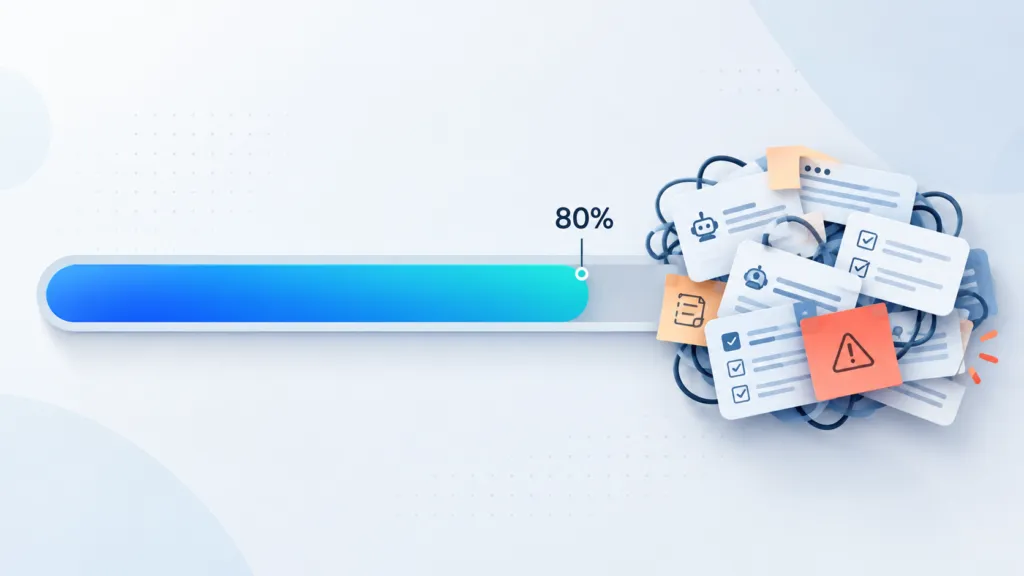
AI implementation challenges almost always show up in the last 20% of a project. AI gets you about 80% of the way quickly, then quality stalls because instructions get bloated, context goes missing, and the model makes mistakes a human never would. At TJ Digital, we do essentially all of our work with AI, and I’ve personally put over 1,000 hours into our article production process alone.
That frustration is a good sign. Most of your competitors will hit the same wall and decide AI can’t do the job. The businesses that keep pushing get to keep the last few percentage points for themselves.
In most of my videos, I try to explain how to do SEO with AI in a way that’s simple to understand. I think that sometimes gives people the impression this should all be easy. Then they try it, it turns out to be hard, and it’s frustrating.
Table of Contents
ToggleCan AI really do high-quality work for a business?
Yes, AI can do high-quality work for a business when humans handle the parts it still gets wrong. Our agency does essentially everything with AI, including building websites, writing content, and running analysis. If you’re not working this way yet, you can be forgiven for assuming all of that work must be low quality.
We have one rule at TJ Digital. Anything that can be done better by a human is done by a human, and humans review everything AI produces.
As the models and our systems improve, less of the hands-on work falls into that category. That still doesn’t make it easy. AI still makes mistakes a human would never make, and pretty much everyone at our agency gets frustrated with it every day.
@tjrobertson52 Why is AI so frustrating to work with? Because the last 20% is where everyone quits. #AISEO #AITools #AgencyLife #SmallBusiness
♬ original sound – TJ Robertson – TJ Robertson
Why does AI get stuck at 80%?
AI gets stuck at 80% because the last 20% depends on context, judgment, and precise standards it usually doesn’t have. The generic parts of a task are easy for it. A clean layout, a reasonable structure, and a solid first draft take minutes.
Four things usually hold it back:
- Missing context. AI only knows what you give it. Your customers, your past decisions, and the reasons behind them live in your head, and a better model can’t guess them.
- Bloated instructions. Every fix you add competes with the instructions already there. Eventually they start contradicting each other.
- No clear definition of done. If you can’t describe exactly what a finished result looks like, AI has no way to hit it.
- Model blind spots. Some mistakes are just how the model works today. You can prompt around them, wait for the next release, or keep a human on that step.
Why does AI quality drop when you add more instructions?
AI quality often drops as you add instructions because they start competing with each other, and our website builds are a good example. When our web developer Franco started building websites with Claude, we were all impressed right away. We still had no idea what we were doing, and out of the box, the websites Claude built were pretty great.
I should have known better by this point, but my first thought was that these websites were about 80% there. I figured the last 20% would be easy.
Franco built a web kit, which was a plugin full of instructions on how to build websites the right way. Progress was fast at first. It didn’t take long to get from 80% to 90% of where our websites needed to be.
Then we noticed quality was still improving in some areas while it dropped in others. Our skills had become bloated, and it was hard to see what was going wrong.
Franco ended up stripping out almost all the instructions we’d written and rebuilding them from the ground up with what we’d learned. Only then did we see progress again, and even that didn’t get us to 100%. That’s when I remembered we’d already learned this lesson a dozen times before, or at least we should have.
How do you fix bloated AI instructions?
The most reliable fix for bloated AI instructions is to strip them back to the essentials and rebuild one instruction at a time. Bloat happens one fix at a time. The AI makes a mistake, you add an instruction, and eventually nobody can tell which line is causing the problem.
I rebuild in small, testable steps:
- Strip it back. Keep only the instructions you know are pulling their weight.
- Add instructions back one at a time. Test the output after each change so you can see what each line actually does.
- Split big jobs into smaller steps. A chain of simple prompts is far easier to debug than one prompt trying to do everything.
- Define what done looks like first. Write down the finished standard before you write a single instruction.
Anthropic saw the same pattern while working with dozens of teams building AI systems. In their guide to AI agents, they recommend finding the simplest solution possible and only adding complexity when it’s needed.
The same thing happens inside a single chat. If you keep asking the model to fix the same mistake, every output tends to get a little worse, because all those earlier mistakes are still in the conversation. Go back and edit the prompt where things went wrong, or start a new chat with a better first prompt.
How long does it take to build AI workflows that work?
A production-ready AI workflow takes far longer to build than most people expect. Our article process took over 1,000 hours of my own time, and even after stripping out the bloat and rebuilding it, I still had to run a ton of experiments to find the best approach.
Getting a prototype working can take an afternoon. Getting it to the point where you’d trust it with client work takes weeks or months of testing edge cases. For any task you plan to repeat, it’s worth spending 30 minutes, an hour, or even a full day writing specific instructions, context, and examples.
Here’s roughly how the progress feels at each stage:
| Stage | How it feels | What actually helps |
| 0 to 80% | Fast and impressive | A clear prompt and good context |
| 80 to 90% | Steady progress | Adding instructions for recurring mistakes |
| The 90% plateau | Some areas improve while others get worse | Stripping instructions and rebuilding from scratch |
| The last few points | Slow and frustrating | Many small experiments, or waiting for a better model |
I walk through our AI article process step by step in another post, including the Brand Ambassador that feeds it.
Why do most companies give up on AI implementation?
Most companies give up on AI implementation because they hit the 80% wall and assume AI can’t do the job. It’s so frustrating to see AI get close to doing the job perfectly, then realize you’re not even close to solving the issue.
The data backs this up. An MIT report covered by Fortune found that 95% of generative AI pilots at companies were falling short of measurable results. The researchers traced most of the failures to how companies integrated the tools into their work.
Is it worth pushing through AI frustration?
Pushing through AI frustration is worth it because almost all your competitors will give up. If you keep running experiments, or wait for the next model, those last few percentage points are worth ten times what the rest is combined.
The first 80% is available to anyone with a ChatGPT subscription. The last 20% takes hours most businesses won’t put in, and that’s where you get output your competitors can’t match.
For us, it’s what lets AI do the hands-on work while people review all of it before it reaches a client. Sometimes the next model closes the gap on its own. When ChatGPT 5.5 came out, we started moving some processes over right away.
How should a small business start building AI workflows?
Start with one task you do every week and get that single workflow to 100% before you build the next one. Here’s the order I’d follow:
- Pick one repeatable task with a clear finished standard.
- Write down the context AI needs, including your customers, your offer, and examples of good work.
- Build the simplest prompt that could work, then test it on real tasks.
- Fix one problem at a time, and rebuild from scratch when fixes start fighting each other.
- Keep a human on any step AI still gets wrong.
Should you use pre-built AI prompt kits or write your own?
Use kits to get started, then rewrite them once you understand your workflow. Kits are built for everyone, so they rarely fit the specific details of your business.
Will a newer AI model fix a stalled AI workflow?
A newer model sometimes closes a gap you’ve been stuck on for weeks, so retest your hardest tasks after every major release. No model can supply missing context about your business on its own.
Should a human still review AI output?
Yes. Every piece of AI work at TJ Digital gets a human review, and any task a human can do better still goes to a human.
How does TJ Digital use AI for marketing?
We build a Brand Ambassador for every client. It’s an AI project that knows everything about the business and talks the way the brand talks, and it’s how we get our client work past the 80% wall.
If you have questions about any of this, reach out through our contact page.