How to Tell If a Google Traffic Drop Means You Lost Visibility in 2026

Short answer:
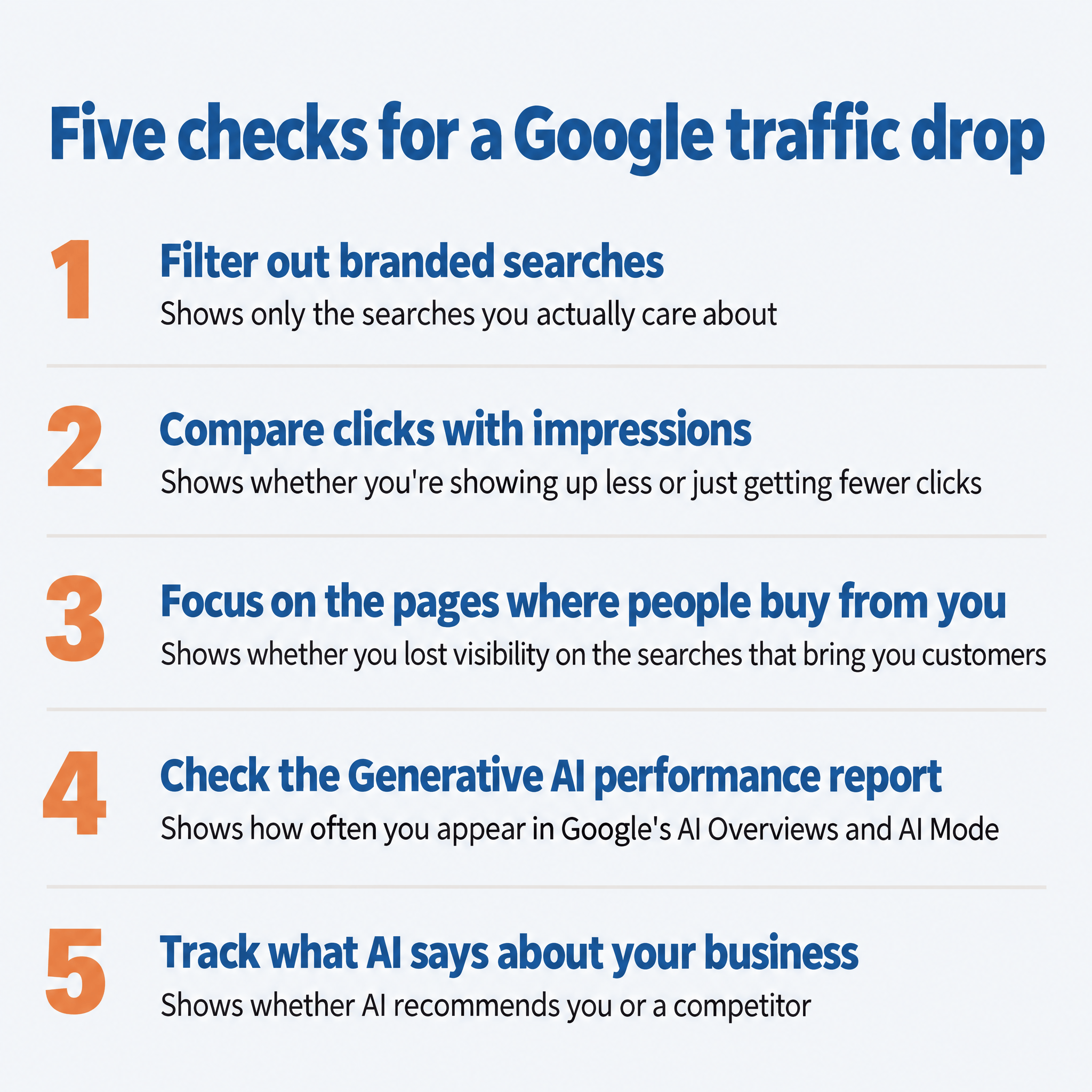
- Filter out branded searches in Search Console.
- Check whether you’re showing up less or just getting fewer clicks.
- Look closest at the pages that sell your product or service.
- Open Search Console’s Generative AI performance report.
- Track what AI tools say about your business.
If your traffic from Google is down lately, you’re not alone. But don’t panic. It might not be as bad as it looks.
Less traffic doesn’t always mean fewer people are seeing your business. Google’s AI now answers a lot of searches right on the results page, so your site can keep showing up in Google and still get fewer clicks.
Impressions in Google Search Console tell you how many times your site showed up in search results, whether or not anyone clicked. If your impressions held steady while your clicks fell, you most likely didn’t lose visibility.
At TJ Digital, we track two things for every business we work with: how it performs in Google Search Console, and what AI tools say about it when someone asks for a recommendation. Between the two, you can tell whether a business is less visible or just getting fewer clicks.
Table of Contents
Why Is My Google Traffic Down?
I think the main reason Google traffic is down for so many sites is that Google now shows an AI Overview, an AI-written answer at the top of the results, on most of the searches SEO tools track. Fewer people click on websites when it does.
It isn’t because people are searching Google less. Some searches have started moving over to ChatGPT, but in April 2026, Google CEO Sundar Pichai said “queries are at an all-time high”.
Semrush checks the same set of keywords every day. On November 4, 2026, Google showed an AI Overview for 84% of them on desktop and 89% on mobile. At the end of August, Semrush reported AI Overviews on more than half of those keywords.
Those keywords are a sample, so the share across all Google searches could be higher or lower.
In a study published in February 2026, Ahrefs looked at informational keywords, the kind people search when they want an answer rather than something to buy. When an AI Overview appeared, the top-ranking page had a 58% lower click-through rate. Click-through rate is the share of people who see a result and click it.
Kevin Indig, who writes the Growth Memo newsletter, shows how widespread the drop is. In an October 2026 study, he found that 62.5% of the US sites he looked at had lost visits from organic search, which covers Google and other search engines. Across his US data, organic search visits fell 13.2% from August 2024 to August 2026.
Indig says his findings don’t establish whether AI or paid search caused the losses. He thinks two causes get overlooked because it’s easier to blame AI: Google showing more ads, and Google’s ranking updates hitting sites harder.
His data also stops at August 2026, before the jump in AI Overviews. So I bet the real number of sites that lost traffic is even higher than the study’s 62.5%.
Does a Traffic Drop Matter If You Sell a Product or Service?
A drop in Google traffic matters less than you’d think if you’re a legitimate business that sells an actual product or service. Traffic was never the goal. Sales was always the goal.
The truth is, people are relying on Google more than ever to decide which business to buy from. And being recommended as the best choice in Google’s AI answer is worth way more than a click to your website.
Kevin Indig makes a similar point in his study: focus on whether your business shows up when buyers are researching what to buy, then look at whether that visibility leads to results for your business. I’ve written more about why losing clicks to Google’s AI isn’t a bad thing and why website traffic was never the goal of SEO.
So what you need to know is whether you’re showing up less for the searches that bring you customers.
How to Measure Whether Your Visibility Is Going Up or Down
1. Filter Out Branded Searches in Search Console
Start by isolating the searches you actually care about. You’re almost always going to rank high for your own brand name, unless it’s a very common one. So a rise or fall in branded traffic usually just reflects how many people searched for you by name. When you’re checking whether you lost visibility, I recommend looking only at non-branded traffic.
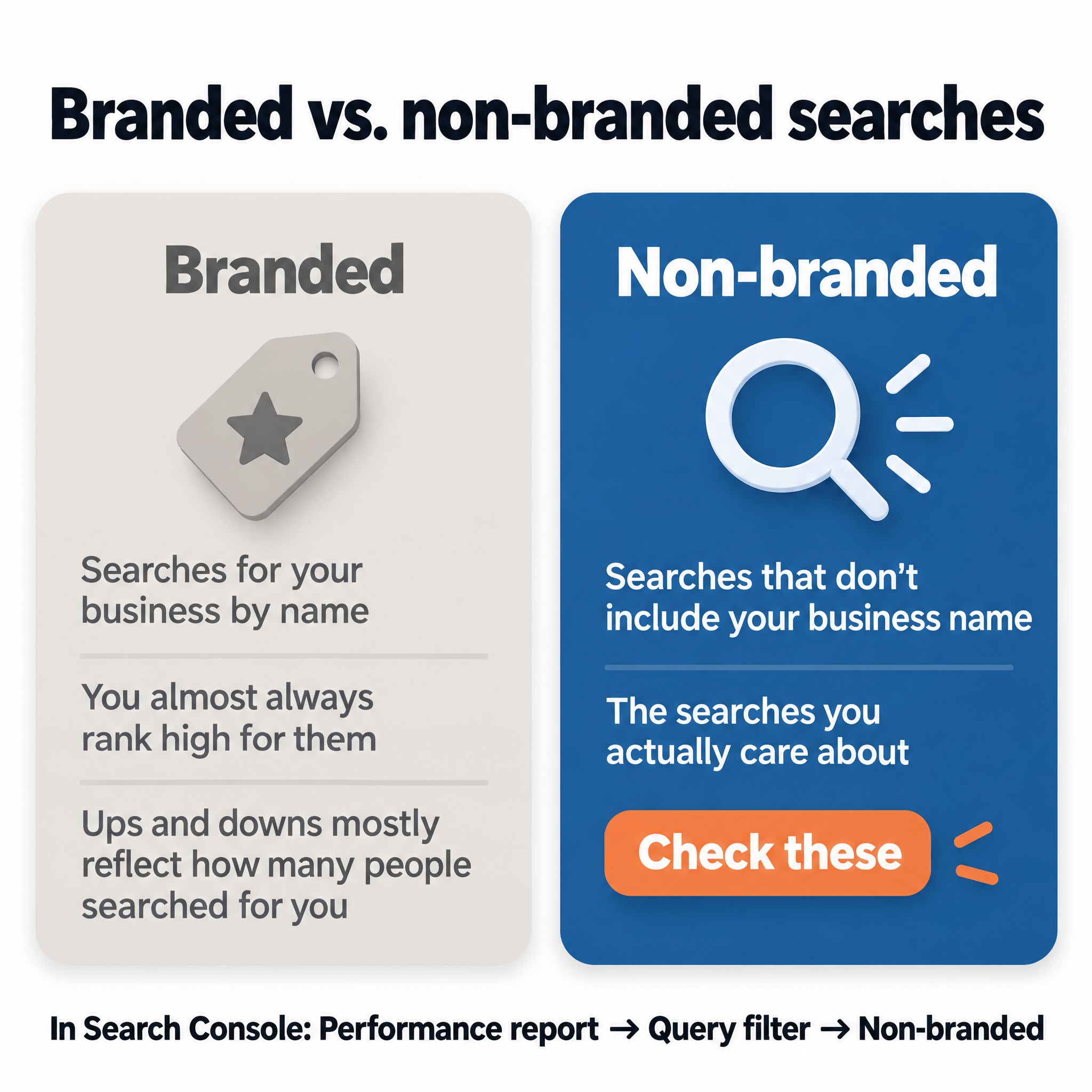
Search Console has a branded queries filter for this. In the Performance report, open the Query filter and choose Non-branded.
If you don’t see the filter, your site may not qualify for it. The filter only works when your Search Console property (the site you set up in Search Console) covers your whole site, not just one folder or subdomain. Your site also needs enough searches for Google to sort them into branded and non-branded.
Without the filter, you can add a Query filter that excludes searches containing your business name. I walk through both options in my post on tracking SEO performance in Search Console.
2. Compare Clicks With Impressions
Don’t just look at your traffic. Look at impressions, too, since they include the times your site shows up in Google’s AI answers.
If an AI Overview links to your page, and the link is visible without the searcher clicking to see more, Search Console counts an impression in the regular Performance report. It counts whether or not they click, which is how impressions can hold steady or grow while clicks fall.
Be careful comparing impressions with last year. Google says a logging error kept Search Console from accurately reporting impressions from May 13, 2025 to April 27, 2026, and that you may see a decrease in impressions now that it’s fixed. So if your comparison includes dates in that window, a drop in impressions may come from the fix, not from a change in your visibility.
Clicks weren’t affected, so a drop in clicks against last year is real. For impressions, compare two periods after April 27, 2026, like the last three months against the three months before them.
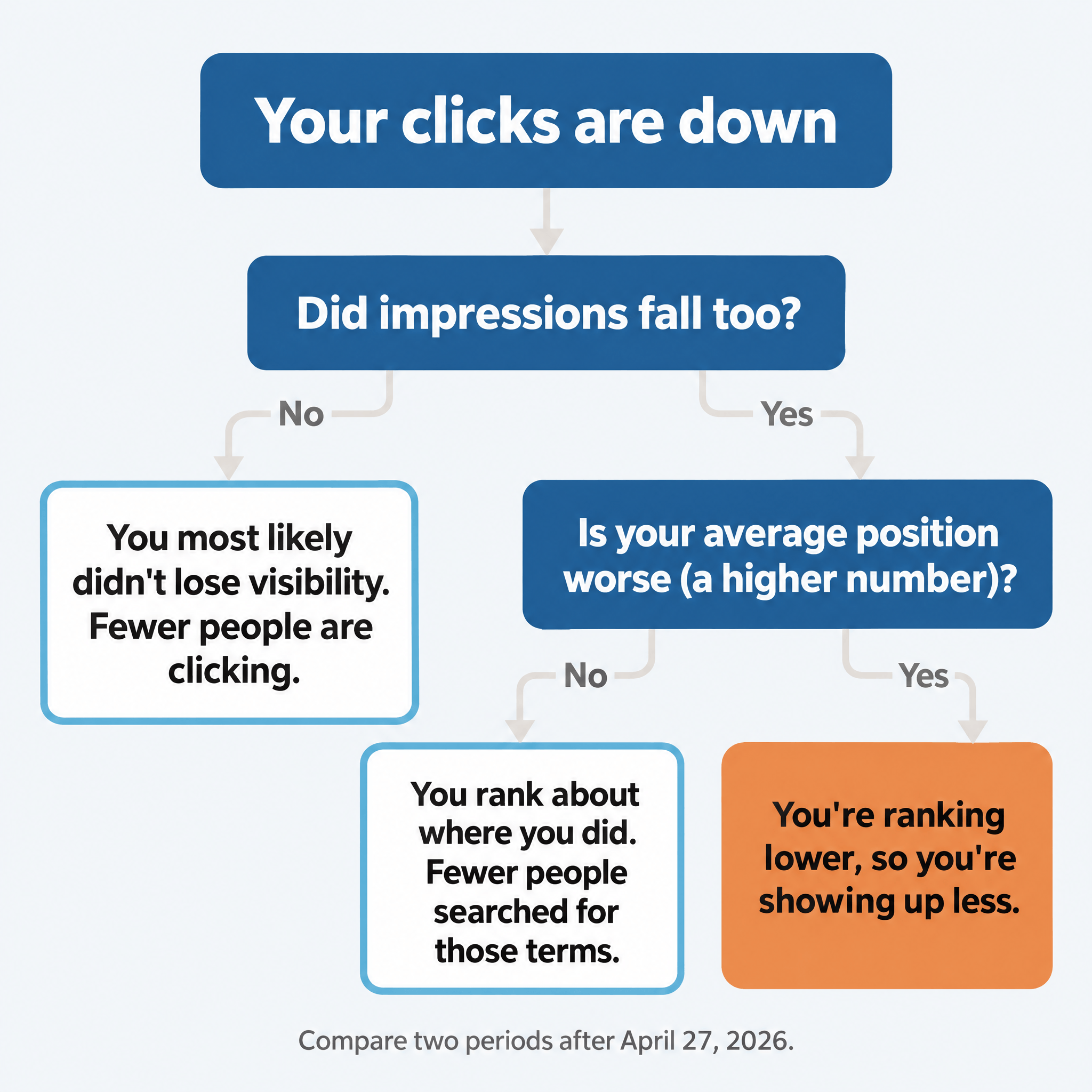
If impressions fell too, check average position in the same report. It’s the average spot your site held in the results. A lower number is better, since position 1 is the top.
Google says the same error affected average position and click-through rate, so compare average position over the same two periods after April 27, 2026.
| What you see | What it probably means |
| Clicks down, impressions up | There’s a good chance your overall visibility is increasing. Fewer people are clicking. |
| Clicks down, impressions flat | Your visibility held. Fewer people are clicking. |
| Impressions down, average position about the same | You rank about where you did. Fewer people searched for those terms. |
| Impressions down, average position worse (a higher number) | You’re ranking lower, so you’re showing up less. |
If your drop started on a specific date, a Google update could be the cause. We looked at what the September 2026 spam update did to websites.
3. Focus on the Pages Where People Buy From You
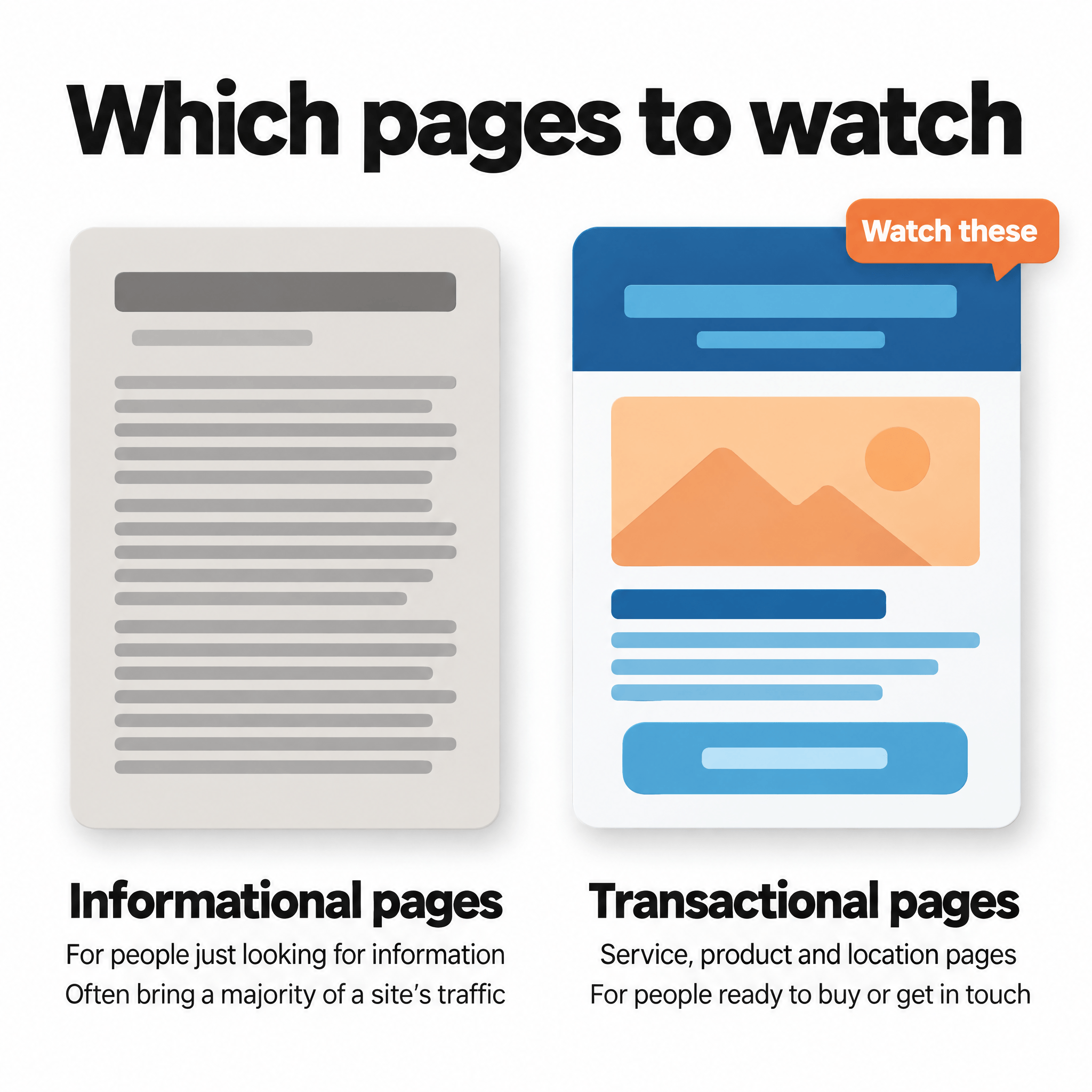
Many websites get a majority of their traffic from informational pages. These are pages that target searches people enter when they’re just looking for information, not when they’re interested in buying your products or services. Those are the kind of searches where Ahrefs found the 58% lower click-through rate.
The pages to watch are your transactional pages: the service, product and location pages people land on when they’re ready to buy or get in touch. That’s where losing visibility would cost you customers.
The easiest way to separate them is to export your data from Search Console and have AI sort it. Turn on the non-branded filter, set the report to compare the same two periods you used for impressions, and click the export button. You can download the data as a Google Sheet, an Excel file or a CSV, with up to 1,000 rows of the table.
Then give the file to ChatGPT or Claude with something like this:
> This is my Google Search Console data for non-branded searches, comparing two date ranges. Sort the pages into informational pages and transactional pages (pages where someone can buy from us or contact us). Then compare clicks and impressions on the transactional pages between the two date ranges, and tell me which pages gained or lost.
If impressions on your transactional pages held or grew, you haven’t lost visibility on the searches that bring you customers, even if your total traffic is down.
4. Check Search Console’s Generative AI Performance Report
Search Console also has a Generative AI performance report, which is great. It shows your impressions from Google’s AI Overviews and AI Mode on their own, separate from the rest of your search results. You can break it down by page, country, device and date, so you can see whether your transactional pages are showing up in more AI answers over time.
The report only shows impressions. It won’t show you click or query data, so you can’t see which searches put you in an AI answer. And until November 2026, ChatGPT didn’t show you anything at all. Now OpenAI shows verified businesses how often ChatGPT mentions them and how often people click through to their website.
Clicks from AI Overviews and AI Mode are in the regular Performance report, mixed in with your other clicks. I explain what the AI report tracks and what it leaves out in a separate post.
5. Track What ChatGPT and Google’s AI Say About Your Business
Search Console can tell you how often you showed up. It can’t tell you what AI said about you, or whether it recommended you or a competitor. I think it’s very important for every business at this point to be tracking what AI actually says about them for the searches they care about.
We use Peec AI for that (we’re a Peec AI Trusted Partner), but there’s lots of software that does the same thing. You give it the questions your buyers ask, and it runs them every day on the AI platforms you choose, such as ChatGPT, Google’s AI Mode and AI Overviews. For the businesses we work with, we track about 50 of those buying questions.
Not only will that show you how often AI recommends you, but it’ll show you the exact pages that are influencing AI to recommend you or your competitors. Those pages tell you exactly where you need to get your brand mentioned, or which pages you need to add to your own website.
How to track performance in AI search lays out a monthly routine for checking Search Console and AI answers together.
If you’ve run these checks and still can’t tell what your traffic drop means, reach out through our contact page or email me at tj@tjrobertson.com.